Sin’s Toolkit: QOL
- By
Banner.jpg
Main.png
General.png
Gear.png
Frame.png
Dev.png
UI errors.png
cvars.png
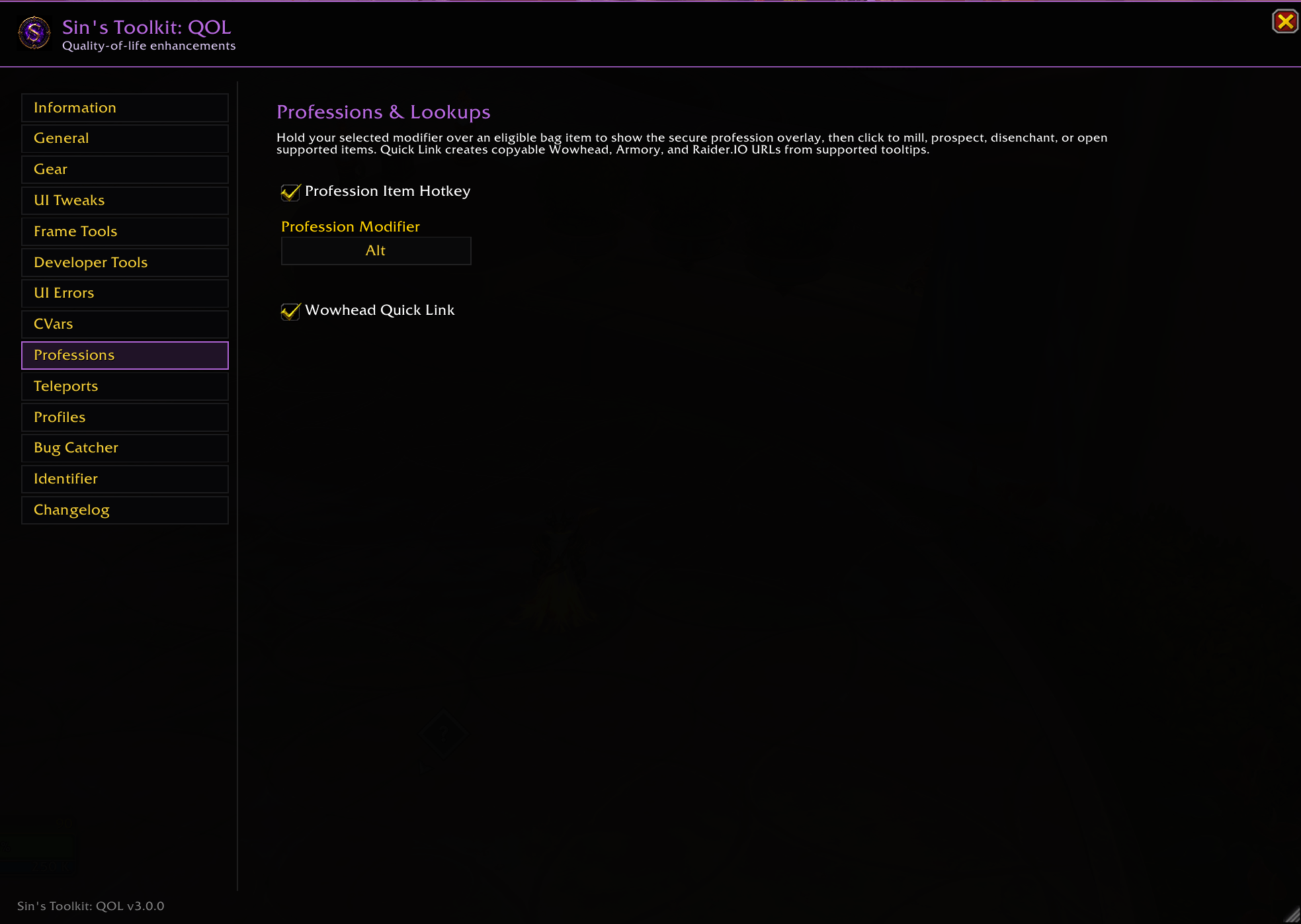
Professions.png
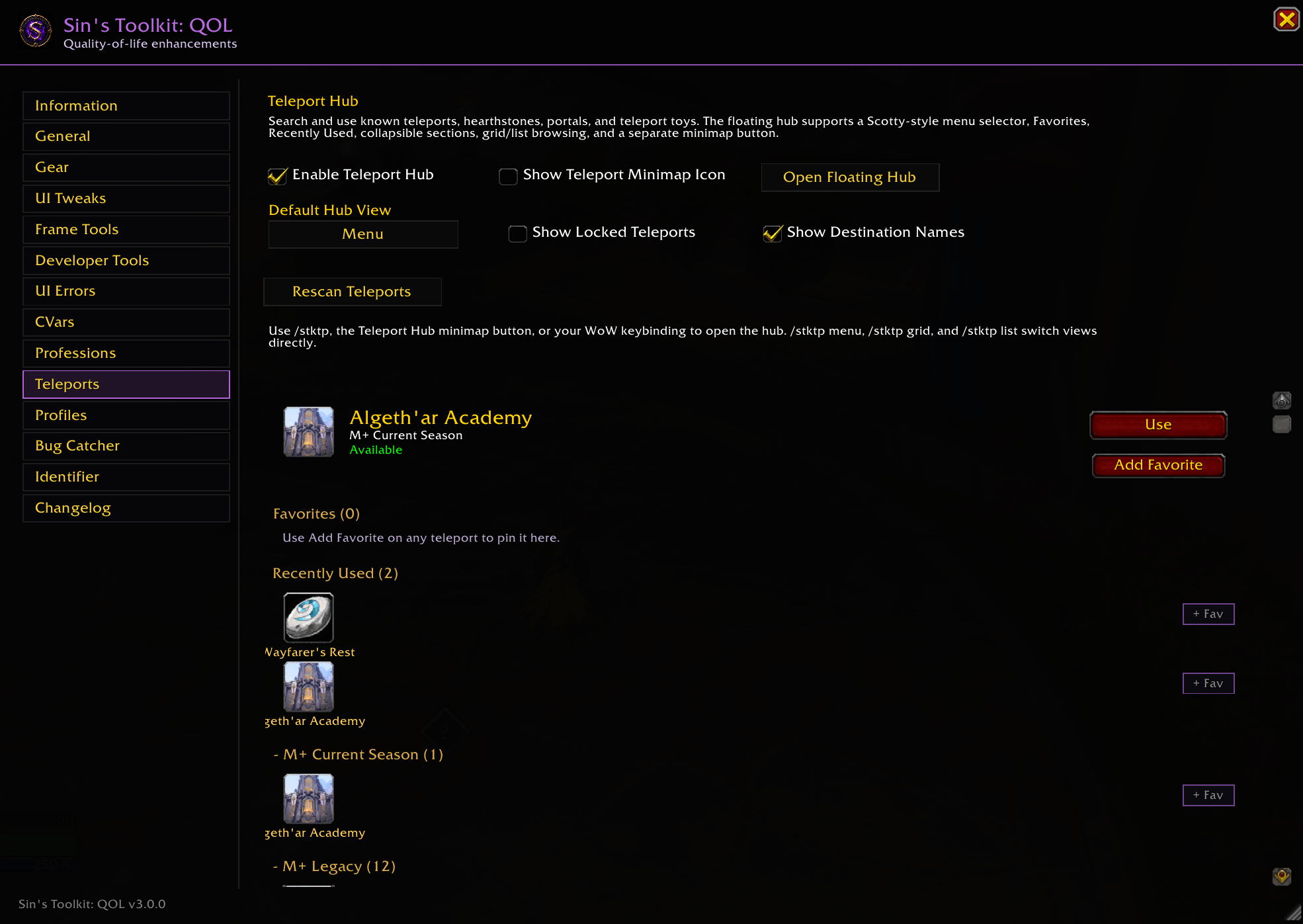
Teleports.png
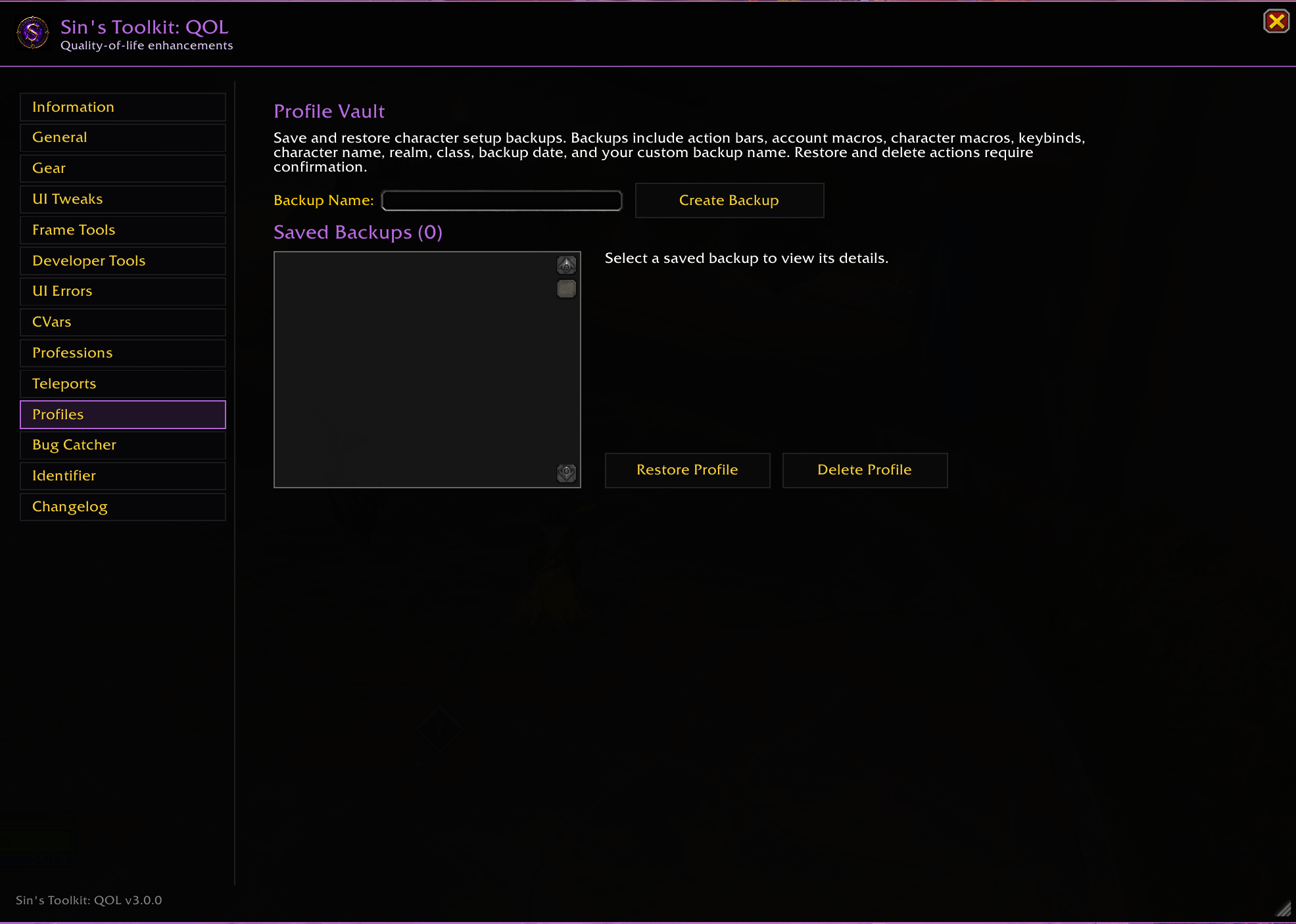
Profiles.png
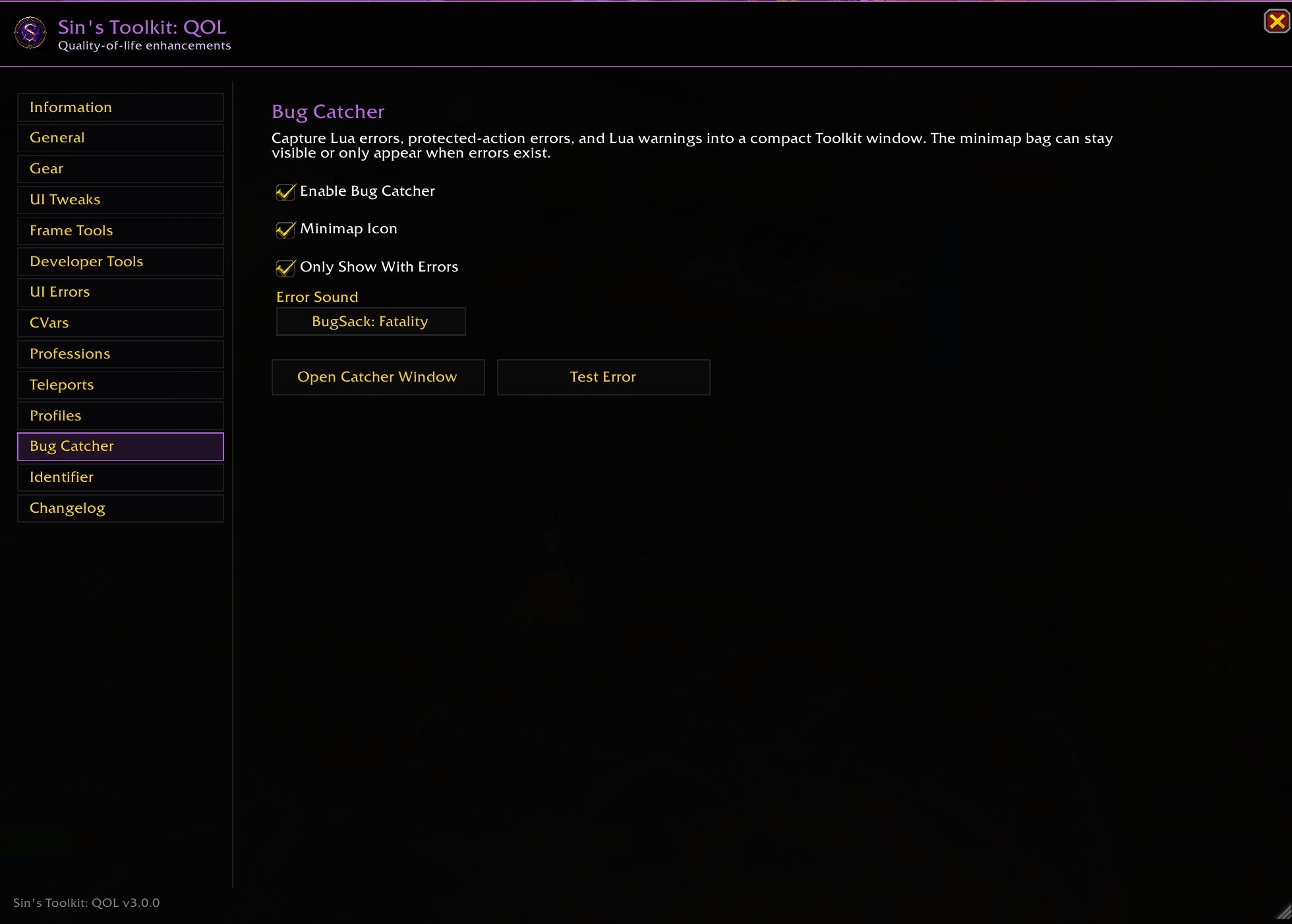
Bug.png
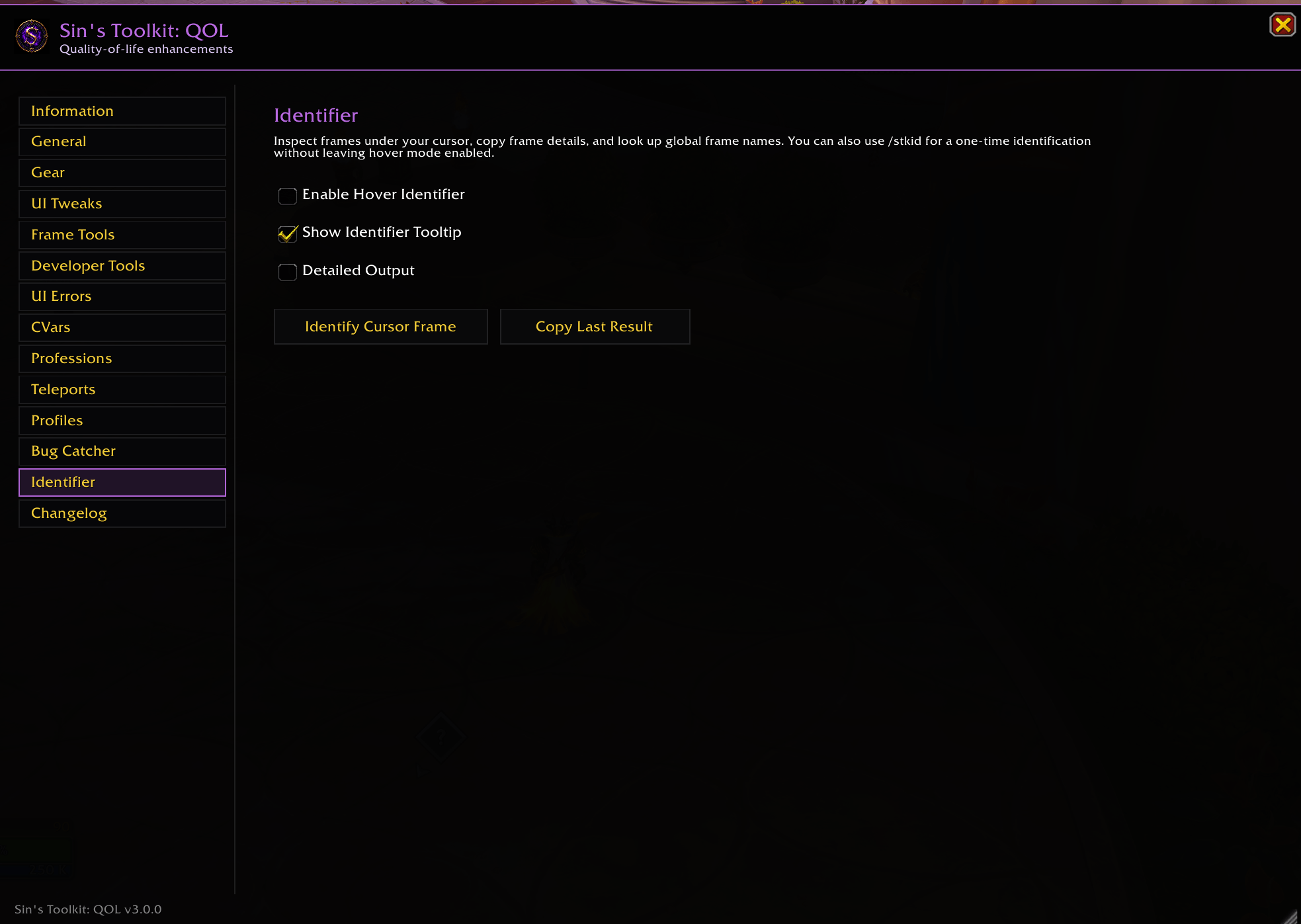
Identifier.png
Description
Sin's Toolkit: QOL
Sin's Toolkit is a standalone World of Warcraft Retail toolkit that brings quality-of-life enhancements, developer utilities, UI customization, gear tools, and everyday gameplay features together in one polished interface.
It works as a complete standalone addon and does not require ElvUI or any other UI replacement.
Features
Standalone Toolkit Window
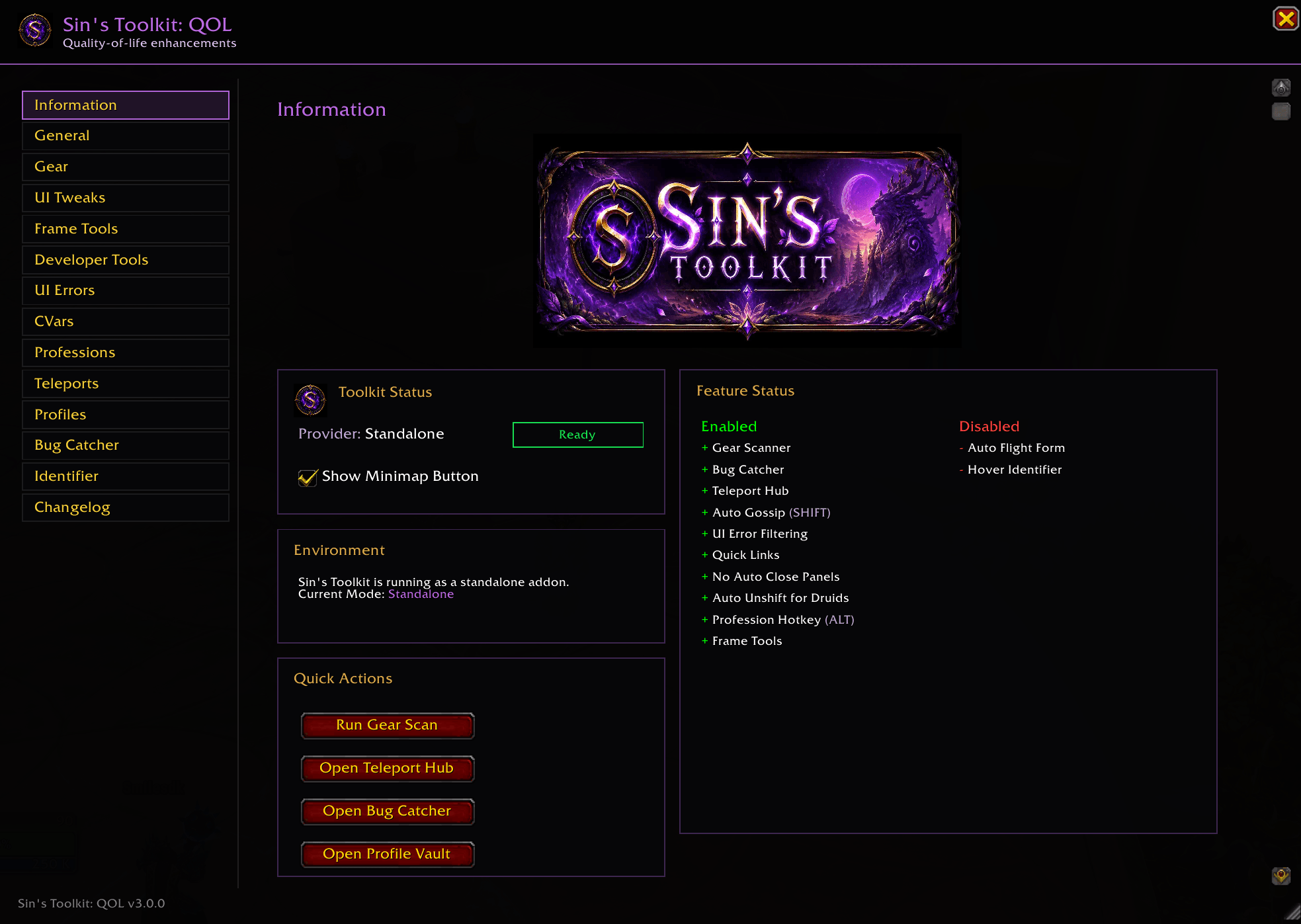
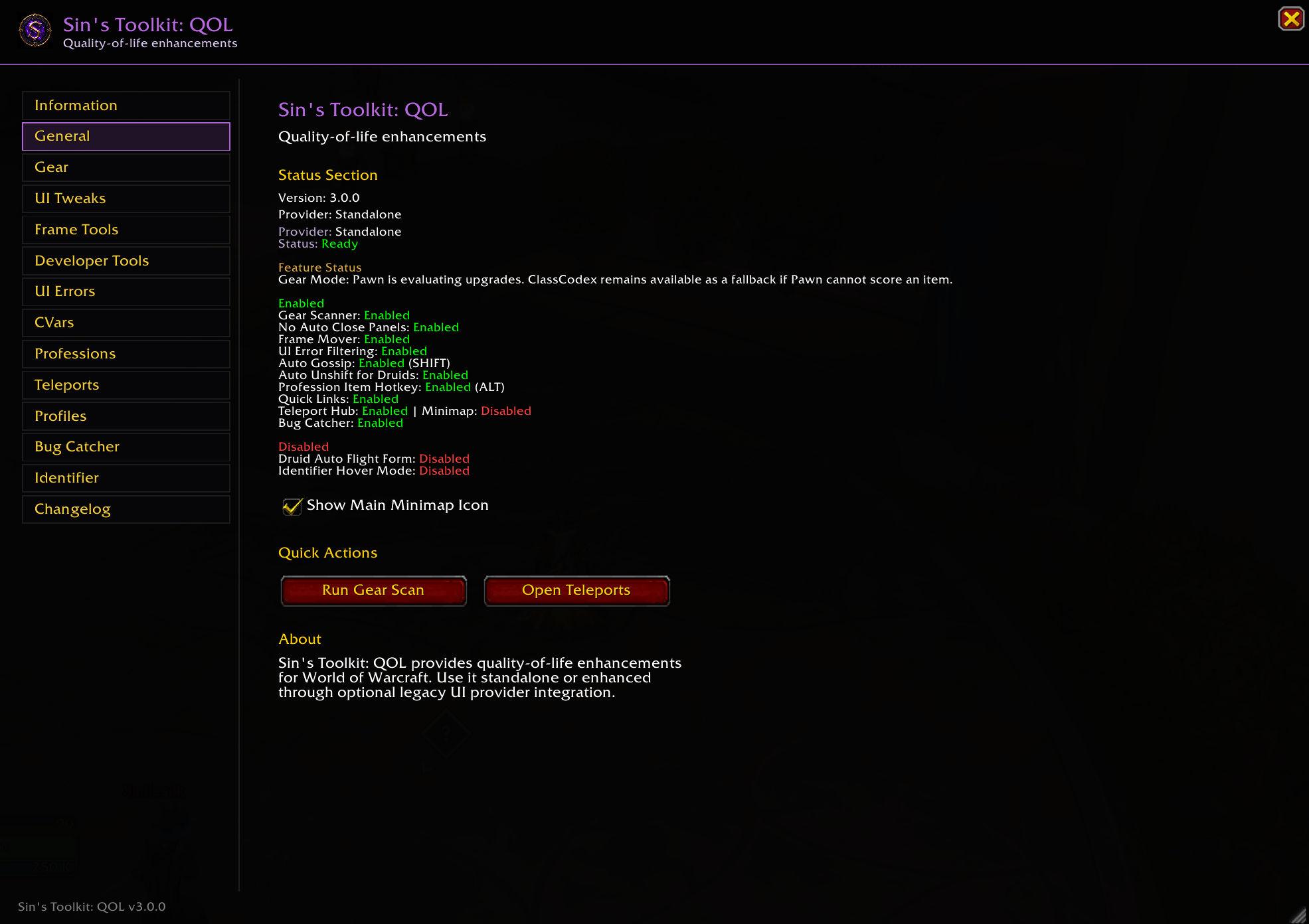
Access Sin's Toolkit from the minimap button, Blizzard's AddOns settings, or slash commands. The unified interface organizes every feature into easy-to-navigate pages, including Gear, UI Tweaks, Frame Tools, Developer Tools, CVar Browser, Professions, Teleports, Profiles, Bug Catcher, Changelog, and more.
Gear Scanner
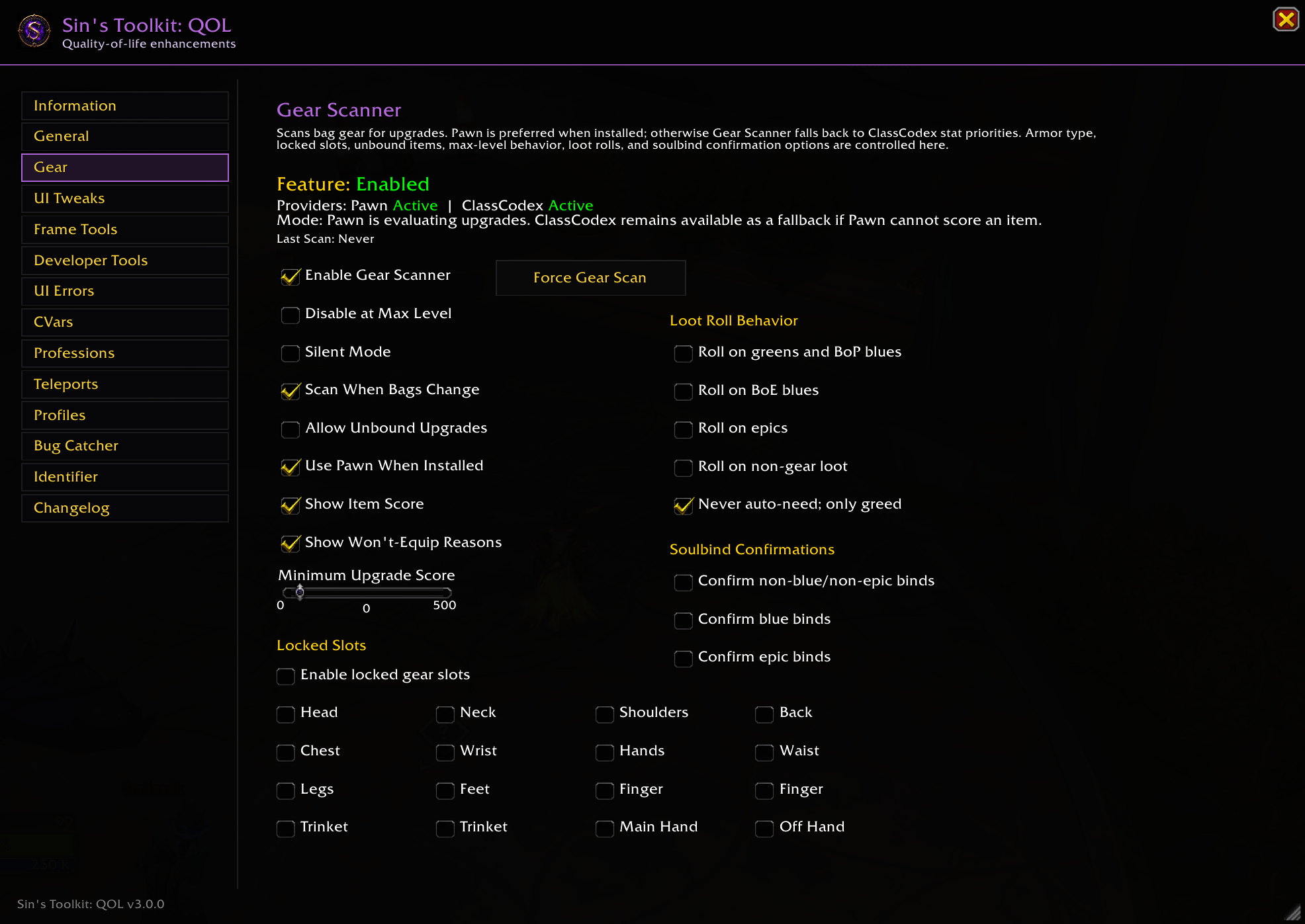
Analyze equipment in your bags for potential upgrades using Pawn as the primary evaluation engine, with ClassCodex available as an optional fallback.
Features include:
- Manual and automatic gear scans
- Bag update detection
- Locked equipment slots
- Unbound item protection
- Upgrade explanations
- Loot roll recommendations
- Soulbind confirmation support
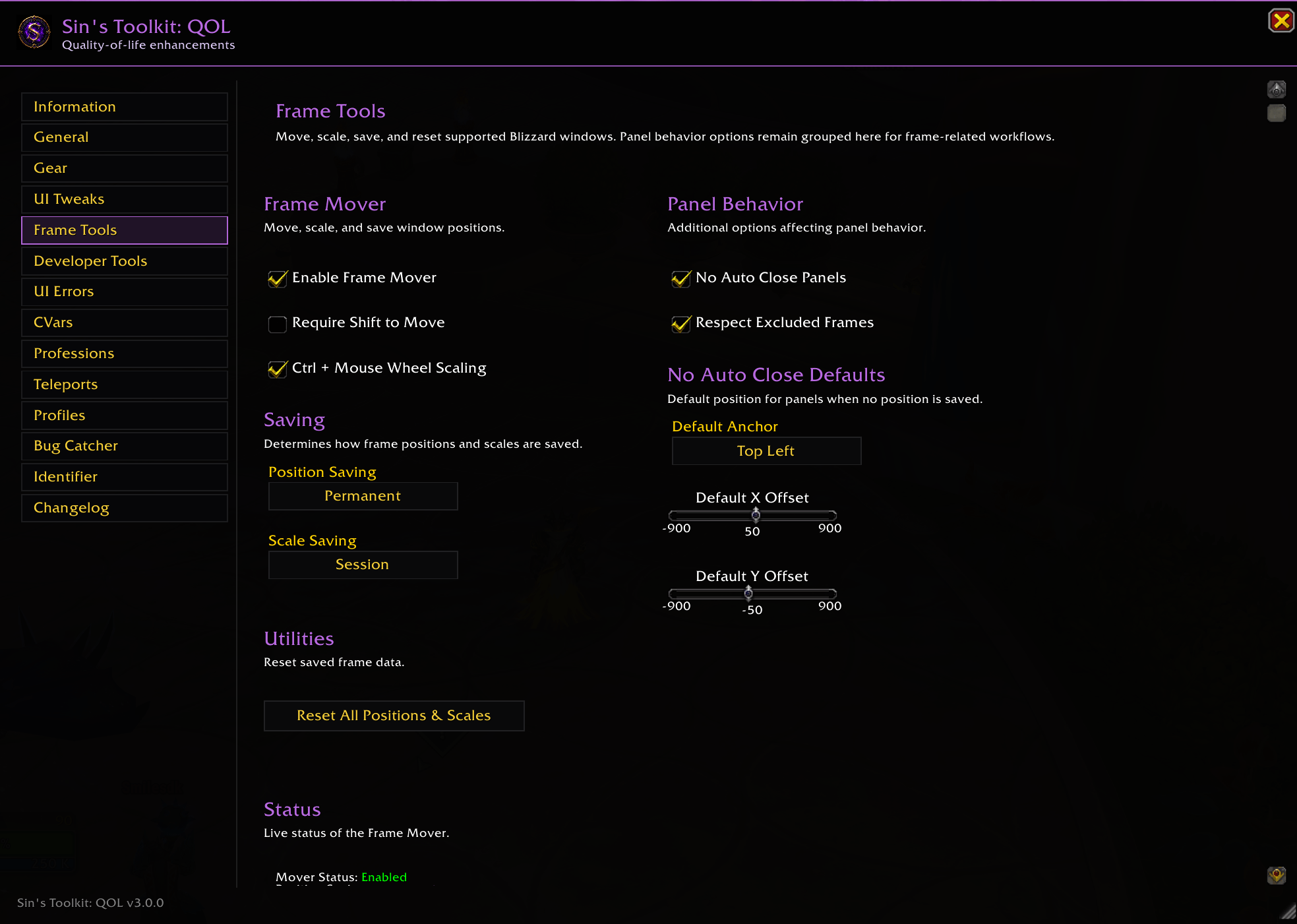
Frame Tools
Customize Blizzard windows without replacing the default UI.
Features include:
- Move supported Blizzard windows
- Scale supported windows
- Save positions permanently or for the current session
- Save scale settings
- Configure No Auto Close behavior
- Set default panel positions
- Reset saved layouts
- Modifier-key movement options
UI Tweaks & Automation
Convenient gameplay improvements designed to reduce repetitive actions.
Includes:
- No Auto Close Panels
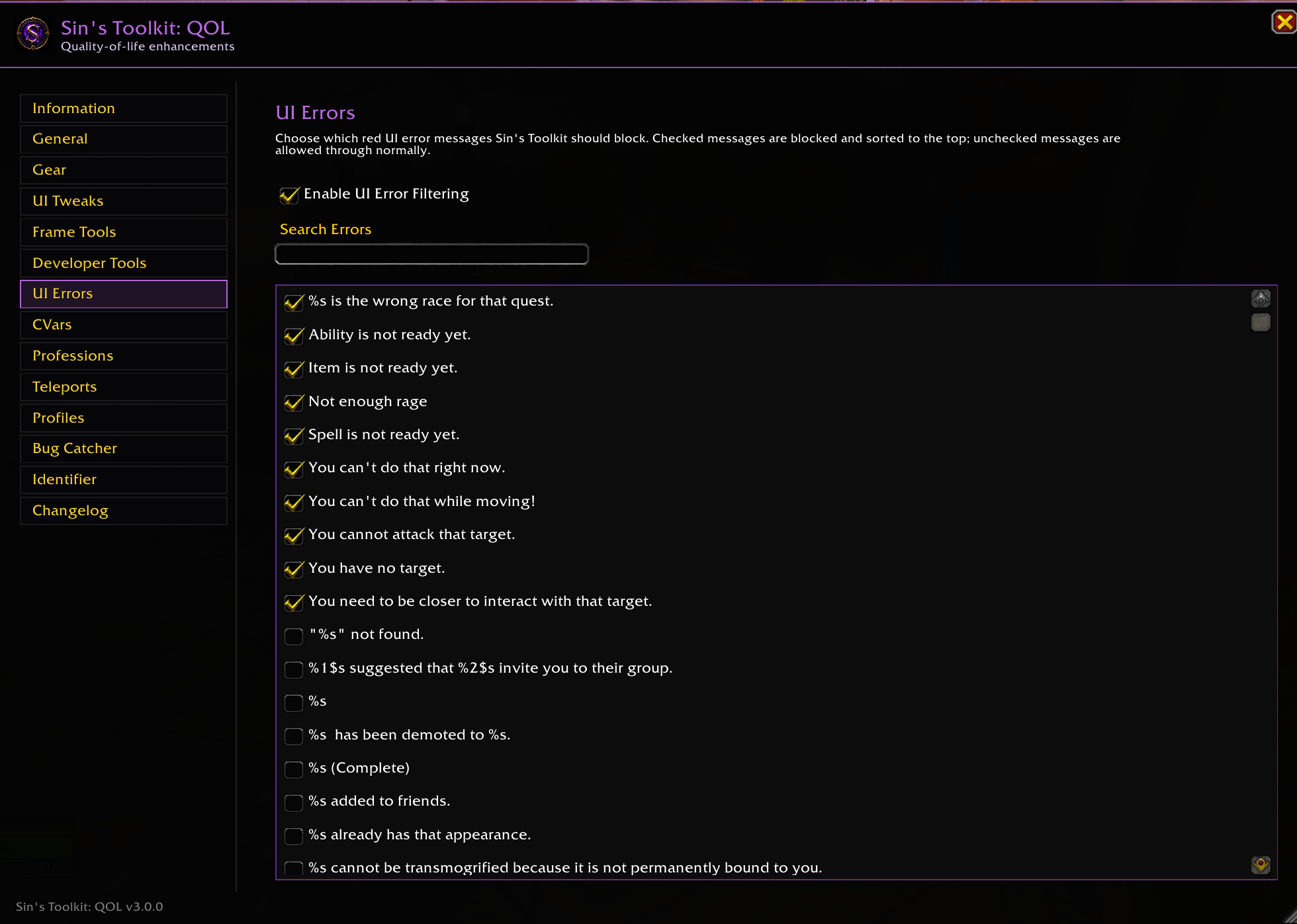
- UI Error Filtering
- Auto Gossip
- Druid Auto Unshift
- Druid Auto Flight Form
- Profession modifier selection
- Configurable automation options
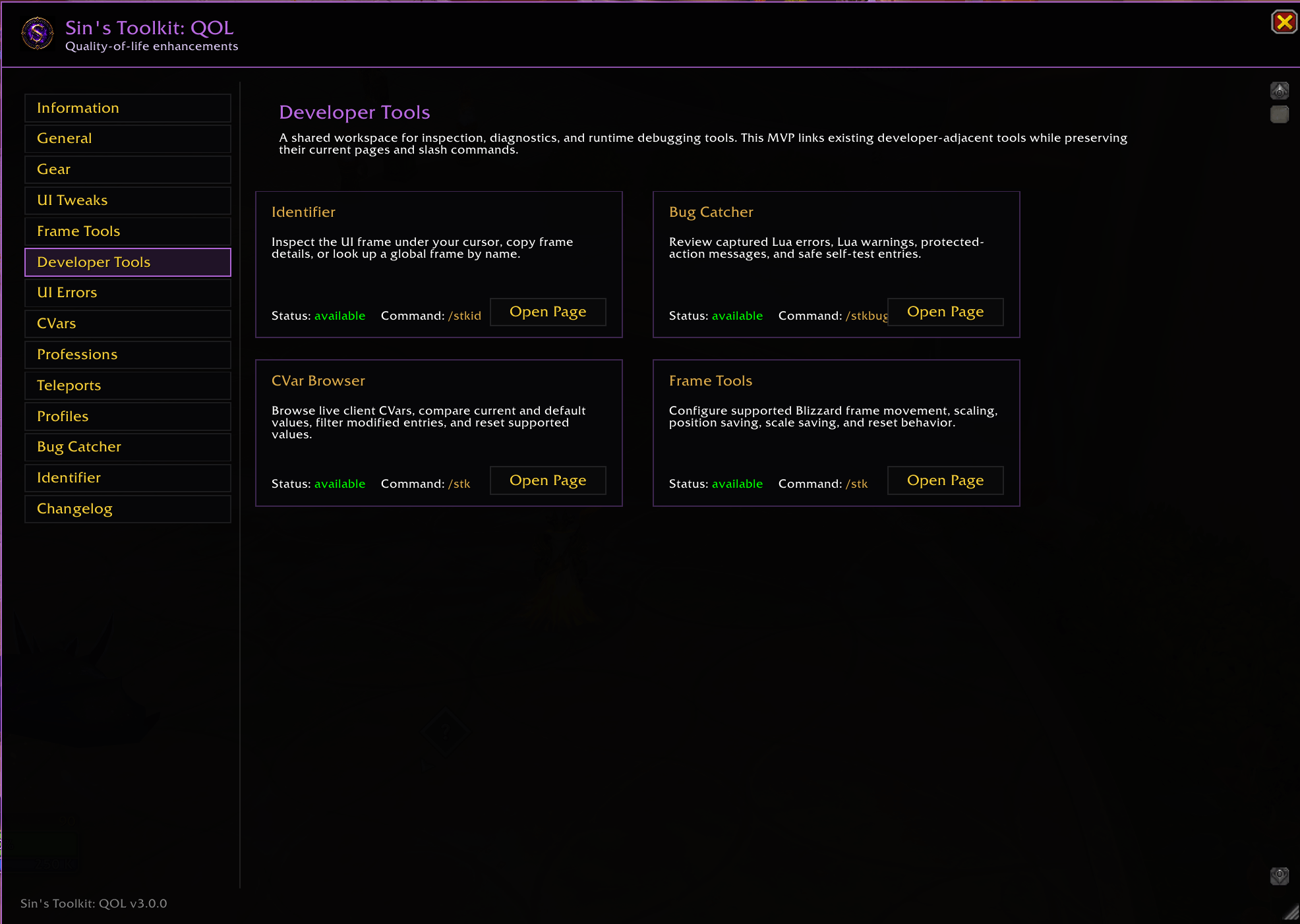
Developer Tools
Sin's Toolkit enhances Blizzard's built-in developer tools instead of replacing them.
Current tools include:
- Frame Inspector
- Frame Identifier
- Frame highlighting
- Frame reports
- Blizzard Frame Stack integration
- Blizzard Table Inspector integration
- CVar Browser
- Bug Catcher
More developer utilities are planned for future releases, including Event Logger, API Explorer, Widget Inspector, and additional debugging tools.
Frame Inspector
Inspect UI elements directly inside the Toolkit.
Features include:
- Inspect the frame under your cursor
- Freeze selections
- Highlight frames
- Copy frame names
- Copy inspection reports
- Open Blizzard Frame Stack (/fstack)
- Open Blizzard Table Inspector
- View frame hierarchy and properties
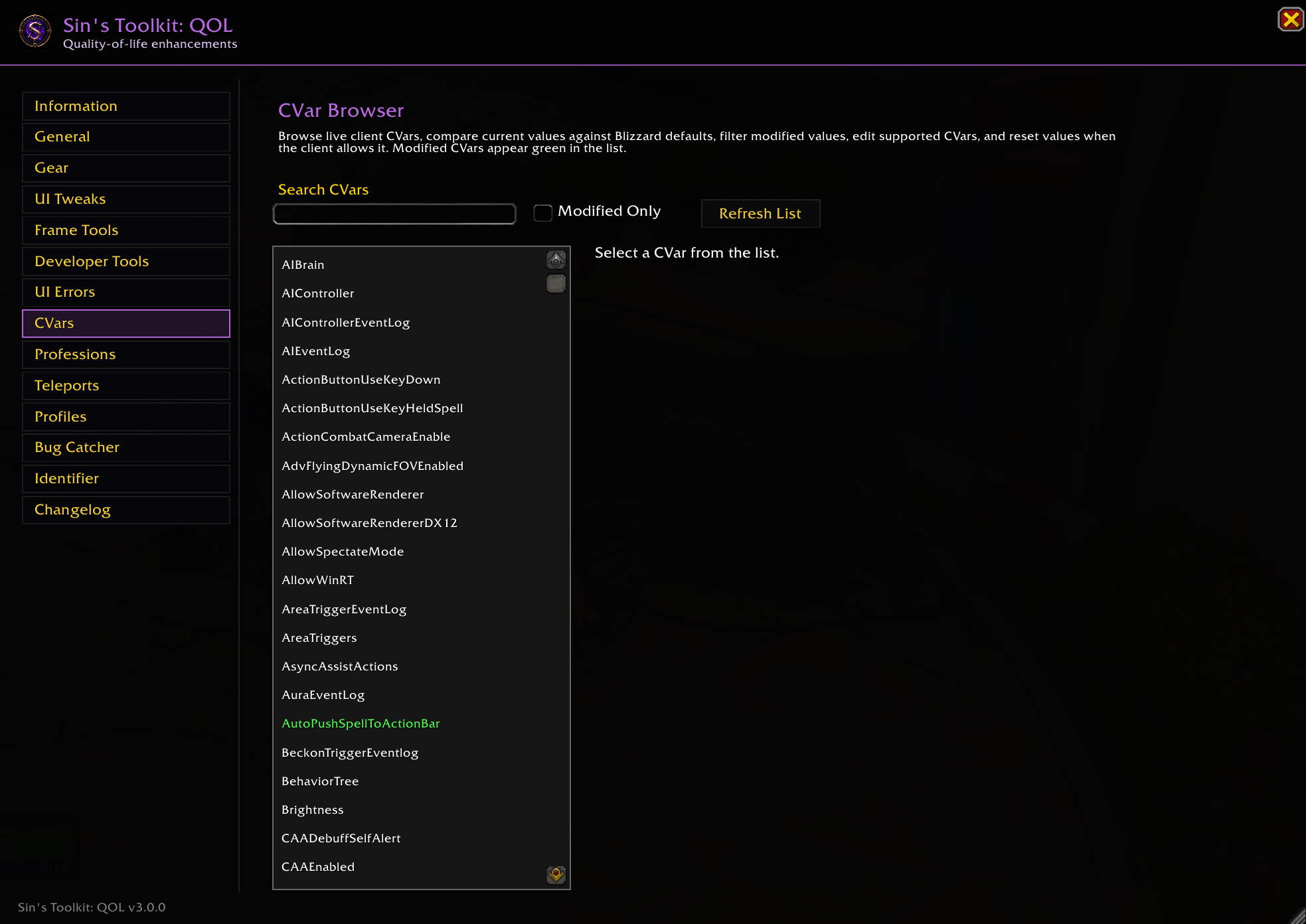
CVar Browser
Explore Blizzard client CVars with a searchable interface.
Features include:
- Live CVar search
- Current and default values
- Modified-value filtering
- Category browsing
- Supported value editing
- Restore supported defaults
Teleport Hub
Quickly access your available teleports through a clean interface.
Supports:
- Menu, Grid, and List views
- Favorites
- Recent teleports
- Search
- Locked teleport visibility
- Optional minimap button
- Direct slash commands
Bug Catcher
Capture and review Lua issues without leaving the game.
Features include:
- Lua errors
- Lua warnings
- Protected-action warnings
- Searchable reports
- Copy support
- Configurable alert sounds
- Optional minimap button
- Self-test mode
- Optional !BugGrabber synchronization
Bug Catcher automatically disables its own error handler when BugSack is installed to avoid duplicate error capture.
Profile Vault
Back up and restore important character settings.
Supports:
- Action bars
- Keybindings
- Account macros
- Character macros
Professions & Quick Links
Perform supported profession actions with configurable modifier keys.
Supported actions include:
- Milling
- Prospecting
- Disenchanting
- Lockbox and container opening
- Other supported profession item interactions
Quick Links can generate copyable URLs for supported UI elements, including:
- Wowhead
- Blizzard Armory
- Raider.IO
Why Sin's Toolkit?
Instead of installing numerous small addons, Sin's Toolkit brings commonly used quality-of-life features into one consistent interface.
Every feature shares the same visual style, configuration system, and design philosophy:
- Enhance Blizzard's UI
- Stay lightweight
- Avoid unnecessary duplication
- Integrate with Blizzard tools whenever possible
- Remain fully standalone
Optional Integrations
Sin's Toolkit works perfectly on its own, but can integrate with several popular addons when available.
Pawn
Recommended provider for Gear Scanner upgrade evaluations.
ClassCodex
Optional fallback provider for Gear Scanner when Pawn is unavailable.
GSE
Not required, but Druid Auto Unshift can complement GSE macro workflows.
!BugGrabber
Optional source for importing captured Lua errors into Bug Catcher.
BugSack
When BugSack is installed, Sin's Toolkit disables its own error capture automatically to prevent duplicate handlers.
Slash Commands
Main
/stk— Open Sin's Toolkit/stk status— Display Toolkit status/stk scan— Run a manual Gear Scanner scan
Teleport Hub
/stktp/stkteleport/stktp scan/stktp menu/stktp grid/stktp list/stktp minimap
Bug Catcher
/stkbug/sinbugs/stkbug test/stkbug clear/stkbug copy
Frame Identifier
/stkid/stkid on/stkid off/stkid copy/stkid name <FrameName>
Druid
/sau— Toggle Auto Unshift
Compatibility
- World of Warcraft: Retail
- Fully standalone
- No UI replacement required
- No ElvUI dependency
- Safe to use alongside most addons
Sin's Toolkit is actively developed with a focus on creating a polished, unified toolkit that complements Blizzard's interface while remaining lightweight, modular, and easy to use.
Sin’s Toolkit: QOL Team