# Raid Roaster
**Raid Roaster** is a raid leadership helper for **WoW TBC Anniversary** (Interface `20505` / `20506`).
Edit a fixed roster in-game, **auto-invite** missing players, **rearrange** parties to match the grid, run a **ready check** with food / flask / durability overlays on each cell, and capture a **PNG-style preview** for Discord.
Author: **펜구스의 흉포 - 거리기사**
---
## Features
- **Roster editor** — Date, time, raid toggle (SSC / Karazhan), class/role hints + character names, drag to swap cells
- **Saved lists** — Create, load, drag-copy names only, delete; import / export text; copy current party/raid
- **Invite** — Auto-invite missing roster members (today’s date only); toggle to stop
- **Rearrange** — Move people already in the raid into roster slots
- **Stand-in alt** — If your logged-in character is not on the roster, pick which main slot the alt fills
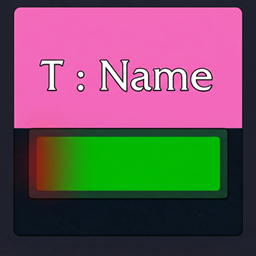
- **Ready check** — Accept / not ready / waiting, missing food & doping icons, durability % (flash under 25%); button toggles to clear the overlay
- **PNG preview** — In-game table for Win+Shift+S → Discord
- **Discord button** — Left-click raid-warn your Discord URL; right-click to edit
- **Support** — Title-bar / `/rr support` Discord & CurseForge links
- **Tests** — Invite/arrange simulation without inviting; ready-check overlay simulation
- **Optional MRT (ExRT)** — Improves party/slot arrangement accuracy
---
## Quick start
1. `/rr` or minimap left-click
2. Set date / time / raid → fill the grid (or Load / Import / Current raid)
3. **Create** to save the schedule
4. On raid day: **Invite** → **Rearrange** if needed → **Ready check** → **PNG** for Discord
Minimap: **left-click** = window · **right-click** = help · drag to move icon
Settings / help: **ESC → Options → AddOns → Raid Roaster**
---
## Slash commands
Aliases: `/rr` · `/raidroaster`
| Command | Description |
|--------|-------------|
| `/rr` | Toggle main window |
| `/rr start` | Start inviting |
| `/rr rearrange` · `arrange` · `sort` | Rearrange parties |
| `/rr stop` | Stop invite / rearrange |
| `/rr support` · `discord` | Support links window |
| `/rr sim` · `test` | Invite/arrange simulation |
| `/rr sim stop` | Stop simulation |
| `/rr sim report` | Simulation report |
| `/rr sim log` | Simulation log window |
| `/rr export` · `backup` | Export dialog |
| `/rr exportjson` | Copy full named-list JSON |
| `/rr importbackup` | Import bundled backup |
| `/rr clearnamed` | Clear all saved lists (`/reload` after) |
---
## Requirements & limits
- **Raid leader / assistant** recommended for invite, rearrange, and ready check
- Invites are **same-realm** only
- Invite / rearrange require the roster date to be **today**
- MRT is optional
- Combat may block some secure invite APIs
---
## Installation
1. Extract the **`RaidRoaster`** folder.
2. Place it in:
`World of Warcraft/_anniversary_/Interface/AddOns/RaidRoaster`
3. Enable **Raid Roaster** on the character select / AddOns list.
4. `/reload` → `/rr`
The folder must contain `RaidRoaster.toc` at the top level (not nested one level deeper).
---
## CurseForge packaging
Include the entire `RaidRoaster` folder (`.lua`, `.toc`, `README.md`, `CHANGELOG.md`, `Media/` including `RaidRoaster-CurseForge-400.png`).
Suggested project slug: `raid-roaster`
---
## 한국어 요약
**TBC 20주년**용 레이드 로스터 애드온입니다.
- 날짜·시간·레이드(불뱀폭요/카라잔) 로스터 편집 · 저장·불러오기·가져오기/내보내기·현재공대 복사
- **초대시작**으로 미참가자 자동 초대 · **재정렬**로 파티 자리 맞춤
- 부캐로 초대할 때 본캐(로스터) 칸 선택(스탠드인)
- **전투준비** — 수락/거부 · 음식·도핑 · 내구(25%↓ 점멸). 다시 누르면 칸 표시만 닫기
- **PNG** 미리보기(Win+Shift+S) · DISCORD 주소 송출 · 제목줄 **지원**
- 초대정렬/전투준비 **테스트** · MRT(선택) 시 정렬 정확도 향상
명령: `/rr` · `/rr start` · `/rr rearrange` · `/rr stop` · `/rr support`
설치: `_anniversary_/Interface/AddOns/RaidRoaster` · 공대/부공대 · 같은 서버 · **오늘 일정**일 때 초대/재정렬
문의: [Discord](https://discord.gg/eK392HDgpq) · [CurseForge](https://www.curseforge.com/members/skshin)
---
## License & support
See **CHANGELOG.md** for version history.
RaidRoaster Team