PreyTracker
A companion for the Prey Hunt table.
Stop squinting at the map. See every active hunt, its difficulty, zone, and rewards — all in one panel that opens right next to the map.
What it does
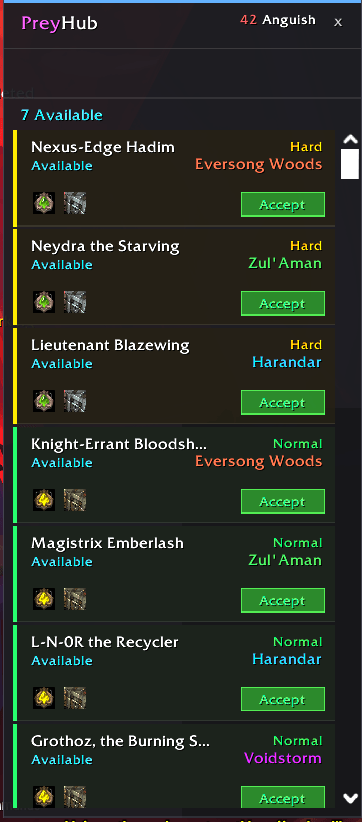
When you open the Prey Hunt table, PreyTracker automatically appears beside it with a full summary of every available hunt. No extra clicks, no digging through quest dialogs.
Each row shows you:
- Hunt name with difficulty color-coding (Normal / Hard / Nightmare)
- Zone with a matching color stripe so you can scan at a glance
- Reward icons with tooltips — crests, chests, sacks, XP and more
- Status — whether the hunt is available or already in progress
- An Accept button to instantly accept a hunt without touching the map
Filter by difficulty with a single click. Sort is automatic — Nightmare first, then Hard, then Normal, grouped by zone.
🗺️ Standalone mode
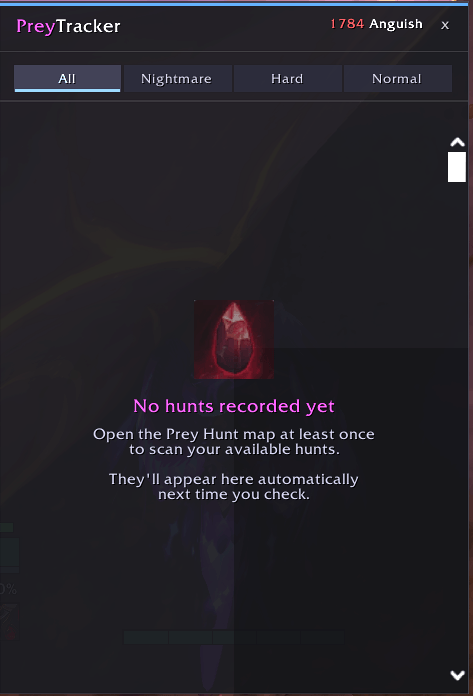
Open PreyTracker any time with /prey or the minimap button — even when the Prey Hunt map is closed. Use it as a quick reference while you're out in the world deciding which hunts to prioritize.
The standalone panel is wider to make use of the extra space, and the Accept buttons are hidden since you need the map open to accept hunts anyway.
⚡ Smart caching
PreyTracker scans and caches reward data the first time you open the map on each character per login. On every subsequent visit, if your available hunts haven't changed, the panel appears instantly — no loading screen, no delay.
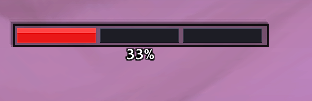
If new hunts appear or old ones expire, PreyTracker detects the change and re-scans automatically, showing a clean progress bar while it works.
Features at a glance
| Feature |
Details |
| Difficulty filter |
All / Normal / Hard / Nightmare pills |
| Reward icons |
Up to 4 icons per hunt with tooltips |
| In-progress tracking |
Highlighted rows with animated glow |
| Anguish currency |
Displayed in the panel header |
| Draggable minimap button |
Remembers position between sessions |
| Standalone window |
Opens anywhere, stays open |
| Zero configuration |
Works out of the box |
📌 Commands
| Command |
Action |
/prey |
Toggle the panel |
Compatibility
Built for Midnight (Interface 12.0.1).