

Description
Use the /m command to begin your new macro experience!
Features
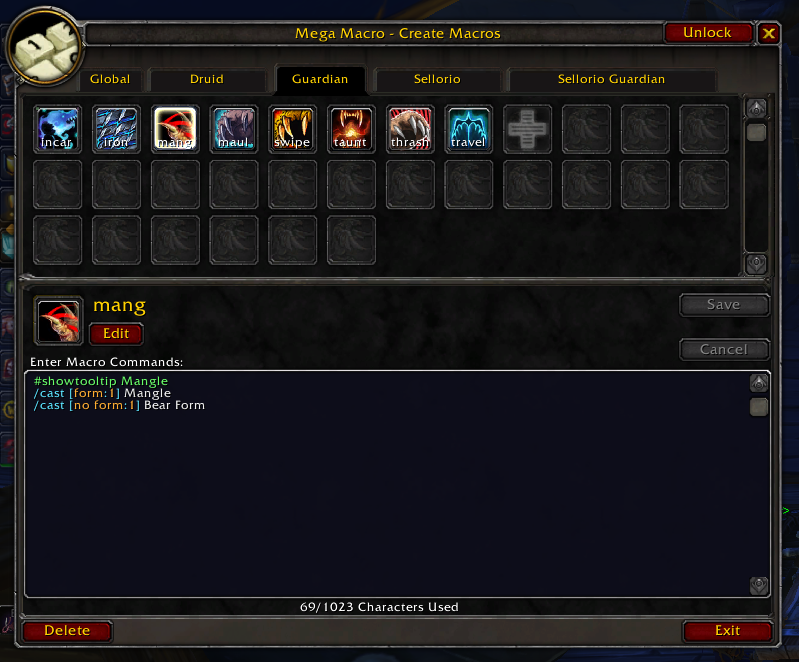
More macro slots!
This AddOn seamlessly provides you with a massive increase to macro slots over the native amounts of 120 global and 30 per-character slots that the Blizzard UI provides. How does it do this? By segmenting the 150 total macro slots into categories and hot-switching macros based on your Class and Specialization.
The breakdown of macro slots is as follows:
| Tab | Slots | Shared with |
|---|---|---|
| Global | 60 | every character |
| Class | 30 | every character of that class |
| Spec | 30 | every character of that class + spec |
| Character | 30 | just this character |
That's an amazing 60 slots (30 class + 30 spec) you can use to setup your macros for each specialization where previously you would be forced to fit all your class macros for all specializations into a max of 30 slots!!
I'm not just trying to be a sales person here - I've wanted this feature for ages. Especially as a Druid main!
Shared macros across characters
Building on the last feature, the per-class and per-specialization macros are not character specific so you don't need to copy your macros around manually if you have more than one character of a particular class.
Improved macro UI
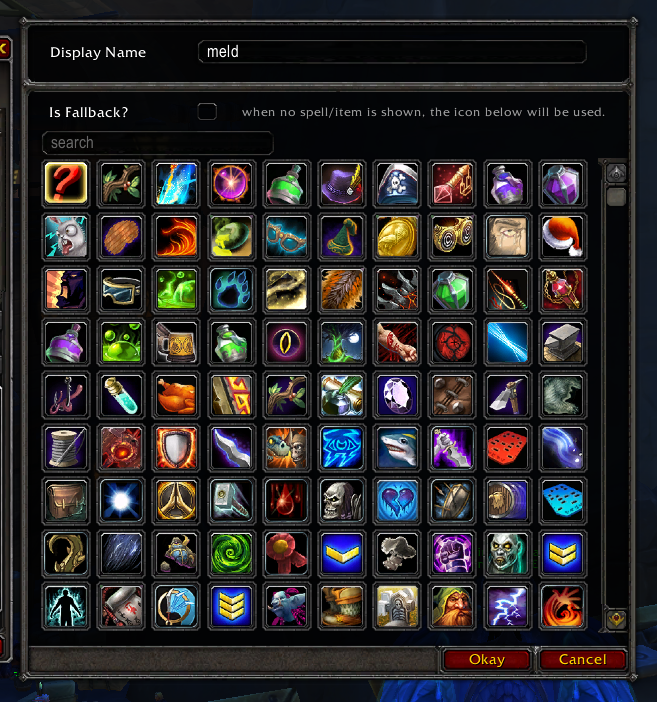
The Mega Macro UI provides a signifincat improvement over the native Macro UI!
improvements:
- A bigger window, so you'll rarely need to scroll.
- Syntax colouring, so commands, targets, conditions and comments are easy to tell apart
- Hover over a condition, target, spell or command to see what it means
- Dynamic fading so you can see what part of the macro would run based on current conditions.
- Searchable icon list
- Buttons are contextually disabled
Backups and sharing
- Mega Macro backs your macros up once a day at login if anything changed. It keeps daily backups for a week, weekly for a month and monthly for six months.
- You can make a backup yourself any time from the Options tab, and restore just the tabs you want.
- Export Tab gives you a copyable code for a whole tab that you can send to a friend (or another account) for import.
Special Thanks
Mega Macro was made by Sellorio. Special thanks to aurelion314 (Cubelicious in-game) and Dannez83 for the many hours spent keeping it working since Dragonflight!
Mega Macro Team

