Realm Legends
- By
Screenshot 2026-09-28 231828.png
Screenshot 2026-09-28 231640.png
Screenshot 2026-09-28 231734.png
Description
Realm Legends
Formerly KeyScout.
Your next group is one button press away.
Realm Legends is a set of group-finding addons that work while you play. Each step needs a real key press, the way Blizzard requires, and you choose which keys count.
- KeyScout (Retail): fills your Mythic+ applications with the best groups while you keep playing.
- TagAlong (WoW Forever, coming soon): groups you with the players around you who are on the same quest.
One download. Each game version loads only its own addon.
KeyScout: Mythic+ groups without the clicking
You know how it goes: you apply to five groups and wait. Two decline, one delists, one fills your role while you're still waiting. So you search, cancel, reapply and refresh. Half an hour later you've done nothing but click listings in Silvermoon.
KeyScout turns the key presses you already make into Group Finder steps: one search, apply or cancel per press. Keep questing, farming or doing world content while your five applications stay filled with the best groups. When an invite pops, accept it and you're in.
Get started in three steps
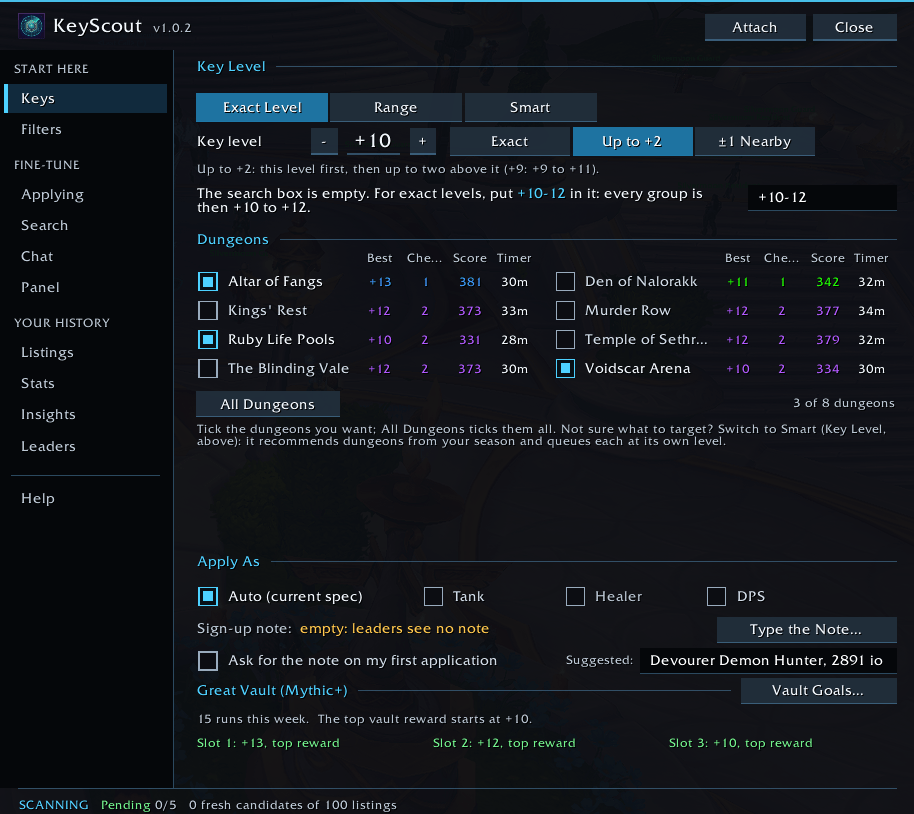
- Pick your key level. It starts at the keystone in your bags, and every current dungeon is already selected.
- Paste KeyScout's search line into the Group Finder once. Blizzard doesn't let addons type in that search box, so KeyScout shows you the exact text (like
+09 10for +10s only). Click it, press Ctrl+C, paste it into the search box and press Enter. The panel turns green when it's set. - Click ON and play.
While you play
- Your slots stay full. Up to 5 applications, refilled with the next best match when one is declined, delisted or expires.
- It trades up. A clearly better group replaces your weakest application.
- It cleans up. Applications whose role filled, or that no longer fit your settings, are withdrawn.
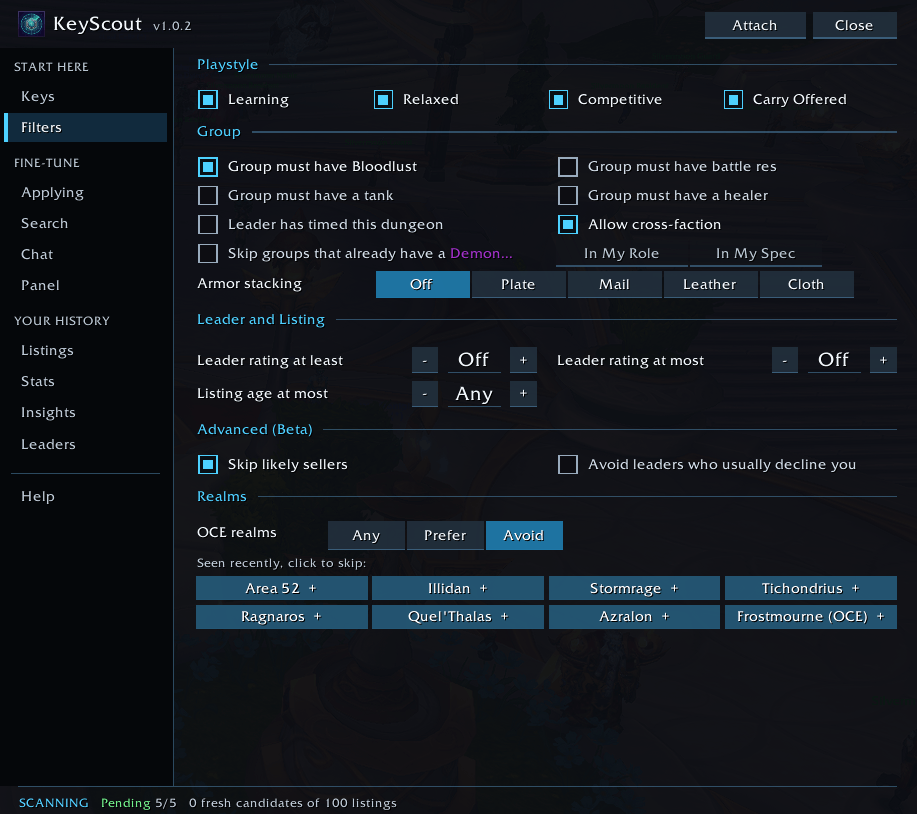
- Every group gets a Match score: your level and dungeons, what the group still needs and what you bring (Lust/Hero, battle res, a missing dispel), the leader, and how fresh the listing is.
- Sellers and carry teams are skipped by default. You can turn that off in Filters > Advanced.
You choose what triggers it
Under Applying > Key Press:
- any action button (the default);
- only the keys you pick;
- only KeyScout's own keybind, for example your mouse wheel.
Clicking the panel always works too. KeyScout never accepts invites for you, and it never posts in chat unless you turn that on.
Once you're in
You're in! shows:
- the dungeon and key level;
- each player's rating, item level and best run in that dungeon;
- whether the group has Lust/Hero, battle res, interrupts and dispels;
- Group Readiness;
- a one-click teleport if you've earned it.
After the key, you get a result score next to the readiness you started with. Grouped with someone before? You'll see how those keys went.
For key pushers
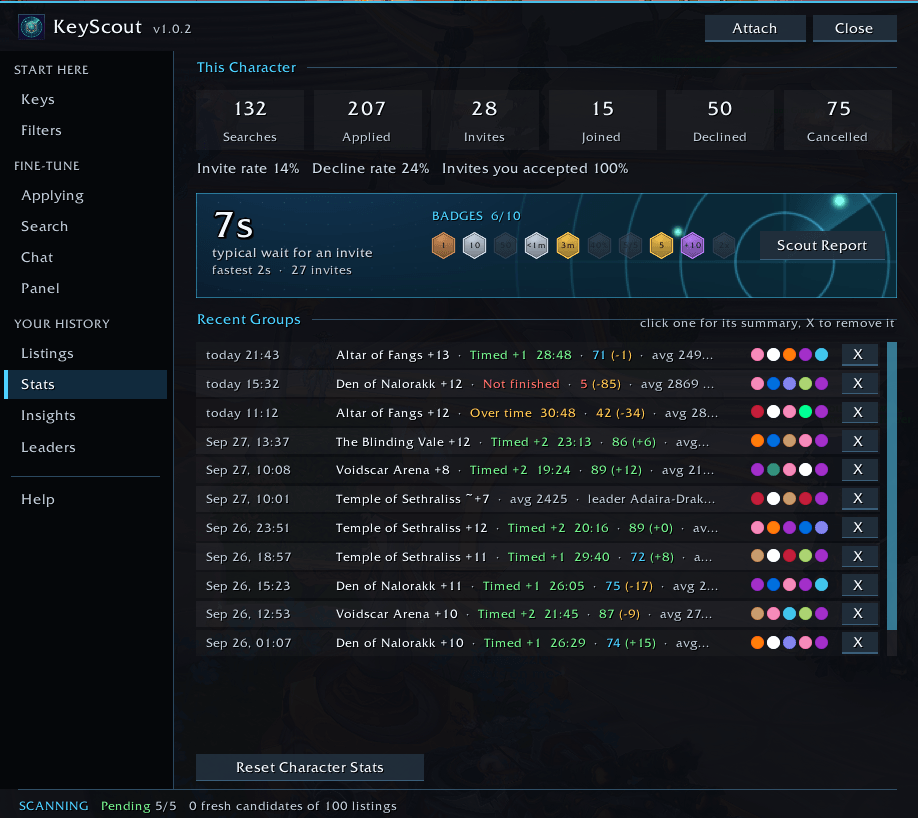
- Insights: how your groups did by readiness, basic needs, experience, rating, gear, affix and dungeon.
- Group leaders: who invites you, how fast, and whose keys get timed.
- Vault Goals and Plan by Dungeon: aim for exactly the key levels or dungeons you need.
See exactly why
The Listings tab shows every group from the last search, with its Match score or the reason it was skipped, plus a button that opens the setting behind each skip.
TagAlong: coming to WoW Forever
Thirty boars, a dozen players, and everyone wants the same kill. TagAlong turns that into a group.
- It notices who's on your quest. Hit a quest mob someone else tagged, and on your next key press TagAlong invites them, with a friendly wave. Players who also run TagAlong group up quietly, with no chat at all.
- The group lasts as long as it should. You stay together while you share quests, TagAlong waits for a partner who still needs a few kills, and holds the group after a turn-in so you can pick up the follow-up together. When nothing is shared any more, it says thanks and leaves, unless anyone presses Keep group.
- It shares quests that fit. It offers your nearby quests to the group, takes the ones they share with you, and tells you when someone can't take a quest yet.
- Named mobs: a target macro that always points at the named mob you're hunting, a sound when it respawns, and Call group to gather everyone waiting for it.
- Friendly in other languages: whispers and thanks add a line in the other player's language when it can tell.
- Never in your way: nothing happens without a key press or click, no public chat unless you click, and groups with your friends or guild are never touched.
TagAlong joins this download as soon as its testing is done.
FAQ
Does KeyScout pause? Yes: inside dungeons and raids, while you're in a group, during a Mythic+ key, and while an invite is waiting. It keeps working in open-world combat.
What role does it apply as? Your current spec's role, or pick roles under Keys > Apply As.
Does it send a note to the leader? Blizzard's application note goes with every application. KeyScout can't type it, but whatever you last wrote there is sent, and the Chat tab shows it.
Does it need other addons? No. If you have Raider.IO, KeyScout also recognises players whose main character is rated higher.
Languages? It works in every game client language. The interface is English for now; translations are welcome.
Commands
/ks: KeyScout panel/ks menu: settings/ks group: your group's summary/ks help: every command
Early access
Realm Legends: TagAlong & KeyScout are in early testing.
- Join the in-game beta community search for "Key Scout"
- Join us on Discord and provide your feedback: https://discord.gg/h7CR82kQK
- Or email us Bugs and/or ideas for either addon at support@keyscout.dev
- The free BugSack addon makes error reports much easier.
- Enjoying it? Support development on [Ko-fi donation link].
The Realm Legends Team