
FlareUI_PluginPack
- By
01-overview.jpg
02-minimap.png
05-bags-menu.png
Edit_Mode_Clear.jpg
Description
FlareUI Plugin Pack
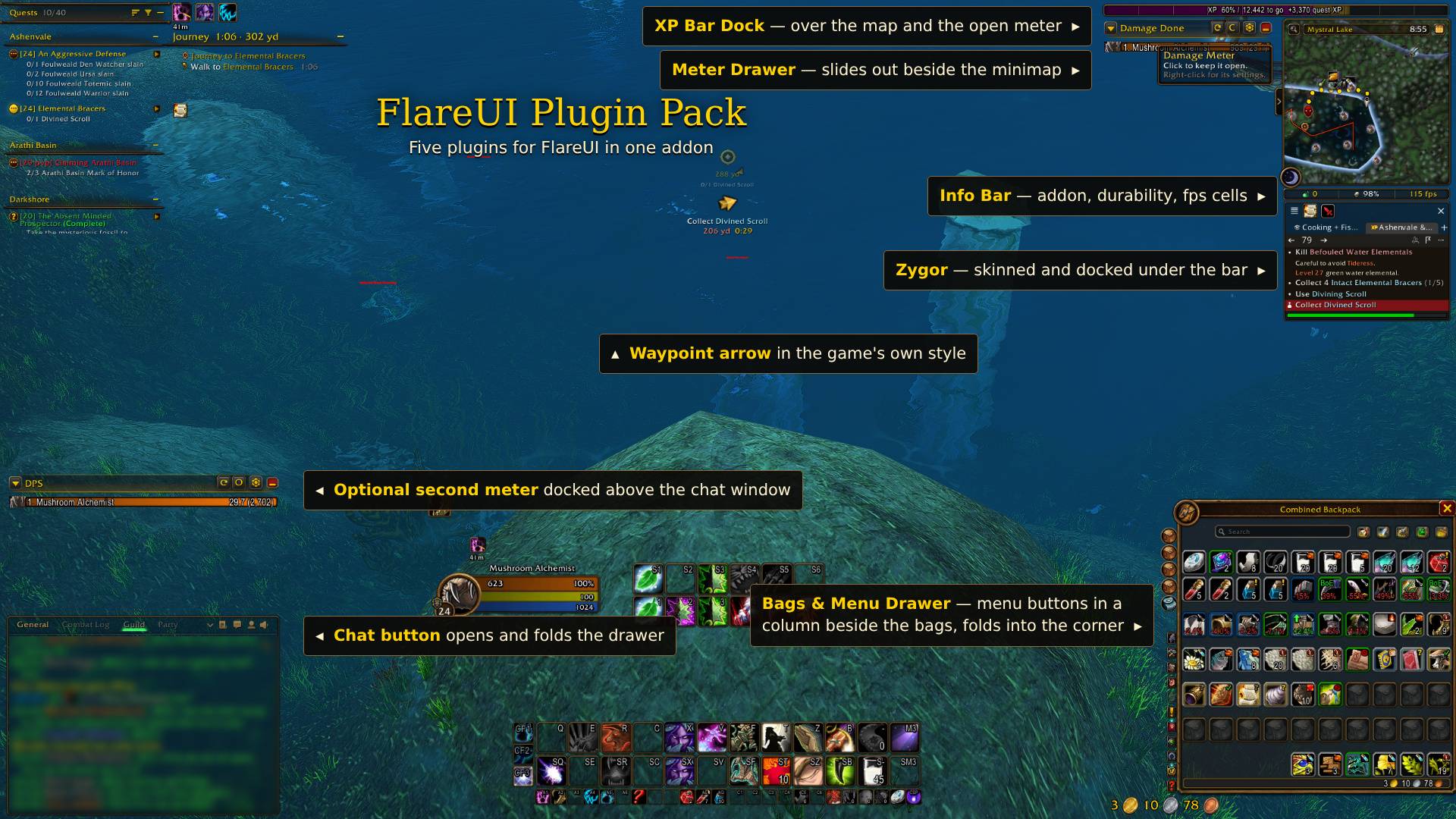
Five plugins for FlareUI in a single addon. Everything is configured from a new Plugins page inside FlareUI's own settings (one tab per plugin), follows FlareUI's theme and fonts.
Requires [FlareUI]. Zygor Guides, BugSack and Shortest Path Forever are optional — their features simply stay off if the addon is missing. The pack never edits or bundles any of them.
AI DISCLAIMER: Yes I used AI to develop this. It is tailored to my needs but I believe it may help others. I like things tidy and this helps in a unique way I haven't seen done other than DaylightUI. If you think of another way to incorporate the drawer idea used here, feel free to mention it and i'll see what I can get done!
My goal is always to enhance the default UI. FlareUI is the closest to that :). Please report any bugs!
What's inside
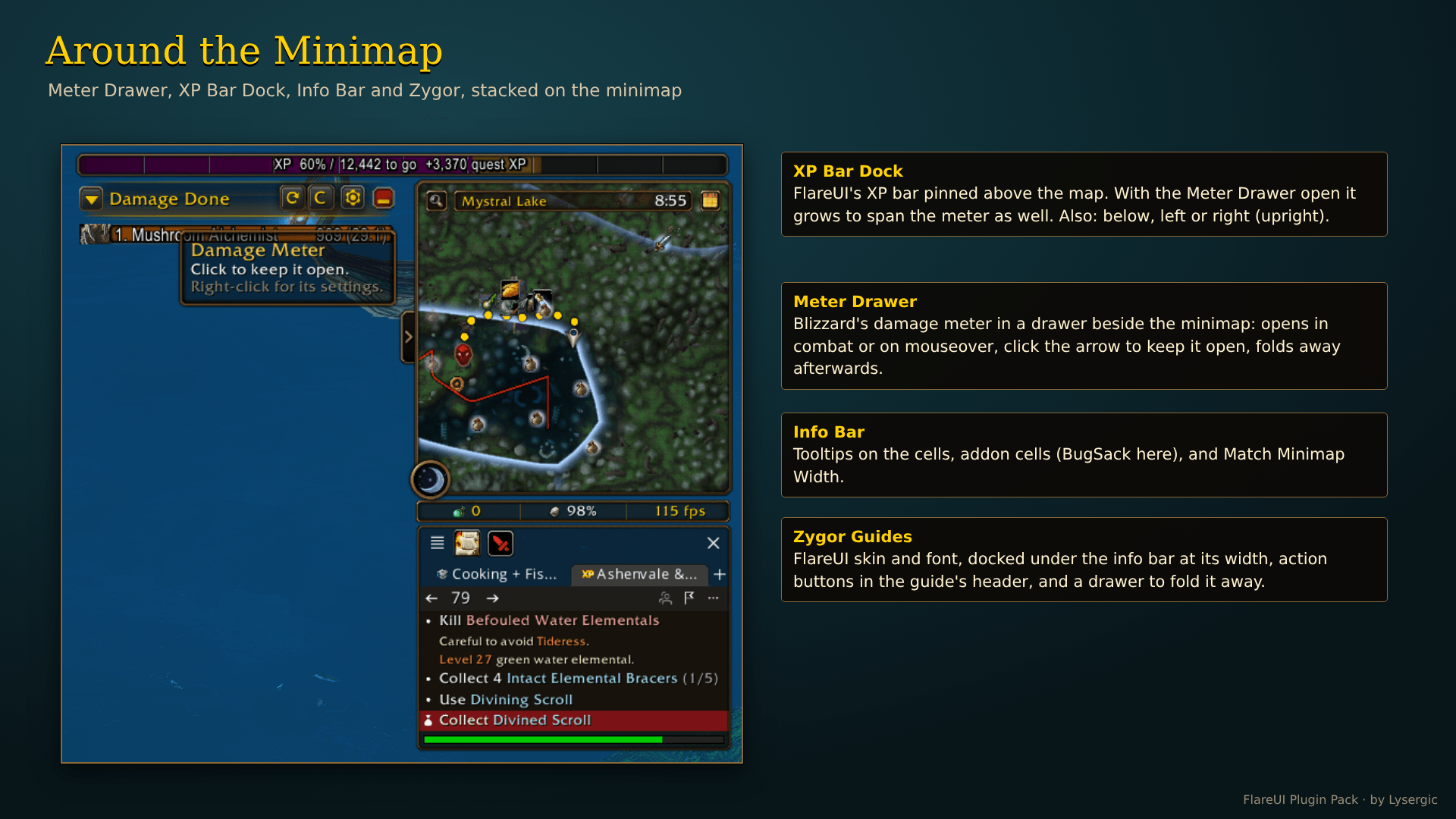
Meter Drawer
Tucks Blizzard's built-in damage meter into a drawer.
- Docks to the minimap by default (left/right). Optionally dock it to the chat window instead (above, under, left, right), or choose Both for a second meter window on the chat
- Opens in combat, on mouseover, or by clicking the arrow tab; optional chevron button in the chat header
- Stay Open After Combat 1–10 s and Stay Out 1–10 s after the mouse leaves
- Slide or fade, adjustable speed and spacing, match minimap height, reset button
Info Bar
Tooltips and extra cells for FlareUI's minimap info bar.
- Durability list: every slot, healthiest at the top down to the piece closest to breaking, colour-coded
- Performance tooltip: FPS, home/world latency, addon memory
- Addon cells: show any data-broker addon in a cell (e.g. BugSack — click, Shift-click to reload, Alt-click to wipe)
- Match Minimap Width
XP Bar Dock
Pins FlareUI's XP bar to the top, bottom, left or right of the minimap. On top it can grow over the open Meter Drawer; left and right stand the bar upright.
Zygor Guides
(only with Zygor Guides Viewer installed)
- FlareUI skin and game font for the guide viewer
- Dock under the minimap, width matched to the minimap or the info bar, with a vertical offset
- Drawer with arrow tab: click or hover to fold the guide away
- Action buttons in the guide header, below, left, right, on the info bar, or Zygor's default — with size and bare-button options
- Waypoint arrow in the game's own style (gold or silver) with game-font text
- Shortest Path Routes toggle (with Shortest Path Forever installed)
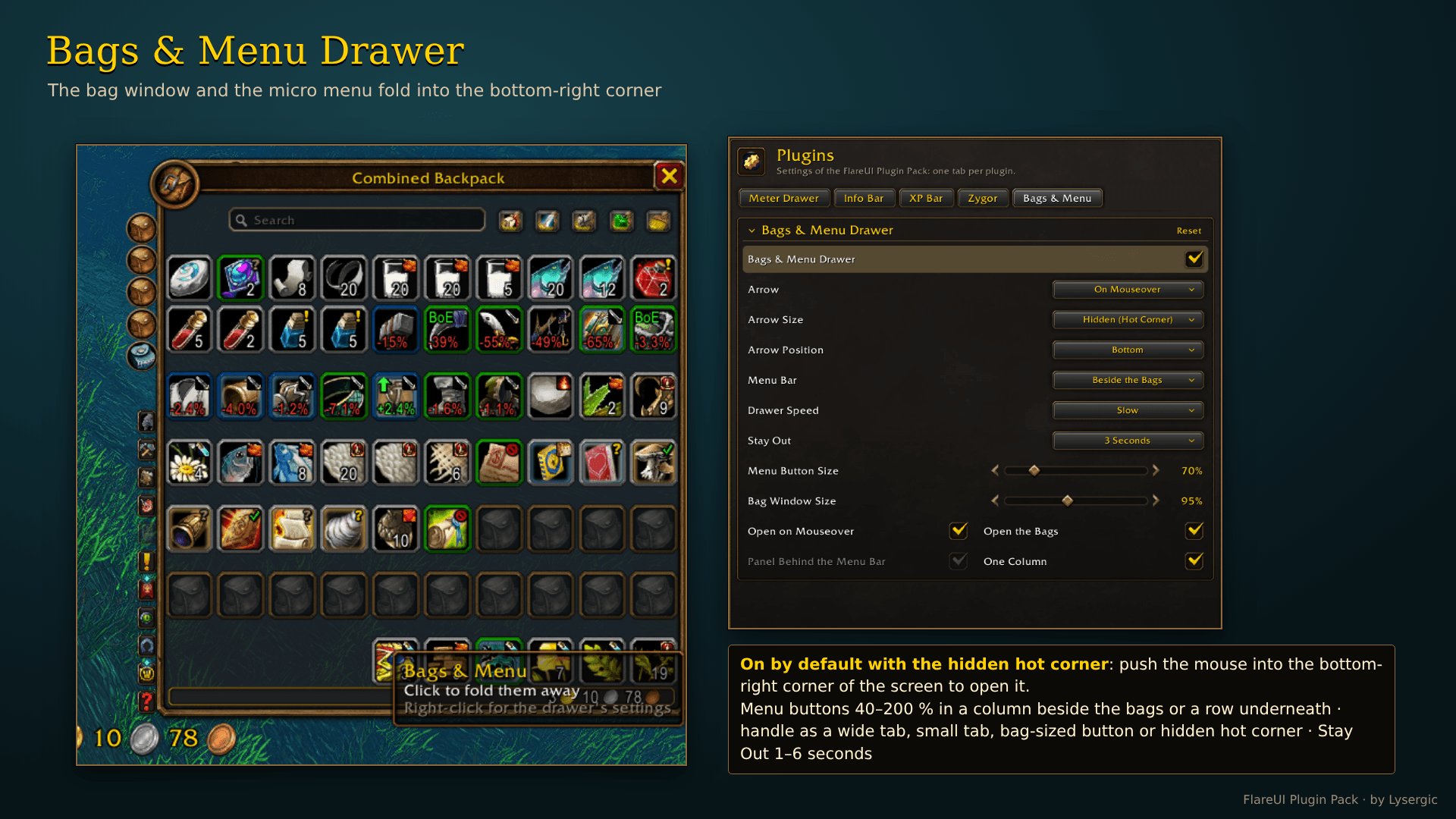
Bags & Menu Drawer
Folds the bag bar and micro menu into the bottom-right corner.
Enabled by default with the hidden hot corner: there is no visible handle — push the mouse into the bottom-right corner of the screen to open the drawer. Pick a visible handle under Arrow Size, or switch the drawer off, on the Bags & Menu tab.
- Menu buttons in a column beside the bags, or in a row underneath; button size 40–200 %, One Column fit
- Handle shapes: Wide, Small, Bag Button, or a hidden Hot Corner; on the bottom or right edge
- Bag window size, drawer speed, Stay Out 1–6 s
Setup
- Install FlareUI, then this addon.
- Open FlareUI's settings and pick Plugins (or type
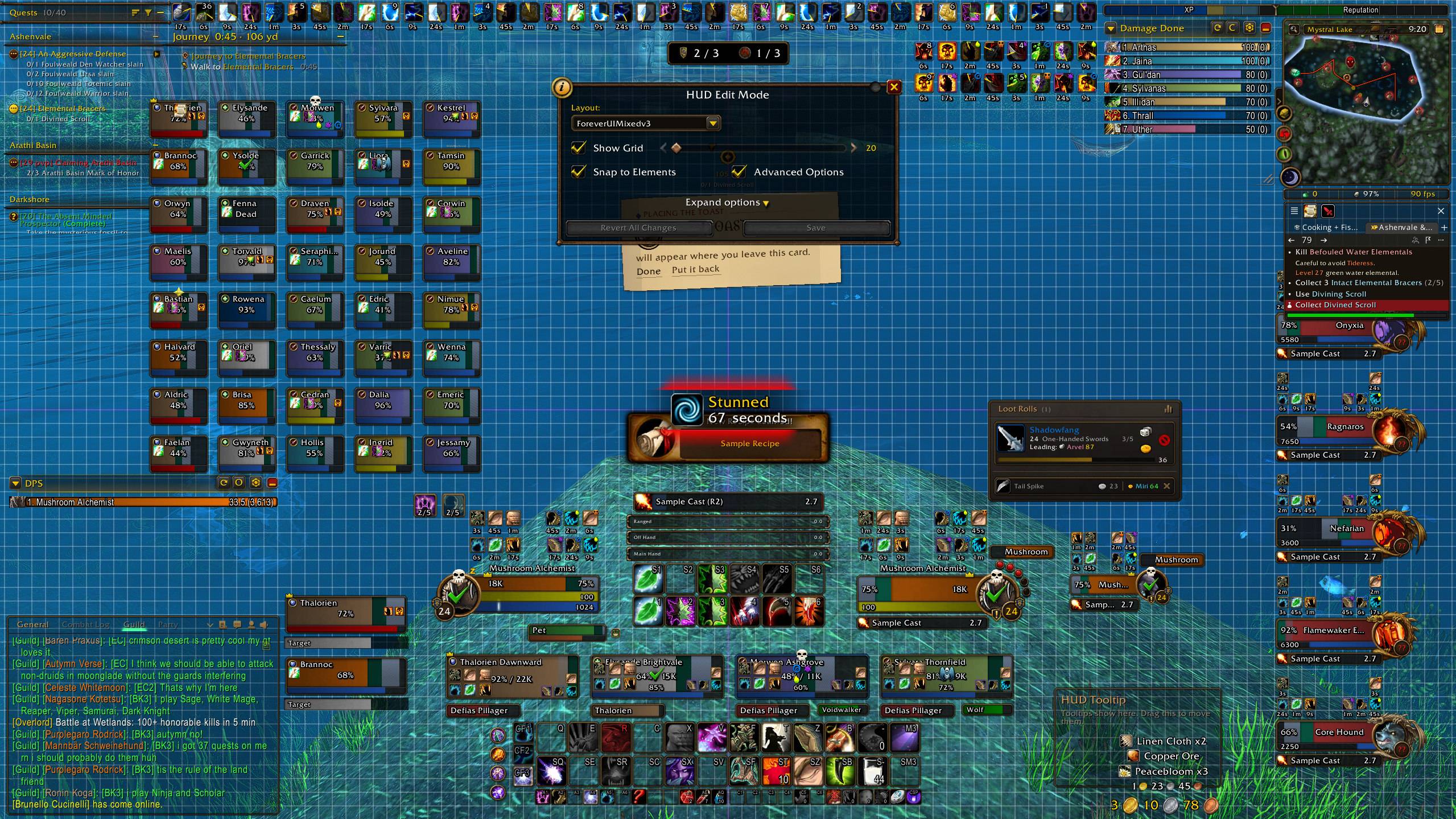
/plugins). - For the Meter Drawer, set the damage meter's Visibility to Always in Edit Mode. The drawer does the hiding. If you choose Dock To: Both, open the second meter window yourself from the meter's gear menu; the drawer then docks it.
Slash commands
/plugins · /meterdrawer · /infobar · /xpdock · /zygordock · /bagdrawer
Notes
- Settings are saved in your FlareUI profile, so they follow profile switches.
- Secure frames (action buttons, bags, micro menu) are only moved out of combat.
- Everything works out of the box: the meter docks to the minimap, the XP bar sits above the map, and the Bags & Menu Drawer is enabled with the hidden hot corner (bottom-right of the screen). Each plugin can be switched off on its tab.
- The Info Bar keeps whatever cells you already have set in FlareUI.
Credits
- FlareUI and its author, for the UI this pack builds on and the hooks it exposes.
- Some features were inspired by Daylight-UI — in particular the info bar tooltips and the minimap-centred layout. No Daylight-UI code or art is included.
- Zygor Guides, BugSack and Shortest Path Forever belong to their respective authors.
Author: Lysergic · License: MIT
FlareUI_PluginPack Team
