Bulo Layer Forever
- By
Switch to another layer in one click on WoW Forever. Exact layer IDs are hidden, but you can still find a host or help others switch.
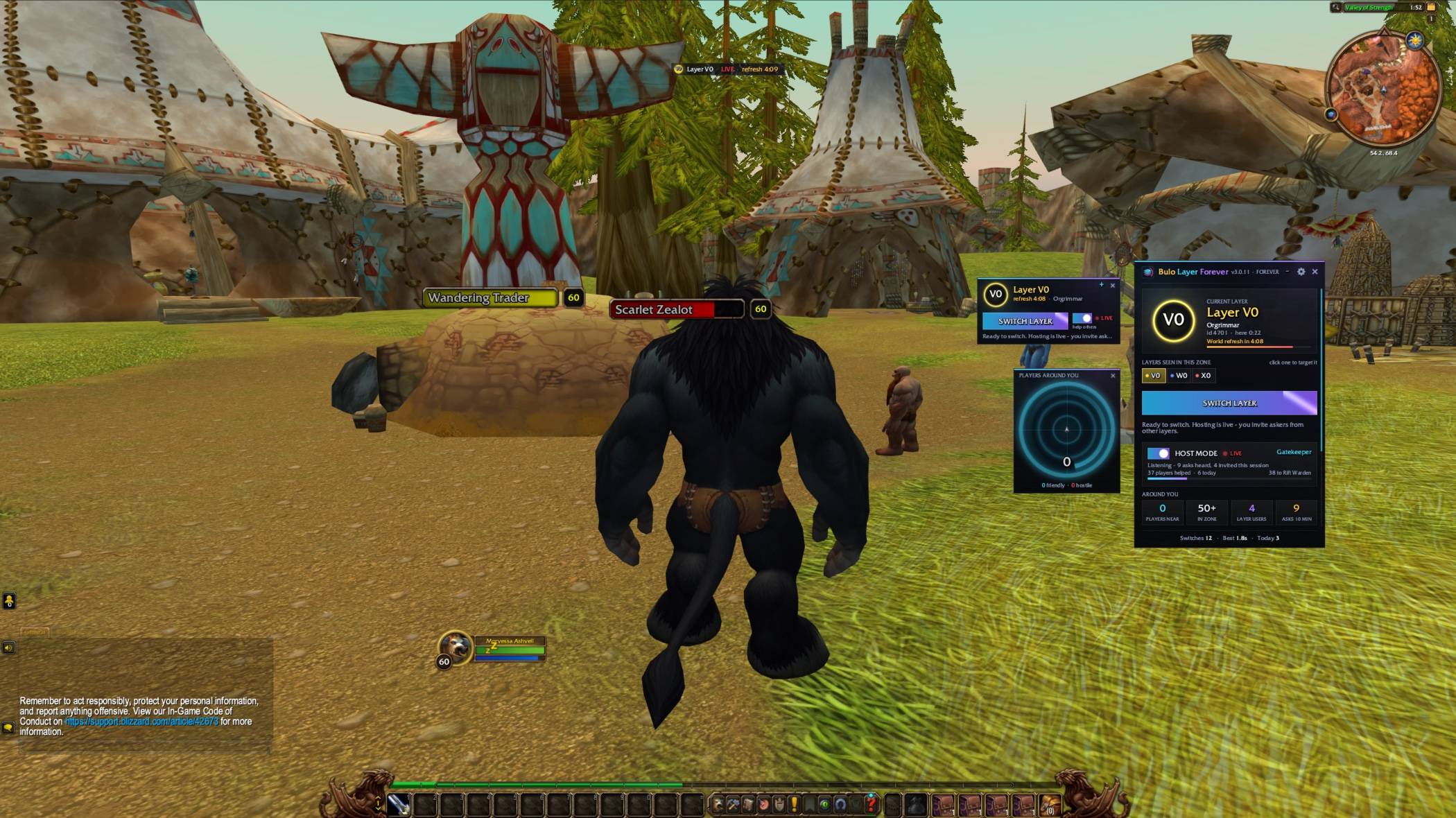
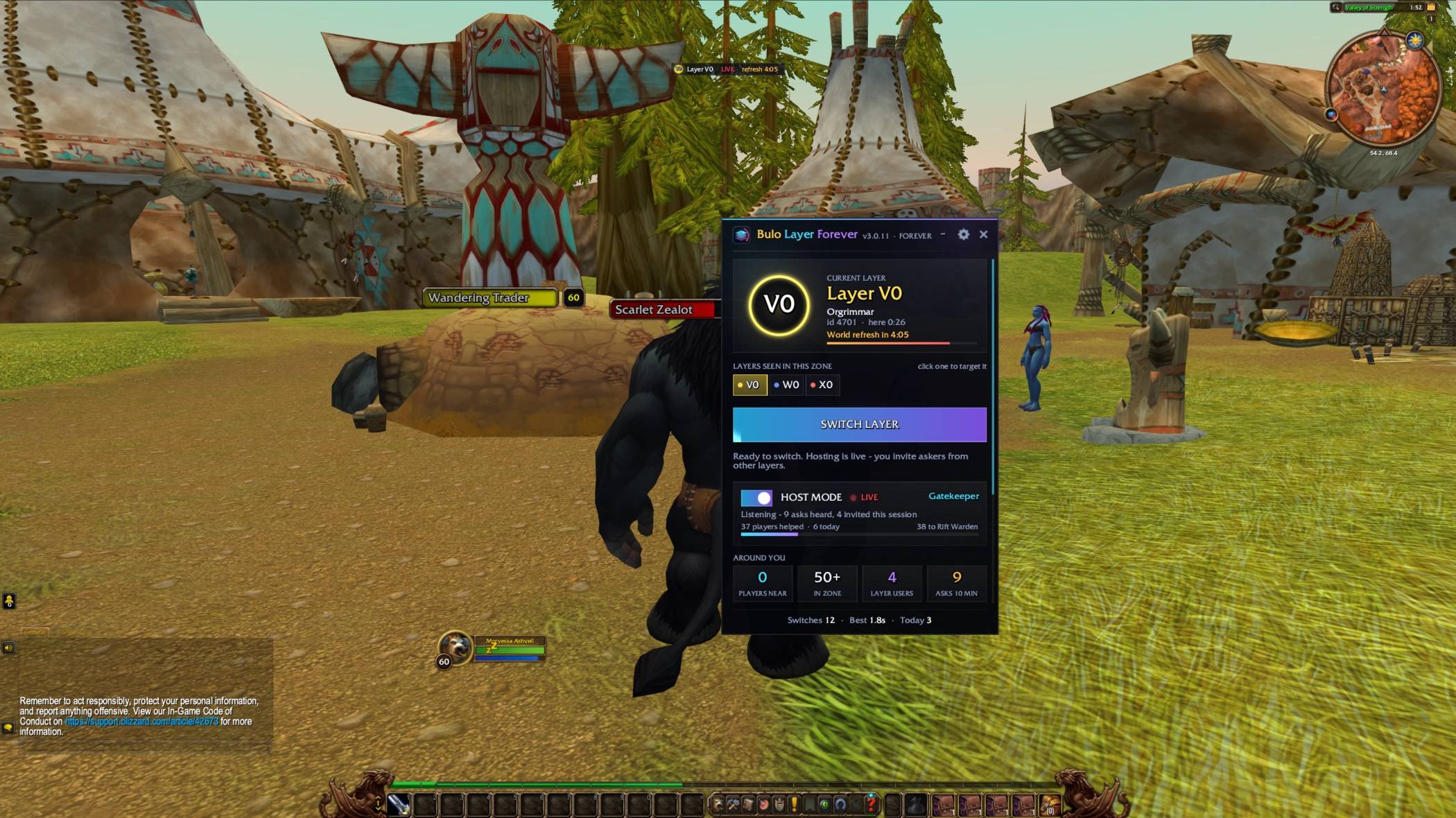
2-full-view.jpg
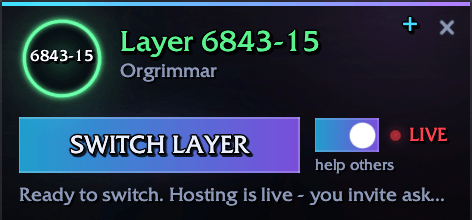
Compact mode. UI Forever preview with sample data.
Description
Bulo Layer Forever
Switch layers in one click on WoW Forever. Help others switch and climb the host ranks.
**Website:** [layer.bulo.cloud](https://layer.bulo.cloud/) – see how layers work and try the addon window in your browser.
WoW Forever now hides exact layer IDs from addons. You can still click Switch Layer to find a host in your zone and move to another layer. Bulo shows your current layer status and confirms a move when the game provides enough information.
Why players love it
- One-click Switch – finds potential hosts in your zone and sends requests quietly.
- Automatic switching – can accept a host’s invite, confirm the move and leave the group for you when Auto leave is enabled.
- Guild activity – see available guild and host information in settings with
/bulo gl. - World refresh countdown – know exactly when the server will move you.
- Smart Host mode – help players in your zone find another layer. Guests can be released automatically, and hosting pauses at your camp while the Welcoming Campfire buff is active.
- Host ranks – Wanderer → Layer Hopper → Gatekeeper → Rift Warden → Layer Architect → Lord of Layers → Forever Legend.
- Player radar – how many players are around you, friendly and hostile (turn on player nameplates with Shift-V and Ctrl-V).
- Zone intel – zone & subzone, levels, PvP status, coordinates, your switch history and known hosts.
- Players around you – players near you, players in the zone, layer-addon users and how busy the zone is.
- Compact or full – a tiny window with Switch + Host, or expand it to the full dashboard.
- In your language – English, German, French, Spanish and Russian. The addon follows your game language automatically.
- Works with other layer addons – their hosts can invite you and you can host for them. More hosts = faster switches.
How to use
- Install and log in. The compact window opens when you first use Bulo.
- Click SWITCH LAYER (or right-click the mini bar) to ask a host in your zone.
- Leave Host on to help others while you are solo and earn your rank.
Commands
/bulo window · /bulo switch · /bulo stop · /bulo guild · /bulo gl · /bulo host · /bulo radar · /bulo full · /bulo compact · /bulo status · /bulo history · /bulo config
Also /blf and /lfs. Key bindings in Key Bindings → AddOns.
FAQ
What is layering in WoW Forever?
The server splits a zone into several copies called layers. Players, mobs, ore and herbs on another layer are invisible to you.
How do I change my layer?
Join a group with a player on another layer in the same zone. Bulo Layer Forever finds that player, gets the invite, accepts it and leaves the group for you after the move.
Can I see or choose an exact layer ID?
WoW Forever hides exact layer IDs. Bulo shows Current layer and New layer status and can still request another layer.
Why switch layers?
Find rare mobs and world bosses, empty farming spots, fresh ore and herbs, or join friends and your guild on their layer.
Extras
Mini bar · minimap button · Addon Compartment · LibDataBroker (Titan Panel, ElvUI…) · toasts on every layer change · settings page (scale, sounds, auto-leave, release timer, farm-spot radius…).
Bulo Layer Forever Team

Owner