F1 Forever — Wowhead-Style Database, AtlasLoot-Style Journal, BiS & Gearscore
- By
From TBCA BiS: a Wowhead-style database with AtlasLoot-style browsing, F1 tooltips, recipes, vendors, quests, talents and NPC maps.
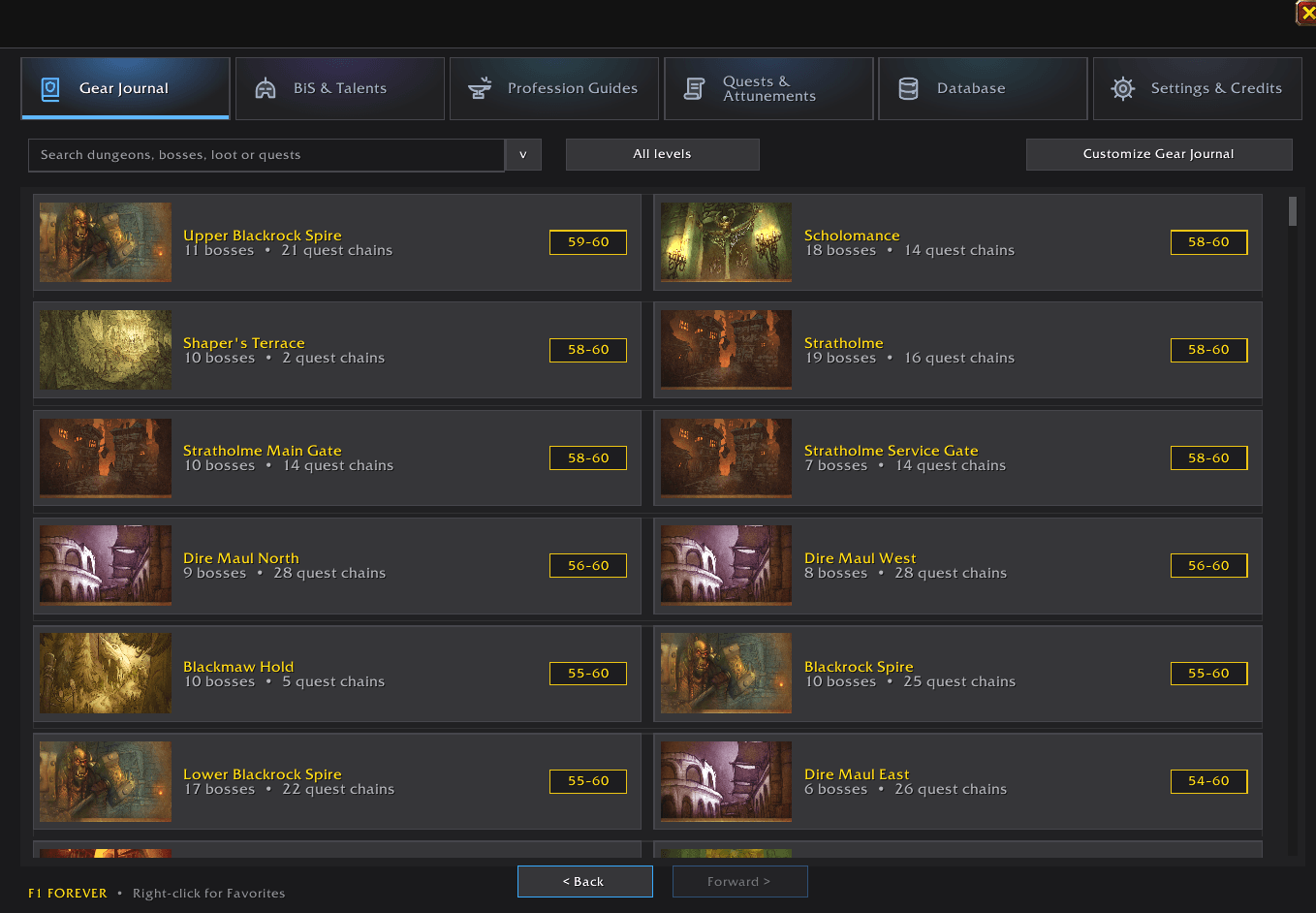
Dungeon drops and Quests
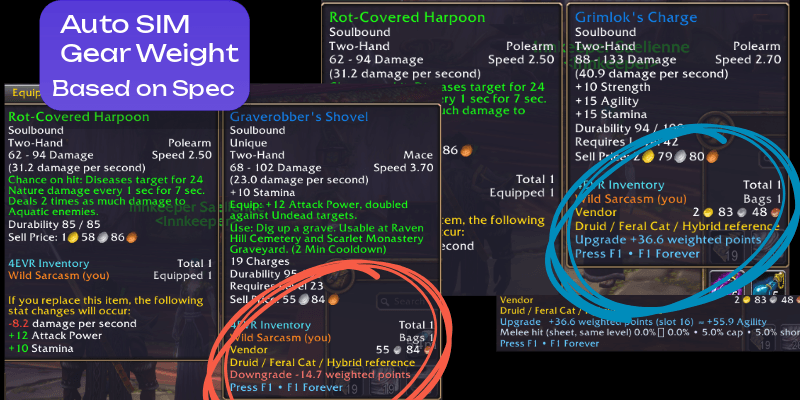
Calculation based on wowsims and stats weight per your spec
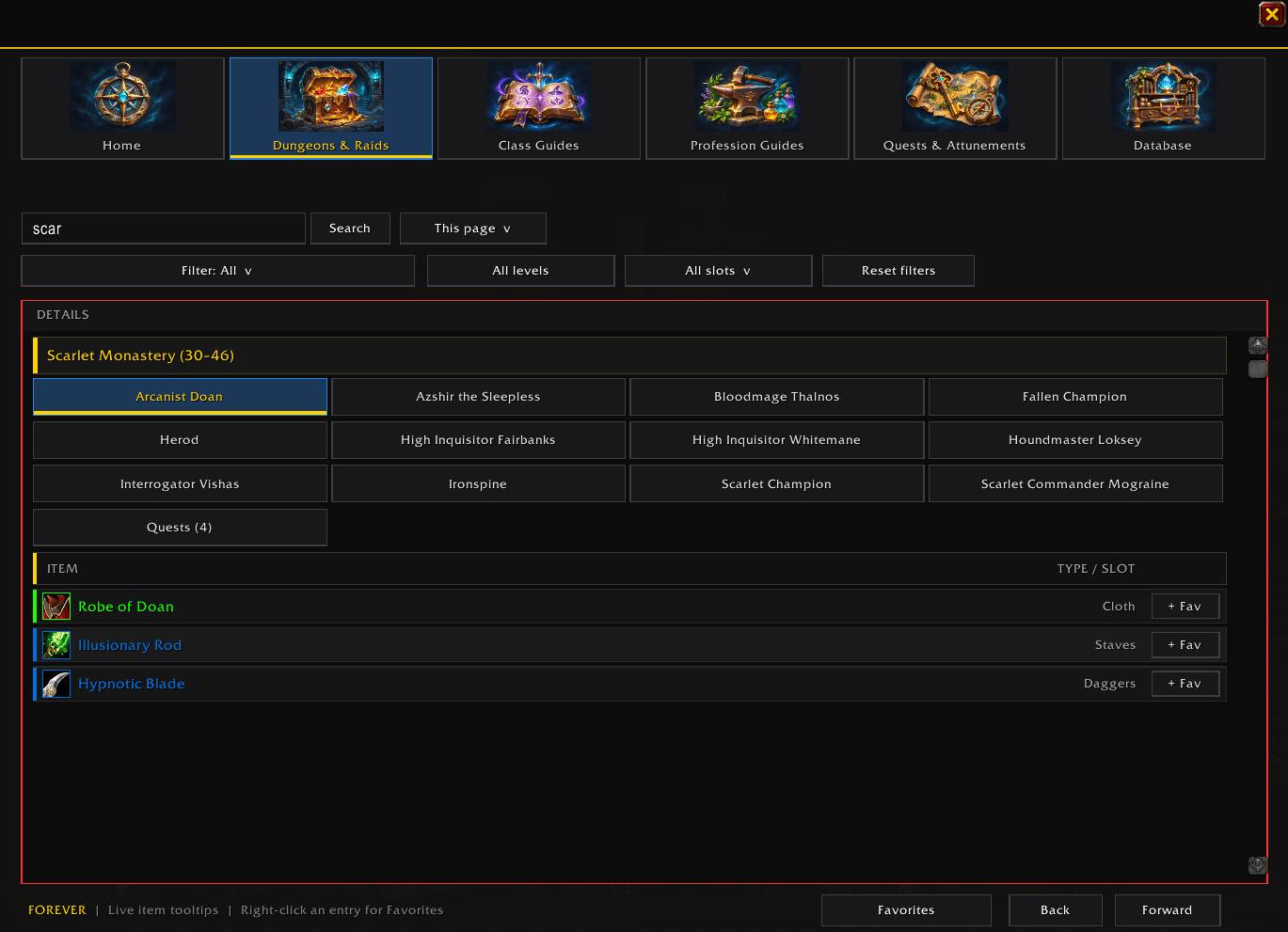
The Traditional Loot per Boss
Description
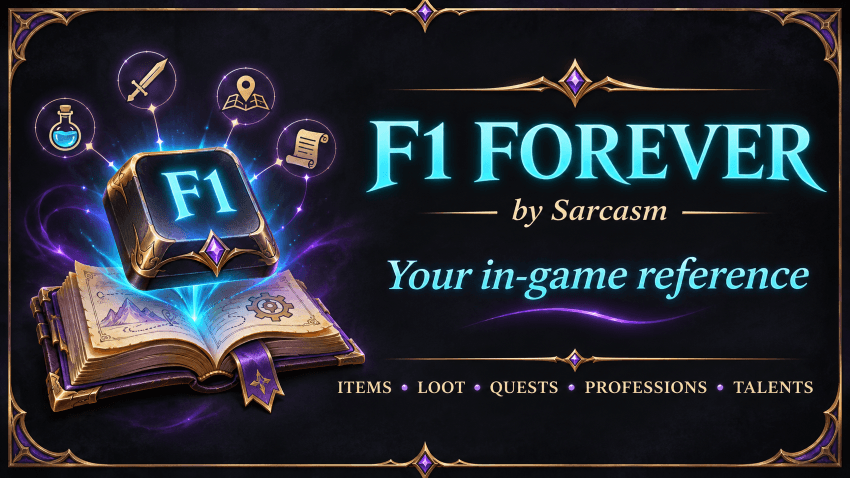
F1 Forever
Wowhead-Style Database, AtlasLoot-Style Journal, BiS Legacy
By Sarcasm — the next chapter of TBCA BiS.
Hover an item, NPC or quest and press F1. Explore where it comes from, what it connects to, and where to go next.
F1 Forever brings item lookup, dungeon loot, professions, quests, maps and class reference pages together in a compact in-game browser. It builds on my earlier TBCA BiS, AtlasLoot and EPV GearScore work, with a new focus on finding useful information without leaving the game.
New in 10.1.4 — Weighted BiS and crafted tier previews
Browse up to ten items per slot across 25 weight profiles covering 17 specs and roles. Compare full hit value with a hit-capped ranking. Crafted tier pieces appear first with a blue border and Tier badge. Their set bonuses are listed in the Gear Journal and excluded from static scores.
Explore 72 crafted pieces across 18 sets in Gear Journal → Tiers, or browse Specials and On-use items for situational effects. The rankings include client records for test gear. A score alone does not establish where an item can be obtained.
Under Settings & Credits → Gear comparisons, switch the F1-Forever ranking line and equipped-item comparison lines on or off independently. Both start enabled.
Gear upgrade tooltips
Hover a piece of gear to see how it compares with your equipped item. The tooltip names the WoWSims Forever profile and shows the difference in weighted points. Upgrades appear in blue, downgrades in red, and even swaps in gray. Scoring defaults to your spec when a supported profile is available. Choose another profile or turn it off in Settings & Credits → Gear comparisons.
For Feral Cat and Bear, hit counts up to the estimated melee cap. When a swap affects hit or its cap, the tooltip can show how much hit you still need or can trade away on another swap. Scores estimate readable item stats. Procs and set bonuses can affect the final choice.
What you can do now
- Look up items and NPCs with F1. Follow recorded drops, vendors, quest rewards, containers, crafting and reagent relationships. Change the shortcut in Settings & Credits if you prefer another key. If F1 is already bound, type /f1 to open the addon; /fdb also works.
- Browse dungeons and raids. Filter by level, switch between bosses, inspect loot and add favorites. Dungeon quests expand into numbered series: the dungeon target is red, preparation steps stay inside the series, and each step opens for objectives, requirements, rewards and available map pins.
- Explore professions. Open Profession Guides directly from the illustrated header. Browse leveling ranges, all indexed recipes, recipe books, crafted items, known trainers, vendors and quests. Check linked outputs, reagents and required skill where recorded. Fishing and Forever First Aid have dedicated reference guides, including the new First Aid healing potions.
- Find quest givers and locations. Trace recorded prerequisites, optional breadcrumbs and follow-ups in F1 Quest, alongside turn-ins and map pins. Your selected target is separate from your progress: only a quest actually in your log receives the journal’s “You are here” label. Class restrictions and minimum required levels are shown where recorded; the quest’s level is a separate value.
- Read class guides and talents. Select your class, specialization and build. Browse talent trees and compact guides with linked spells, consumables and class quest unlocks.
- Keep your own lists. Create named favorites and place items, NPCs or quests in more than one list.
A dark charcoal interface with gold accents, illustrated navigation and compact horizontal tabs keeps browsing clear. Settings & Credits includes independent Alliance/Horde checkboxes (both enabled initially) and completed-quest filtering. Shared and unknown-faction records remain visible.
Native item icons, rarity colors, tooltips and comparisons keep the information familiar. Search works across partial names or the whole database.
No separate Questie installation is required to use F1 Forever.
Current database snapshot
The 10.1.4 release indexes these records.
| Records | Count |
|---|---|
| Items | 24,264 |
| NPCs | 15,561 |
| Quests | 5,890 |
| Recipes | 2,480 |
| Objects | 7,205 |
| Recorded relationships | 272,922 |
These are indexed records, not a claim that every entry is currently obtainable or has a complete acquisition path. Coverage grows as content and evidence become available. Some trainers, locations and acquisition sources are still missing.
Forever first, with a separate TBC edition
Forever is the current development focus.
TBC is maintained as a separate edition using its own data; install the file intended for your client. Further work on each edition will be guided by community demand, feedback and available development time.
The earlier TBCA BiS features remain part of this project's history. EPV GearScore, remote gear inspection and the old gear rack are not advertised as features of this Forever build.
What comes next
Planned updates will expand:
- NPC and item relationships.
- Recipe acquisition and trainer coverage.
- Dungeon quests and map locations.
- Talents, class guides and profession reference pages.
Talent builds and class recommendations are still being refined. Final Forever BiS lists will follow confirmed level-60 loot and evaluation.
Fishing reference coverage is available; fishing acquisition relationships and other missing connections will expand as reliable information becomes available. External quest-log hover shortcuts are still being refined; the current quest browser is accessible through the addon’s own quest entries.
Release notes will distinguish new NPCs from new relationships, location corrections and other changes, so you can see what each update actually adds.
A future resource for developers
If the project receives enough support and the database reaches suitable coverage and stability, I aim to offer a free online database and developer API.
The goal is to make reusable, well-documented relationships available for other community tools. This is a future goal, not a service available today.
Screenshots and feedback
The gallery shows the actual addon. Class guide images show work in progress.
Found a missing vendor, recipe source or quest connection? Include the item/NPC name or ID, your client version and a screenshot when possible.
In game: Wild Sarcasm on Forever USA
Discord: @sarcasm
Thanks and credits
Thanks to the open-source tooling and community database contributors who make this work possible:
- WoWSims Forever — db2tool, for client-data extraction tooling and the Forever project's numeric stat-weight presets.
- Questie and its contributors and QuestieDB, for their community database work, data contributions and comparison references.
- Napalmsteak's WoW Classic Item Caches, for Forever item-cache research and reference data.
F1 Forever has its own browser and presentation. It is an independent project, not an official Wowhead or AtlasLoot release.
Applicable third-party notices and licenses accompany the distribution separately.
F1 Forever — Wowhead-Style Database, AtlasLoot-Style Journal, BiS & Gearscore Team
Owner