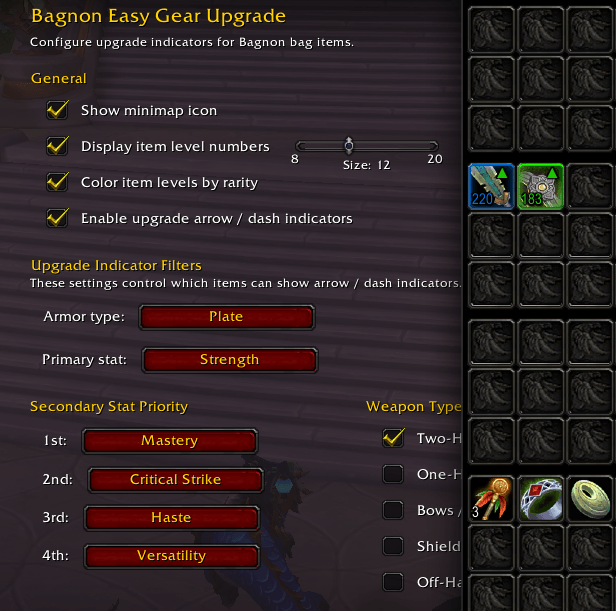
ingame.png
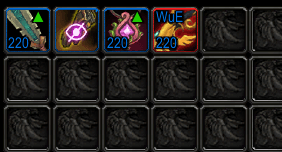
grid.png
Description
Easy Gear Upgrade
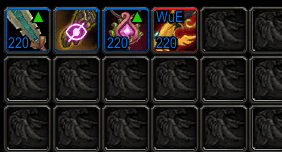
Easy Gear Upgrade helps you spot gear upgrades at a glance. It displays item level numbers on every equippable item in your bags and loot windows, and marks upgrades with a green arrow indicator. Items that are a sidegrade with useful on-use or on-equip effects get a green dash instead. Optionally, binding labels (BoE / WuE / WB) are shown on tradeable items, and an uncollected transmog icon highlights gear you haven't added to your wardrobe yet.
On first login the addon reads your equipped gear and automatically sets up your armor type, primary stat, weapon preferences and secondary stat priority. Everything is fully configurable through the settings panel, so it works for any class and any spec.
Features
- Item level numbers on all equippable items in bags, loot windows, and loot rolls
- Green arrow on items that are a direct upgrade over your currently equipped gear
- Dash on sidegrades with special on-use or on-equip effects
- Tooltip upgrade lines when hovering any item — shows ilvl difference or stat upgrade reason
- Binding labels on tradeable items — BoE, WuE (Warbound until Equipped) and WB (Warbound)
- Uncollected transmog icon for gear not yet in your wardrobe
- Rarity colored item levels (optional)
- Configurable armor type, primary stat and weapon type filters
- Secondary stat priority with weighted scoring
- Upgrade arrows on quest reward items in the default quest turn-in and quest log windows
- Compatible with Bagnon, Plumber, DialogueUI, and default ui
Settings
The settings panel is organized into subcategory pages:
- General: Minimap icon, upgrade arrow master toggle, armor/stat/weapon filters, secondary stat priority
- Bags: Per-location toggles for item level, rarity coloring, font size, BoE labels, binding labels, uncollected transmog
- Loot Window: Independent toggles for loot window and loot rolls, with their own font size, item level, rarity coloring, BoE labels, binding labels, and uncollected transmog settings
- Tooltips: Toggle upgrade/sidegrade lines in item tooltips
- Quest Rewards: Toggle upgrade arrows on quest reward items (works with both the default UI and DialogueUI)
All filter and priority settings only affect the upgrade arrow and dash indicators. The item level display, binding labels and transmog icon work independently regardless of your filter configuration.
Type /easygu to open settings.
The Easy Gear Upgrade Team