íë©´ ìº¡ì² 2026-07-22 223822.png
01-main-ui-layout.png
02-basic-flow.png
04-assign-presets.png
05-minimap-scale.png
Description
# Auto Bless (자동축복)
> **Paladin blessing helper** for WoW Anniversary / Classic.
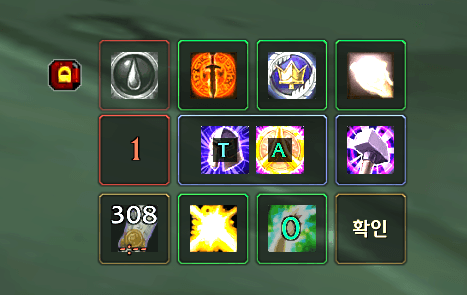
> Assign blessings (왕구 / 빛구 / 힘지 or free pick), cast missing buffs with one button, plus utility seals, Holy Light, and Cleanse.
**Version**: see `## Version` in `AutoBless.toc` (every change recorded in `CHANGELOG.md`).
**Client**: WoW Anniversary / Classic — Interface `20505` / `20506`.
**Class**: **Paladin only** (settings panel still opens on other classes).
---
## English
### Highlights
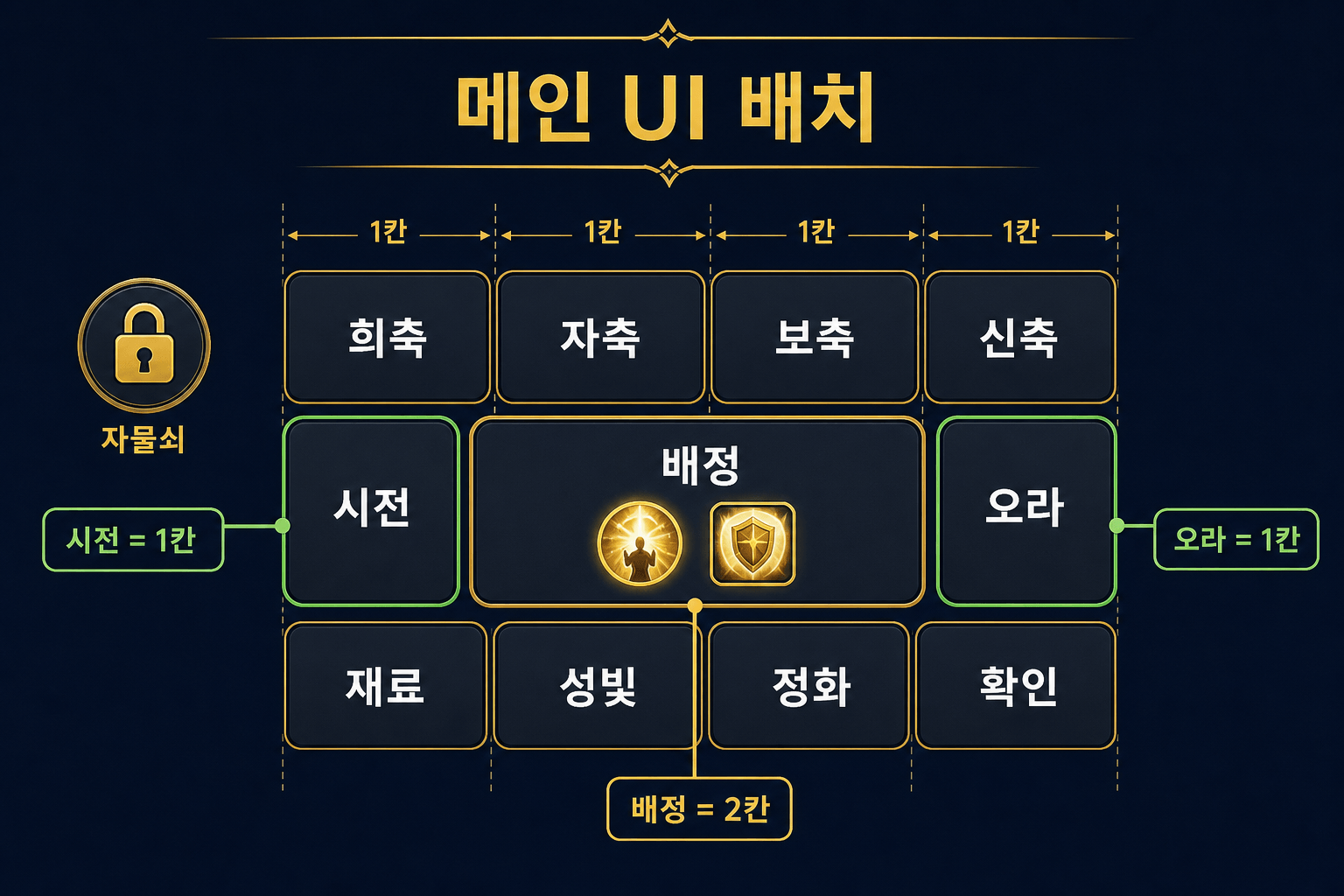
- One-click **bless cast** for missing raid/party buffs (greater when reagent available).
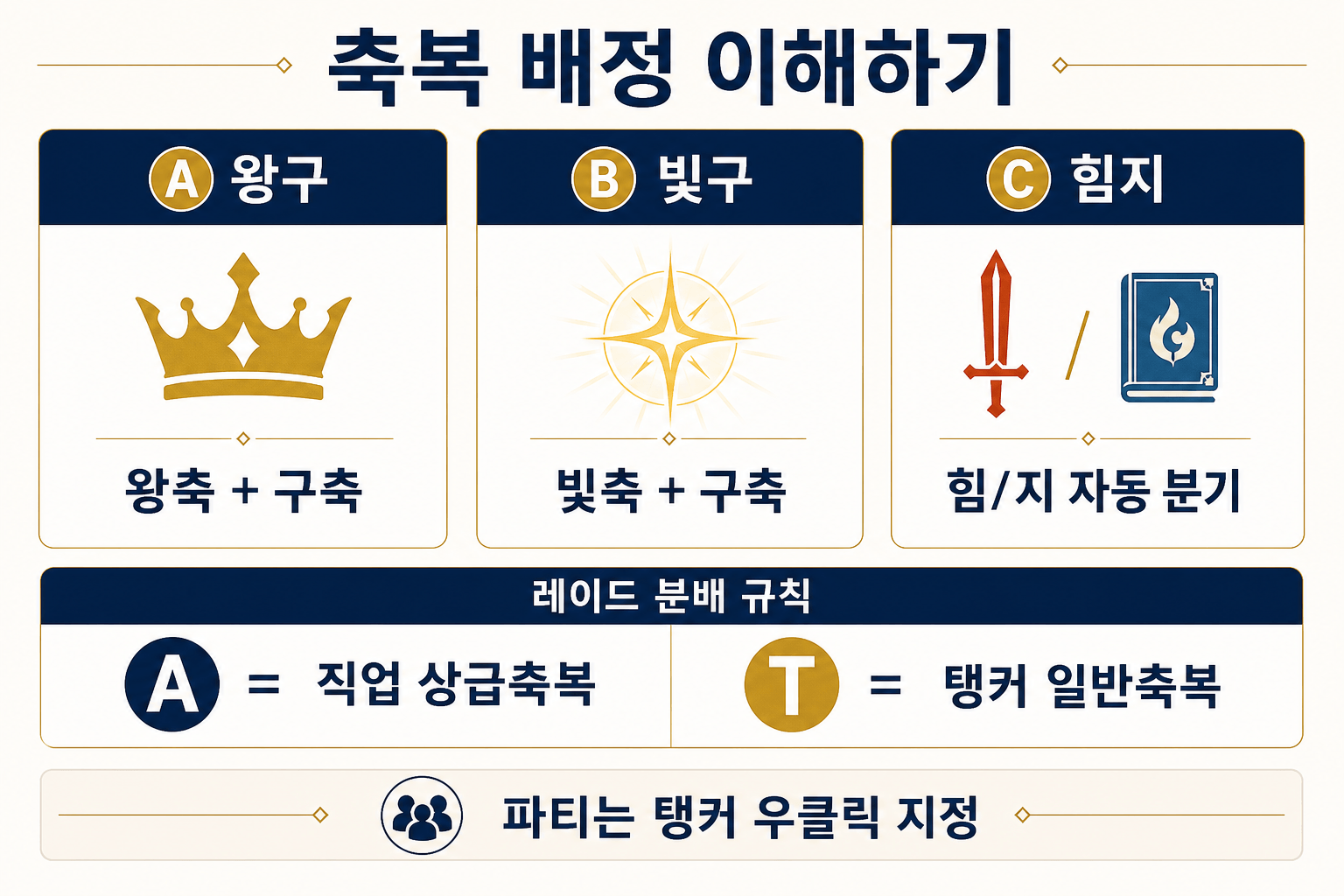
- Flexible **assignment**: presets or 1–2 blessings; A/T split for raid/party tanks.
- **Utility row**: Sacrifice / Freedom / Protection / Lay on Hands.
- **Holy Light** & **Cleanse** with priority targeting.
- **Aura** picker; class strip for buff timers and per-player cast.
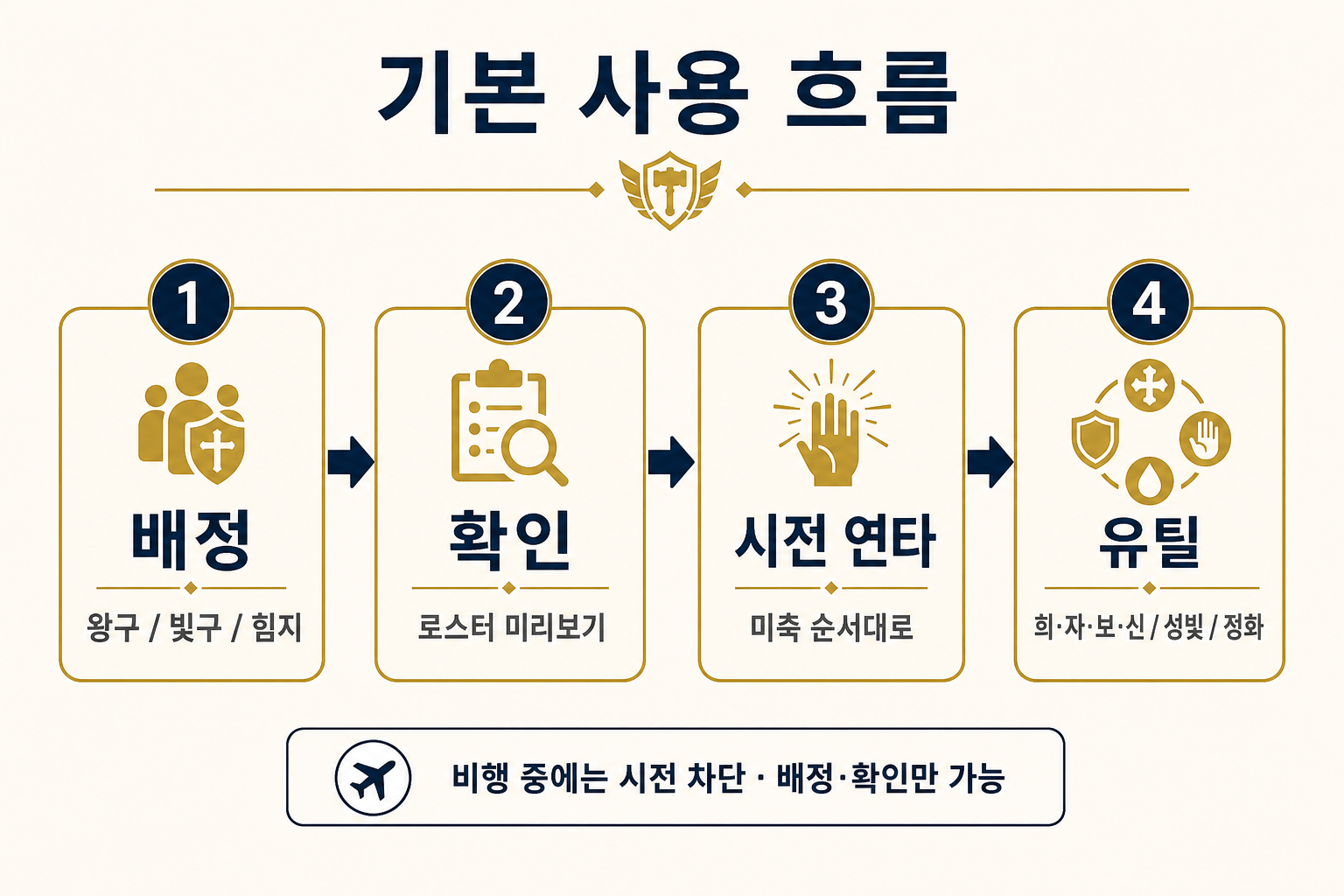
- **Flying lock**: cast buttons blocked in air; assignment + Confirm still work.
- Minimap button + Esc settings with full how-to guide.
### Install
1. Copy the `AutoBless` folder into `Interface\AddOns\`.
2. Enable **Auto Bless** on the character select AddOns list.
3. Log in on a **Paladin** — minimap icon and main UI appear.
### Minimap
| Action | Result |
|---|---|
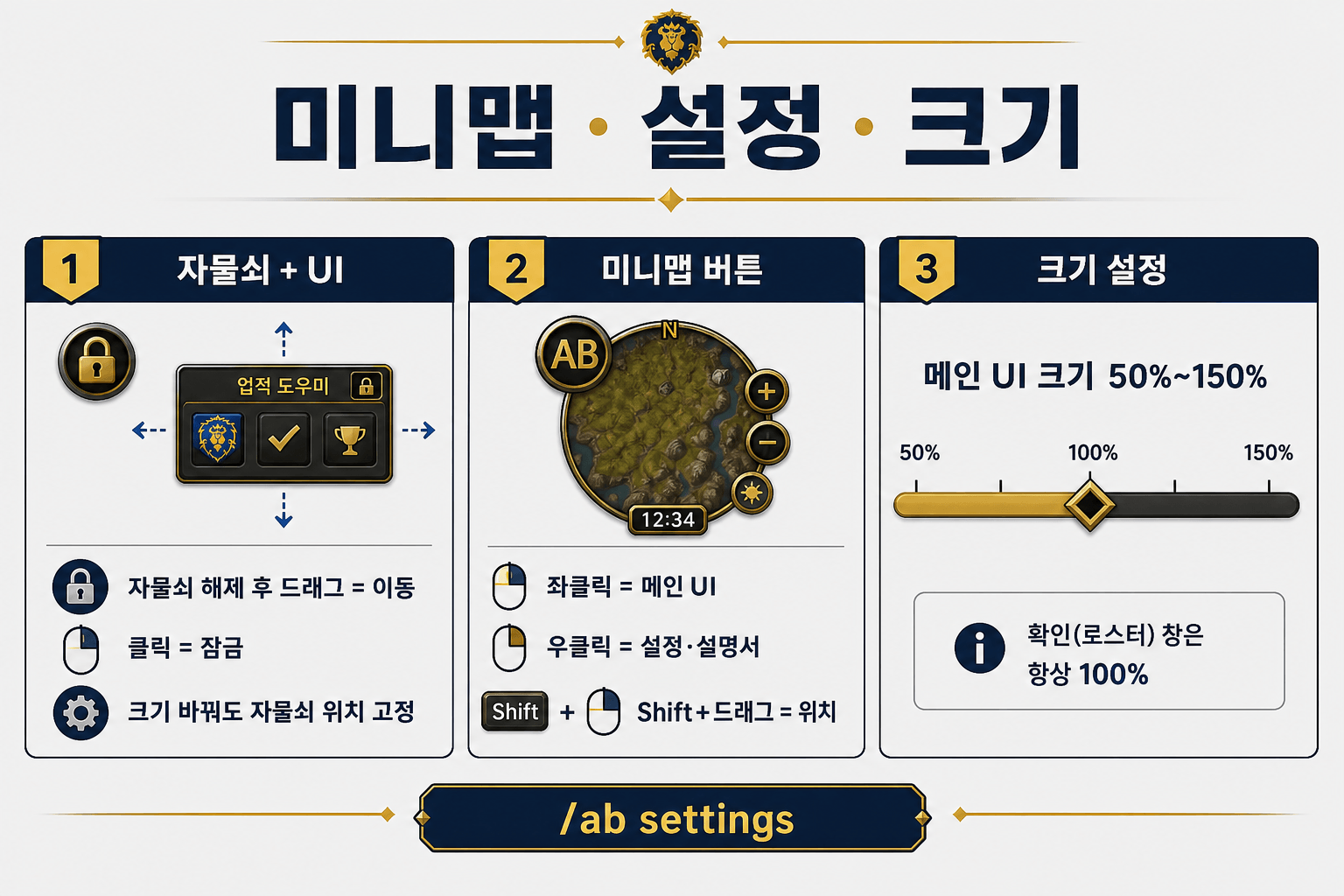
| **Left-click** | Toggle main UI |
| **Right-click** | Toggle settings / help |
| **Shift + drag** | Move around the minimap |
Compatible with **MinimapButtonButton** (whitelist registered). Standalone button (not LibDBIcon).
### Settings
Esc → Interface → AddOns → **Auto Bless**, or minimap right-click / `/ab settings`.
### Slash
`/ab` · `/autobless` · `/autobleess`
| Command | Description |
|---|---|
| `/ab` | Help |
| `/ab settings` | Options / help panel |
| `/ab show` / `hide` | Main UI |
| `/ab assign 왕구` | Set assignment |
| `/ab tank [name\|target]` | Manual tank mark |
| `/ab strip always\|auto` | Class strip mode |
| `/ab scale <n>` | UI scale (0.5–1.5) |
| `/ab lock` / `unlock` | Position lock |
| `/ab test` | Confirm / roster preview |
### CurseForge icon
Upload **`Art/AutoBless-CurseForge-400.png`** (exactly **400×400**) as the project logo.
In-game icon: `Textures/MinimapIcon.png` (`## IconTexture`).
---
## 한국어
### 소개
성기사 전용 축복 도우미입니다. 배정(왕구·빛구·힘지 또는 자유 선택) 후 **시전** 버튼으로 미축을 순서대로 채우고, 희·자·보·신 / 성빛 / 정화 / 오라도 한곳에서 다룹니다.
### 설치
1. `AutoBless` 폴더를 `Interface\AddOns\`에 넣습니다.
2. 캐릭터 선택 화면 AddOns에서 **Auto Bless**를 켭니다.
3. **성기사**로 접속하면 미니맵 아이콘과 메인 UI가 나타납니다.
### 미니맵
| 조작 | 동작 |
|---|---|
| **좌클릭** | 메인 UI 토글 |
| **우클릭** | 설정 / 사용설명 |
| **Shift+드래그** | 미니맵 가장자리 이동 |
### 설정·설명서
Esc → 인터페이스 → 애드온 → **Auto Bless**
또는 미니맵 우클릭 · `/ab settings`
### 비행 중
- **차단**: 희축·자축·보축·신축 · 성빛 · 정화 · 축복 시전(재료 칸 포함)
- **허용**: 축복 배정 · 확인
### CurseForge
프로젝트 로고: `Art/AutoBless-CurseForge-400.png` (**400×400**).
게임 아이콘: `Textures/MinimapIcon.png`.
### 작성
펜구스의 흉포 - 거리기사
The OneBless Team