Screenshot 2026-01-06 at 8.24.49â¯PM.png
Screenshot 2026-01-06 at 9.55.38â¯PM.png
Screenshot 2026-01-06 at 9.55.44â¯PM.png
Description



Ascension Notes
Overview
Ascension Notes is an in-game note-taking addon for World of Warcraft retail. It allows players to create, organize, and manage notes without ever leaving the client, featuring a modern dark-themed interface and robust organizational tools.
Key Features
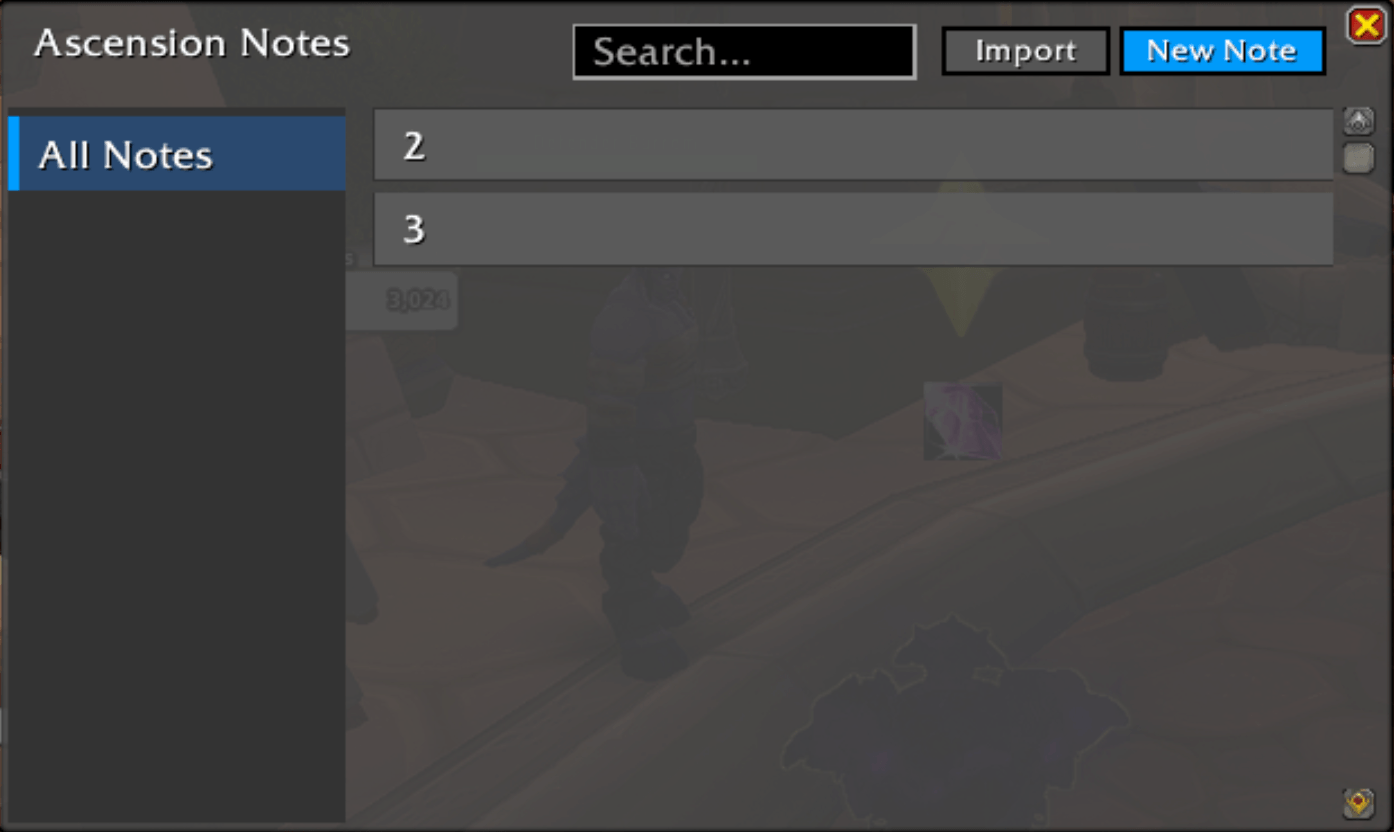
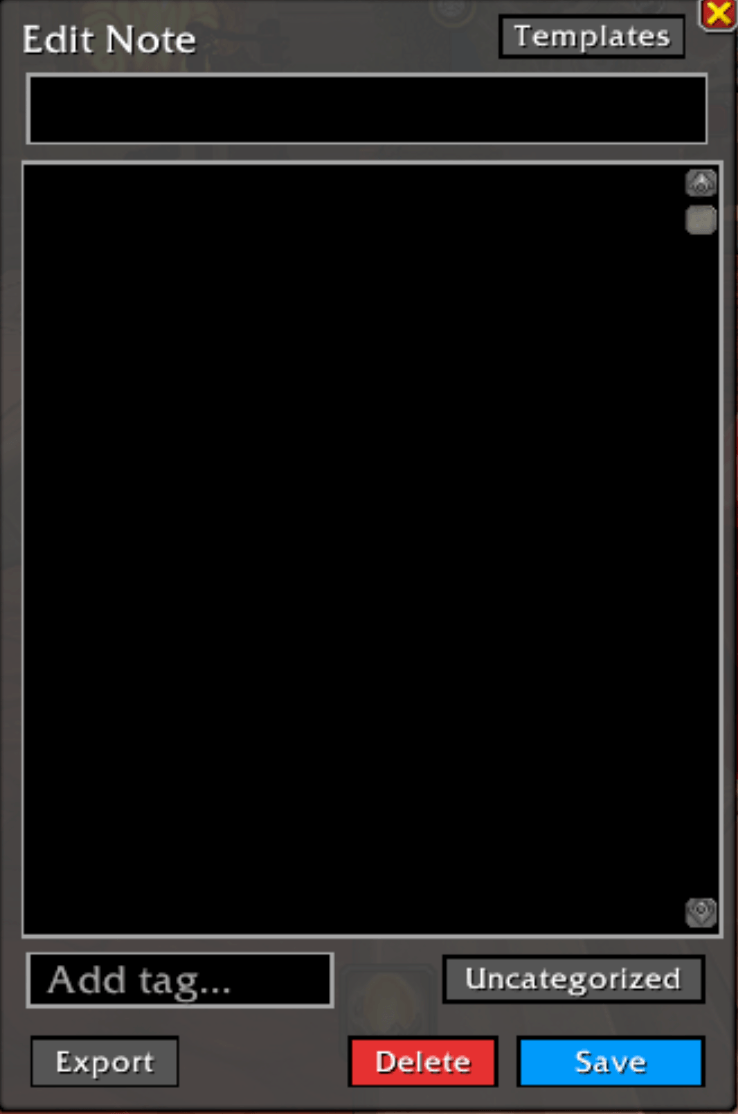
- Manage: You can manage your notes from the resizable UI, create, edit, tag, categorize, and order your notes.
- Auto-save: Notes auto-save so that you do not lose what you have already typed.
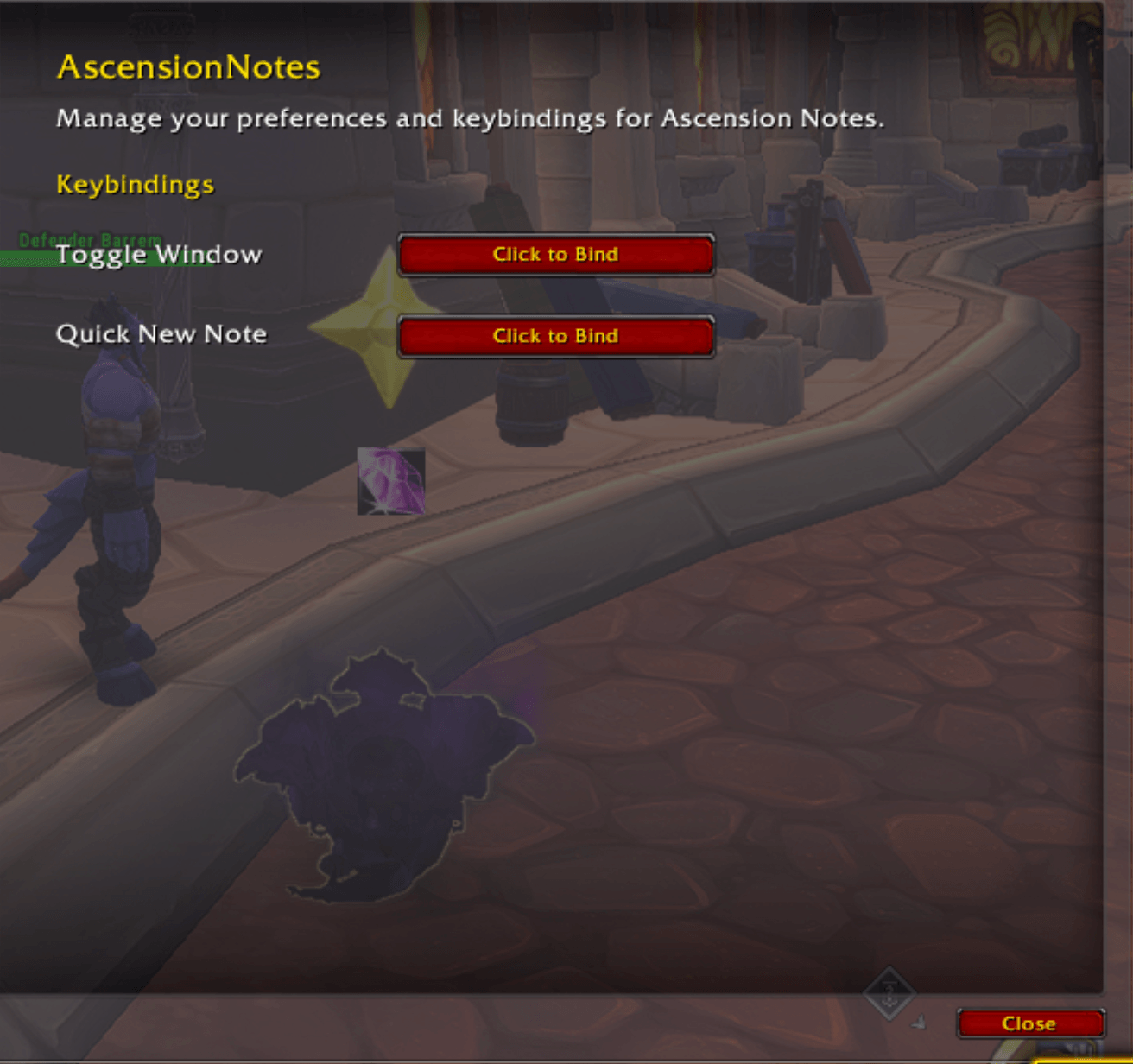
- Quick note: Set your own keybind to access the note editor, ready to type if you need to be fast.
- Categories: create your own note categories or use the ones added by default to divide the type of note that you have.
- Tags: Add searchable tags to your notes to search in the search bar.
User Interface
- Dark Modern Theme: Centralized color palette for consistent styling.
- Draggable Windows: The main window and editor are fully movable.
- Resizable Windows: The main window and editor are resizable.
- Styled Elements: Custom buttons, input boxes, and scroll frames.
Quick Start
- Set your own keybinds to open the frames. (optional)
- Type
/anto open/close the main window. - Click "New Note" or use your bound key.
- Add a title, body, category, and tags.
- Click "Save".
Descripción general
Ascension Notes es un complemento para tomar notas dentro del juego World of Warcraft retail. Permite a los jugadores crear, organizar y gestionar notas relacionadas con el juego sin salir del cliente, con una interfaz moderna de temática oscura y sólidas herramientas de organización.
Características principales
- Gestionar: Puedes gestionar tus notas desde la interfaz de usuario redimensionable, crear, editar, etiquetar, categorizar y ordenar tus notas.
- Autoguardado: Las notas se guardan automáticamente para que no pierdas lo que ya has escrito.
- Nota rápida: Configura tu propia combinación de teclas para acceder al editor de notas, listo para escribir si necesitas ser rápido.
- Categorías: crea tus propias categorías de notas o utiliza las añadidas por defecto para dividir el tipo de notas que tienes.
- Etiquetas: añade etiquetas buscables a tus notas para buscarlas en la barra de búsqueda.
Interfaz de usuario
- Tema moderno oscuro: paleta de colores centralizada para un estilo coherente.
- Ventanas arrastrables: la ventana principal y el editor se pueden mover completamente.
- Ventanas redimensionables: la ventana principal y el editor se pueden redimensionar.
- Elementos con estilo: botones personalizados, cuadros de entrada y marcos de desplazamiento.
Inicio rápido
- Establece tus propias combinaciones de teclas para abrir los marcos. (opcional)
- Escribe
/anpara abrir/cerrar la ventana principal. - Haz clic en «Nueva nota» o utiliza la tecla asignada.
- Añade un título, un cuerpo, una categoría y etiquetas.
- Haz clic en «Guardar».
Ascension Notes Team
Owner