Angler demo.jpg
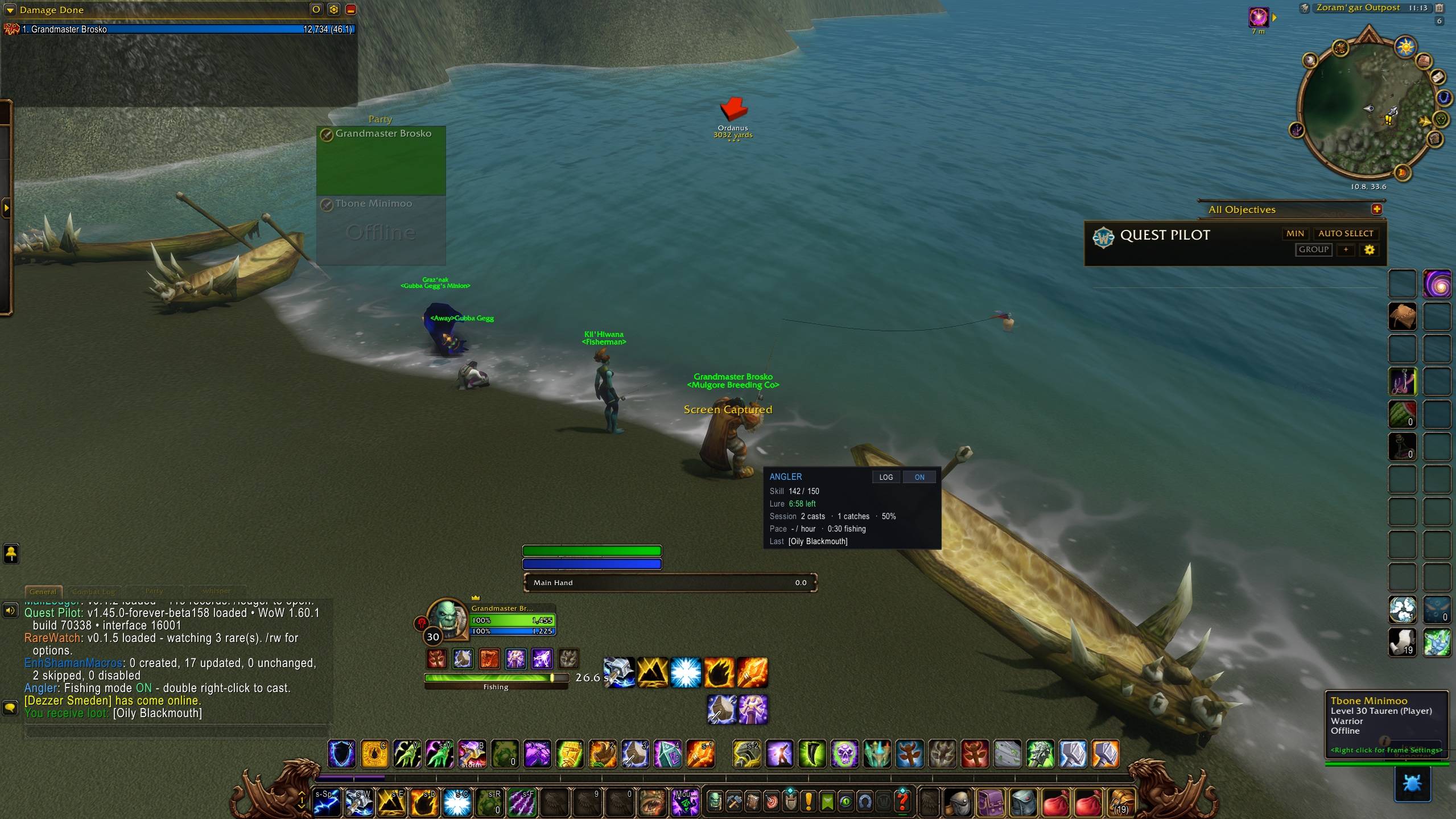
Angler Demo5.jpg
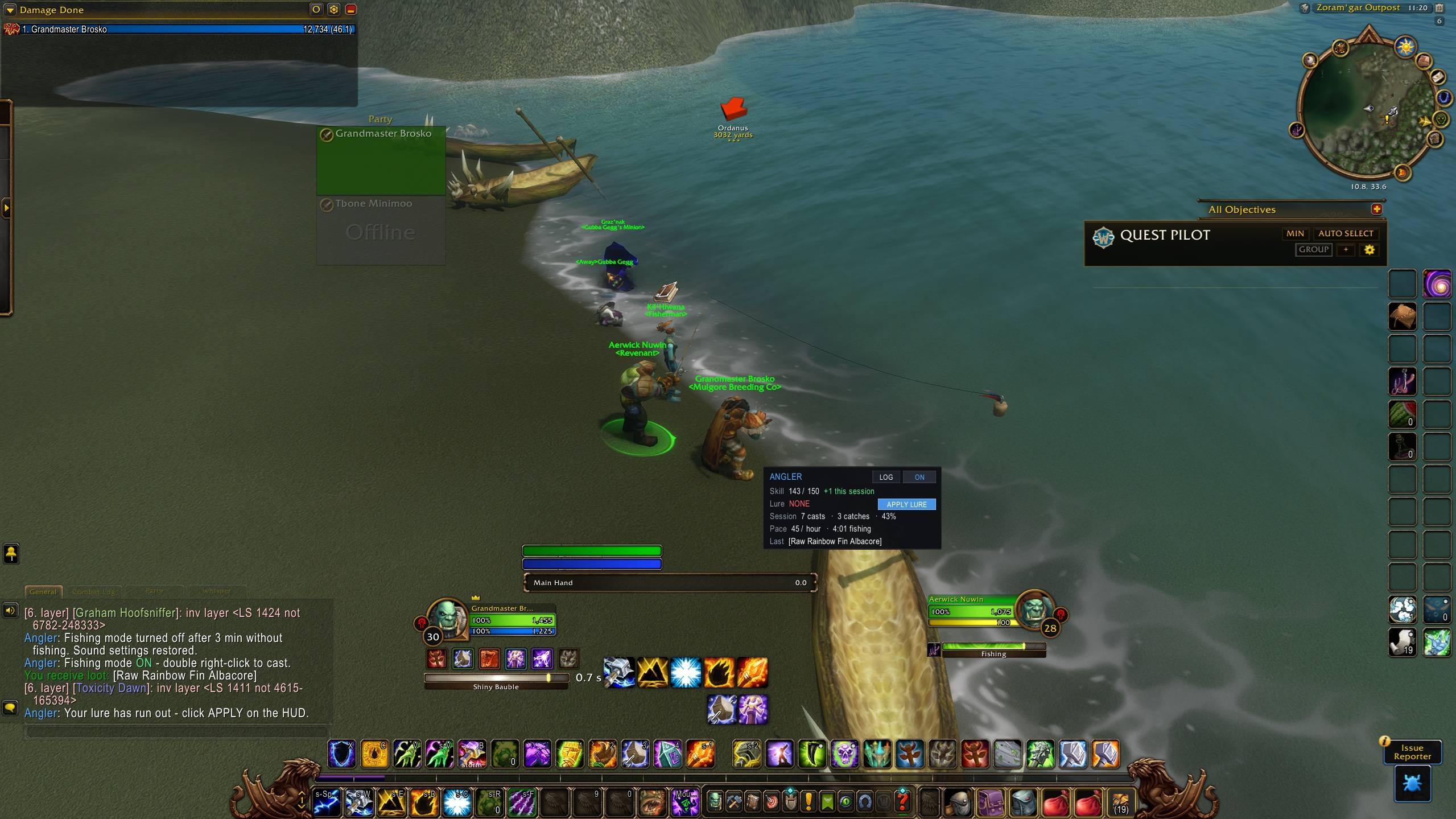
Angler Demo2.jpg
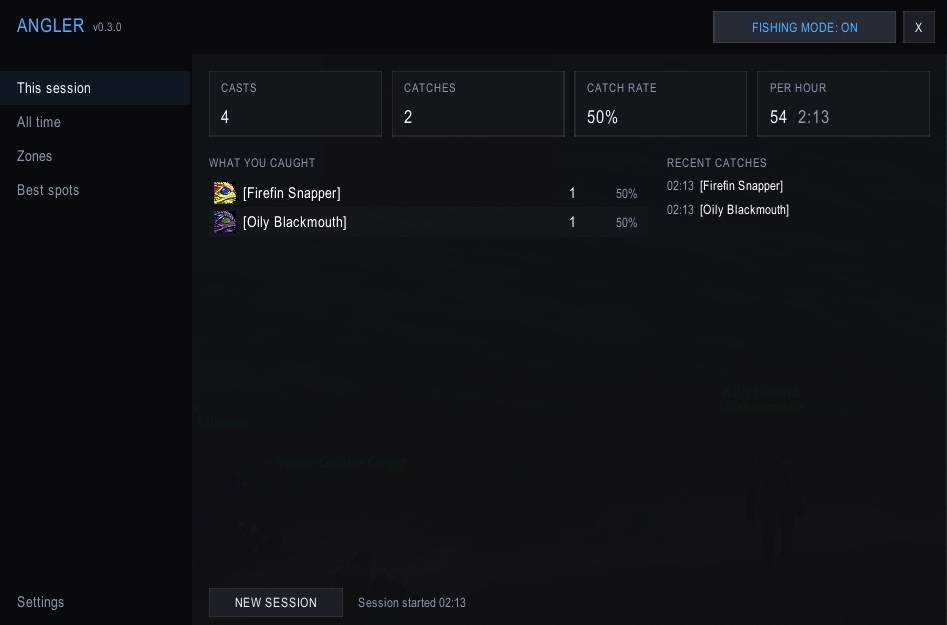
Angler Demo3.jpg
Angler Demo4.jpg
Description
💬 Feel free to leave suggestions, ideas, tips or bug reports in the comments – everything is welcome! I'm new to making addons, so all feedback helps me learn and improve. Thanks! 🎣
# Angler – Fishing Helper for WoW Forever
**Fish faster, hear every bite, and see exactly how your sessions are going.**
Angler takes the clicking and guesswork out of fishing while **you still press every key**. Nothing is automated, and it never casts or loots on its own.
Built for **WoW Forever (client 1.60.1)**.
---
## ✨ Features
### 🎣 Quick casting
- **Double right-click the water** to cast. Right-clicking mobs and NPCs still works normally.
- **One-key fishing:** bind a key to *Cast fishing / reel in*. Press it to cast, then press it again while the bobber is out to reel in, using the game's own Interact key.
- **Fishing mode** switches on automatically the first time you cast and turns itself off after a few idle minutes.
### 🔊 Never miss a bite
While fishing mode is on, Angler:
- turns **sound effects up to max** and **music and ambience off**, so the splash is easy to hear
- keeps sound playing **while you're alt-tabbed** (optional)
- turns on **auto loot** (optional)
When fishing mode ends, every setting goes back to **exactly what you had before**, even after a disconnect or crash.
### 🪝 Lure tracking
- Shows your **lure's time left** on the HUD.
- **Reminder with sound** when the lure runs out.
- **One-click APPLY LURE** button that uses the best lure in your bags.
### 📊 Compact HUD
A small, movable panel shows:
- **Fishing skill**, including how much you've gained this session
- **Lure status**
- **Casts, catches, catch rate** and **fish per hour**
- Your **last catch**
- **What to train next** when your skill is capped (75 / 150 / 225)
### 📖 Catch log
Open with `/angler` or the minimap button:
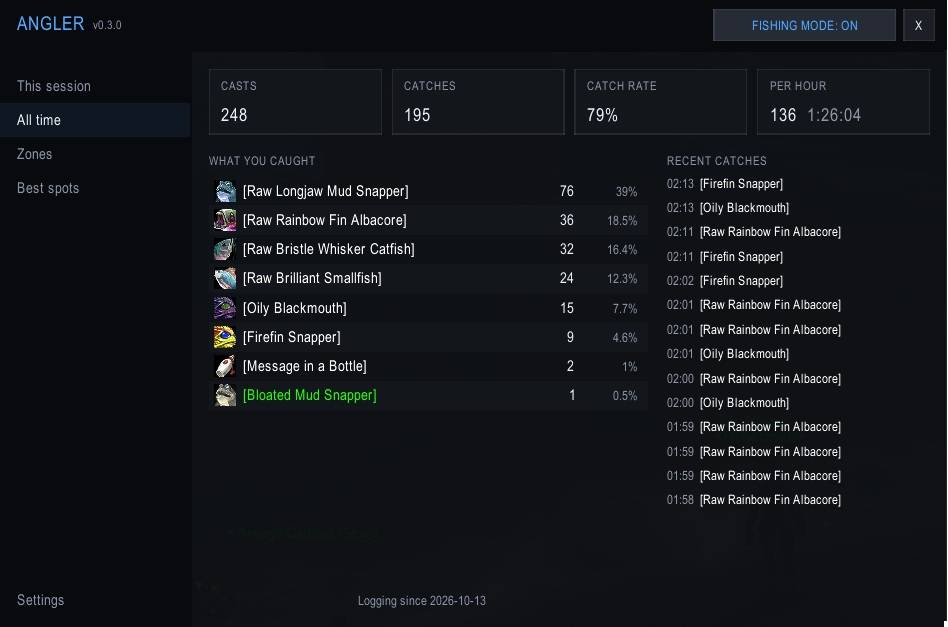
- **This session** and **All time:** everything you caught, with counts, percentages and recent catches
- **Zones:** casts, catches, catch rate and most-caught fish per zone
- **Best spots:** a 1–300 leveling route for your faction with your current bracket highlighted, where to train each rank, and **your own measured catch rate per zone**, so you know a spot really suits your skill
### 🗺️ Fishing school spots on your maps
Angler **learns where fishing schools spawn** as you play:
- **Hover a school** (Floating Wreckage, Oily Blackmouth School, Firefin Snapper School…) and its spot is saved
- **Fish it** and the spot is marked as fished, with its position refined
- Spots appear as **pins on the world map and minimap** (grey = seen, colour = fished)
Schools reuse fixed spawn points, so your map fills up with every place they can appear as you fish.
---
## 🚀 Getting started
1. Install and log in. You'll see *"Angler loaded"* in chat.
2. Cast Fishing once. Fishing mode turns on and the HUD appears.
3. **Double right-click the water** to keep fishing.
4. *(Optional)* Bind a key: **Esc → Options → Keybindings → AddOns → Angler → Cast fishing / reel in**.
---
## ⌨️ Commands
| Command | What it does |
|---|---|
| `/angler` | Open the catch log |
| `/angler mode` | Toggle fishing mode (`on` / `off` also work) |
| `/angler spots` | Open Best spots |
| `/angler hud` | HUD: auto / always / hidden |
| `/angler reset` | Start a new session |
| `/angler settings` | Open settings |
| `/angler clearpools` | Delete saved school spots |
| `/angler debug` | Diagnostic info for bug reports |
**Minimap button:** left-click opens the log, right-click toggles fishing mode, drag to move.
**Key bindings:** *Cast fishing / reel in* and *Toggle fishing mode*.
---
## ⚙️ Settings
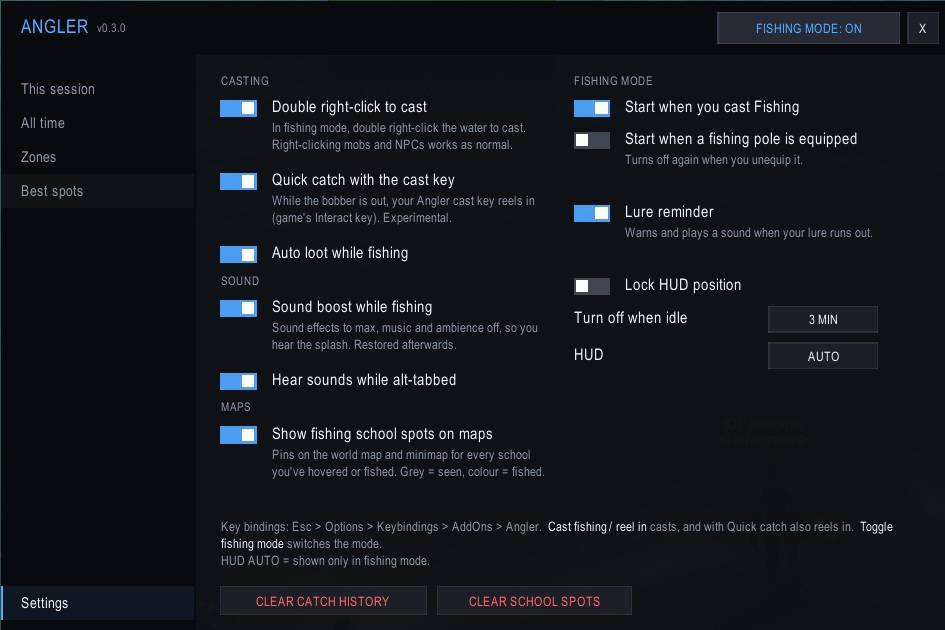
Everything can be turned on or off:
- Double right-click casting
- Quick catch with the cast key
- Auto loot
- Sound boost and sound while alt-tabbed
- Start fishing mode on cast, or whenever a pole is equipped
- Idle timeout (2 / 3 / 5 / 10 min)
- Lure reminder
- School pins on maps
- HUD mode and lock
---
## ❓ FAQ
**Is this a fishing bot?**
No. Angler never casts, reels in or loots on its own. Every cast and catch happens because you clicked or pressed a key. It only makes those actions quicker and gives you better information.
**Does it change my settings permanently?**
No. Sound, auto loot and interact settings are saved before fishing mode starts and restored exactly afterwards, including after a crash or disconnect.
**Why doesn't it show school spots I haven't visited?**
The game doesn't tell addons where fishing schools are, so Angler learns them from what you see and fish. It doesn't ship guessed coordinates.
**Is the leveling route exact for Forever?**
It's based on Classic WoW zone levels. Forever may differ, which is why Angler also shows **your real catch rate per zone**. If a zone shows red, move to an easier one.
**Is there an alert when a fish bites?**
The game doesn't tell addons when a fish bites. That's what the sound boost is for: the splash becomes impossible to miss.
---
## ⚠️ Known limitations
- WoW Forever is in **beta**, and game changes can affect addons. Please report anything that breaks.
- **Quick catch** relies on the game's Interact key working on bobbers. If it doesn't work on your client, turn it off and right-click the bobber.
- School pins mark **where you were standing** when you saw or fished the school, so they're accurate to roughly 30 yards.
---
## 🐞 Bug reports & suggestions
Please include:
- what you were doing when it happened
- any Lua error text (enable errors with `/console scriptErrors 1`)
- the output of `/angler debug`
Angler Team