AllChars
- By
compare **reputation**, **professions**, and **weapon skills** for up to 10 characters in one window.
íë©´ ìº¡ì² 2026-05-15 084912.png
íë©´ ìº¡ì² 2026-06-10 181221.png
íë©´ ìº¡ì² 2026-06-10 181234.png
íë©´ ìº¡ì² 2026-06-10 181254.png
Description
# All Characters
`All Characters` is a World of Warcraft: The Burning Crusade Classic / Anniversary addon that lets you compare **reputation**, **professions**, and **weapon skills** for up to 10 characters in one window.
**Current version: 4.0.0** (matches `## Version` in `AllChars.toc`)
---
## AllReps users (important)
This project is the **successor to [All Reps](https://www.curseforge.com/wow/addons/allreps)** on CurseForge.
| | Old (AllReps) | New (All Characters) |
|---|----------------|----------------------|
| Install folder | `AllReps` | **`AllChars`** |
| SavedVariables | `AllRepsDB` | **`AllCharsDB`** (migrated automatically on first load) |
| Commands | — | `/allchars`, `/ac`, `/allcharacters` |
- If the old **AllReps** addon is still installed, **All Characters** disables it for your account and prints a chat notice.
- After updating, you may **delete** `Interface\AddOns\AllReps` and `/reload`.
- CurseForge: upload to the **existing AllReps project**; see [CURSEFORGE.md](CURSEFORGE.md) for packaging.
---
## Features
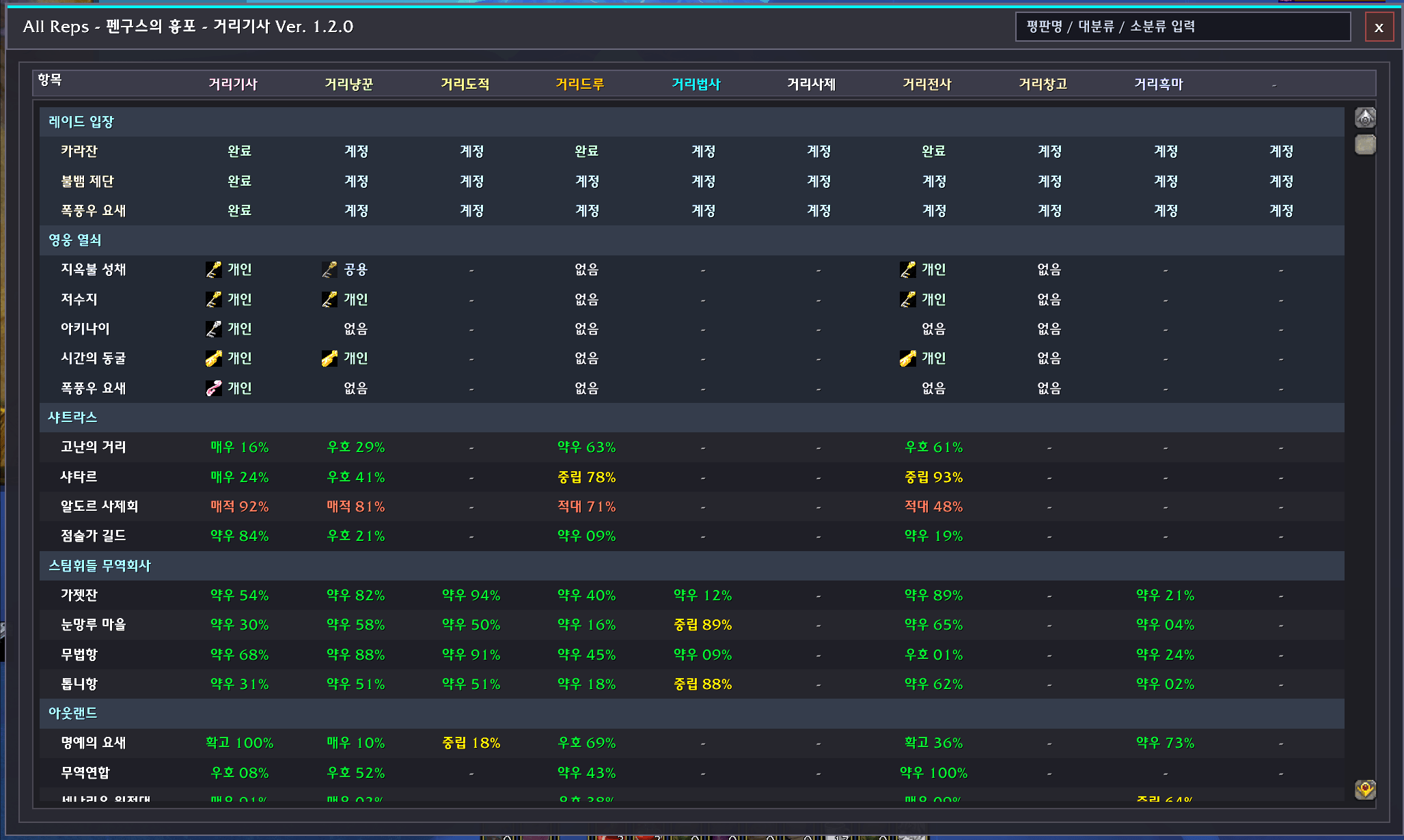
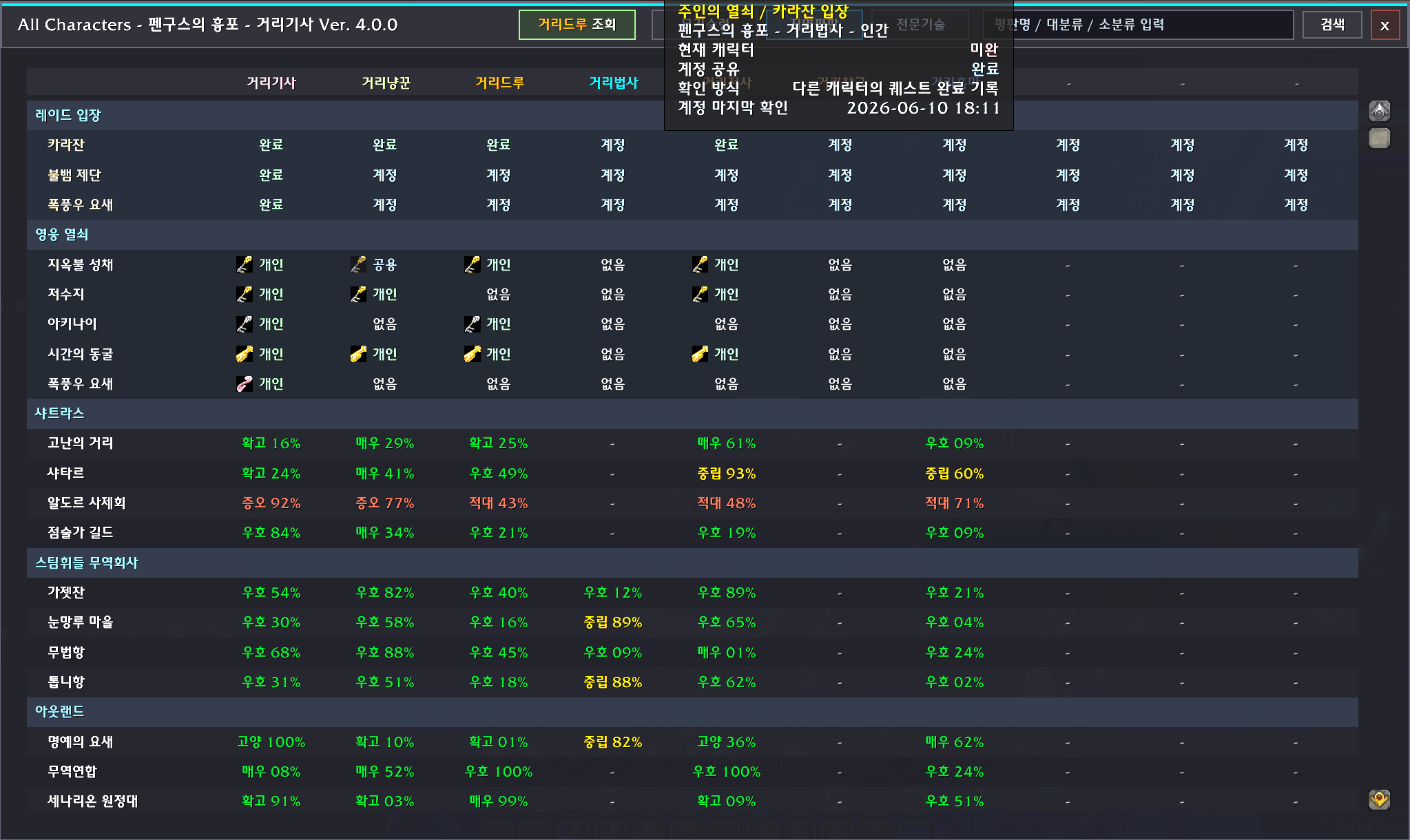
- **지역평판 tab**: reputations for all saved characters (same major / sub-category layout as the default reputation UI)
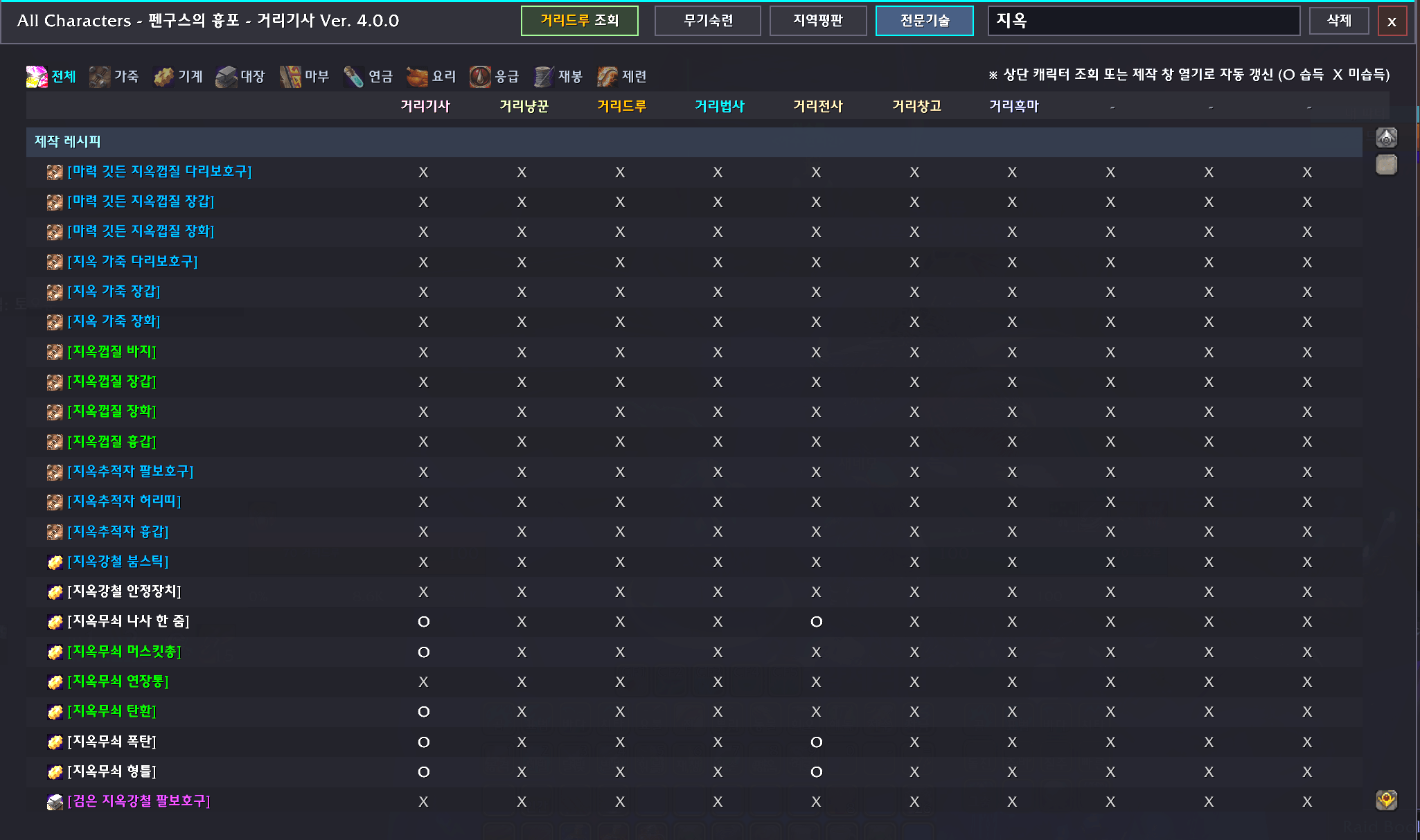
- **전문기술 tab**: primary/secondary skill ranks, recipe search (built-in TBC recipe DB), profession filters
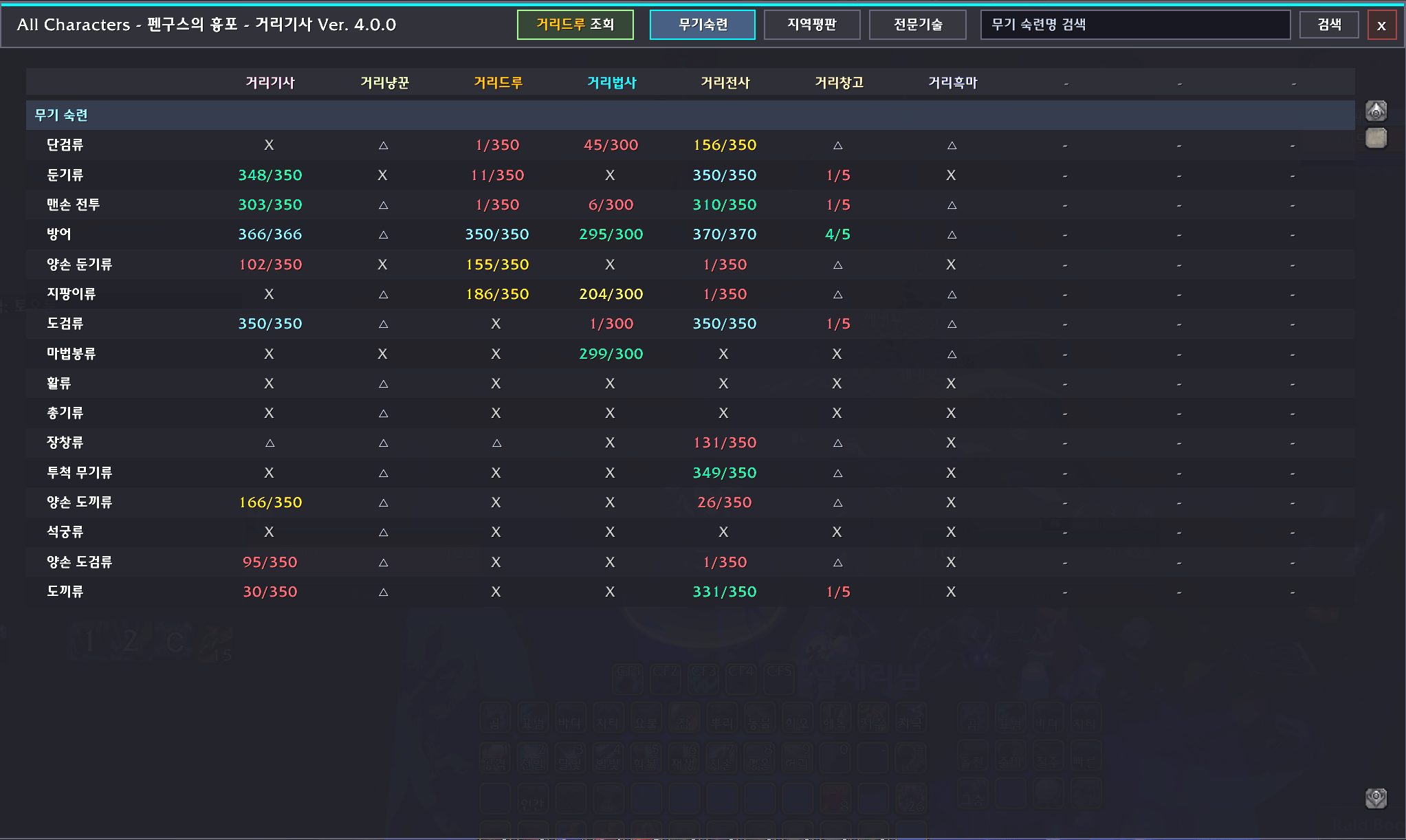
- **무기숙련 tab**: weapon skill values per character
- **Recipe cells**: **O** = learned, **X** = not learned
- **Shift+left-click** a recipe to insert a chat link with reagent counts (` : item 0/2, ...`)
- Trade skill, craft, and **enchanting** (`|Henchant:`) recipe links
- Heroic keys and raid access tracking
- Up to **10** character columns
- Minimap icon: **left-click** = character window, **right-click** = settings
## Scan button (top bar)
- **조회**: saves reputation, weapon skills, professions, keys, and bulk recipe scan for the **current** character.
- **Once per character is enough** for a first setup; **scan again occasionally** to refresh recipes and bag-related data.
- After a successful scan, the same button becomes **삭제** (removes saved data for this character only).
## Recipe search
- Search uses the **built-in recipe database** (no craft window required to search).
- **O / X** for learned recipes updates after **조회** or opening the relevant craft window.
- Hint on the professions tab: `※ 상단 캐릭터 조회 또는 제작 창 열기로 자동 갱신 (O 습득 X 미습득)`
## Commands
- `/allchars` — toggle character window
- `/ac`
- `/allcharacters`
- `/allchars scan` — scan current character now
- `/allchars reset` — clear all saved data, then scan current character only
## Settings
`ESC → Interface → AddOns → All Characters`
- Minimap icon show/hide
- Open character window
- Scrollable usage guide
## Data saving
- Reputation, professions, keys: auto-save on login, entering world, reputation/skill changes, logout
- Full **조회** on demand for current character (recommended at least once per character, then occasionally)
## Notes
- Version text is read from `AllChars.toc`.
- See [CHANGELOG.md](CHANGELOG.md) for full history (rename from All Reps in 2.0.0).
- CurseForge logo: `Art/AllChars-CurseForge-400.png` (400×400, website only — not required in-game).
---
## 한국어 안내
**AllReps 후속 애드온**입니다. 설치 폴더는 **`AllChars`**, 저장 변수는 **`AllCharsDB`** 로 자동 이전됩니다. 구 `AllReps` 폴더는 업데이트 후 삭제해도 됩니다.
### 주요 기능
- **지역평판** · **전문기술** · **무기숙련** 탭
- 레시피 검색(내장 DB), 상단 전문기술 필터
- **O** 습득 / **X** 미습득
- **Shift+좌클릭** 레시피 채팅 링크 + 재료
- 미니맵: **좌클릭** 캐릭터 창, **우클릭** 설정
### 조회 버튼
- **조회**: 현재 캐릭터 평판·무기·전문기술·열쇠·레시피 일괄 저장
- **캐릭터당 최초 1회만 해도 되지만, 가끔 조회하시면 좋습니다**
- 조회 완료 후 **삭제** 모드로 전환 (현재 캐릭터 데이터만 제거)
### 명령어
- `/allchars`, `/ac`, `/allcharacters`
- `/allchars scan`, `/allchars reset`
CurseForge 배포: [CURSEFORGE.md](CURSEFORGE.md) 참고.
The AllChars Team