CAS QuickFind - Favorites and Recent History, Built Into CAS
- By
Demo
Description
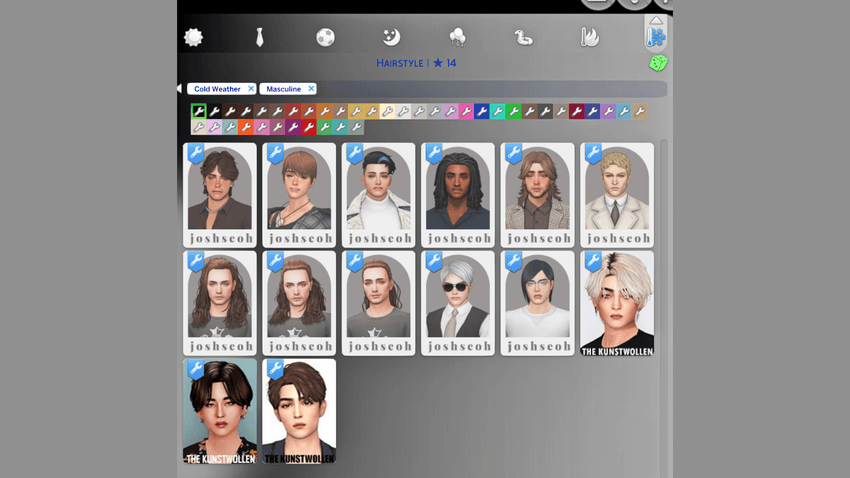
Tired of scrolling through the same CAS category trying to find that one hairstyle, top, accessory, or pair of shoes again?
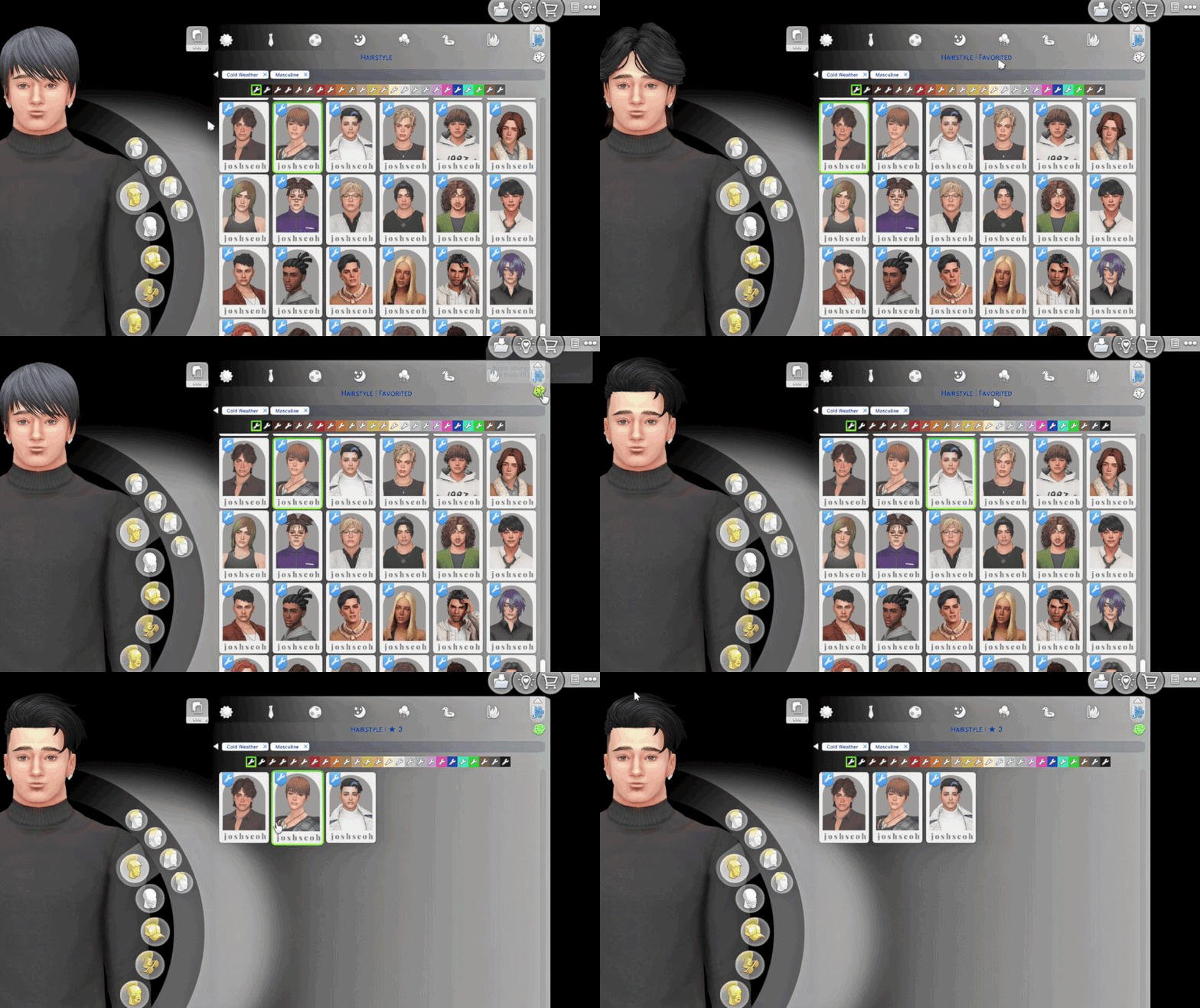
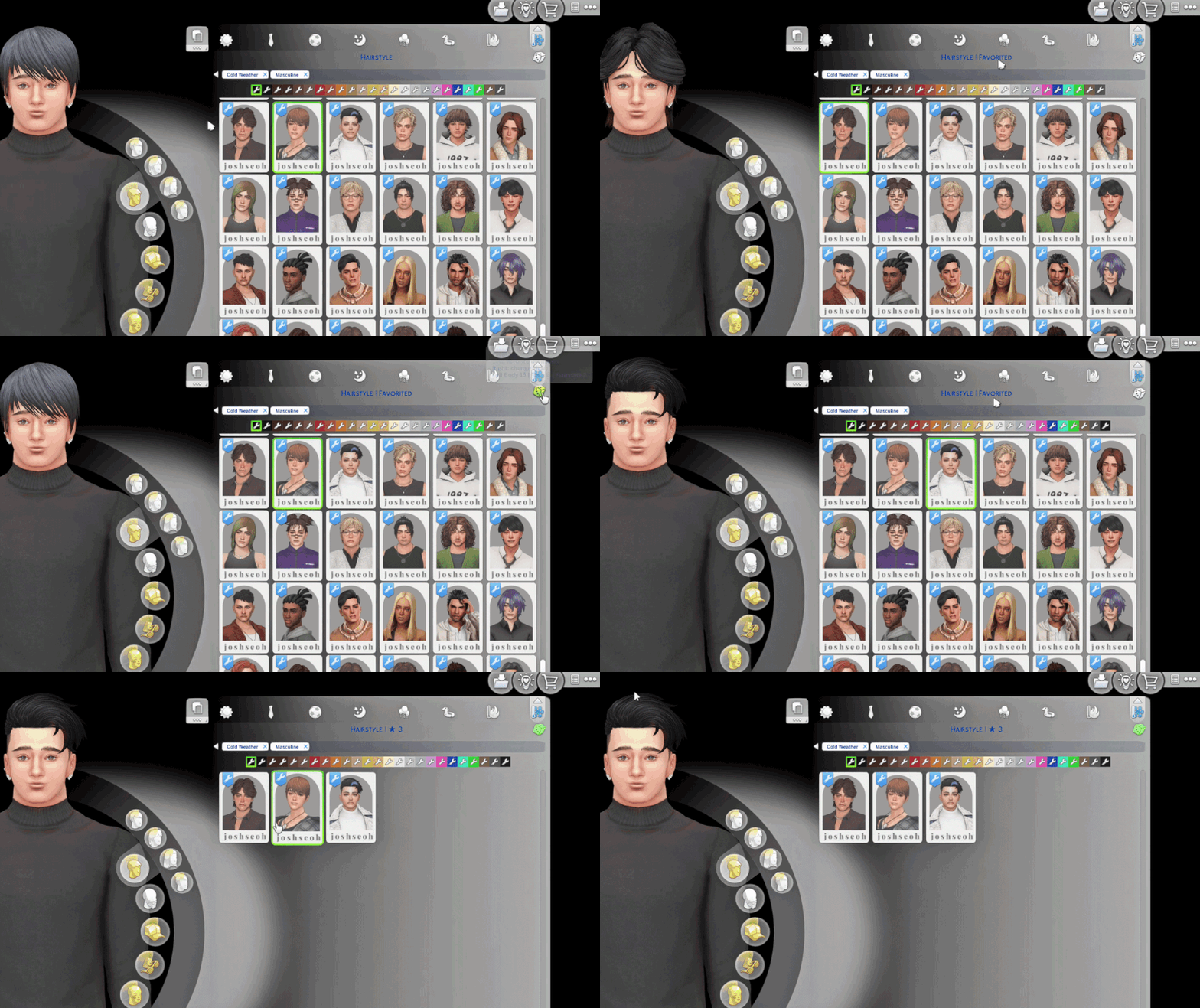
XtremSyn · CAS QuickFind turns the randomize dice into a Favorites control directly inside Create-a-Sim.
Star the catalog items you love, switch to a filtered Favorites view, and return to them without searching through the entire category again. Your saved favorites remain available across game restarts.
Version: 1.0.0
Supported game patch: The Sims 4 1.126+
Installation Instructions
Close The Sims 4 before installing or updating CAS QuickFind.
- Download and extract the CAS QuickFind archive.
- Choose exactly one QuickFind UI package matching your CAS layout.
- For the standard CAS layout, install the stock 2-column package.
- For More Columns, install the matching 3, 4, 5, or 6-column QuickFind compatibility package.
Make sure both packages are in the same folder, else the override might not work. Example below. - Place the selected package in your Mods folder.
- Restart The Sims 4.
Important
- Install only one QuickFind UI package.
- Do not combine the stock 2-column QuickFind package with a More Columns compatibility package.
- More Columns users must keep the matching official More Columns package installed.
- This release supports game patch 1.126 only.
[Example of a Correct Installation - Vanilla Sims 4 UI]
-> XtremSyn_CASQuickFind_1.126.package
-> XtremSyn_CASQuickFind_1.126.ts4script
[Example of a Correct Installation - with More CAS Columns Compatibility]
Make sure both are in the same folder, or else the override will NOT work.
(Adding an ! symbol in my mod helps make it override the MCC package)
-> !XtremSyn_CASQuickFind_1.126_MC6_Compatibility.package
-> More_CAS_Columns_(6_Columns).package
-> XtremSyn_CASQuickFind_1.126.ts4script
Main Features
Controls at a Glance
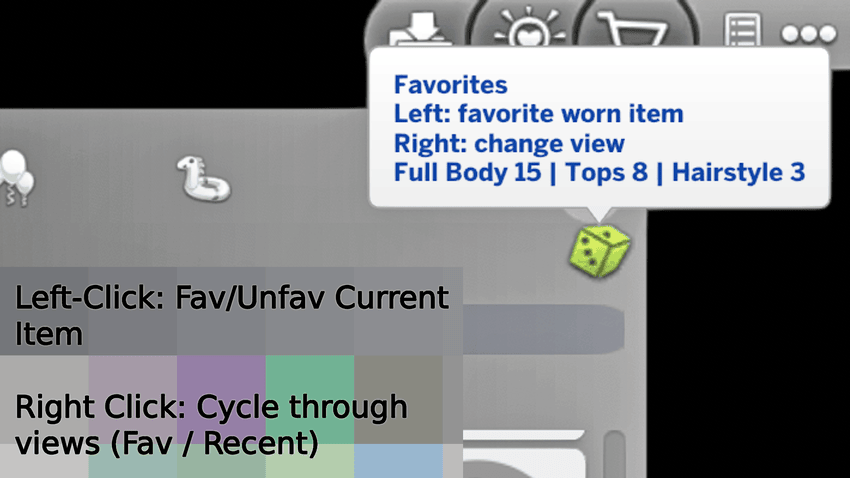
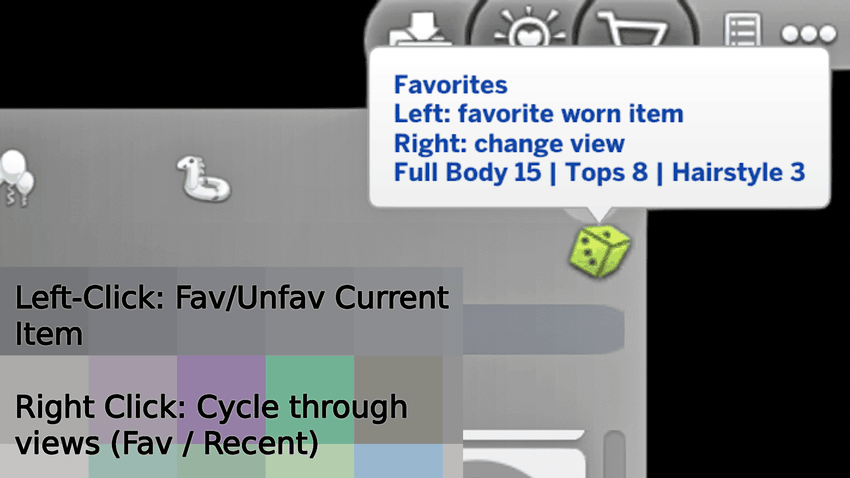
Left-click dice
Favorite or unfavorite the currently worn catalog item.
Right-click dice
Cycle through All → Favorites → Recent → All.
Hold right-click for around five seconds
Clear the current category’s Favorites or Recent list, depending on the active view.
Unlimited Favorites
Star as many CAS items as you want.
Save the hairstyles, clothing, accessories, shoes, and other catalog pieces you regularly use without having to remove older favorites.
Your favorites persist across game restarts, so your collection is still waiting the next time you open CAS.
Clear Feedback Inside CAS
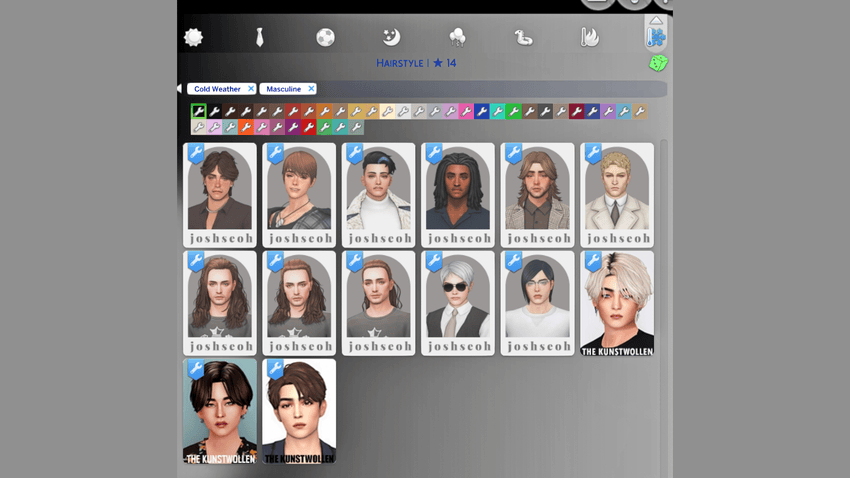
The CAS title displays:
- The current clothing category and favorite count
- Favorited and Unfavorited confirmations
- Clearing… while holding the clear control
- The number of favorites removed when clearing finishes
Hovering over the dice also displays a quick control guide and category information when available.
Find Recently Used Items Again
Forgot to favorite something before clicking away?
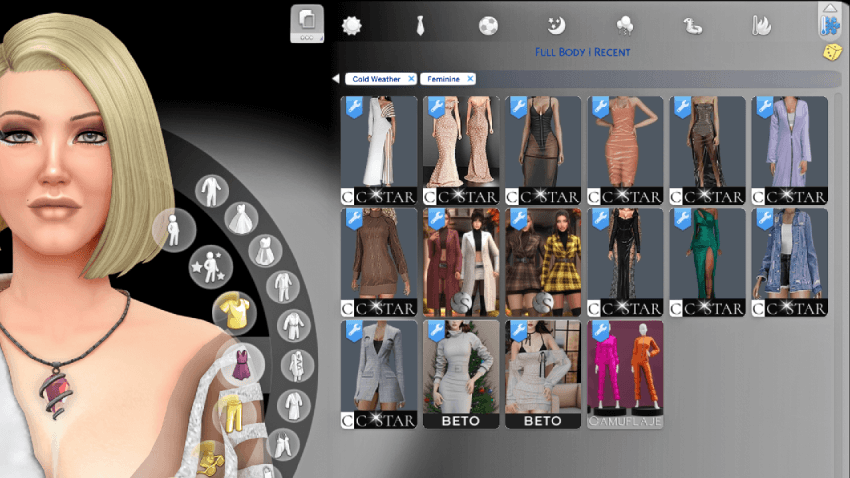
The Recent view remembers the last 35 worn or clicked items per clothing category, giving you a quick trail back to the pieces you were just comparing.
Right-click the dice until you reach:
Recent
The dice changes to an yellow tint while Recent is active, making the current view easy to identify.
Recent history is tracked separately for each clothing category, so recently viewed hairstyles do not get mixed with tops, shoes, or accessories.
Live Status and Export Tools
Available commands:
-
qf.status - check the installed version and current setup
-
qf.fav_export - export your saved favorite data
-
qf.fav_stats - full favorites-by-category breakdown
Stock CAS and More Columns Support
CAS QuickFind supports:
- Stock 2-column CAS
- Official More Columns by weerbesu in 3, 4, 5, or 6-column layouts
QuickFind does not replace More Columns. It adds its Favorites/Recents interface on top of the matching layout.
Requirements
- The Sims 4 patch 1.126+
- More Columns by weerbesu is required only when using one of the 3–6-column compatibility packages.
CAS QuickFind solves one small but constant CAS problem: finding the pieces you already know you love - or the one you accidentally clicked away from.
Star it. Filter it. Find it again.
CAS QuickFind - Favorites and Recent History, Built Into CAS Team