IMG_8236.jpeg
IMG_8237.jpeg
IMG_8238.jpeg
IMG_8239.jpeg
IMG_8240.jpeg
Description
EZ Admin is a complete in-game admin panel for ARK: Survival Ascended. Open it from the R wheel (admins only) and run your server without typing commands. Works on PC, Xbox and PlayStation servers.
FEATURES
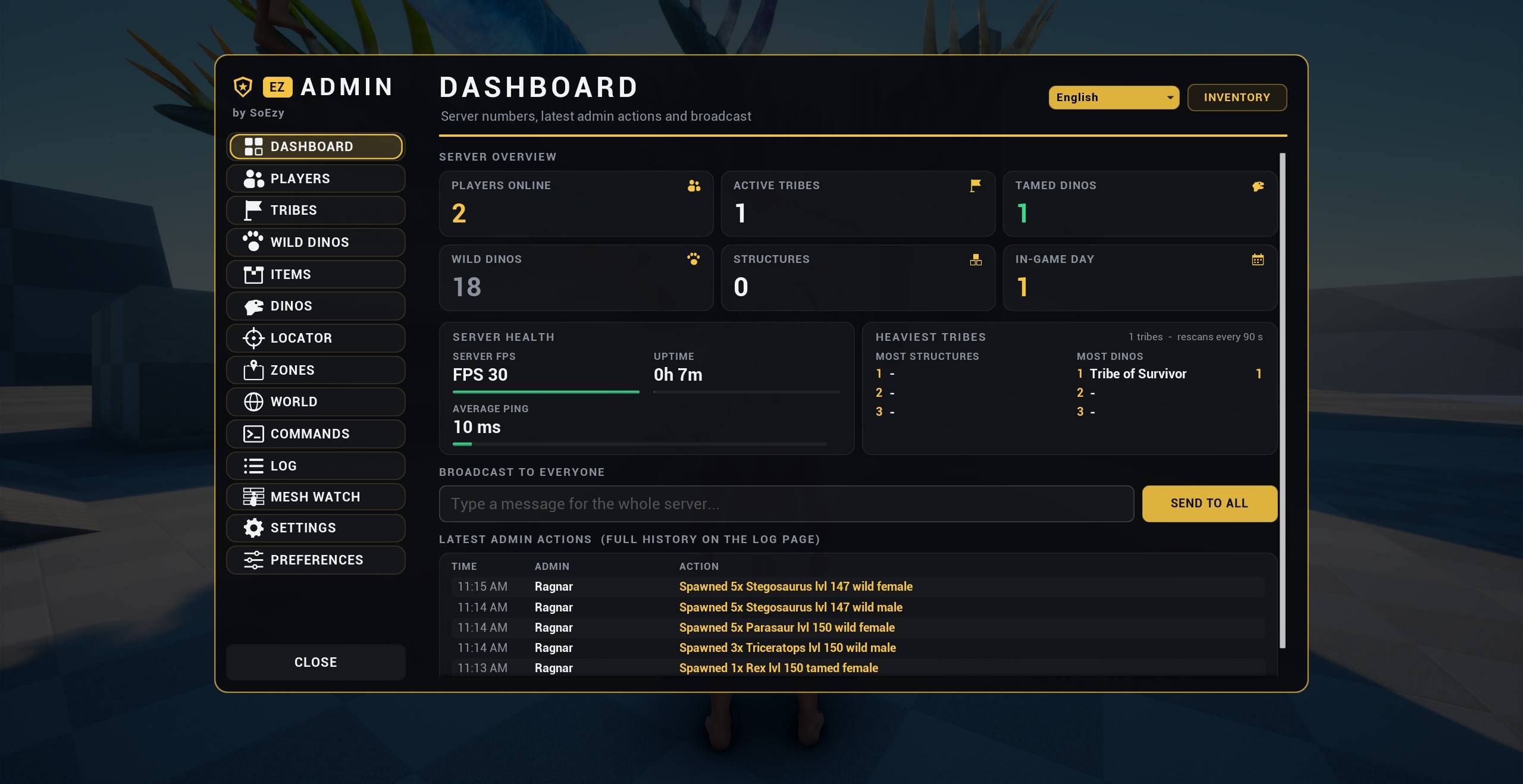
- Dashboard: players online, tribes, tamed and wild dinos, structures, server FPS, uptime, ping, heaviest tribes, latest admin actions and a broadcast to everyone.
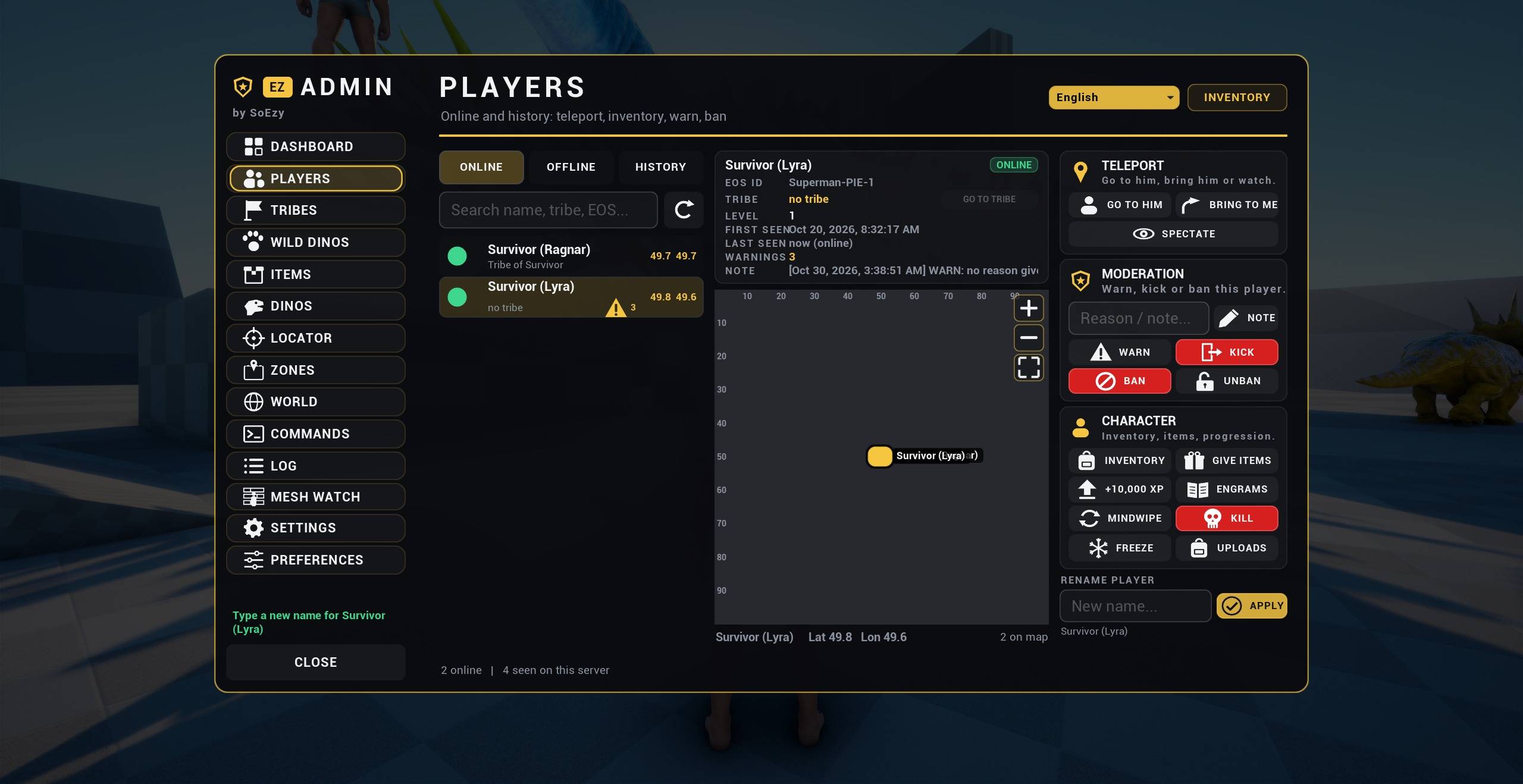
- Players: online / offline / history, live map, teleport to or bring, spectate, warn, kick, ban, unban, notes, inventory, give items, XP, engrams, mindwipe, freeze, rename.
- Tribes: list with counts, members with online dots, bases and dinos on the map, tribe log with filters, rename, destroy with preview.
- Wild Dinos: scan, species and every dino with level, gender, stats and colors, track marker, teleport, destroy.
- Items: every item from the game and installed mods with icons, type and mod filters, quantity, quality, kits, give to you or any player, give by blueprint path.
- Dinos: spawn any creature (mods too) with level, gender, tamed or wild, saddle, cryopod, colors, imprint, behaviour, traits and exact stats.
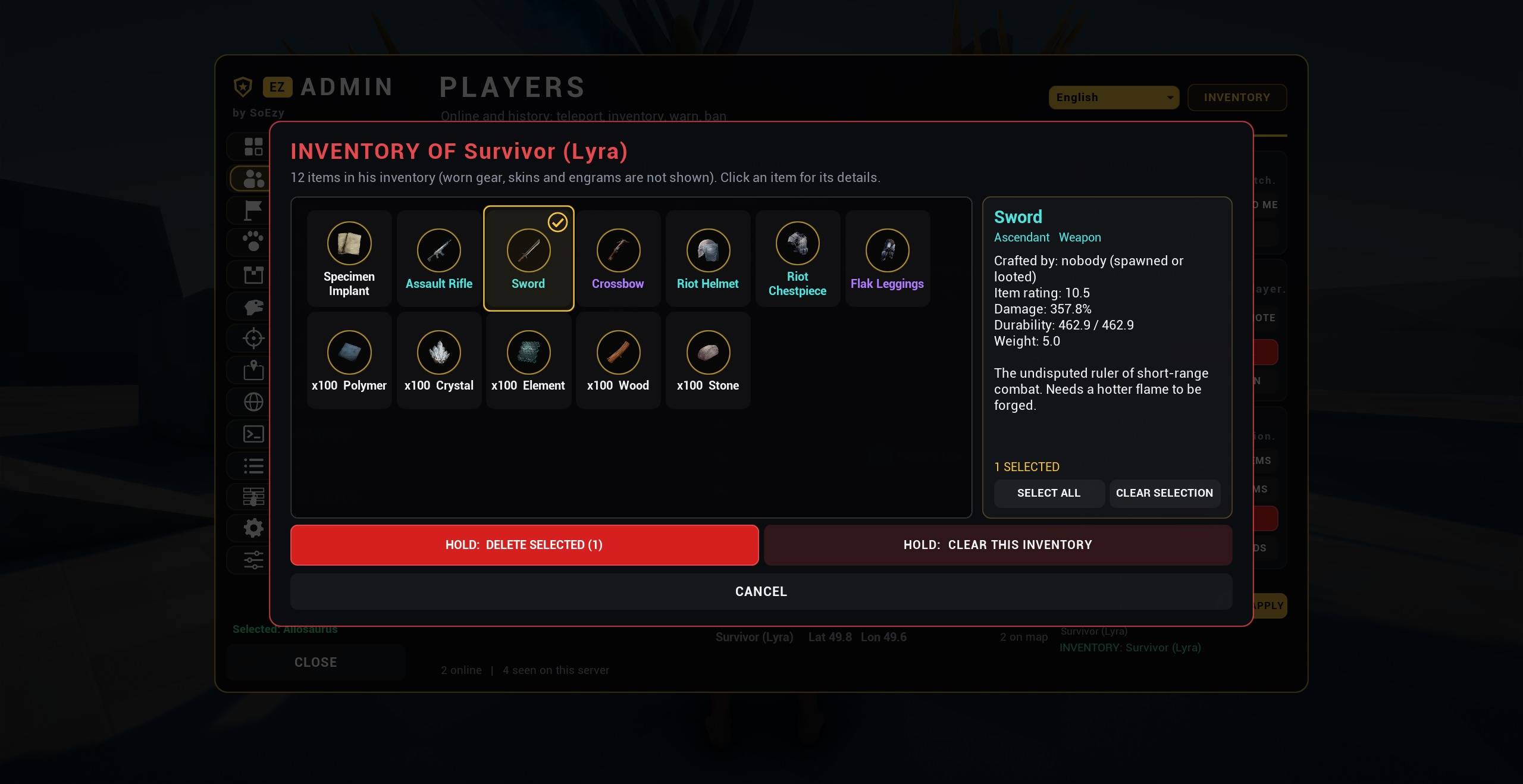
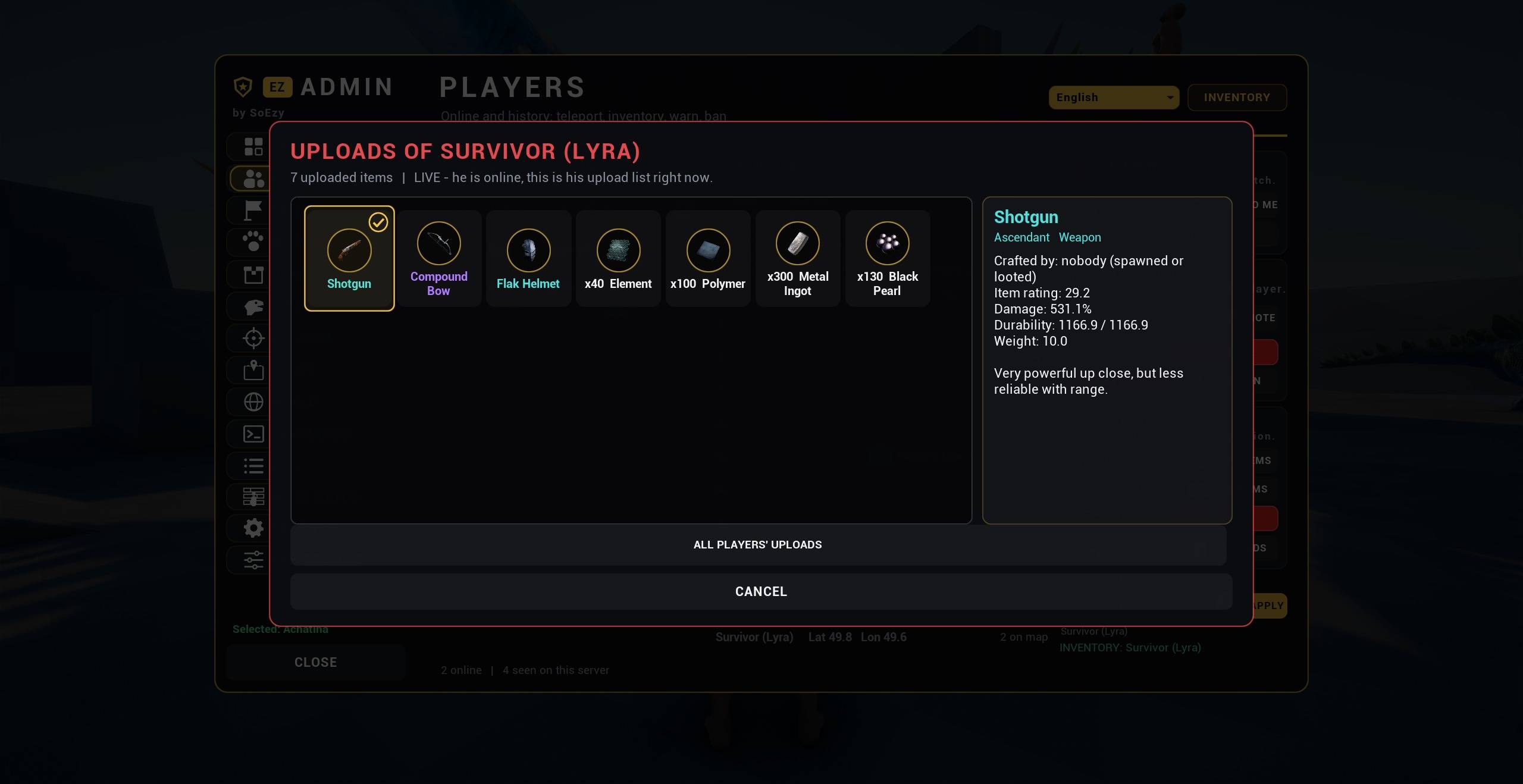
- Locator: search creatures or structures, results grouped with counts (species / structure type + owner), open a group to see every one with level, gender, tamed or wild, owner and distance, then teleport, destroy or open its INVENTORY (storage boxes, dinos: icons, counts, item details, delete); saved teleports with one-click TELEPORT.
- Zones: no build, no flying, safe zone, low gravity, no attacks. Zone list with rules and size (foundations + metres), go to, edit in place (name, size, rules, move here), turn a zone OFF / ON without deleting it, warnings for overlapping zones.
- Action log: every admin action as a coloured row with real names ("Spawn Dino x4 Rex Lv 150" instead of blueprint paths), time + "2h ago", filter chips, search, repeats merged ("Spawn x9"), click a row for the full command, show only one admin. Kept after restarts (LogKeep).
- Chat log to Discord: every chat line is posted to your Discord channel with the server name in front, e.g. "[The Island] [Global] PlayerName (Tribe): hello". Made for clusters: the same INI works on every map, each server shows its own name.
- Tools: copy and paste whole bases (saved bases list), colorize dinos and structures (100 ARK colors, one region or all), buff editor with the real buff icons, give a structure or a whole base to another player without picking it up.
- Auto Messages: up to 15 messages that repeat (every 30m, 2h...) or run at set times (20:00, 22:30 in your own time zone), in chat, on screen or both, on chosen days. TEST button for each one.
- Dino Wipe: scheduled wild dino wipes on the times and days you pick, warnings before it (10, 5, 1 min...), spread over seconds for less lag, WIPE NOW button. Never wipes tamed dinos, bosses, sleeping or knocked out dinos, dinos being tamed, boss arenas or the names you protect. Optional: cave dinos, wild bee hives, unclaimed dinos, Omega chests.
- Activity: players today, last 7 days, last 30 days and all time, players per day for the last 14 days, most active players and newest players on this map.
- Copy & Discord: all Auto Messages / Dino Wipe settings as ready INI text. Copy it to your other servers, paste text from another server, or send the INI to your Discord channel to copy it from your phone (great for Nitrado and console hosts).
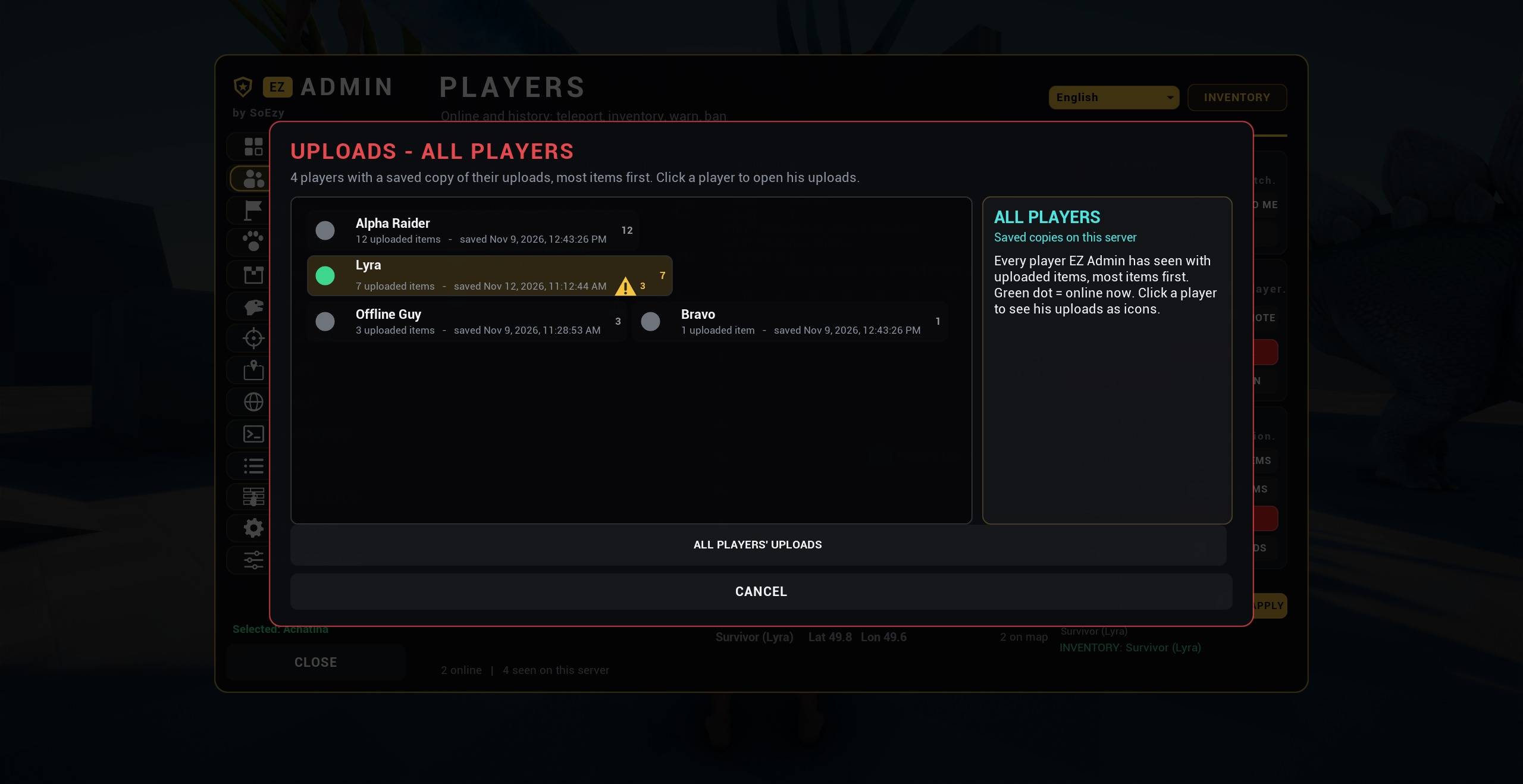
- Backups & Bags: automatic item backups for every player plus death bags. See every item inside before you give it back, or take the items into your own inventory.
- EZ Admin Gun: aim-and-click admin tool with many modes (teleport, hide, destroy, buff, colorize, copy / paste / duplicate and more), a settings column per mode and an outline on your target.
- 100+ commands, saved teleports, Mesh Watch (anti-mesh), Discord admin log, per-admin preferences and keybinds.
- Chat style for the whole server: 1 = the game's own chat (default), 2 = EZ Admin chat (black and gold, channel tabs, message cards, ADMIN / SERVER badges), 3 = the game's chat with Arabic letters. Pick it with a picture in AUTO MESSAGES > CHAT STYLE or with ChatStyle in the INI. If the SoEzy panel chat is turned on, it is used instead.
- Languages: English, 中文 (Chinese) and العربية (Arabic). Each admin picks the panel language, saved on their own PC.
- Clean gold design.
WHO CAN USE IT Server admins (enablecheats / admin password) have full access. You can add more admins and moderators by EOS ID in the INI or in the panel (SETTINGS page).
SETUP (GameUserSettings.ini) Add the mod, then (optional) add this section. Every line is optional; the values shown are the defaults.
[EZAdmin]
ExtraAdminEOSIDs=
ModeratorEOSIDs=
DiscordWebhookURL=""
DiscordDestructiveWebhookURL=""
DiscordBotName=EZ Admin
ServerDisplayName=
AllowDestroy=True
AllowSpawn=True
MaxSpawnLevel=0
MeshCheck=True
MeshTeleportBack=True
MeshDiscord=True
MeshAlertAdmins=True
DiscordChatWebhookURL=""
ChatLogGlobal=True
ChatLogTribe=False
ChatLogAlliance=False
ChatLogLocal=False
ChatLogServerNames=""
LogKeep=400
BackupEnabled=True
BackupMinutes=10
BackupKeep=5
BackupOnDeath=True
ReturnItemsOnDeath=False
AutoIniFirst=False
TimeZone=0
AutoMsgSender=Server
AutoMsg1=
AutoMsg2=
AutoMsg3=
AutoMsg4=
AutoMsg5=
AutoMsg6=
AutoMsg7=
AutoMsg8=
AutoMsg9=
AutoMsg10=
AutoMsg11=
AutoMsg12=
AutoMsg13=
AutoMsg14=
AutoMsg15=
WipeOn=False
WipeTimes=06:00,18:00
WipeDays=all
WipeWarn=10,5,1
WipeSeconds=60
WipeMsg="Wild dinos will be wiped in <ReturnItemsOnDeath=False
- ExtraAdminEOSIDsgt; min"
WipeChat=True
WipeBroadcast=True
WipeOnStart=False
WipeCaves=False
WipeOnlyCaves=False
WipeHives=False
WipeEggs=False
WipeUnclaimed=False
WipeOmega=False
WipeBlacklist=
ActivityDays=31
ChatStyle=1
CryopodClass=
- ExtraAdminEOSIDs: extra full admins (EOS IDs, comma separated).
- ModeratorEOSIDs: moderators (view, teleport, kick, warn - no destructive tools).
- DiscordWebhookURL: Discord channel for admin actions and mesh alerts. Keep the quotes around the URL.
- DiscordDestructiveWebhookURL: optional second channel for kill / ban / kick / destroy.
- DiscordBotName: name shown on the Discord messages.
- ServerDisplayName: server name shown on the Discord messages.
- AllowDestroy / AllowSpawn: turn the destroy tools or item / dino spawning on or off.
- MaxSpawnLevel: highest dino level admins can spawn (0 = no limit).
- CryopodClass: the cryopod item used by SPAWN DINO > CRYOPOD (blueprint path, empty = the game's cryopod).
- MeshCheck: automatic anti-mesh check. MeshTeleportBack: send the player back to their last safe spot. MeshDiscord: send mesh alerts to Discord. MeshAlertAdmins: show the alert card to online admins.
CHAT LOG (Discord)
- DiscordChatWebhookURL: webhook of the Discord channel for the chat log. Empty = chat log off. Keep the quotes. (Discord: Edit Channel > Integrations > Webhooks > New Webhook > Copy Webhook URL)
- ChatLogGlobal / ChatLogTribe / ChatLogAlliance / ChatLogLocal: which chats are posted (True / False).
- ChatLogServerNames: optional names for your servers. Without it the map name is used (The Island, Ragnarok...). By map: ChatLogServerNames="TheIsland_WP=Island PvP,Ragnarok_WP=Rag" By port (two servers on the same map): ChatLogServerNames="7777=Island PvP,7779=Island PvE" A port match wins over a map match. The same line can be copied to every server of the cluster.
- Lines are sent in small batches every 2 seconds (safe for Discord rate limits) and never ping @everyone or roles. The webhook URL stays on the server, players never see it.
ACTION LOG
- LogKeep: how many admin actions the LOG page keeps after a restart (50 - 1000, default 400).
ITEM BACKUPS
- BackupEnabled: automatic item backups for every online player (True / False).
- BackupMinutes: minutes between automatic backups (1 - 1440, default 10).
- BackupKeep: backups kept per player, the oldest is deleted (1 - 20, default 5).
- BackupOnDeath: also save a backup at the moment a player dies.
- ReturnItemsOnDeath: False by default. True = the dead player's items come back at respawn and the body keeps nothing (no death bag).
- Backups are saved on the server in SaveGames/AdminHub/Bk. Unlocked skins and engrams are not part of a backup.
AUTO MESSAGES / DINO WIPE / ACTIVITY ([EZAdmin], all times in your own time zone)
- AutoIniFirst: True = these INI values win over the settings saved in game (put it on every server that uses the same INI).
- TimeZone: hours from UTC, e.g. 3 or -5.
- AutoMsgSender: sender name in chat.
- AutoMsg1 ... AutoMsg15: "when|where|days|text". when = 30m / 2h (repeat) or 20:00,22:30. where = chat / broadcast / both. days = all or sat,sun. Example: AutoMsg1="2h|chat|all|Join our Discord"
- WipeOn, WipeTimes (06:00,18:00), WipeDays (all or mon,thu), WipeWarn (10,5,1), WipeSeconds (60), WipeMsg ("Wild dinos will be wiped in <\(> min", <\)> = minutes), WipeChat, WipeBroadcast, WipeOnStart, WipeCaves, WipeOnlyCaves, WipeHives, WipeEggs, WipeUnclaimed, WipeOmega, WipeBlacklist (Dodo,Ovis).
- ActivityDays: days of activity kept (default 31).
- ChatStyle: one chat style for the whole server. 1 = the game's own chat (default, nothing changes), 2 = EZ Admin chat, 3 = the game's chat with Arabic letters. Players can type and read Arabic with 2 and 3.
Server name, admins, moderators, max level and allow switches can also be changed in game on the SETTINGS page (saved on the server, they replace the INI values). Discord webhooks stay in the INI only.
SUPPORT Questions, bug reports and suggestions: join our Discord https://discord.gg/M18
Ez Admin Tools Team