QuestJS
- By
FTB Quests KubeJS Events extends FTB Quests with extra quest task types and client-side KubeJS events for the FTB Quests GUI.
DxEVIL | QuestJs
Create a server, get 25% off your first month

QuestJS
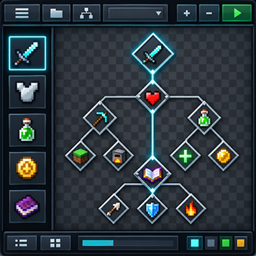
QuestJS extends FTB Quests with extra quest task types and client-side KubeJS events for the FTB Quests GUI.
Use it to:
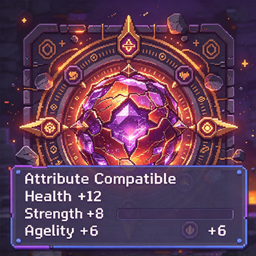
- Gate quests on player attributes — health, movement speed, attack damage, reach, luck, and any attribute added by another mod.
- Gate quests on a number stored in the player's persistent data — points, balances, kill counters, reputation, or anything another mod or your KubeJS scripts write.
- React when a player opens or closes a chapter group, chapter, or quest detail panel — for custom client-side UI, sounds, overlays, or tracking.
Everything is additive. The addon does not replace FTB Quests or KubeJS, and existing quest books keep loading unchanged.
Quest Task Types
Available on Forge 1.20.1, NeoForge 1.21.1, and NeoForge 26.1.2.
Player Attributes
A quest completes once the player's attributes satisfy every condition you configure. Add as many conditions as you need — all of them must match.
In the in-game quest editor you pick an attribute from a searchable list (modded attributes included), choose a comparison, and set the threshold:
| Comparison | Meaning |
|---|---|
| Greater than | Attribute must exceed the threshold |
| Greater than or equal | Attribute must reach the threshold |
| Less than | Attribute must stay below the threshold |
| Less than or equal | Attribute must not exceed the threshold |
| Equal | Attribute must match the threshold exactly |
| Range (inclusive) | Attribute must fall between the lower and upper bound, both ends included |
Progress is checked automatically about once a second while the quest book is open, so a player who gains the required attribute mid-session sees the task complete without re-opening anything. The task shows an iron chestplate icon by default.
Task type ID: ftbq_attribute_tasks:attribute_check
Custom Data Number
A quest completes when a numeric value stored in the player's persistent data satisfies the comparison you configure. This is the task to use when a quest should depend on a counter that some other mod — or your own scripts — maintains.
- Data path is dot-separated so nested values are reachable, for example
pointsorshop.balance. - Comparisons are the same six as above, including inclusive range.
- Values may be negative or fractional, and every numeric NBT tag type is read as a number, so you do not need to know which tag type the writer used.
- The task checks the KubeJS persistent data store first, then the loader's own
PersistentDatastore. If a path is missing, or the value is not a number, the task simply stays incomplete.
To try it out, write a value and let the task read it back:
# KubeJS store — command name differs by version
/kubejs persistent_data merge entity @s {shop:{balance:50}}     # Forge 1.20.1
/kubejs persistent merge entity @s {shop:{balance:50}}          # NeoForge 1.21.1, NeoForge 26.1.2

# Loader store
/data merge entity @s {PersistentData:{points:10}}
In scripts, the same value is reachable as entity.persistentData.
Progress is checked automatically about once a second. The task shows a name tag icon by default.
Task type ID: ftbquestskubejs:custom_data_number
Coming from More And More Quest?
Quests already authored with the standalone More And More Quest mod keep working unchanged — the task type IDs are the same, so existing quest books load as they are. That mod is no longer needed alongside this one.
KubeJS GUI Events
FTBQuestsKubeJSEvents.openChapterGroup(event => {
  console.log(`opened group: ${event.chapterGroup.id}`)
})

FTBQuestsKubeJSEvents.openChapter(event => {
  console.log(`opened chapter: ${event.chapter.id}`)
})

FTBQuestsKubeJSEvents.openQuest(event => {
  console.log(`opened quest details: ${event.quest.id}`)
})

FTBQuestsKubeJSEvents.closeChapterGroup(event => {
  console.log(`closed group: ${event.closedObject.id}`)
})

FTBQuestsKubeJSEvents.closeChapter(event => {
  console.log(`closed chapter: ${event.closedObject.id}`)
})

FTBQuestsKubeJSEvents.closeQuest(event => {
  console.log(`closed quest details: ${event.closedObject.id}`)
})openChapterGroup: fired when a chapter group is opened.openChapter: fired when a chapter is selected.openQuest: fired when the quest detail panel is opened.closeChapterGroup: fired when a chapter group is collapsed.closeChapter: fired when the selected chapter changes or the quest screen closes.closeQuest: fired when the quest detail panel closes or changes to another quest.
Close events provide the object being closed through event.closedObject. Open events provide the object through event.openedObject and the matching typed field.
The event group is named FTBQuestsKubeJSEvents so it remains compatible with the FTBQuestsEvents group provided by FTB XMod Compat.
Supported Versions
| Minecraft | Loader | GUI events | Quest task types |
|---|---|---|---|
| 1.19.2 | Forge | Yes | No |
| 1.20.1 | Forge | Yes | Yes |
| 1.20.1 | Fabric | Yes | No |
| 1.21.1 | NeoForge | Yes | Yes |
| 26.1.2 | NeoForge | Yes | Yes |
Download the file matching your Minecraft version and loader. If a build for your version is missing, check the files page for the latest release.
Requirements
Install this addon together with:
- FTB Quests
- KubeJS
- The matching loader: Forge, Fabric, or NeoForge
See the repository README for the exact dependency versions and source for each supported target.
QuestJS Team