Hello, it's me, Nugget
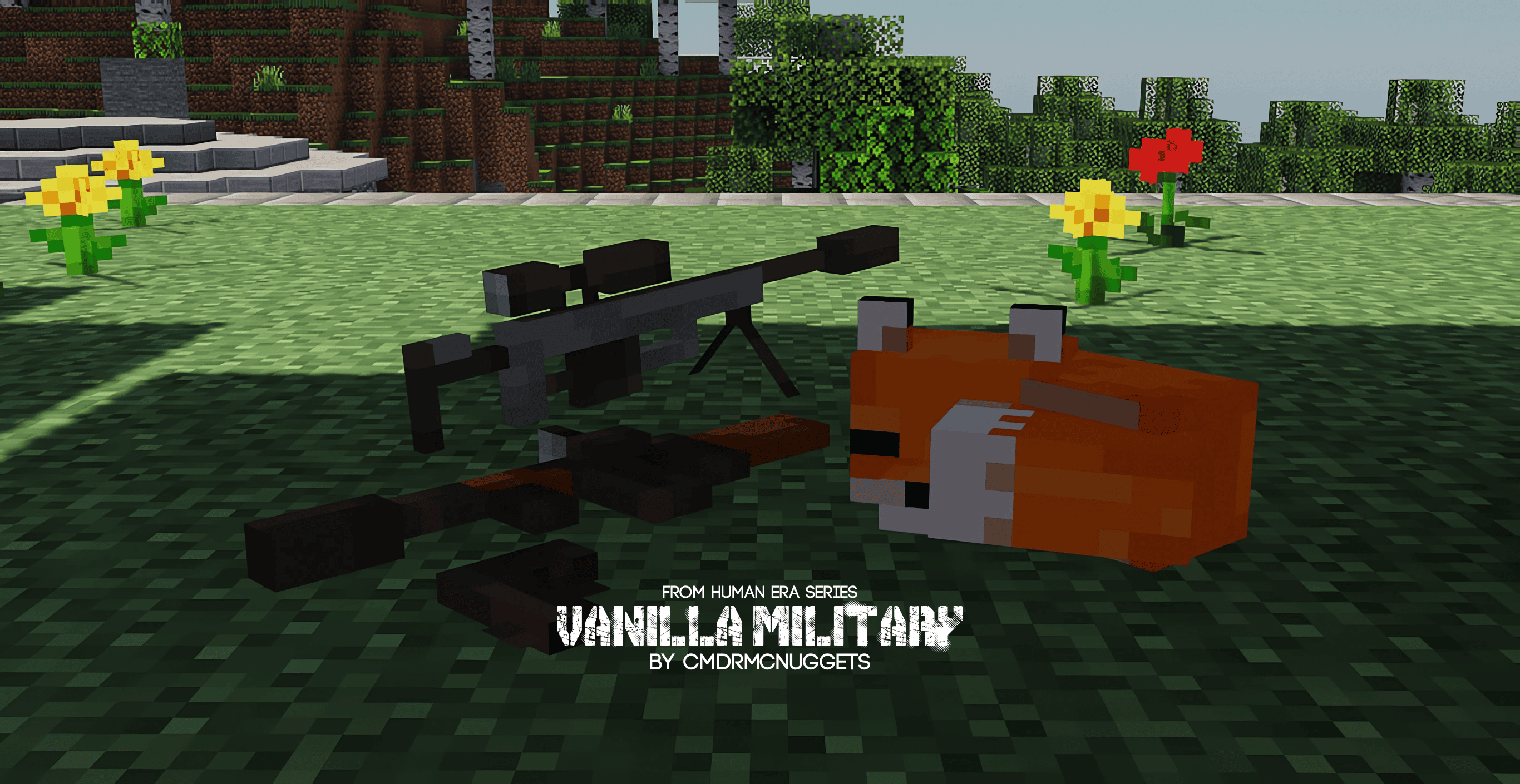
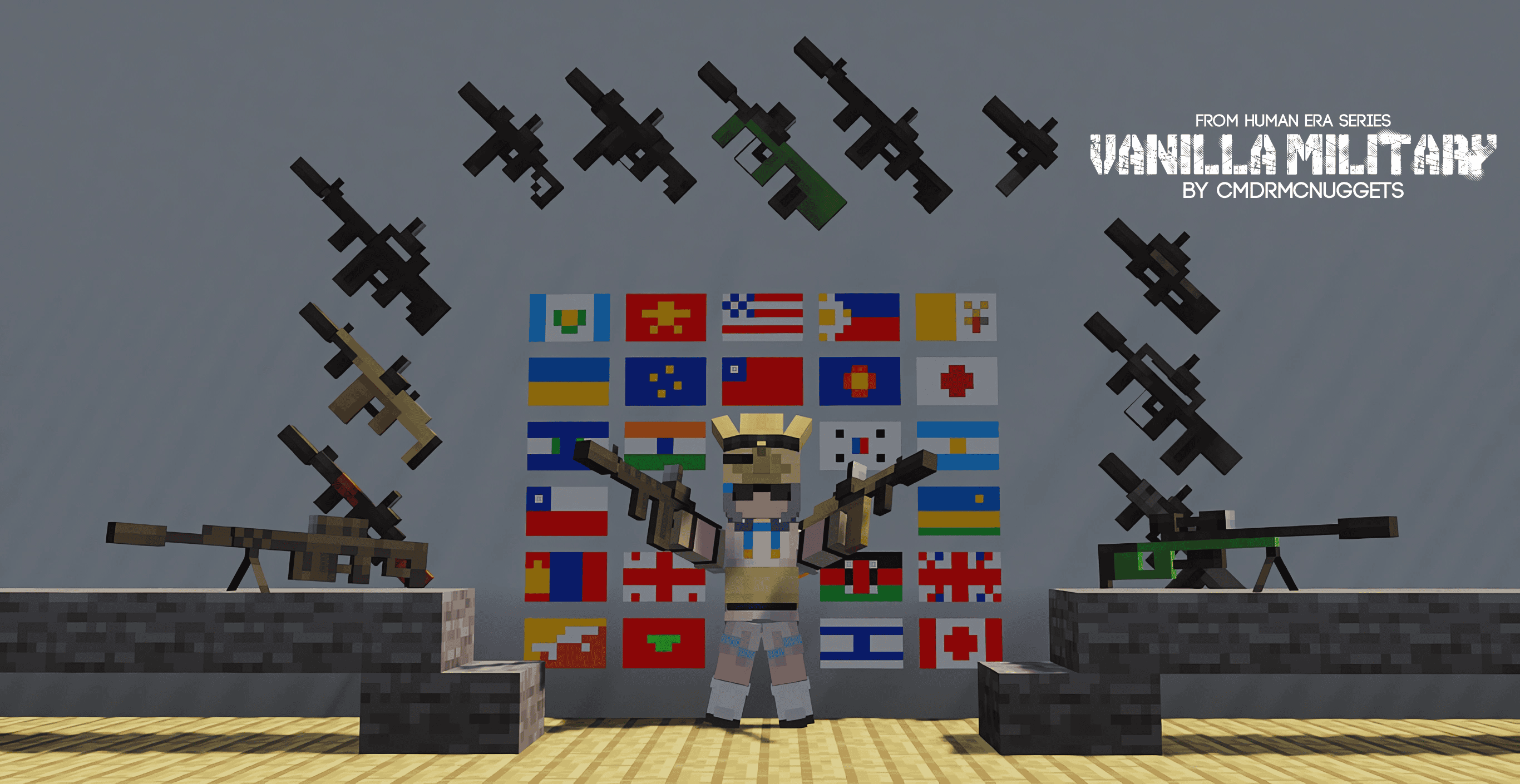
This is an introduction and guide on how the vanilla style vehicles work, i'm typing this because i seem to be the only one that nailed the vanilla style on the things people often think last about, and also, there are thousands of packs and mods that have vehicle models, but they seem to be unable to perfect the style, leading to the models looking more like something from a different game, or is a bit too cartoony and whimsical, i mean, it sounds like it doesnt make sense to pair vanilla style and realism, but my models make it possible, so i'm gonna write this to spread the knowledge for all the modelers who are looking to make their models both vanilla style and realistic.
I'm not really good at writing instructions and articles, so if you wanna read this to apply my style, you will need more brain power to understand what i'm trying to convey, i am not using complex words, i make it as simple as possible that even a 5th grader can read and understand because i am sitting on an asset that COULD change the minecraft modeling community forever. If you wanna read this, also consider on studying my models.
Note: This is not a basic tutorial on how to model or texture, this is for advanced modelers to read, if you wanna learn the basics, look for some yt tutorials.
1. Geometry:
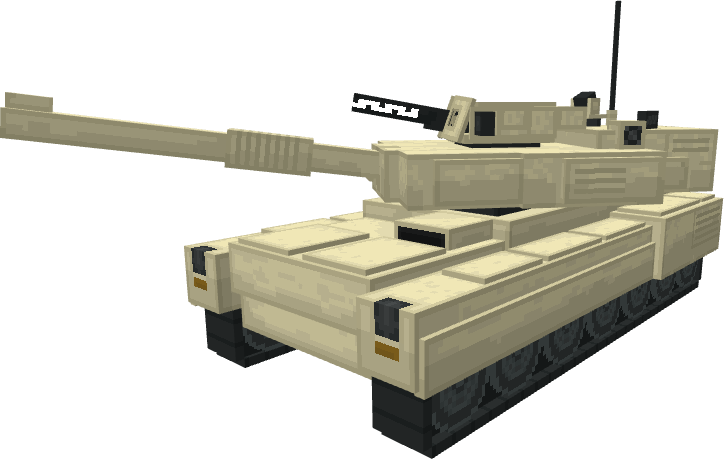
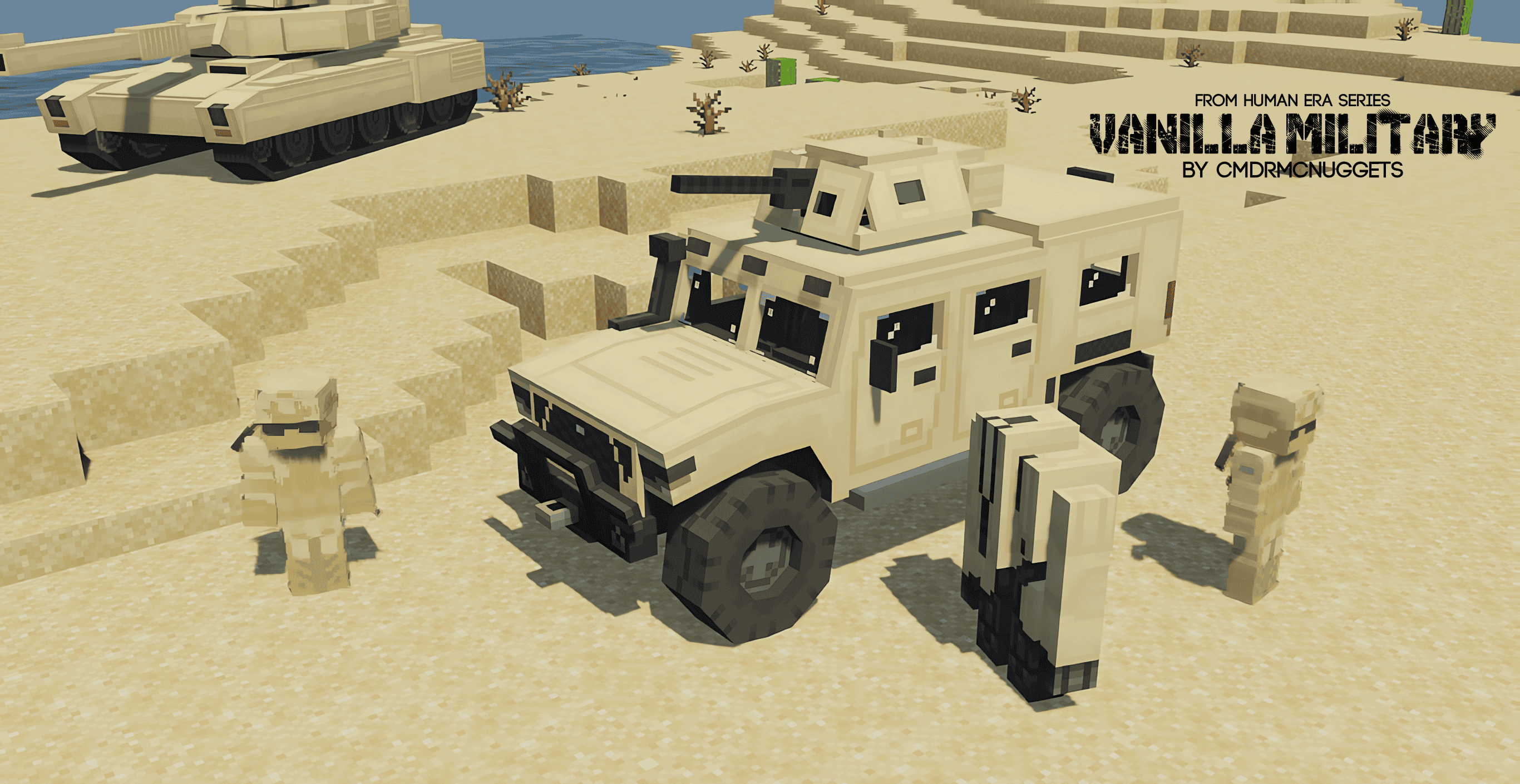
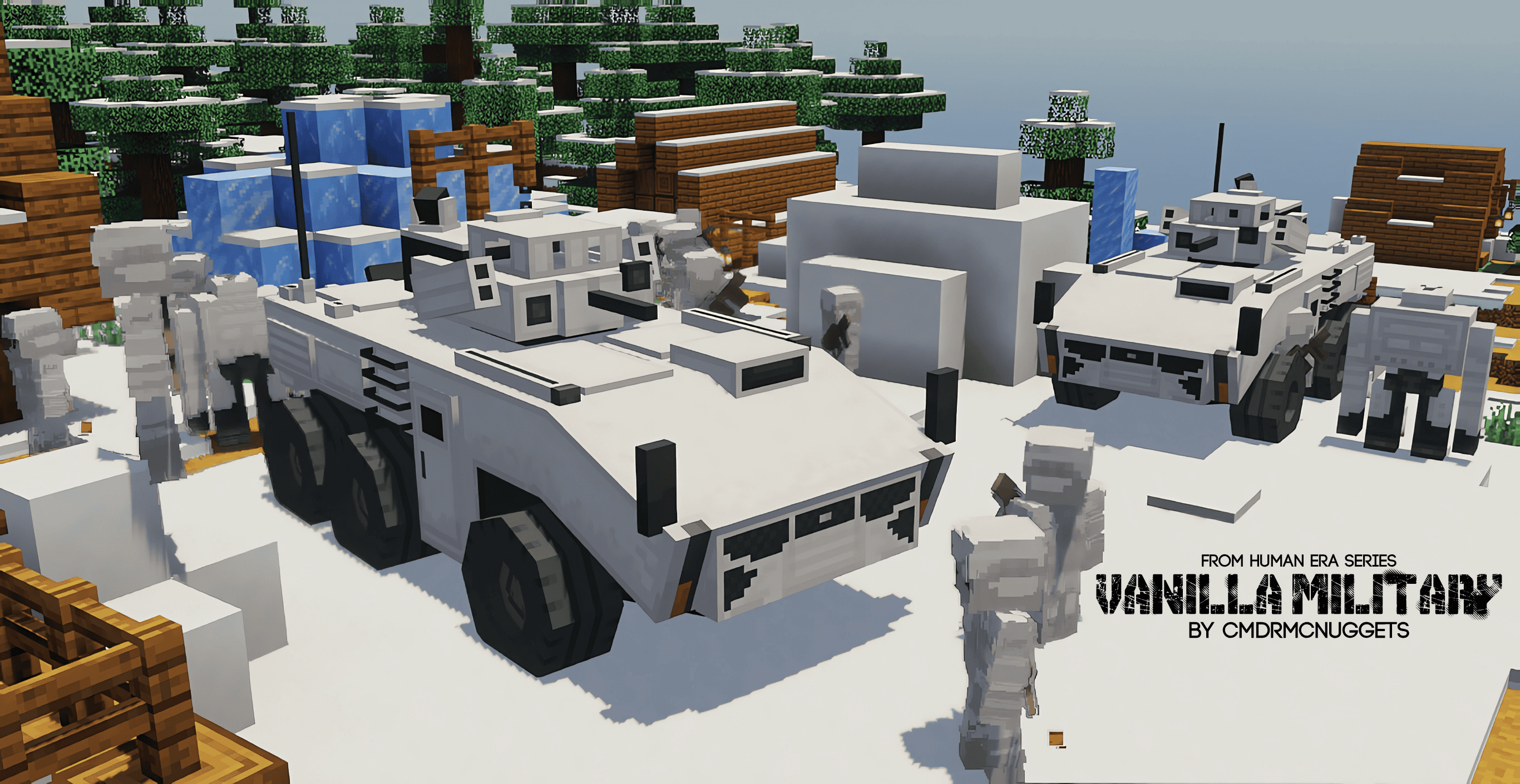
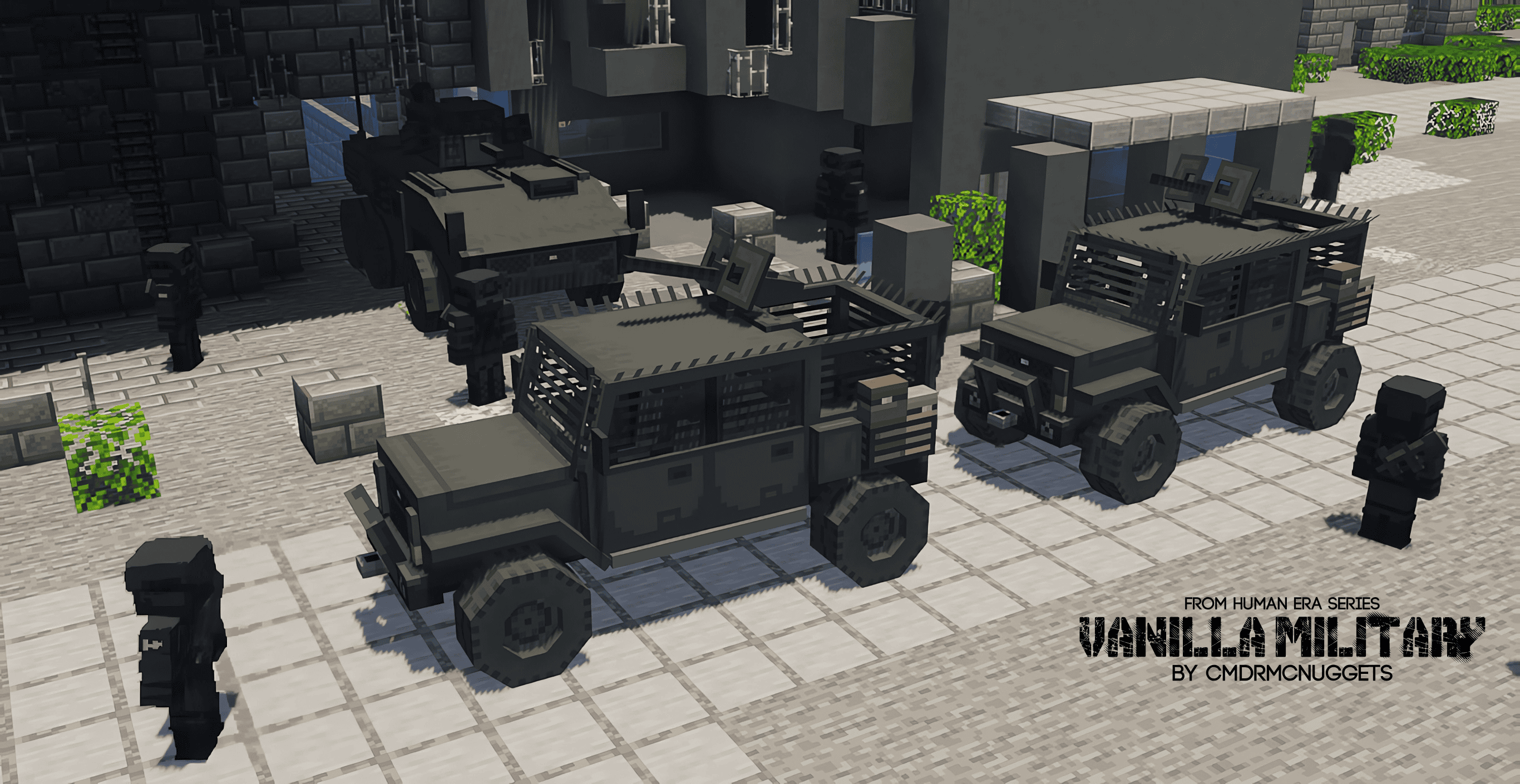
How i made the geometry is that the model has to be 1:1 scale, dont make it larger if you are worried about the space, so long as there's one thing, a seat must be as wide as the player model, not wider. There must not be too many cubes if you wanna add geometry details, you need to focus on details that stick out the most, if a small detail looks like it would be flat from a distance, make it just flat and let the texturing handle that.
Now, how would you do this regarding "There must not be too many cubes if you wanna add geometry details, focus on details that stick out the most", this one
is tricky to do, since i mostly been relying on my intuition, it may not translate well to other people's works, but i'll try my best to explain this one.
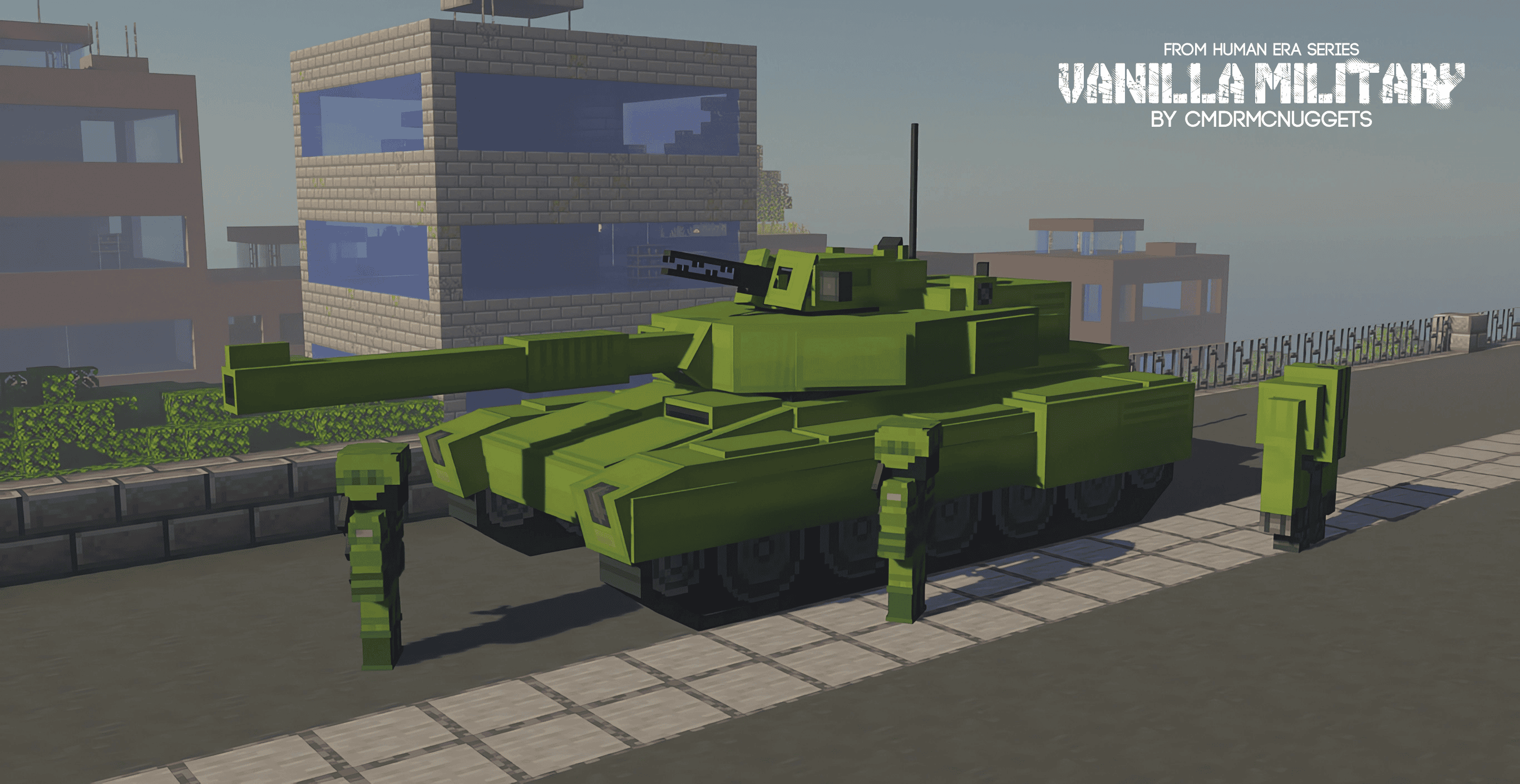
This one is not absolute, the exceptions are ones that look like it's a module piece attatched to a vehicle, and something considered controversial, my tank model
has some plate cubes sticking out. This one talks about micro details and the base shape of the vehicle.
1.1. Base Shape:
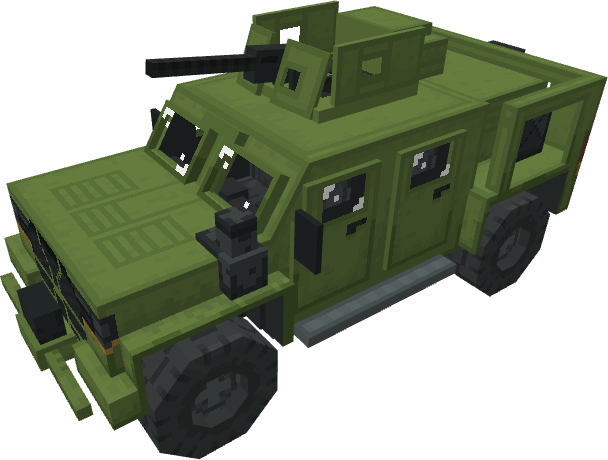
This one is more straightforward and simple, dont use rotations often, dont try to make the edges curved, make a base model with as fewer cubes as possible, dont make
the headlights stick out, dont make rotations on the front shield, keep it simple, even if the vehicle model would look weird, you just need to make sure it looks like
it would fit on the minecraft world so well that you forget it's a mod or a resource pack. Dont deviate from the height and width, too many vanilla style 3d modelers
are guilty on making models too wide just because they prioritize whimsy or just taking a literal approach to vanilla style. I will tell you this, if you wanna have
my approach, you need to let go of the whimsy.
And also, make the doors a separate part instead of pasting a door texture, just incase. There's also some areas where you can add a plate, i mean, you want it to be flat,
but not too flat when the body becomes wide, though, this depends what type of vehicle you are making, cuz theres these stealth tanks, they are very flat and minimal, and
we got the traditional bulky tanks that have some plates sticking out. Like i said, i rely on intuition, and you will also have to analyze my models as well, it's not
100% accurate to the things i say, but one things for sure is that you need to keep it simple, 1:1, and less whimsical.
1.2. Micro details & details made to stick out:
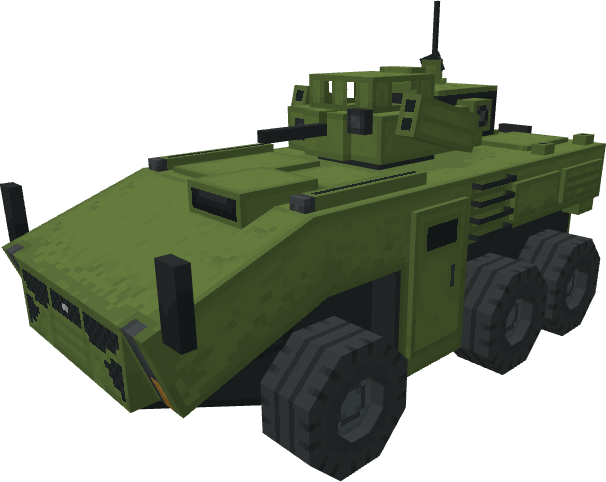
This one can be tricky to do, but it is achievable by turning them into textures than 3d geometry, but it's not always the case for some type of geometry details,
such as details that are meant to stick out, and details that are attached there like a modular piece, like a Temu 2$ solar lamp you attatch on your vehicle, if you
wanna add those, a camera, a lamp, an antenna, use 1 cube, and for the other types of microdetails like screws, vents, handles, anything that looks flat and embedded
on the vehicle than sticking out or module piece, you turn them into textures.
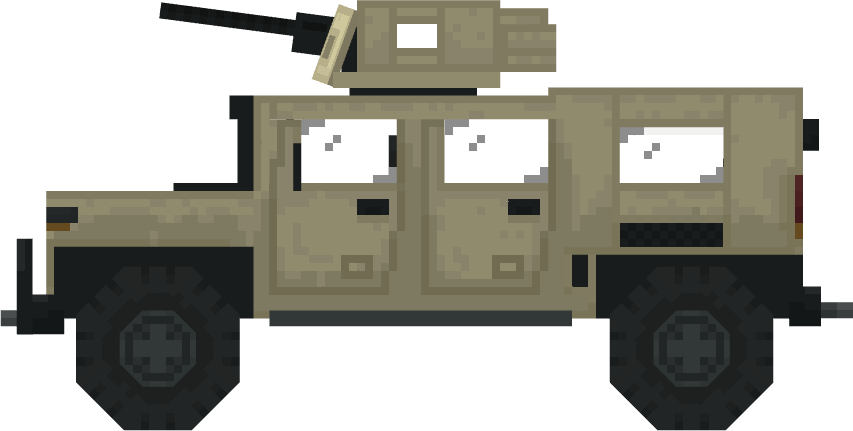
1.3. Wheels and rotating animation:
this one is so tricky, it's basically a paradox to the Jappa style, there are 3 approaches to this, the octagon, a wheel with square tires, or a circle transparent pixel art
texture on a cube with no rotation. The octagon, the one i am using, is still up to debate on whether it's even "jappa style" or not, it uses rotation cubes to
convey a shape, i dont think what i did was vanilla style, i'm contemplating on whether i should keep it. The square wheel, it's very vanilla style, but it would
look silly to most people when it's rotating physically, you'd need to rely on png animating to make it look less silly. 3rd option is the mix of the octagon and
the square wheel, but is still somewhat vanilla style, a square wheel, but the corners are transparent since the tire texture would be circle, this technique is
similar to those "sexy egirl crop top" skins, like once the pixel touches the edge, you then color the edge and match the column to the pixel on the edge, but it would
have 2 approaches with rotating, and it would depend on the community consensus, the cube itself rotating, or an animated texture of a wheel rotating.
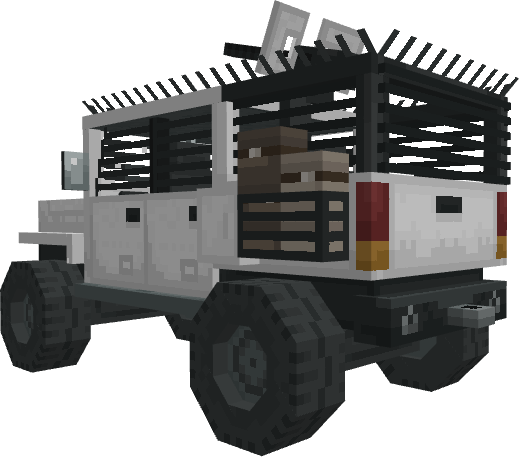
1.3.1. Animating car wheel rotations:
the cube itself rotating, or an animated texture of a wheel rotating, the argument for the cube itself rotating is that it's similar to the mobs that have limbs that
animate so they can move, the argument for an animated texture is that a car is a machinery, but often times, it makes the car look more like a server mod than something
that would belong in a Minecraft world, i think the cube itself rotating is a better choice for the jappa style.
2. Textures:
First of all, i'm gonna say something controversial, but in terms of vanilla style, i despise hue shifting on some aspects, not everything has to have hue shifting,
if something needs to have a similar texture quality as the grass and wood blocks, probably most minecraft blocks, then hue shifting needs to be disregarded, cuz
that's what real Jappa style is. And second, if you wanna texture like i do with my military vehicles, dont make it look too contrasted unless you are making
some shiny sports car.
2.1. Shading and lighting:
This one is my personal favorite topic, cuz i dont like the state of minecraft modding development, i mean, i dont mind the amateurs or shitpost modders, this
one is about the professional levels who chose to deviate too much from vanilla style while branding it as "vanilla style" just because it's 16x16. I will admit,
i dont know what is going on with their headspace, they dont know what's going on in my headspace, everyone's unique, but why i'm upset about this is that they
use heavy contrasts and hue shifting, it just wouldnt belong to the minecraft world, these are professionals that are more professional than me. I mean, yeah,
it's for the fun, it's for the whimsy, you know? all vibes, but if it's an entity mod or an entity resource pack that's meant to be "better" or long term use,
tone down contrast and hue shifting to match with the minecraft block colors.
2.2. This is where the microdetails go:
All the microdetails that would look flat from a few feet will become textures from the base vehicle model, if it sticks out enough, it may be a different cube piece.
if there are tiny screws, you see alot of screws on military vehicles, you dont have to do that, block designs are less detailed, it prioritizes readablility
and groundedness over weird forms of maximalism.
2.3. Arent Military vehicles entities? why mention alot about blocks?
In minecraft, blocks and mobs have a wildly different design philosophy, the minecraft world has such a realistic world atmosphere and aesthetic, and yet the mobs
still look like a marketable plushie 16 years later, blocks have a different shading approach while mobs have hue shifting and very cartoony appearance, this opinion
is comming from a veteran minecraft player. you should focus on the block color style, no hue shifting, let the shaders and some camera filters do the work
if you want the shades to look vibrant.






![[ Java ] Waifu Husbando Mobs: HPM project image](https://media.forgecdn.net/avatars/thumbnails/1330/346/256/256/638864718025083242.png)
![[ Java ] Human Player Mobs project image](https://media.forgecdn.net/avatars/thumbnails/1382/353/256/256/638896618583019972.png)
![[ Java ] Human Era: Villagers & Illagers X Fresh Animations project image](https://media.forgecdn.net/avatars/thumbnails/1065/324/256/256/638598914940077869.png)