Remnants Minimap
Chart the Lands Between… in Minecraft.
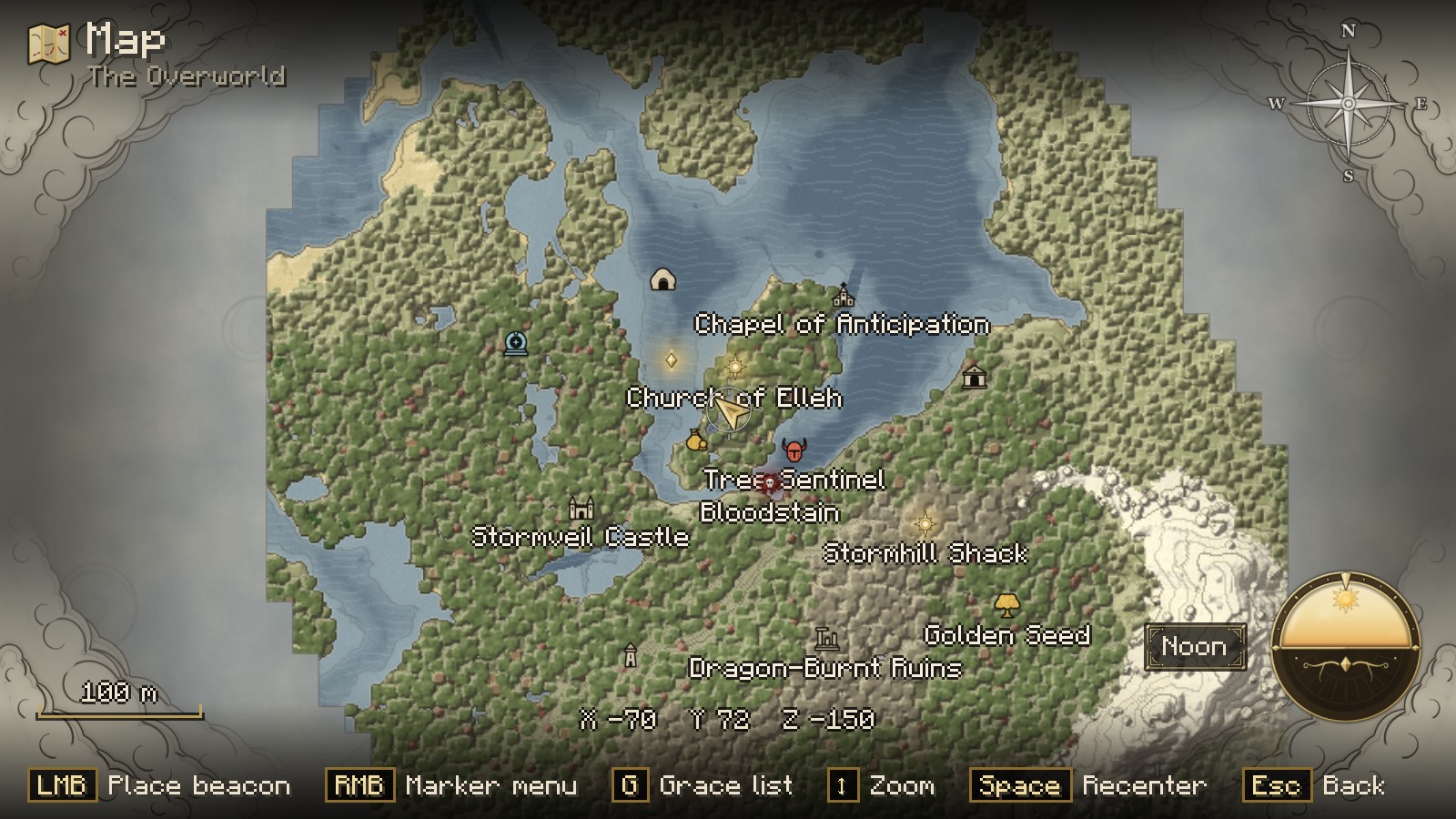
Remnants Minimap turns your world into a hand-drawn chart in the spirit of the Elden Ring map.
The land is drawn on aged parchment with ink contour lines and engraved seas, framed by a gilded ring,
and Sites of Grace glow gold across the map.
Client-side only. It works on any server, singleplayer or multiplayer.
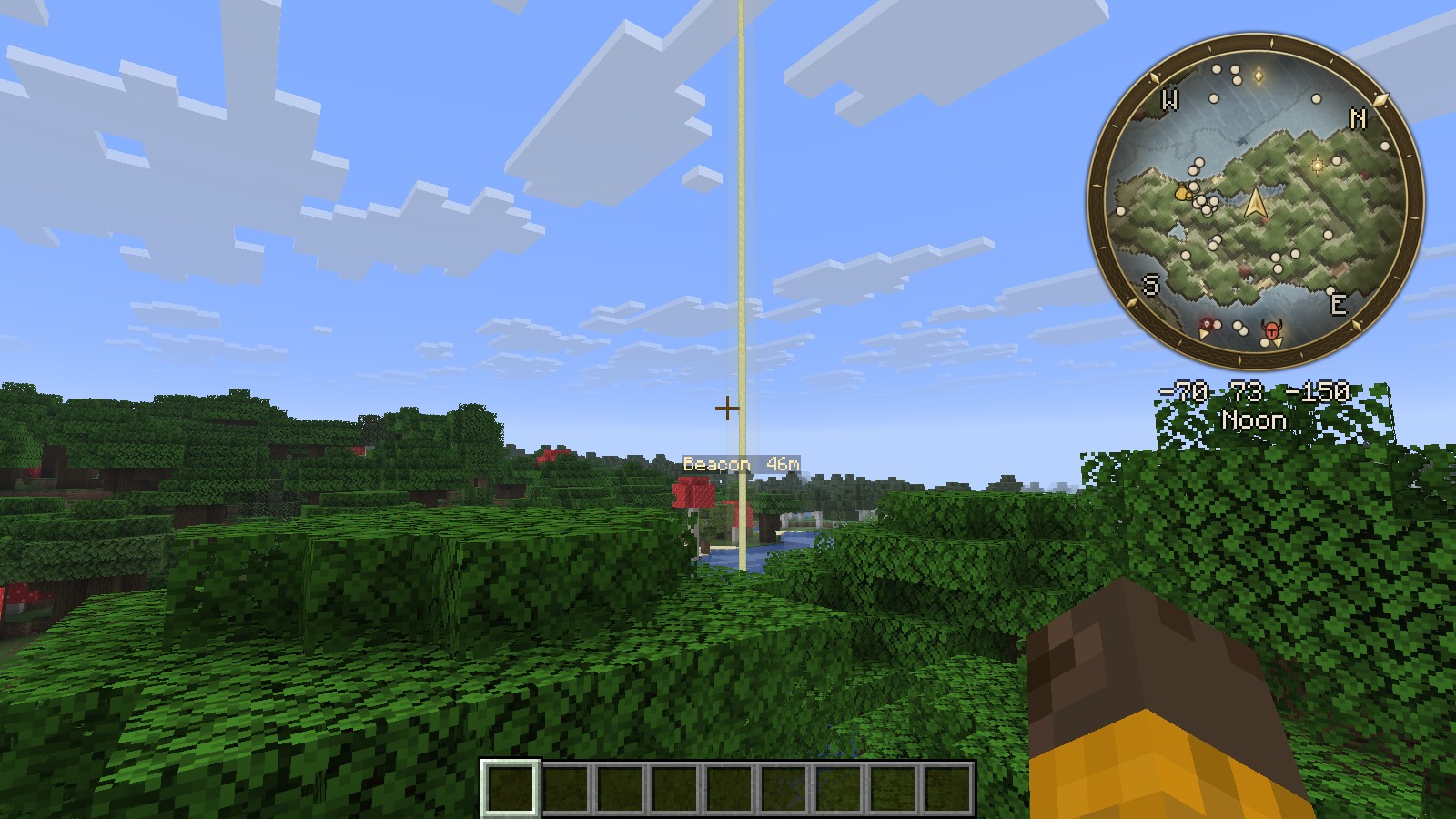
Cartography, not screenshots
Most minimaps show a copy of the blocks. Remnants Minimap draws your world the way a cartographer would.
- Parchment palette: soft khaki plains, olive forests, pale sand and grey stone instead of saturated block colours.
- Relief shading and contour lines: hills and mountains show their shape, and every fourth contour is inked darker.
- Engraved water: slate-blue seas with fine wave lines, pale shallows and a second offshore line along the coast.
- Ink outlines: coastlines, building footprints and roads are traced in ink.
- Fog of the unexplored: land you have not seen yet stays hidden in drifting grey fog, and the edge of your map fades softly into it.
- Prefer the classic look? Switch to the Vivid Parchment or Classic palette at any time.
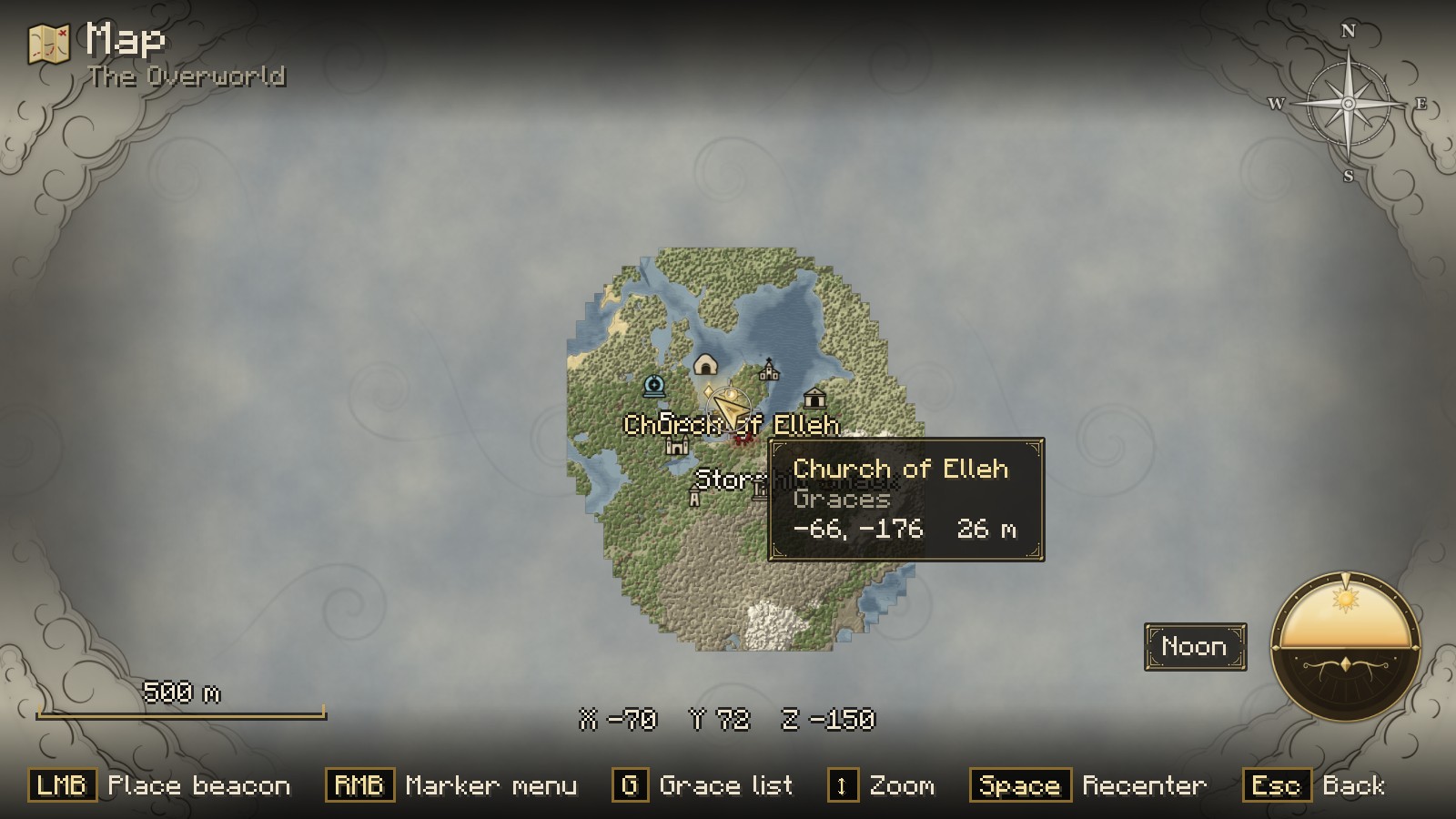
The minimap
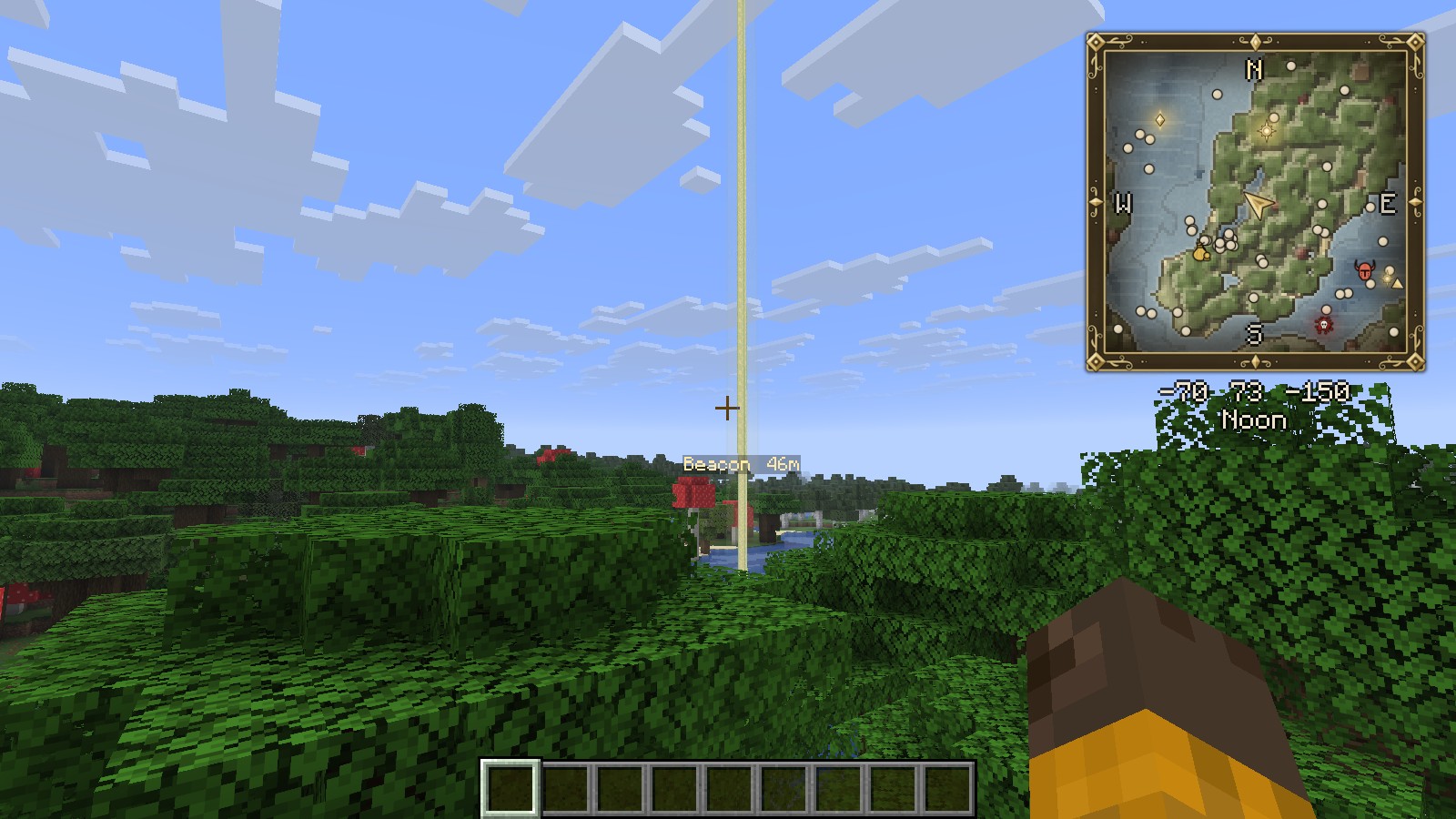
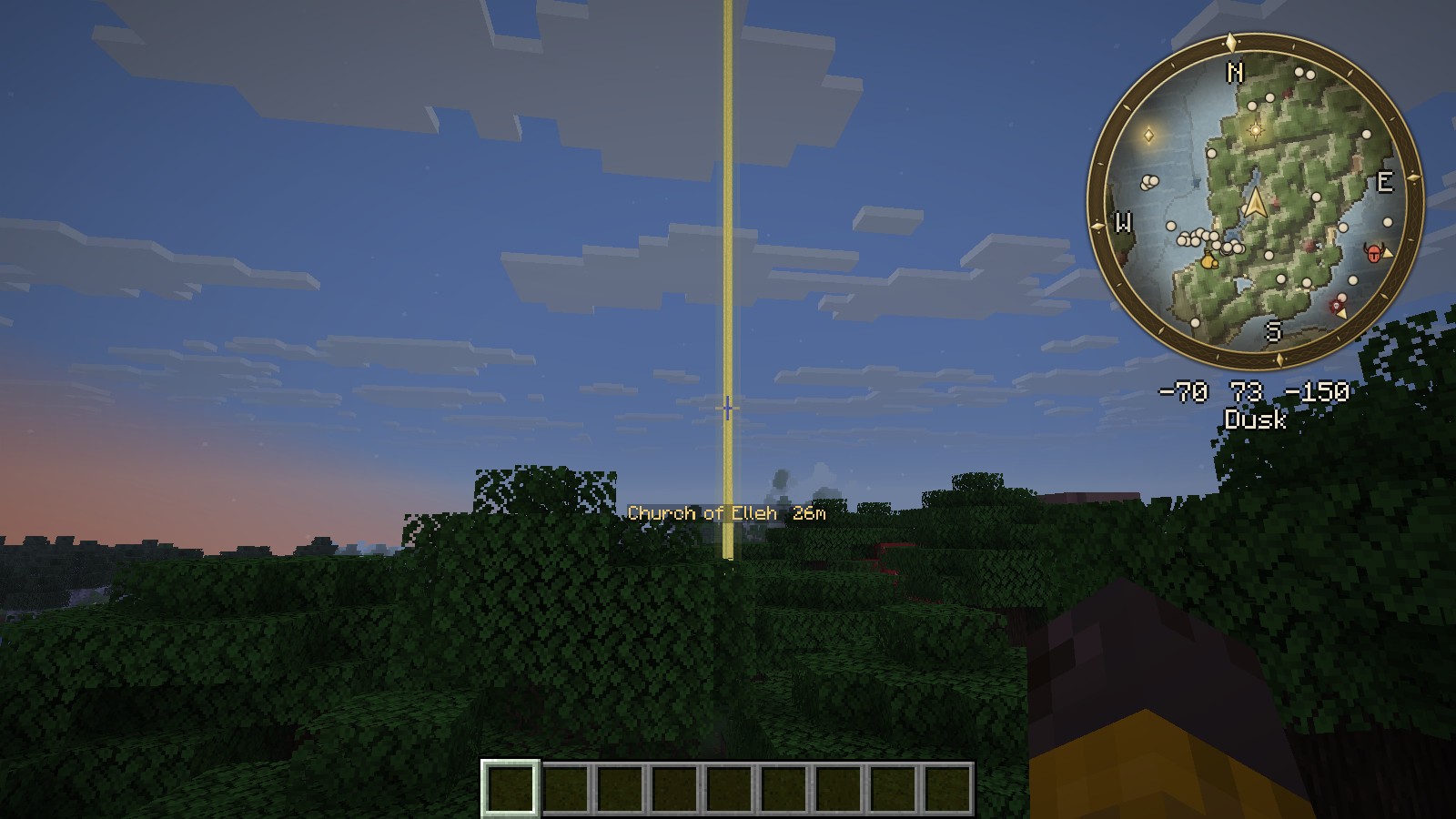
- A round map in a gold ring, or a square framed chart.
- Smooth movement. The map rotates and scrolls with sub-pixel precision instead of jumping block by block, and zooming is animated.
- Rotate with your view or keep north up, with N / E / S / W around the rim.
- A gold arrow for you and silver arrows for other players.
- Optional radar for hostile and passive mobs.
- Your coordinates, the time of day (Dawn, Early Day, Noon, Dusk…) and, optionally, the biome below the map.
- Graces, beacons and bloodstains stay pinned to the rim when they are out of view, so you always know which way to go.
- Moves down out of the way of your status effect icons.
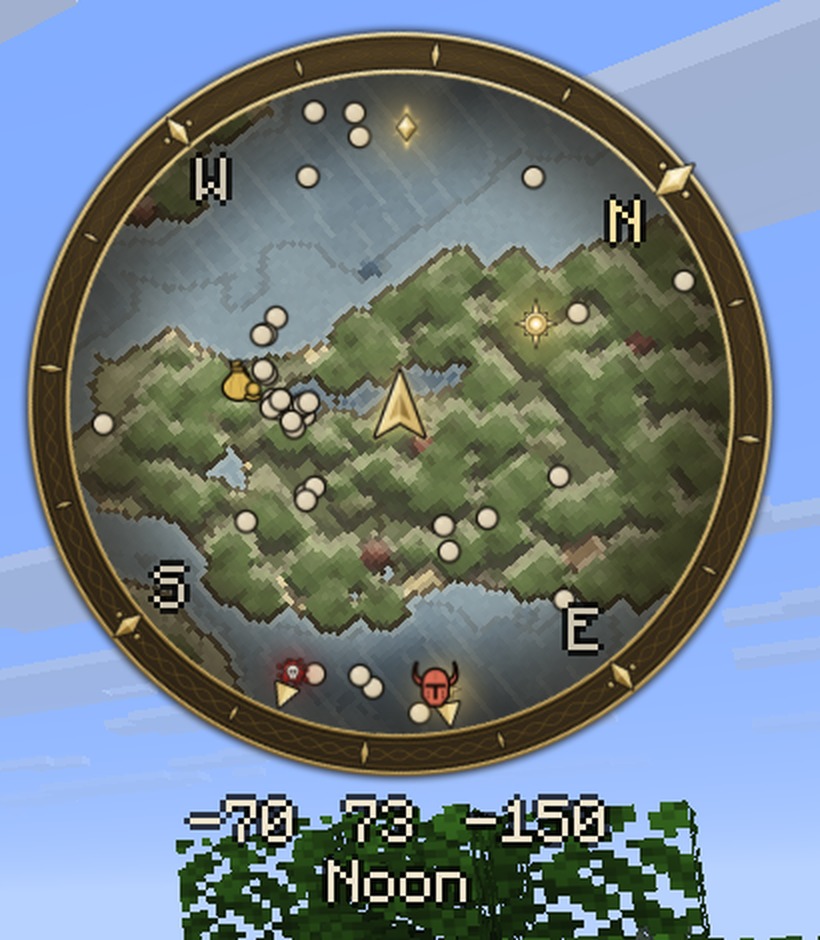
The world map
Press M to open the full map.
- Drag to pan. The map keeps gliding when you let go. You can also pan with WASD.
- Scroll to zoom toward the cursor, from single blocks out to your whole explored world. Far zoom levels stay fast.
- Left click places a golden beacon that rises as a pillar of light in the world, just like placing a beacon in the Lands Between.
- Right click opens the marker menu: add a marker, place or remove the beacon, edit, delete, or return to your position.
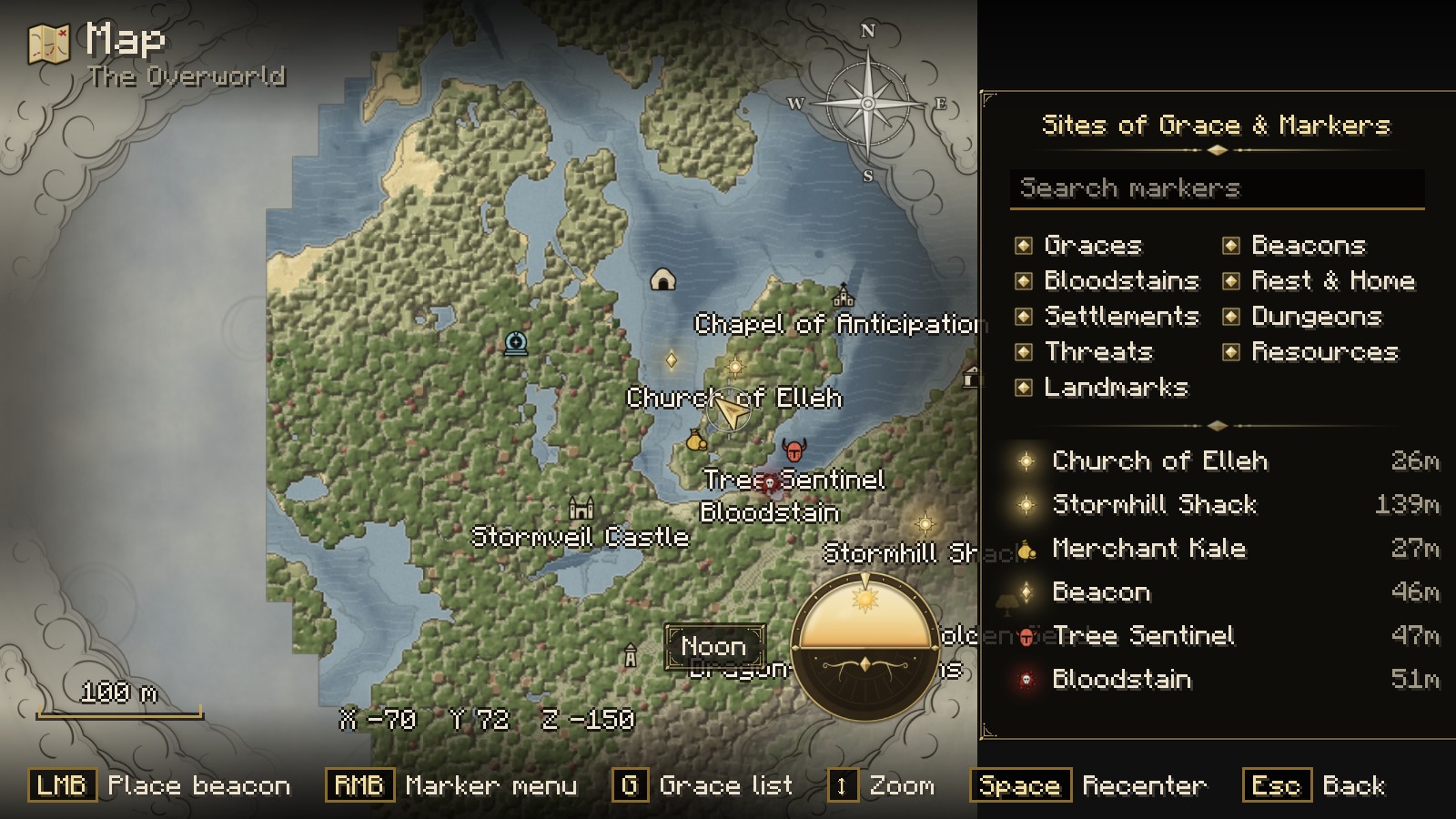
- Press G for the Grace list: every marker with its distance, a search box, and category filters (Graces, Beacons, Bloodstains, Rest & Home, Settlements, Dungeons, Threats, Resources, Landmarks). Click an entry and the map glides to it.
- A compass rose, a rotating day-and-night dial, a scale bar, cursor coordinates and control hints, all framed by swirling clouds in the corners.
Markers and pillars of light
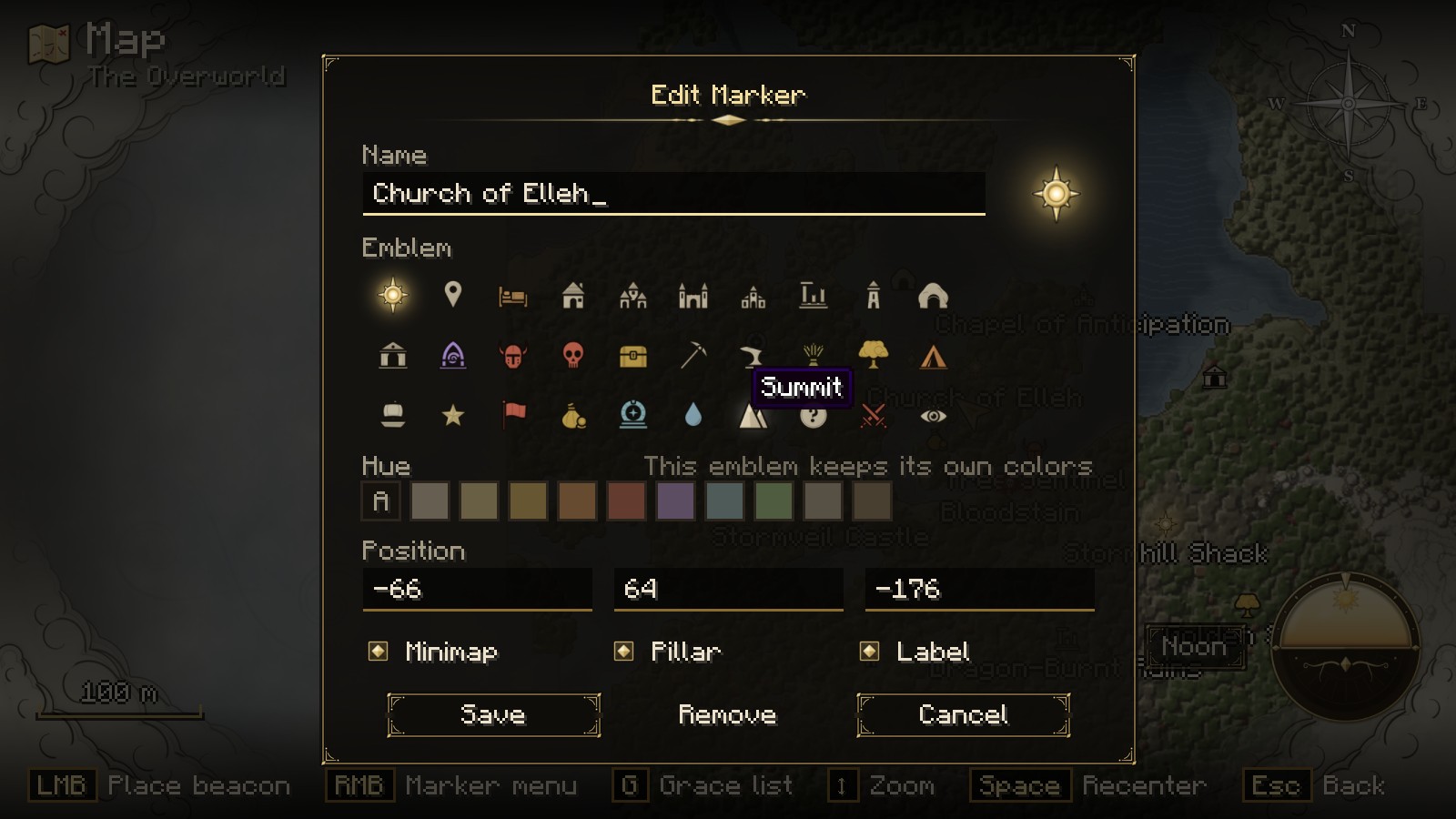
- 30 emblems: Site of Grace, Castle, Church, Ruins, Tower, Village, Cave, Catacombs, Portal, Waygate, Boss, Danger, Battle, Treasure, Mine, Forge, Farm, Merchant, Spring, Great Tree, Summit, Camp, Ship, Banner, Star, Lookout and more.
- Tint them with a palette of hues, name them, and choose whether each one shows on the minimap, carries a label, or raises a pillar of light.
- Pillars of light rise from graces, beacons and bloodstains, with their name and distance floating beside them. Distant pillars are drawn on the horizon so you can always see them.
- A Bloodstain is left where you die, and a Resting Place marks your last bed. Both are automatic.
Settings
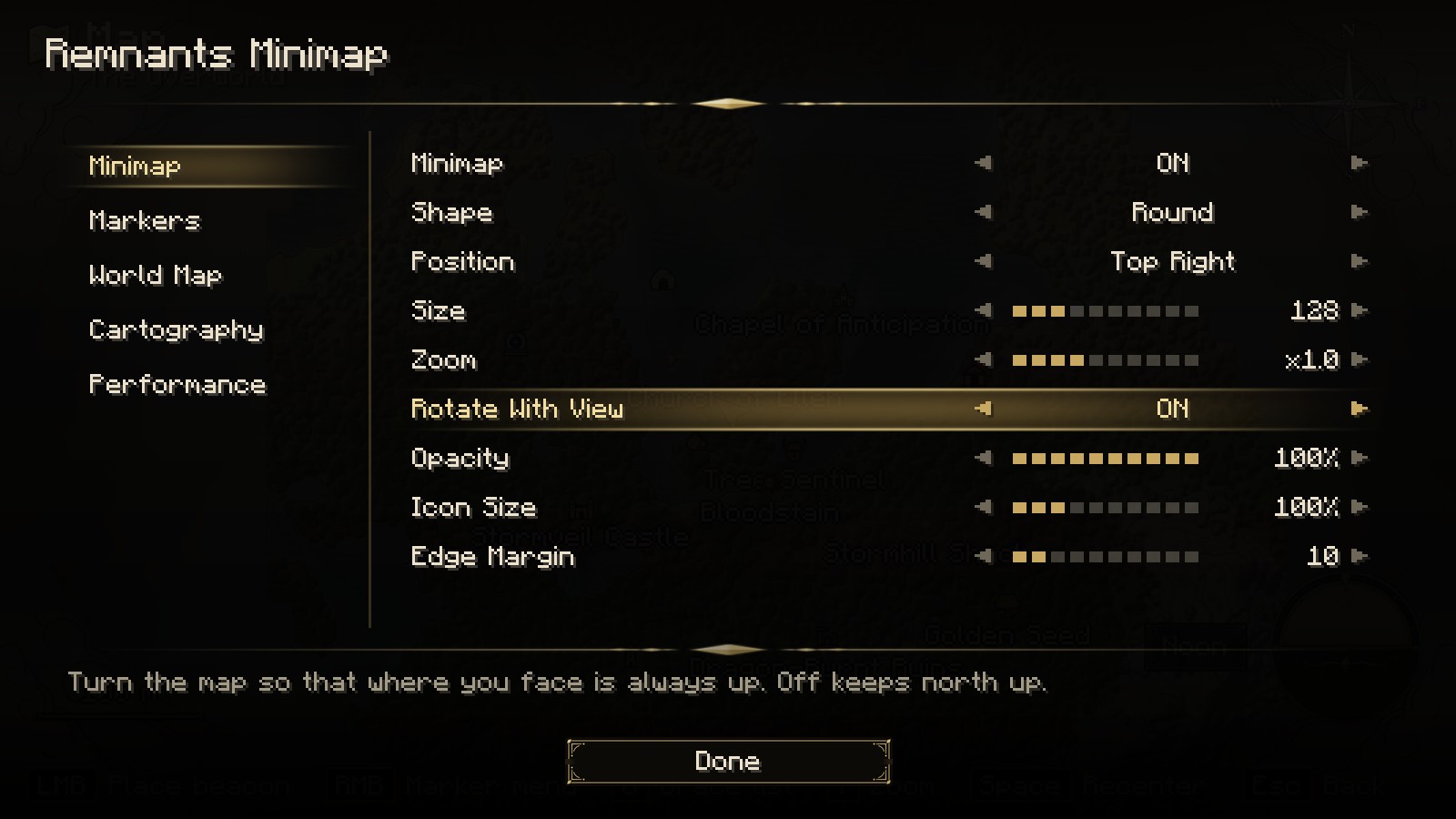
The settings screen is laid out like the Elden Ring options menu: tabs on the left, ◀ value ▶ rows, and a description of each option at the bottom. Every change applies immediately.
Change the minimap's size, shape, position, zoom, opacity, rotation and icon size. You can also turn individual map details on or off, such as contour lines, relief strength, water engraving, paper grain and ink outlines, and set how much time the mod spends mapping terrain.
On NeoForge, the settings also open from the mod list. On the world map, press O.
Controls
| Key |
Action |
| M |
Open / close the world map |
| N |
Show / hide the minimap |
| = / - |
Minimap zoom |
| B |
Place a marker where you stand |
| Left click (world map) |
Place or remove the beacon, select a marker |
| Right click (world map) |
Marker menu |
| G (world map) |
Grace and marker list |
| Space (world map) |
Return to your position |
| H (world map) |
Show / hide control hints |
All keys can be rebound in Controls.
Details
- Loaders: Fabric (requires Fabric API) and NeoForge
- Minecraft: 26.2
- Side: client only
- Saved data: your maps and markers are stored per world and per server in
remnantminimaps/ in your game folder, and settings in config/remnantminimaps.json.
- Performance: terrain is read within a small time budget each tick, saved in the background, and drawn from mipmapped textures, so the map stays smooth at every zoom level.
Coming from Odyssey Map? Remnants Minimap is its full rebuild. Remove the old odysseymap jar before installing. Old waypoints are not carried over; the map fills in again as you explore.
Remnants Minimap is a fan-made mod inspired by the look of Elden Ring. It is not affiliated with or endorsed by FromSoftware or Bandai Namco. All art in the mod is original.
License: Apache 2.0