


BUTTERFINGERS
- By
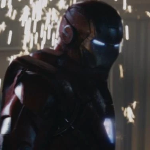
A clumsy-but-earnest servo arm that sorts your chests, plus sentry turrets and a missile battery to guard the city, and a wearable exoskeleton jacket with shoulder guns — all drawn as runtime vector machinery.
Curse Maven Snippet
What's new
BUTTERFINGERS 0.6.0 — Combat Jacket HUD
New
- Jacket HUD (on/off). While you wear the Combat Jacket in first person, a green line HUD modelled on the film's jacket display takes over: AUTO/MAN, ARMED LEFT/RIGHT round counters, PRIMARY/SECONDARY, the message box, speed and height scales, ammo grids with next-round markers, SAFETY ON/OFF, the battery bar and a pitch-ladder rung. Press . (period) to switch it off and on; it boots with a short click and a top-to-bottom sweep. With the HUD off (or in third person) you get the previous compact panel.
- Helmet required. The HUD shows only while the UDF Helmet is worn together with the Combat Jacket (first person). Take the helmet off and it hides, leaving the compact panel; put it back on and it returns as you left it with
.. .on/off..switches the HUD on and off; the state is kept while the helmet comes off and goes back on.- Targeting is a white square. Targets are bracketed with a plain white square (four corners) and a small distance figure, with no backing panel or label behind it.
- Targeting. Hostile mobs in sight are bracketed nearest-first (up to 8), each with a white square (four corner brackets) and its distance.
- Lock. Press Y (when you are not in a Cradle) to lock the mob nearest your crosshair; press again on the same mob to release. A locked mob gets heavy lines.
- AUTO / MAN. Press , (comma). AUTO: the shoulder cannon tracks the locked mob, else the mob under your crosshair, else the nearest mob within ±35°. MAN: the cannon fires at your crosshair.
Keys (all rebindable under Controls)
.HUD on/off ·,AUTO/MAN ·Ylock/release
Notes
- Colours are three greens measured from the film frame; every line and letter has a one-pixel dark shadow so it stays readable against bright sky.
Versions
- 1.21.1 Fabric only. The 1.20.1 Fabric, Forge and NeoForge files stay at 0.5.1.
This mod has no additional files