


Screenshot 2026-09-22 at 23.42.31.png
Description

Tired of memorizing complex recipes?
Tired of taking endless screenshots of your crafting grid and squinting at it while you dig through your chests?
Tired of running out of CYAN ink to print YOUR RECIPES IN REAL PAPER?
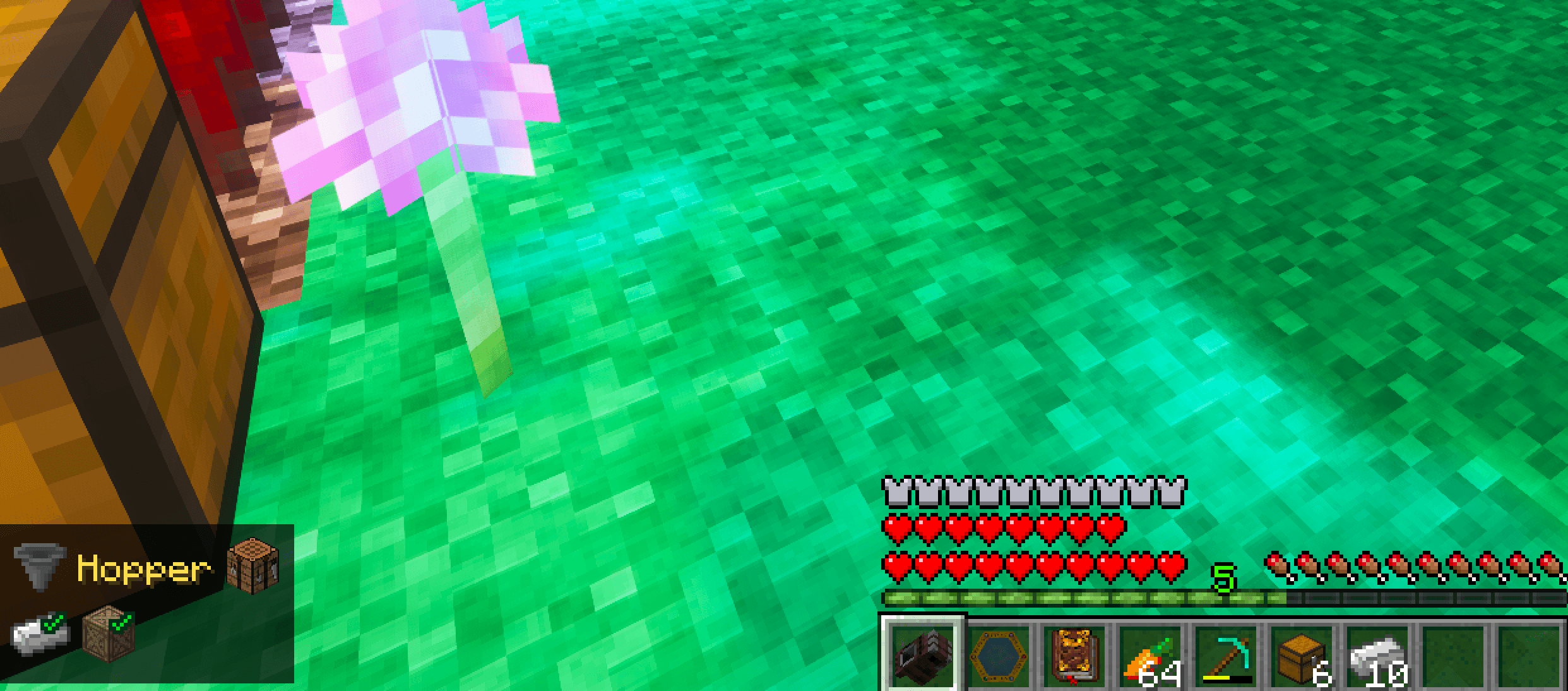
ANR's Recipe Overlay adds an always visible HUD of the recipe you're making right on your screen, so you never have to alt-tab, screenshot, or reopen a recipe book again.
How to use
1. Open a recipe in JEI and click the goggle button

(top-right, under the page arrows)
2. The recipe appears as an overlay in the corner of your screen.
3. Flip through it with your keyboard:
- PRESS J to view recipe items.
- PRESS K the view recipe shape (and items). Works with any mod supported by JEI.
- PRESS Shift + J or PRESS Shift + K to step back a recipe.
- Keep PRESSING J/K to navigate into a sub-item's recipe, then the next, all the way to raw materials.
Features
- Always-visible overlay that behaves like a proper HUD.
- Follows crafting grid recipes automatically for any mod or vanilla recipe.
- Optional support Just Enough Calculation is installed, follows JEC configured recipes instead.
- Fully configurable: position, JEC compatibility, cross mechanisms, inventory mark, and more.
Compatibility
- Requires: Just Enough Items (JEI).
- (Optional) Integrates natively with Just Enough Calculation (JEC).
- (Optional) Integrates with Thaumcraft 6 (MC 1.12.2)
The ANR's Recipe Overlay Team
