


Material Counter
- By

What's new
Improvements & New Features
🎨 Position Selector Visual Feedback
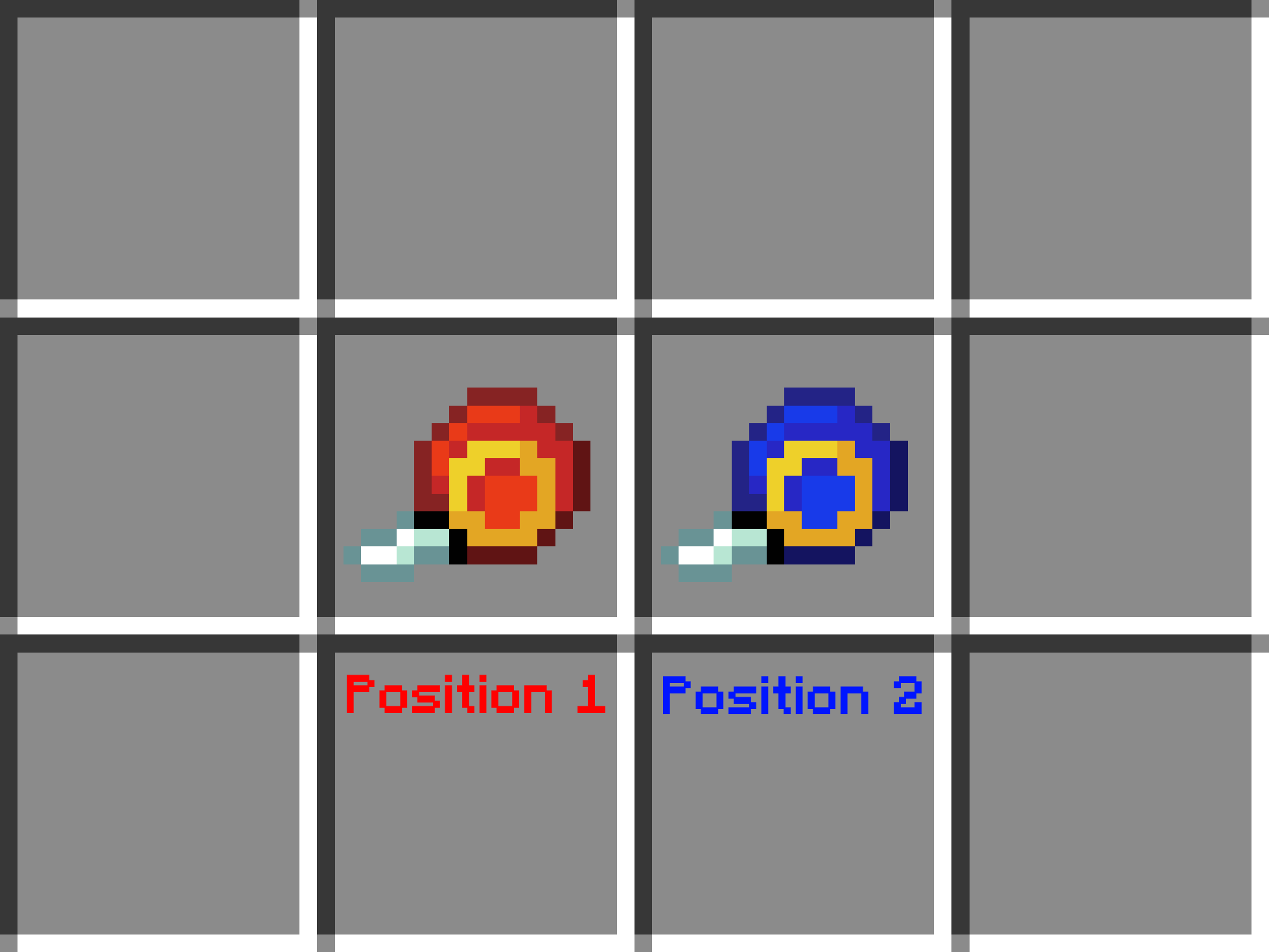
The Material Counter Position Selector now changes its appearance after Position 1 has been selected. The tool turns blue, making it clear that the next step is selecting Position 2.
📖 Added In-Game User Guide
A complete User Guide has been added.
Players automatically receive the guide the first time they join a world with the datapack installed. It explains every feature and how to use the datapack step by step.
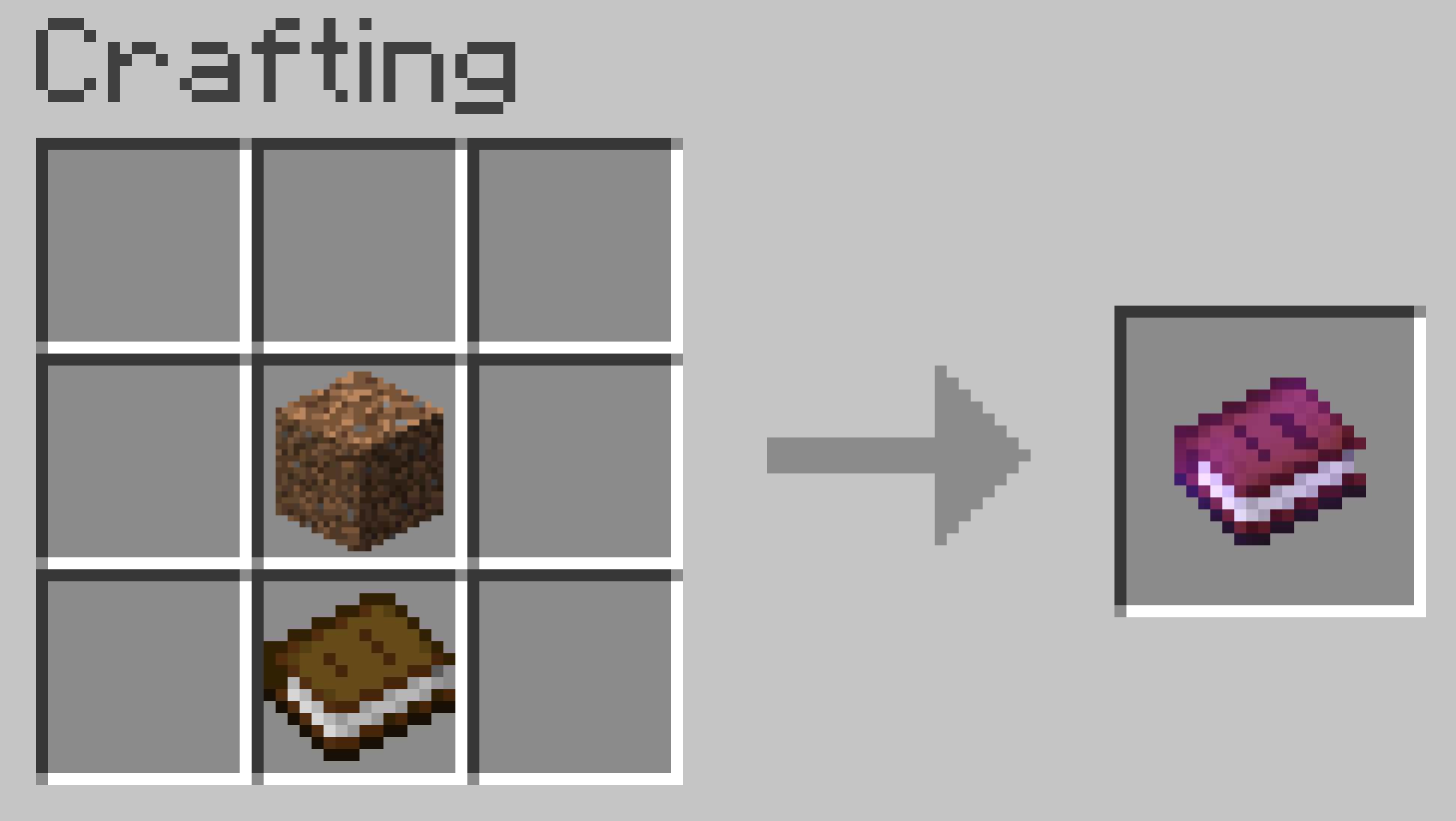
If you lose the book, you can craft a new copy using the following recipe:
⚡ Easier to Obtain the Position Selector
Getting the Material Counter Position Selector is now much easier.
You can now obtain it at any time by running:
/trigger give
Previously, the only command-based method was:
/function materialcounter:give_item
However, that required cheats to be enabled, making it unavailable in many survival worlds. Using /trigger works without operator permissions, making it much more convenient.
The tool can still be crafted in a Crafting Table as before.
🛠️ Updated Crafting Recipe
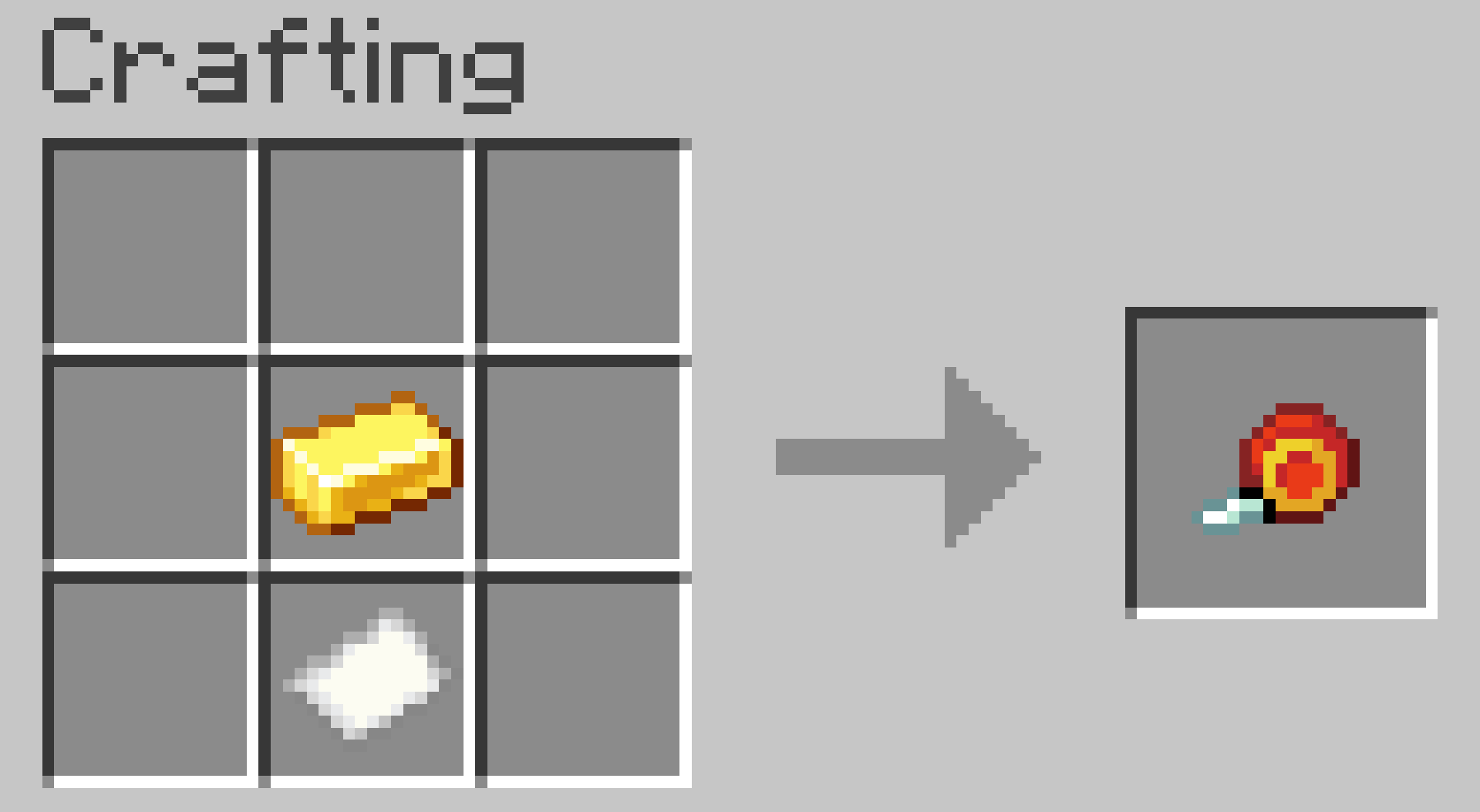
Based on community feedback, the crafting recipe for the Material Counter Position Selector has been updated.
Instead of requiring a Stick, it now requires Paper.
⚙️ New Datapack Settings
Two new toggleable settings have been added.
🟢 Position Outline Particles
Use:
/trigger position_outlines
to enable or disable the particle outlines that mark Position 1 and Position 2.
Default: Enabled
📚 Material List Display Mode
Use:
/trigger list
to switch between two result display modes.
💬 Chat Mode (Default)
Displays the material list directly in chat.
This works well for smaller builds, but Minecraft's chat has a line limit, so very large structures may not display the entire list.
📖 Book Mode
Generates a book containing the complete material list every time you calculate a structure.
This mode is recommended for larger and more complex builds because the full list is always preserved.
🔄 How the Toggle Commands Work
The new /trigger commands do not require any arguments.
Simply run the command to switch to the next option.
For example:
/trigger list- First use → Book Mode
- Second use → Chat Mode
- Third use → Book Mode again
The same behavior applies to /trigger position_outlines.
This mod has no additional files