Ultimate DayCounter
- By
A fully customizable day-counter datapack with an interactive dialog GUI, animated bossbar/actionbar, live progress, and new-day celebrations.
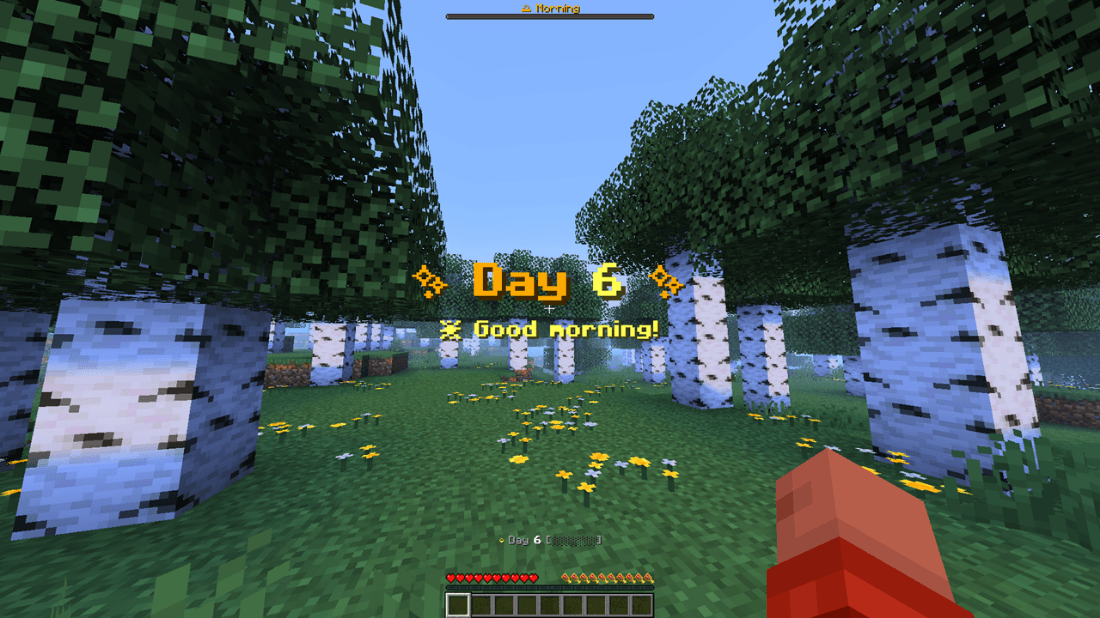
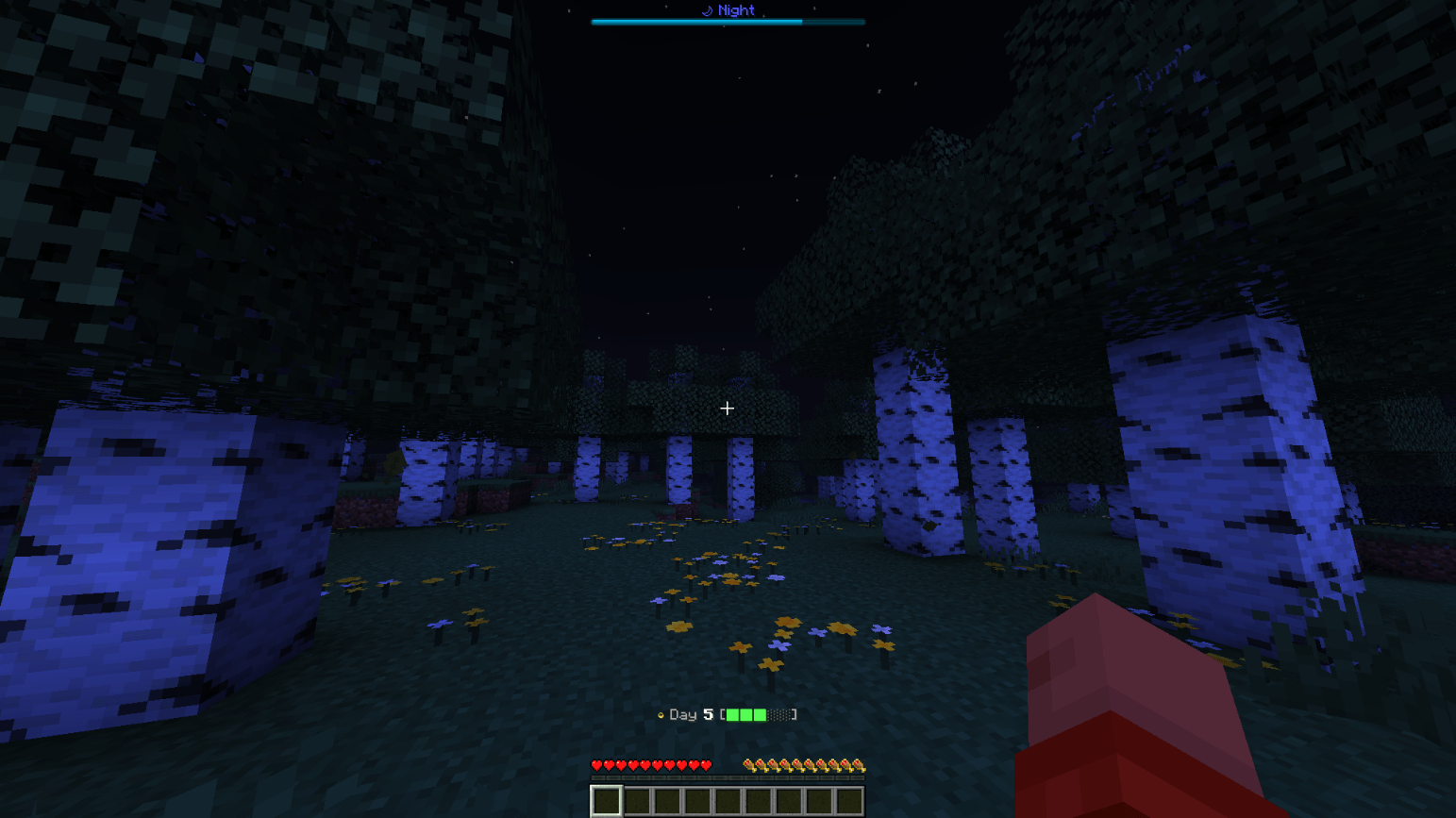
Progress showing on both hud
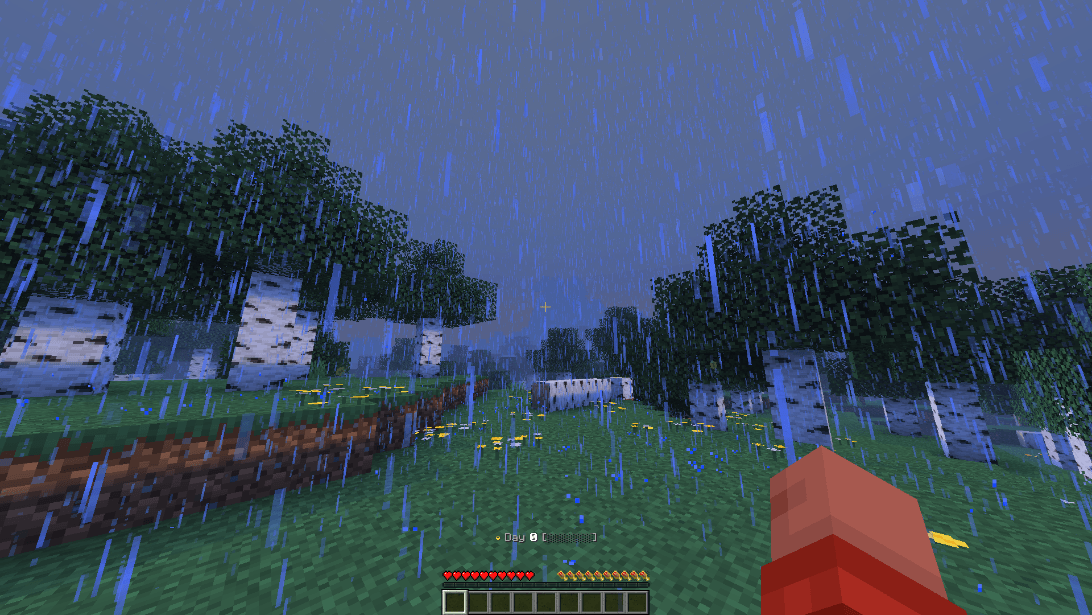
Hud showing in action bar
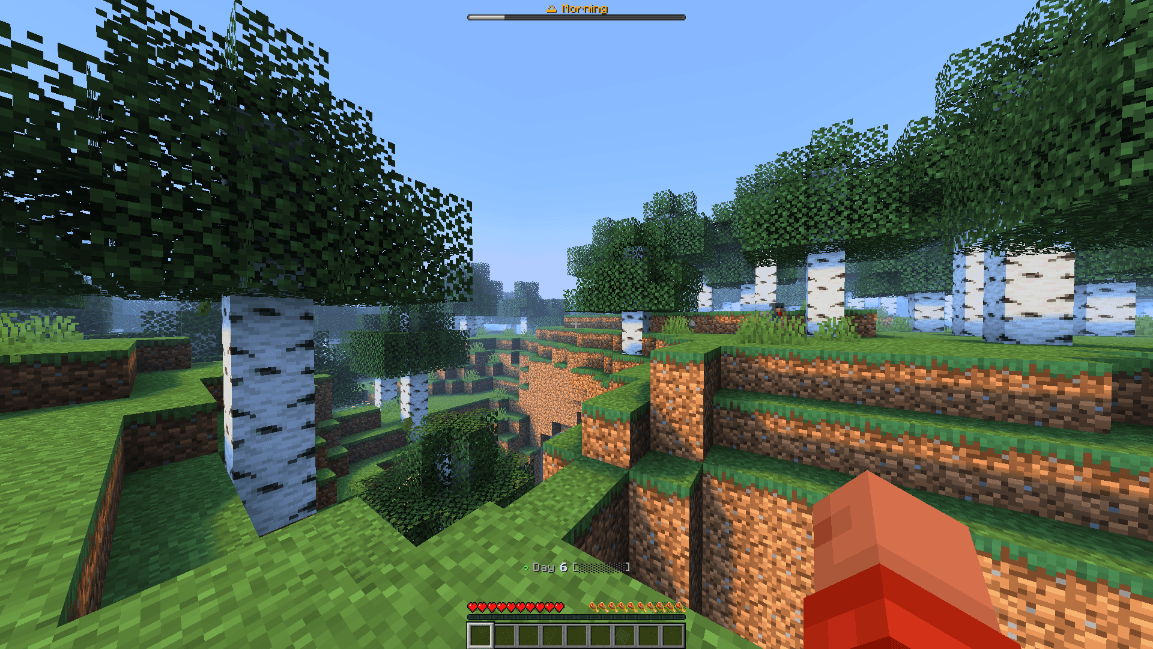
Hud showing on both locations
Description
Ultimate Day Counter
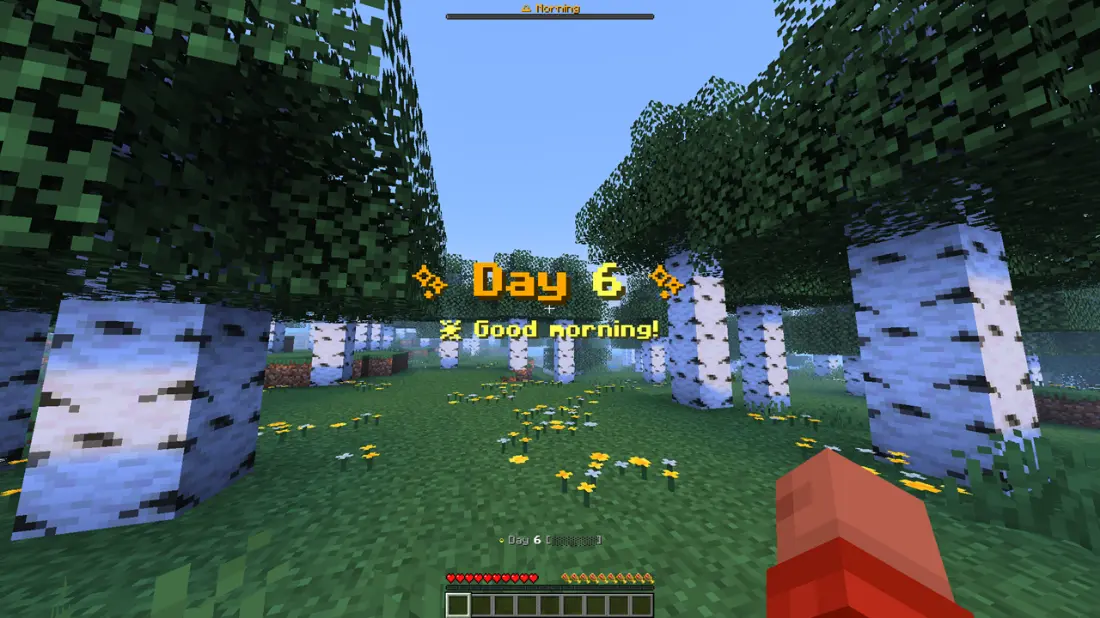
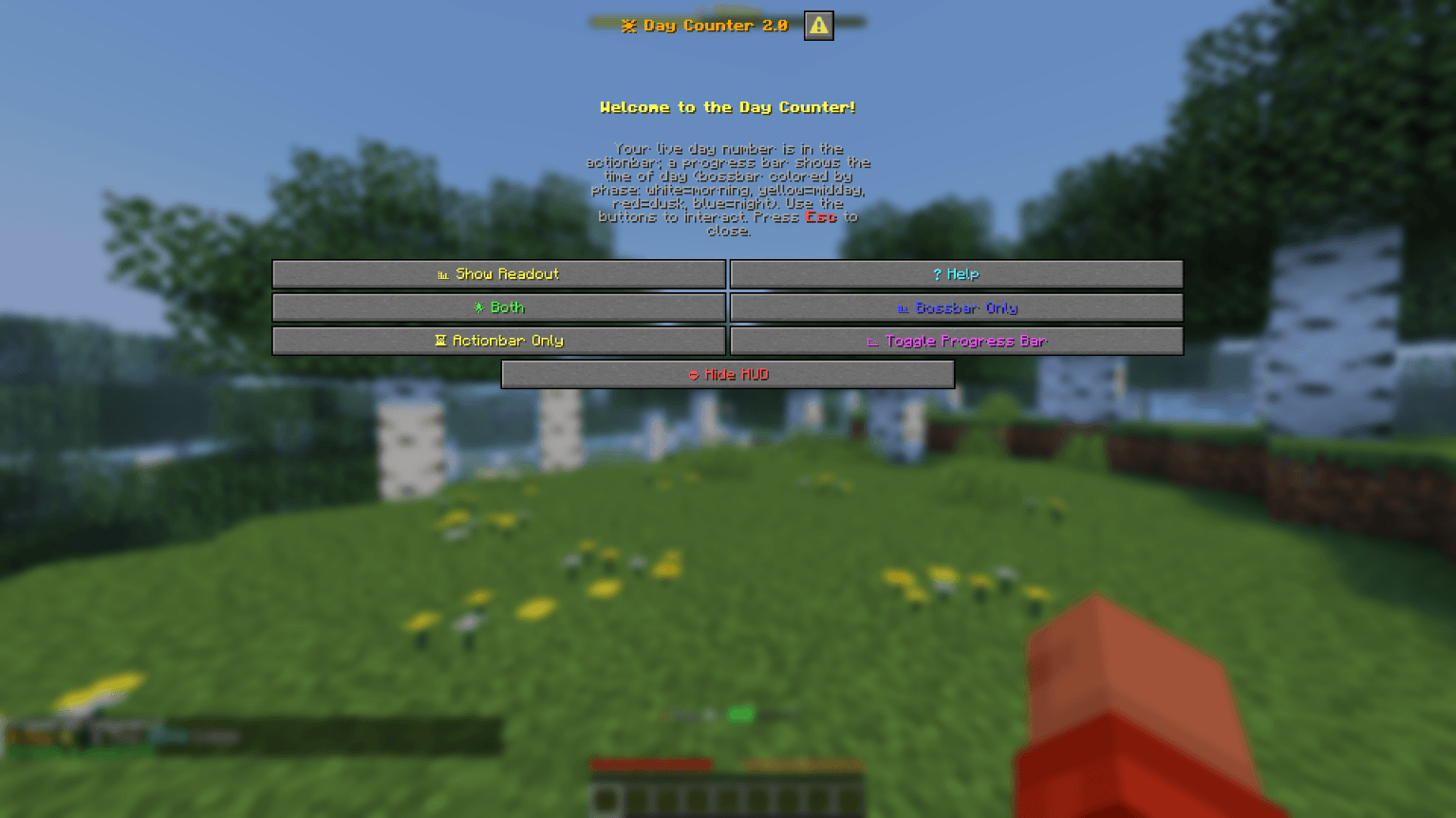
A colorful, animated Minecraft day-counter datapack with a proper dialog GUI. It tracks the in-game day and shows it with rich colors, a live progress bar, an animated spinner, a new-day celebration, and an interactive menu, all without any required operator commands.
Features
- Color-coded bossbar: a time-of-day progress bar that changes color by phase.
- Animated actionbar: a rotating spinner whose color cycles, next to the live day number and a filling progress bar that mirrors the bossbar.
- New-day celebration: a title and subtitle animation with fireworks particles and a launch sound at the start of every day.
- Dialog GUI: open an interactive panel with buttons for a live day readout, help, HUD mode (Both / Bossbar / Actionbar / Hide)
Usage
Type these in chat (no cheats or operator required):
/trigger daymenu     # open the Day Counter GUI panel
/trigger daytoggle   # show / hide the HUD (bossbar + actionbar)
Example Uses
- YouTubers: let viewers see the current day of your survival series.
- Challenge runs: track days survived without building a clock.
- Casual players: celebrate milestones and watch the day roll by.
Installation
- Put the
Ultimate DayCounterfolder or .zip file into your world'sdatapacks/directory.
The Ultimate DayCounter Team


Owner