Realistic BloodFX by Lightscribe
- By
Realistic blood particle effects for Minecraft Bedrock. Automatic hit splatter and death blood pools, optimized for performance and mobile compatibility.
BloodFX-CurseForge-Logo-v1.4.5.png
IMG_1286.PNG
IMG_1283.PNG
IMG_1285.PNG
Description
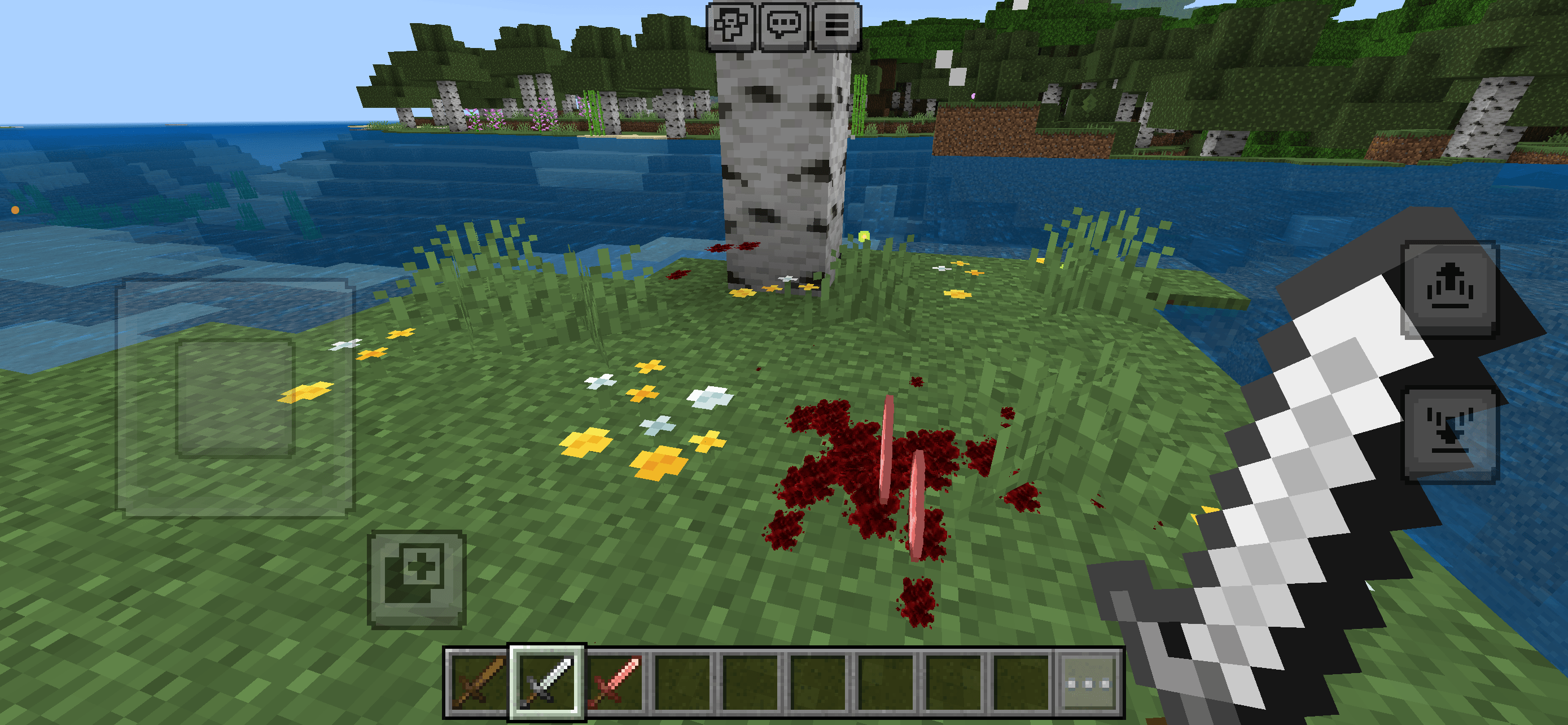
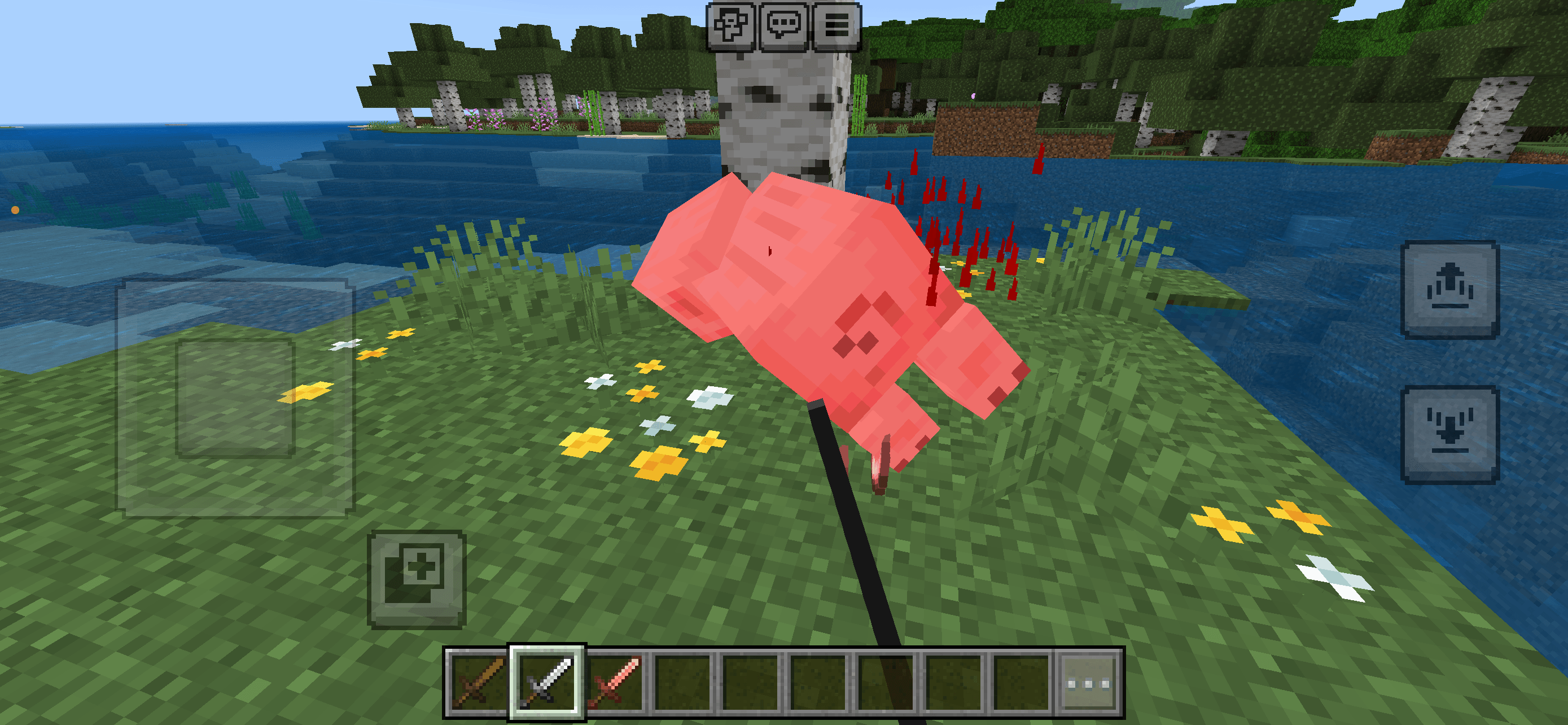
BloodFX enhances combat in Minecraft Bedrock with dynamic blood sprays and animated ground pools.

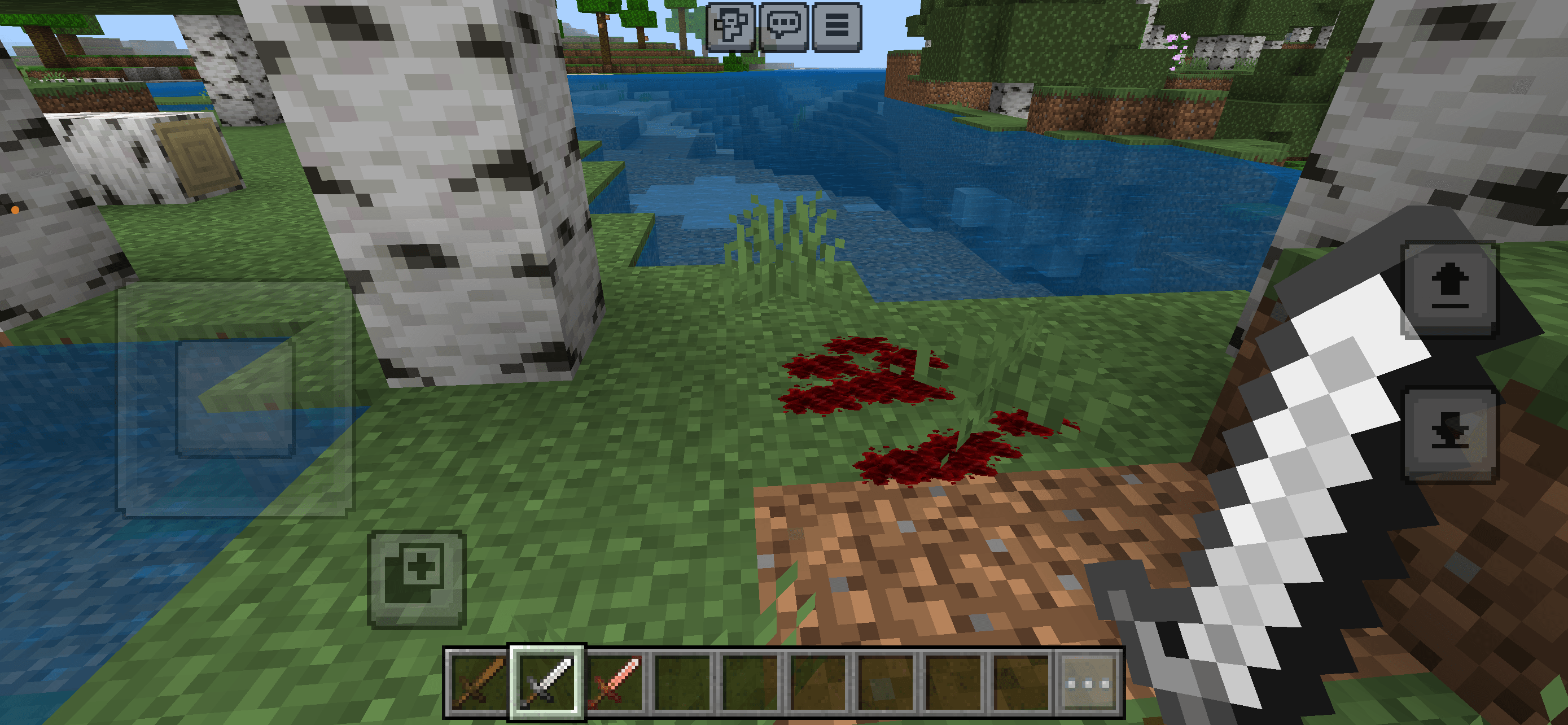
When a living entity takes damage, small blood particles appear and an animated pool spreads smoothly across the ground. Killing an entity creates a larger blood pool at the death location.

All effects disappear automatically after 18 seconds. No blocks are placed or permanently modified.

## ✨ Features

- Dynamic blood sprays when entities take damage
- Small and subtle blood droplets
- Animated blood pools with smooth spreading
- Larger blood pools when an entity is killed
- Organic textures with soft edges
- Automatic ground placement
- Improved detection around grass and plants
- Automatic cleanup after 18 seconds
- No permanent block changes
- No commands required
- Multiplayer support
- Bedrock Dedicated Server support
- Player blood disabled by default
- Skeletons, golems and other unsuitable entities excluded

## ⚡ Performance

BloodFX uses temporary particle effects and does not modify world blocks.

- No permanently stored blood blocks
- Automatic effect cleanup
- Limited number of pools per hit
- No permanently running tick loop
- Designed for multiplayer and servers

## 🎮 Compatibility

- Minecraft Bedrock Edition 26.20+
- Bedrock Dedicated Server
- Singleplayer
- Multiplayer
- Windows and supported Bedrock devices

## 🧪 Requirements

- Behavior Pack enabled
- Resource Pack enabled
- Script API support

**Cheats are not required.**
**Preview or Beta versions are not required.**

## 📦 Installation

### Easy installation

1. Download `BloodFX_1.4.6.mcaddon`.
2. Open the file with Minecraft Bedrock.
3. Wait for both packs to import.
4. Activate the Behavior Pack in the world settings.
5. Confirm that the Resource Pack is also enabled.
6. Restart the world.

### Bedrock Dedicated Server

1. Open the `.mcaddon` file like a ZIP archive.
2. Copy `BloodFX_BP` into `behavior_packs`.
3. Copy `BloodFX_RP` into `resource_packs`.
4. Add both packs to the world configuration files.
5. Fully restart the server.

## ❓ Troubleshooting

### Blood effects do not appear

- Confirm that both packs are enabled.
- Make sure the pack versions match.
- Fully restart the world or server.
- Remove older BloodFX versions.
- On a Dedicated Server, check the content log for script errors.

---

## 🏷 Tags

Blood, Combat, Particles, Effects, Horror, Survival, Adventure, Immersion, Multiplayer, Dedicated Server

## 📜 License

© Lightscribe. All rights reserved.

You may not reupload, redistribute, modify or republish this add-on without explicit permission from the author.

### GERMAN #####

BloodFX erweitert Kämpfe in Minecraft Bedrock um dynamische Blutspritzer und animierte Blutlachen.

Wenn ein Lebewesen Schaden erhält, entstehen kleine Blutspritzer und eine Blutlache, die sich weich über den Boden ausbreitet. Beim Tod eines Lebewesens bildet sich an der entsprechenden Stelle eine größere Blutfläche.

Alle Effekte verschwinden nach 18 Sekunden automatisch. Es werden keine Blöcke platziert oder dauerhaft verändert.

## ✨ Funktionen

- Dynamische Blutspritzer bei erlittenem Schaden
- Kleine und dezente Bluttropfen
- Animierte Blutlachen mit weicher Ausbreitung
- Größere Blutflächen beim Tod eines Lebewesens
- Organische Texturen mit weichen Rändern
- Automatische Platzierung auf dem Boden
- Verbesserte Erkennung bei Gras und Pflanzen
- Automatisches Verschwinden nach 18 Sekunden
- Keine dauerhaft veränderten Blöcke
- Keine Befehle erforderlich
- Multiplayer-Unterstützung
- Unterstützung für Bedrock Dedicated Server
- Spielerblut standardmäßig deaktiviert
- Skelette, Golems und andere unpassende Kreaturen ausgeschlossen

## ⚡ Performance

BloodFX verwendet kurzlebige Partikeleffekte und verändert keine Weltblöcke.

- Keine dauerhaft gespeicherten Blutblöcke
- Automatisches Entfernen aller Effekte
- Begrenzte Anzahl an Flecken pro Treffer
- Keine permanent laufende Tick-Schleife
- Für Multiplayer und Server entwickelt

## 🎮 Kompatibilität

- Minecraft Bedrock Edition 26.20+
- Bedrock Dedicated Server
- Einzelspieler
- Multiplayer
- Windows und unterstützte Bedrock-Geräte

## 🧪 Voraussetzungen

- Behavior Pack aktiviert
- Resource Pack aktiviert
- Script-API-Unterstützung

**Cheats sind nicht erforderlich.**
**Preview- oder Beta-Versionen sind nicht erforderlich.**

## 📦 Installation

### Einfache Installation

1. Lade `BloodFX_1.4.6.mcaddon` herunter.
2. Öffne die Datei mit Minecraft Bedrock.
3. Warte, bis beide Packs importiert wurden.
4. Aktiviere das Behavior Pack in den Welteinstellungen.
5. Kontrolliere, ob das Resource Pack ebenfalls aktiviert wurde.
6. Starte die Welt neu.

### Bedrock Dedicated Server

1. Öffne die `.mcaddon`-Datei wie ein ZIP-Archiv.
2. Kopiere `BloodFX_BP` nach `behavior_packs`.
3. Kopiere `BloodFX_RP` nach `resource_packs`.
4. Trage beide Packs in die Konfigurationsdateien der Welt ein.
5. Starte den Server vollständig neu.

## ❓ Fehlerbehebung

 Es erscheinen keine Bluteffekte

- Kontrolliere, ob beide Packs aktiviert sind.
- Stelle sicher, dass die Pack-Versionen übereinstimmen.
- Starte die Welt oder den Server vollständig neu.
- Entferne ältere BloodFX-Versionen.
- Prüfe bei einem Dedicated Server das Content-Log auf Scriptfehler.
The Realistic BloodFX by Lightscribe Team