


OptimizedPatch
- By
89008.jpg
89108.jpg
89106.jpg
89112.jpg
89110.jpg
Description
⚠️ IMPORTANT: This patch MUST be placed FIRST (at the top) in the behavior pack load order, above all 3 original addons, to work correctly.
Optimized Patch by Omaylyn
Performance patch for Alyca's Dungeons, A Magic Way, and Better Adventures
📋 Description
This is a lightweight optimization patch that reduces lag when using Alyca's Dungeons, A Magic Way, and Better Adventures together. It does NOT contain the original addons — you must download them separately.
What this patch does:
· ✅ Reduces scripting engine load by ~60-70%
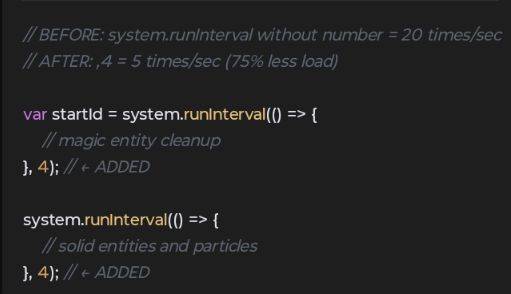
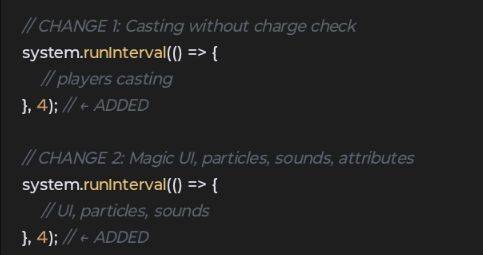
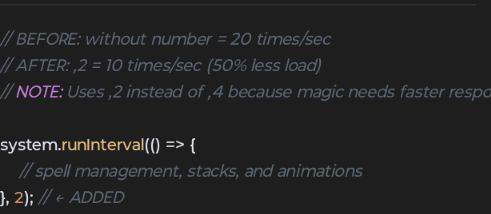
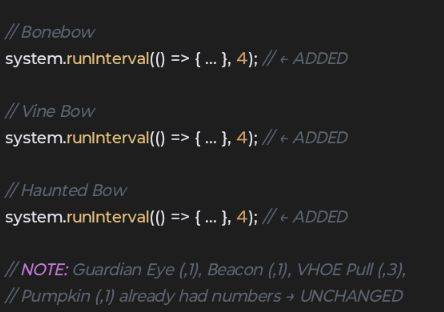
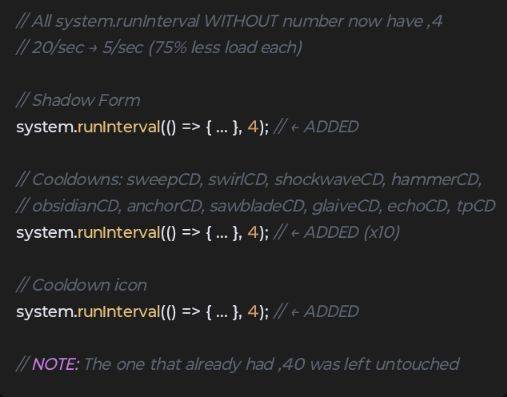
· ✅ Slows down unnecessary loops from 20/sec to 5-10/sec
· ✅ Reduces spawn rates of non-boss creatures to prevent entity overload
· ✅ Compatible with all 3 addons simultaneously
· ✅ Bosses, dungeons, and spells remain untouched
· ✅ Includes automatic compatibility checker
⚠️ Requirements
You MUST download and install these addons first:
· Alyca's Dungeons
· A Magic Way
· Better Adventures
Additional dependencies:
· Novelty API
· UI Queue Module
World settings:
· Enable Beta APIs in world experiments
· Recommended simulation distance: 4-6 chunks
· IMPORTANT: Place this patch ABOVE all 3 original addons in the load order!
📲 How to Install
Android
1. Download the .mcaddon file
2. Open with Minecraft
3. In world settings, place this patch at the top of behavior packs
4. Enable Beta APIs
iOS
1. Download the .mcaddon file
2. Open with Minecraft via Files app
3. Place patch at top of load order
PC (Windows 10/11)
1. Double-click the .mcaddon file
2. Minecraft will import it automatically
3. Place patch at top of behavior packs
Xbox One (using My Files Explorer)
1. Download My Files Explorer from Xbox Store
2. Install its extension when prompted
3. Open Edge browser, go to MCPEDL and copy the download link
4. Open My Files Explorer, paste the link in the search bar
5. Press A twice on controller for text to display
6. Download and extract the file
7. Copy BP and RP folders manually to behavior_packs and resource_packs
8. Open Minecraft, create/load world, enable the pack at top
🔧 Changes Made
File Addon Improvement
entity_property.js A Magic Way 2 loops: 20→5/sec
magic_function.js A Magic Way 1 loop: 20→10/sec
main_a_magic_way.js A Magic Way 2 loops: 20→5/sec
misc.js Alyca's Dungeon 13 loops: 20→5/sec
misc2.js Alyca's Dungeon 5 loops: 20→5/sec
5 entities Alyca's Dungeon Spawn weights: -30-40%
sheep.json Better Adventures Spawn weight: -50%
Total scripting load reduction: ~60-70%
🛡️ Credits
· Alyca's Dungeons by Alylica
· A Magic Way by its original creator
· Better Adventures by its original creator
· Novelty API & UI Queue Module by their respective creators
· Optimization patch by Omaylyn
This is an unofficial performance patch. For official support, contact the original creators.
❤️ Support
If this patch helps you, consider donating:
PayPal
📝 Notes
· On low-end devices, reduce simulation distance to 4 chunks
· Disable particles in video settings if lag persists during boss fights
· Optimized for Minecraft Bedrock 1.21+
The OptimizedPatch Team
