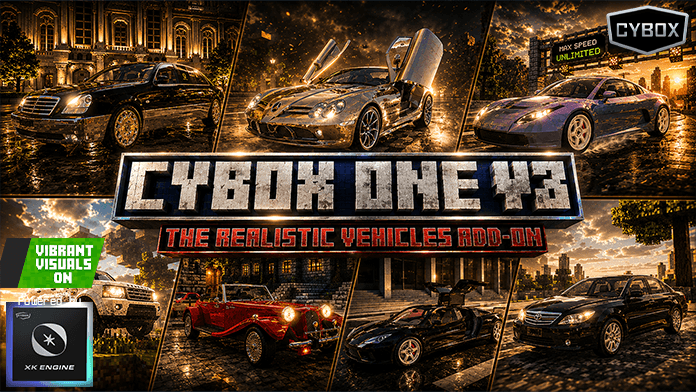
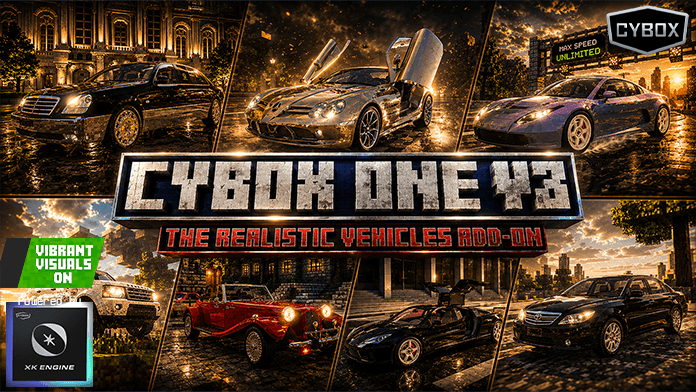
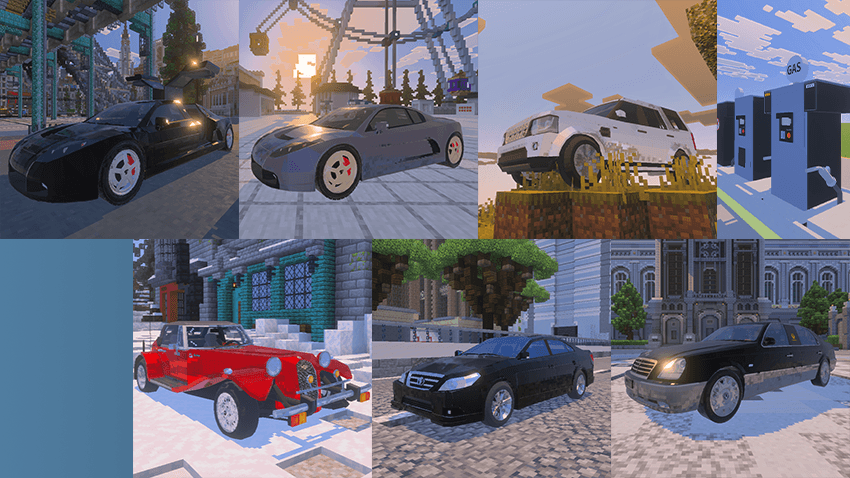
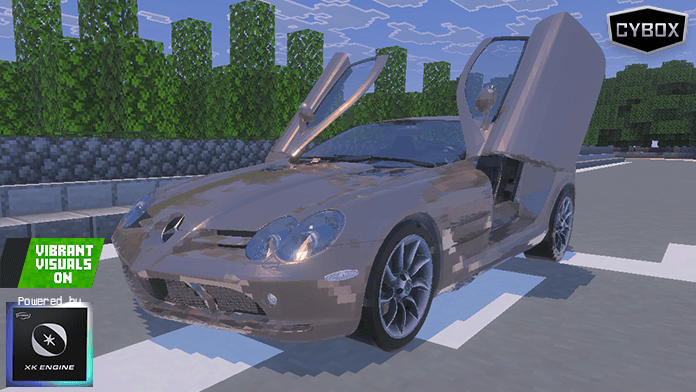
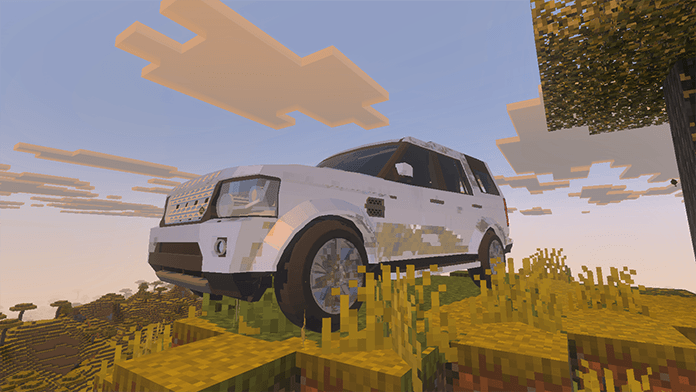
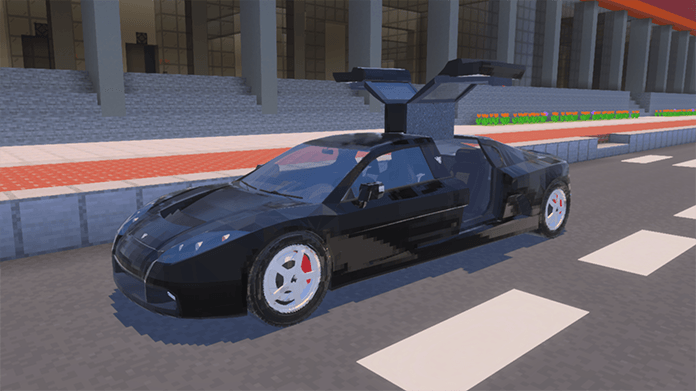
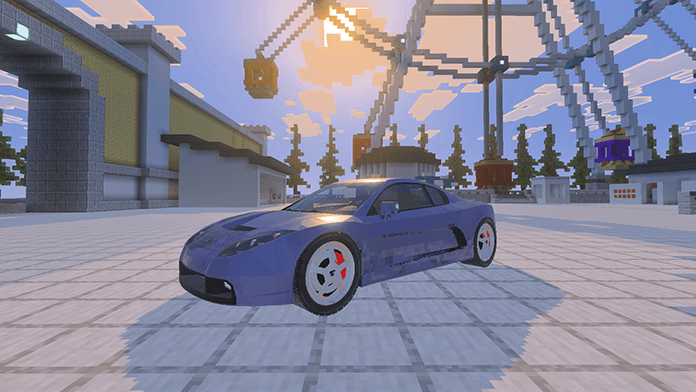
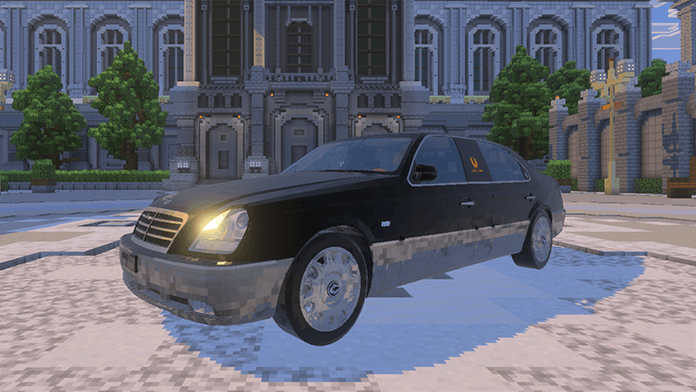
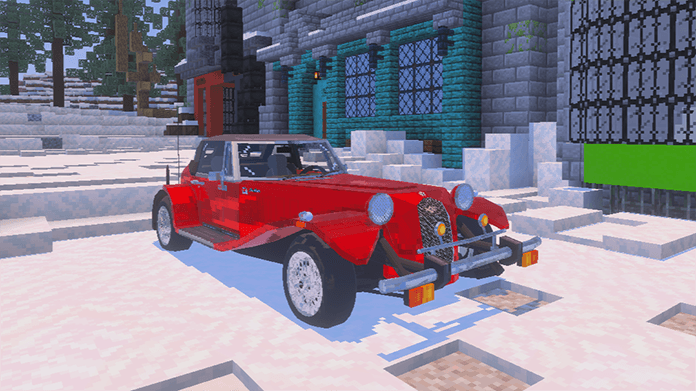
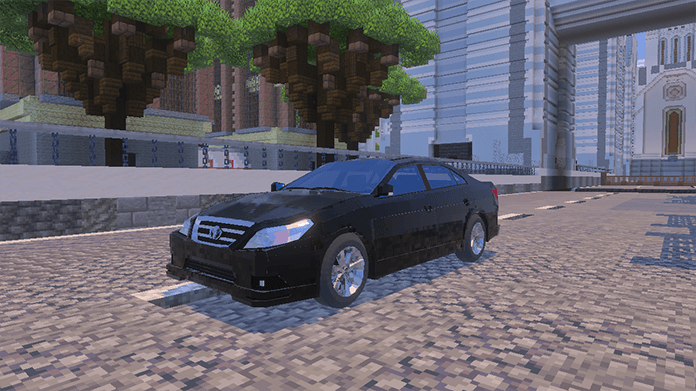
Hello, this is a vehicle add-on that incorporates a nearly finished version of the XK Engine, which was under development as the successor to the fLUX Engine. While the engine is almost fully functional, it is not yet complete, and development has been discontinued. We are releasing it in its current state based on its current functionality. There are no plans for future updates.
The instructions below are from the fLUX Engine era. While they are still largely compatible, some features have changed, and the Discord invite link no longer works.
What is fLUX Engine?
fLux Engine is a fundamental add-on that transforms a basic vehicle add-on—once limited to boarding and movement—into a fully immersive driving experience with realistic features.
It must be used with a compatible vehicle add-on to function properly.
Here is the list of currently compatible fLUX Engine add-ons.
🔧 Routine engine oil maintenance is necessary for safe driving.
💡 Vehicle Functions & UI
💡 Lighting Features
Headlights, high beams, fog lights, reverse lights
🚦 Left/right turn signals & hazard lights
🪟 Window Control for Each Seat
👥 Toggle Passenger Boarding On/Off
🎨 Enable/Disable Vehicle Customization Mode
📢 Honk the Horn
🔧 Exclusive Features for Certain Vehicles
🔑 Vehicle Key System
🚘 When spawning a vehicle, a unique key for that specific vehicle is automatically provided.
🔐 Keys cannot be used on other vehicles, even of the same model.
🗝️ Backup Key Available—Each vehicle receives two keys (one main, one spare) in case of loss.
🚗 Keys must be held to interact with the vehicle for boarding.
🔧 Vehicle Repair System
If a vehicle's HP decreases, you can restore its health by using Iron Ingots, Gold Ingots, Emeralds, Diamonds, or Netherite Ingots on the vehicle.
💡 Vehicle Spawning & Crafting
🛠️ Creative Mode—Vehicles can be instantly spawned using vehicle spawn eggs.
🏗️ Survival Mode—Vehicles must be crafted using unique recipes
📦 Trunk System
🚪 Selecting the open trunk option reveals the vehicle's rear trunk compartment.
📦 Interacting with the trunk displays a dedicated inventory UI.
🎒 Items can be stored inside the trunk for later use.
🎵 Vehicle Music System
🎶 All vehicles can play Minecraft's default disc music.
📀 Two types of music playback
🎼 Built-in Music Vehicles—Some vehicles have music stored internally, allowing immediate playback.
💿 Disc Music Vehicles—Requires collecting a music disc and inserting it while the engine is running, similar to a CD player.
🎨 Vehicle Customization Mode
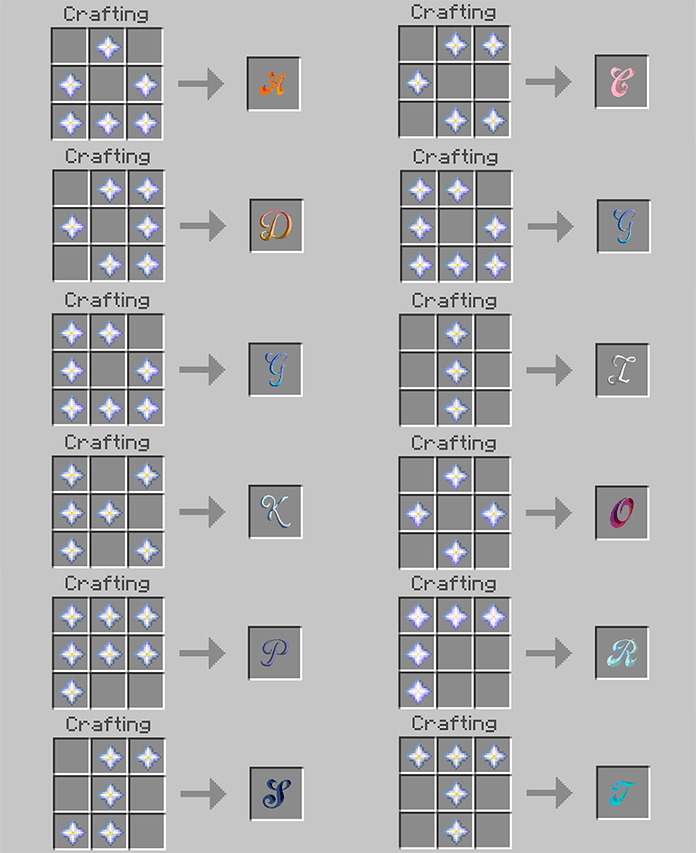
🎨 Paint spray items No.1 to No.12 can be obtained at gas stations.
🌈 Activating customization mode displays rainbow-colored particles near the vehicle's front.
🖌️ Interacting with the vehicle while holding a paint spray item changes its color.
🚗 Each vehicle has different preset color options, allowing unique customization.
⚠️ Collision & Damage System
🚗💥 Vehicles deal speed-based damage when colliding with monster entities.
⚡ The faster the speed, the greater the impact damage.
⏬ Upon collision, vehicle speed temporarily decreases, while the monster takes severe damage.
🏎️ Exclusive Features for Convertibles & Sports Cars
🌞 Convertible Roof System
🏎️ Convertible vehicles allow opening and closing their roof.
🎛️ The main UI provides roof control options.
⚡ DashBoost System (Exclusive to Sports Cars)
🏎️ DashBoost is a unique ability available exclusively for certain designated sports cars.
🏇 It functions similarly to the camel's Dash ability but is faster and lasts far away.
⛽ Consumes additional fuel when activated.
⏳ Has a cooldown period, requiring strategic use.
🚀 Only activates in the main UI when the vehicle reaches its maximum speed.
🏪 Gas Station System
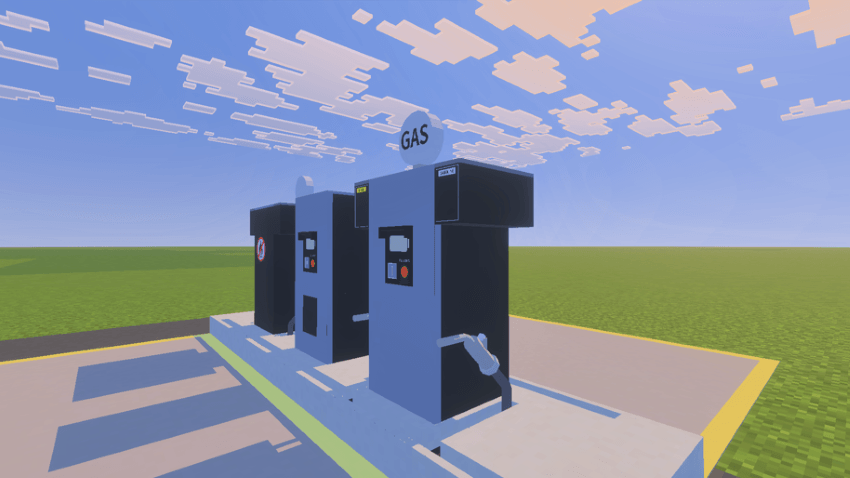
⛽ Gas Station Spawn & Management
🎯 Gas stations can be spawned using a dedicated spawn egg or crafted via Survival Mode recipes.
🏆 The player who spawns the gas station becomes its owner.
🔑 Owners receive two gas station management keys (one main, one spare).
📋 Gas Station Menu
🛢️ Displays current available fuel amount.
🔄 Fuel token generation – Allows other players to refuel using generated tokens.
🏎️ Fuel, engine oil, and paint distribution.
🔧 Owners can distribute fuel and engine oil for vehicle maintenance.
🎨 Paint sprays are available for vehicle customization mode.
🔑 Token-Based Refueling System
🏷️ Token Generation
Gas station owners generate tokens for vehicle refueling.
Tokens are used when players request refueling.
⛽ Refueling Process
The gas station owner provides a fuel token.
The player holds the token and interacts with the gas station.
📡 The gas station automatically detects nearby vehicles and lists them.
🚗 The player selects their vehicle from the list.
⏳ After 5–10 seconds, the vehicle is refueled.
🔋 Gas Station Fuel Refill System
🏗️ Owners can replenish the gas station’s fuel using coal items.
🔄 Interacting with the gas station while holding coal automatically refills the fuel supply.
💎 1 coal adds 1,000 liters of fuel instantly.
⚙️ Maintaining a sufficient coal stock ensures stable fuel availability.
⚠️ Gas Station Safety Guidelines
🔥 Never bring fire or explosives near the gas station.
🚨 Hazardous risks
💥 Direct fire, Creeper explosions, or lightning strikes can cause an explosion.
⛽ A gas station with stored fuel will detonate if exposed to such dangers.
🛠️ Proper management is required to ensure safe gas station operations.
🏗️ Just like real-world gas stations, players should build a roof structure over the gas station entity for added protection.
🌧️ A roof can shield the gas station from environmental hazards like rain or lightning.
🚗 Having a covered gas station makes it look more realistic and secure.
🔍 Owners should eliminate potential fire and explosion hazards to prevent accidents.
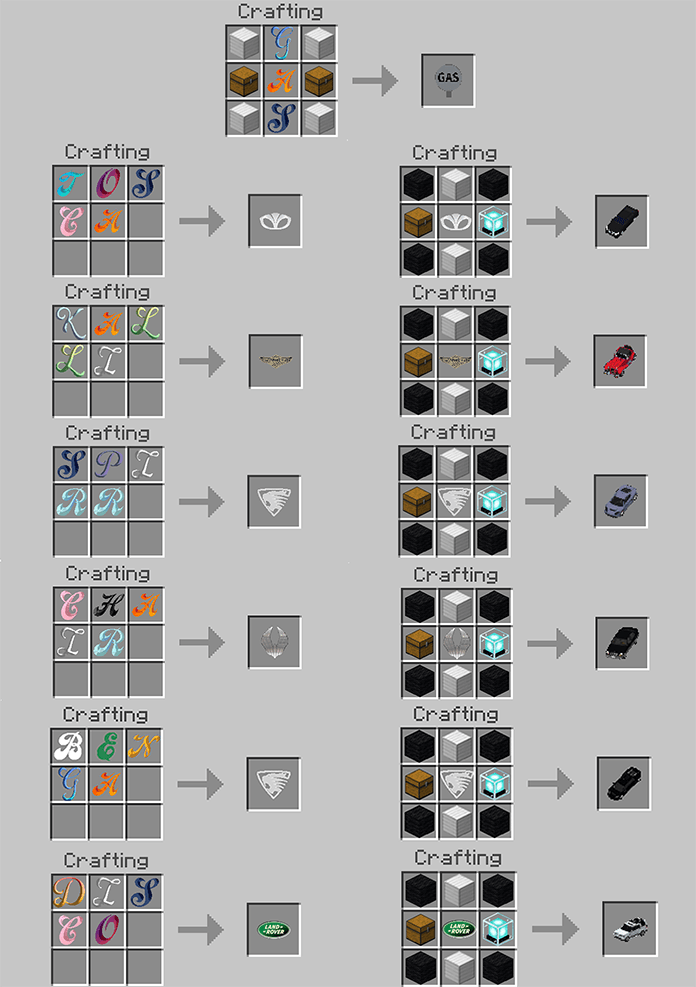
🚗 Vehicle Crafting Recipe Guide
In Survival Mode, vehicles can be crafted manually.
Each vehicle requires specific materials, which must be combined according to the crafting image provided below.
📲🗺️ When applying it to the your map …
When applying it to the map, please ensure that Flux Engine is placed at the top.
For resource packs, if you are using the Non-commercial Kit*, place it behind Flux Engine, as shown in the image below.
Behavior Pack (example)
ResourcePack (example)
*CYBOX vehicle addons are provided without vehicle emblems and logos by default.
This measure ensures compliance with Mojang EULA's commercial use guidelines by removing conflicting elements.
If you want to use the removed elements, you can apply the Non-commercial Kit resource pack, which is offered separately from Flux Engine.
However, any issues arising from using this pack are the sole responsibility of the user.
Credit - CYBOX DIGITAL ENTERTAINMET
iMasterProX – Director, Lead Planner, Vehicle Modeling, and General Resource Manager
NeroLuna – UI Resource Designer
GooGoo – Icon Resource Artist (External Contributor)
Saegyun – Particle Effects Designer
Lemon7679 – Lead Developer, Script Engineer
Namsic – Assistant Developer, Code Reviewer
0905car - SsangYong Chairman 2003 3D Model Maker
Special Thanks
aparu773 - Assistant Developer when LemonONE
BirDev01 - Command Consultation
DominoKorean - PBR Texture Resource Consultation
elemen- Assistant Developer when LemonONE
HXXNIVERS - fLux Engine~LemonONE Logo Designer
killsystem10 - Vehicle System Consultation
KoreanSL - Assistant Developer when LemonONE
Our Minecraft Space
We are not related to CYBOX Shader, which operates in MC Java Edition. However, their work is truly impressive! If you play MC Java Edition, we highly recommend trying out CYBOX Shader.
Credit - CYBOX and Contributor
(General) iMasterProX – Director, Lead Planner, Vehicle Modeling, and General Resource Manager
Daewoo Tosca 08~10 ::: BetaSexy - Assistant Developer when 2021
Panther Kallista 1992 ::: Dr. Neil Watts - Resource OBJ convert when 2023
Oullim Spirra 2010 ::: Oullim Motors - Name usage permission and design verification
I have purchased the rights to use the model and received permission to include it in the addon. The model itself has been split and obfuscated, making it impossible to extract through conventional methods. Even if someone attempts to extract it, the implementation structure has been deliberately made complex to prevent typical extraction approaches. It is distributed in this protected form.
Land Rover Discovery4 2016 ::: Father - vehicle owner, provided reference for dashboard indicators and engine start-up sound
⚠️ Notice
fLUX Engine is currently in public beta, and some features may not function correctly. If you encounter any issues, please join the CYBOX Bedrock Technical Center Discord server and submit your bug feedback. We will do our best to fix them! 🚀🔧
🚗 If you are a vehicle addon creator, CYBOX provides guidelines and development support to help integrate fLUX Engine with your project.
The source code is strictly private, and the script section is especially managed by CYBOX with great importance. Please do not modify or distribute it without permission. 🚀🔒
This addon is only distributed through the following official platforms:
CurseForge-MCPE DL
Addons for Minecraft
Our Minecraft Space
NOT AN OFFICIAL MINECRAFT PRODUCT. NOT APPROVED BY OR ASSOCIATED WITH MOJANG OR MICROSOFT
🌍 Supported Languages
This addon currently supports the following languages:
🇰🇷 Korean
🇺🇸 English (US)
🇬🇧 English (UK)
🇧🇷 Brazilian Portuguese
🇮🇳 Hindi
🇹🇷 Turkish
🇨🇳 Chinese (Simplified)
🇹🇼 Chinese (Traditional)
🇷🇺 Russian
ENJOY!
The CYBOX ONE Vehicles Collection v3 with XK Engine Team
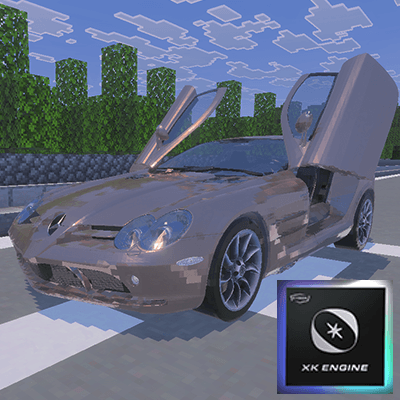
Elegant power reimagined. Unleash a premium limousine sedan with iconic gull-wing doors—crafted from the original concept, reborn for your world. Sophisticated styling meets futuristic flair.
Elegant power reimagined. Unleash a premium limousine sedan with iconic gull-wing doors—crafted from the original concept, reborn for your world. Sophisticated styling meets futuristic flair.