Beacon - Mod Telemetry & Stats
- By
The all-in-one telemetry solution for Hytale mods: a runtime that runs in-game, a web portal for mod authors, a public mod stats list, and a server browser that helps players find verified servers by mod.
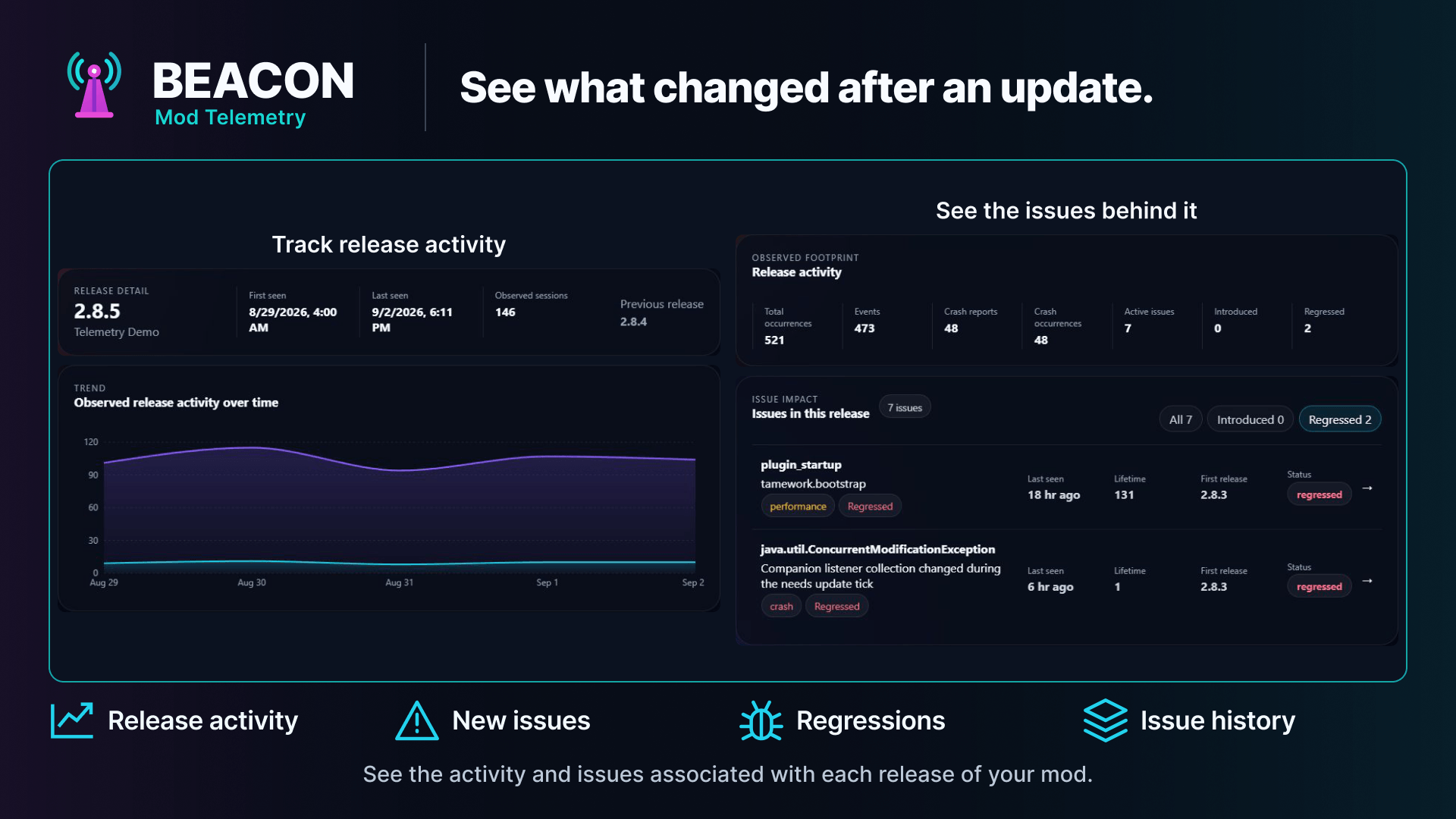
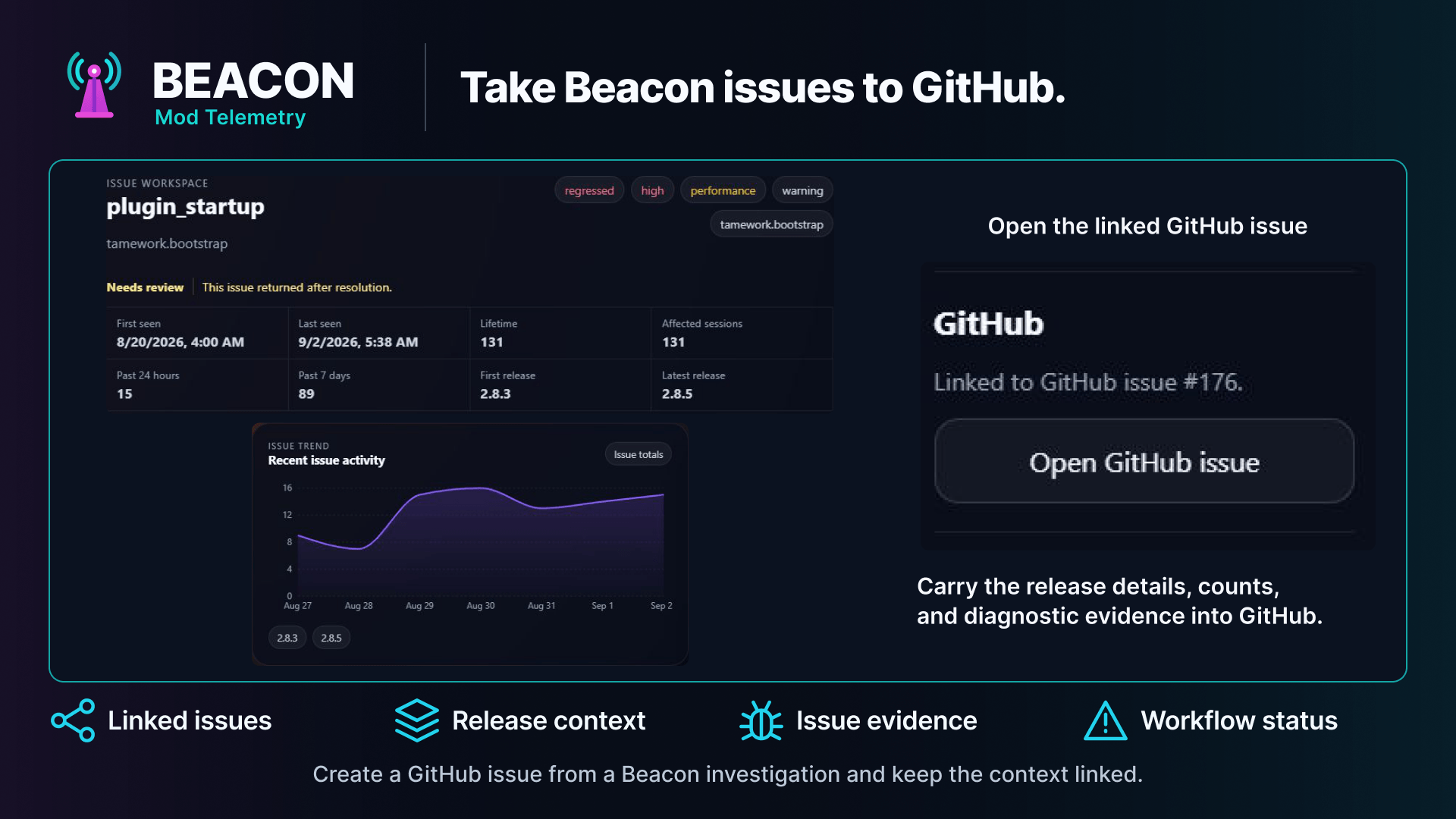
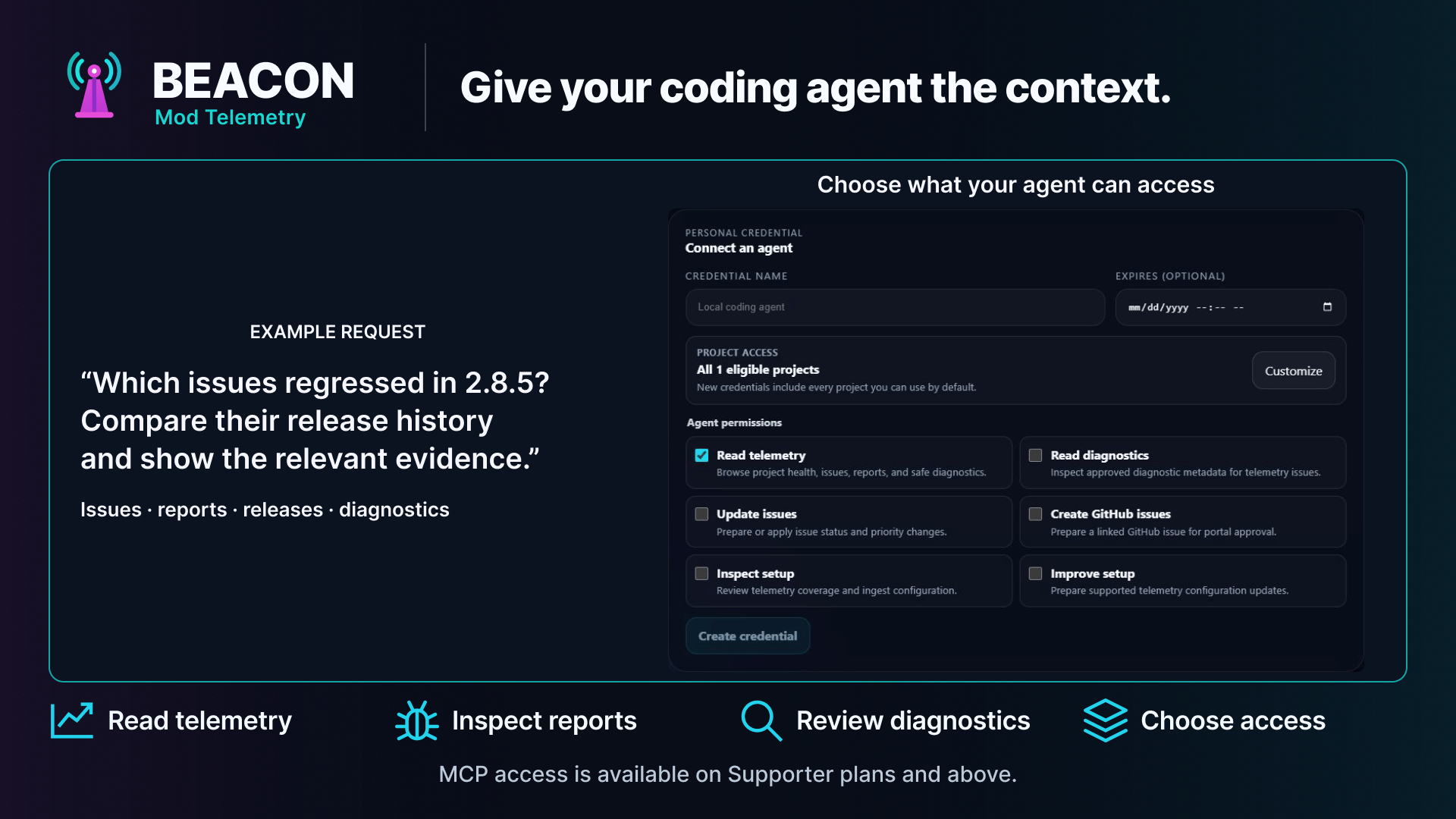
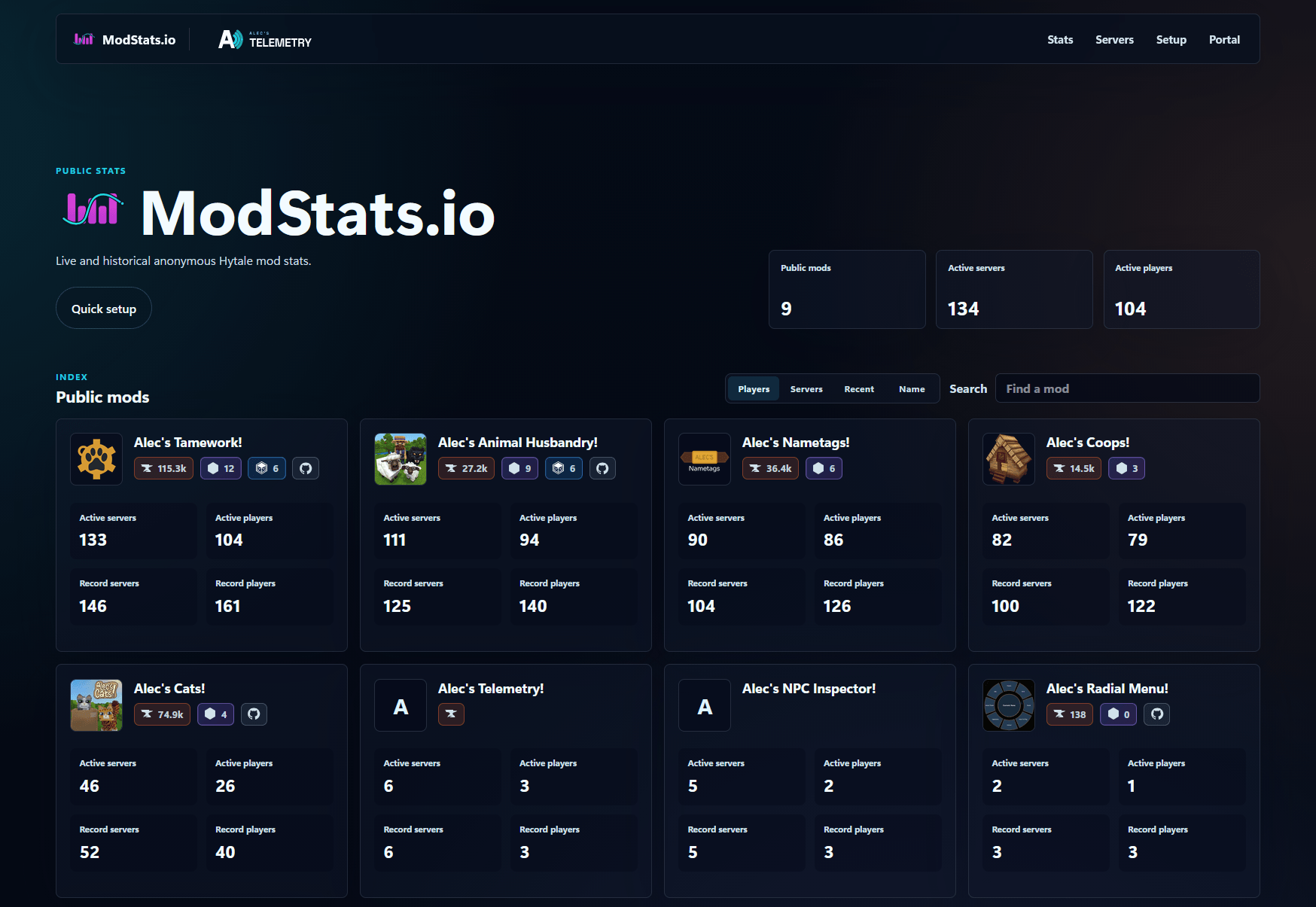
ModStats.io Mod Listings
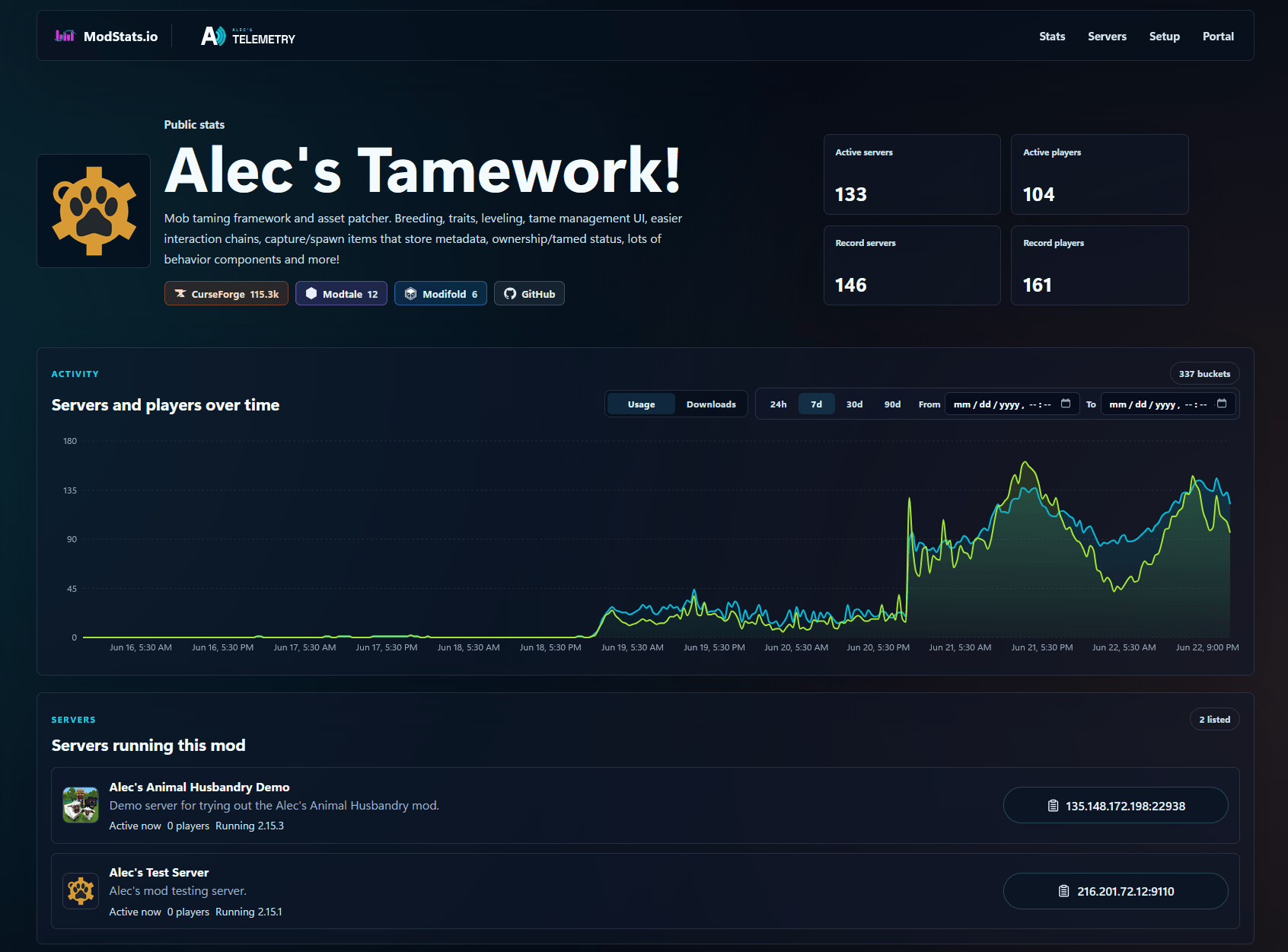
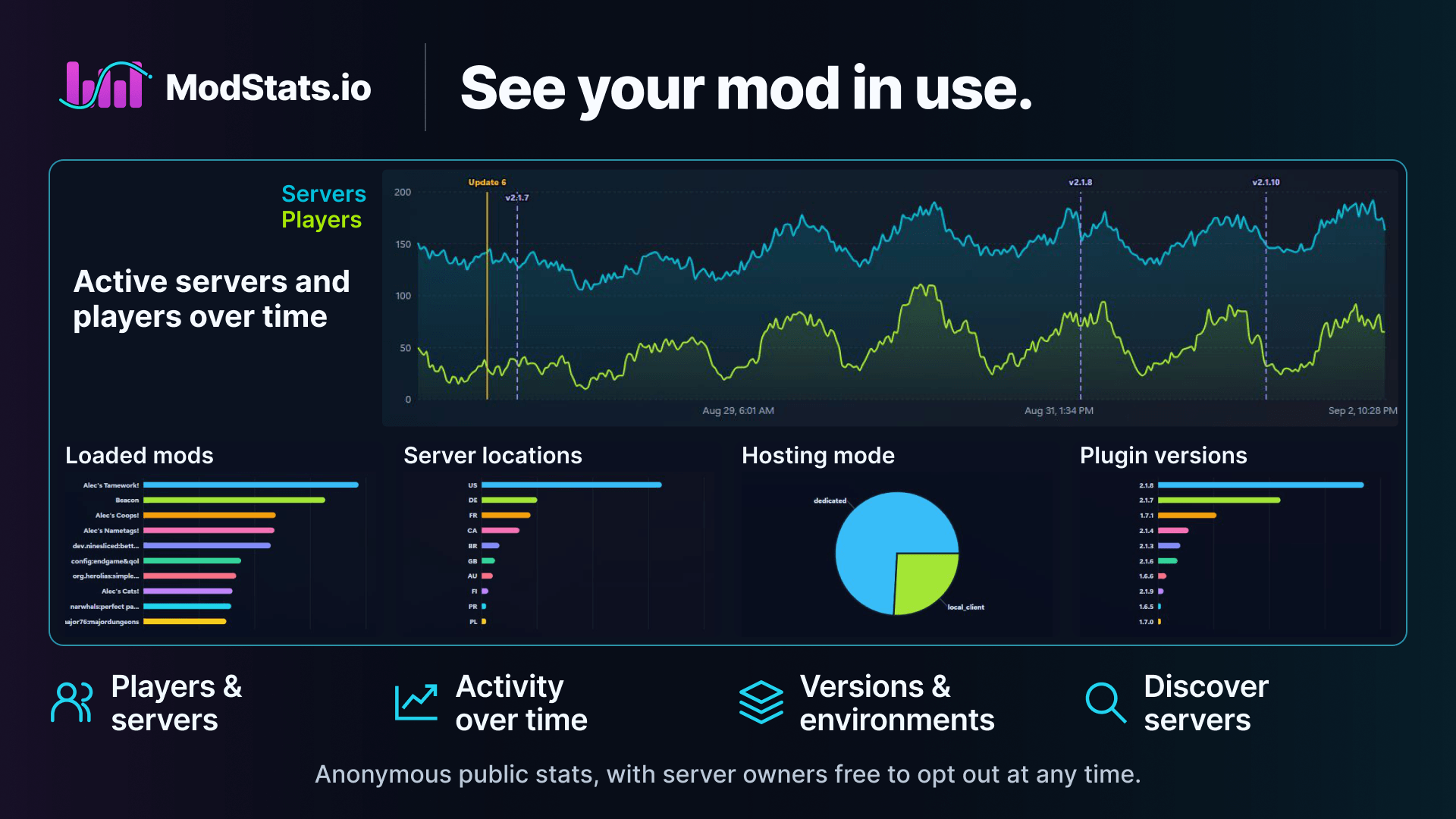
ModStats Mod Activity Monitoring
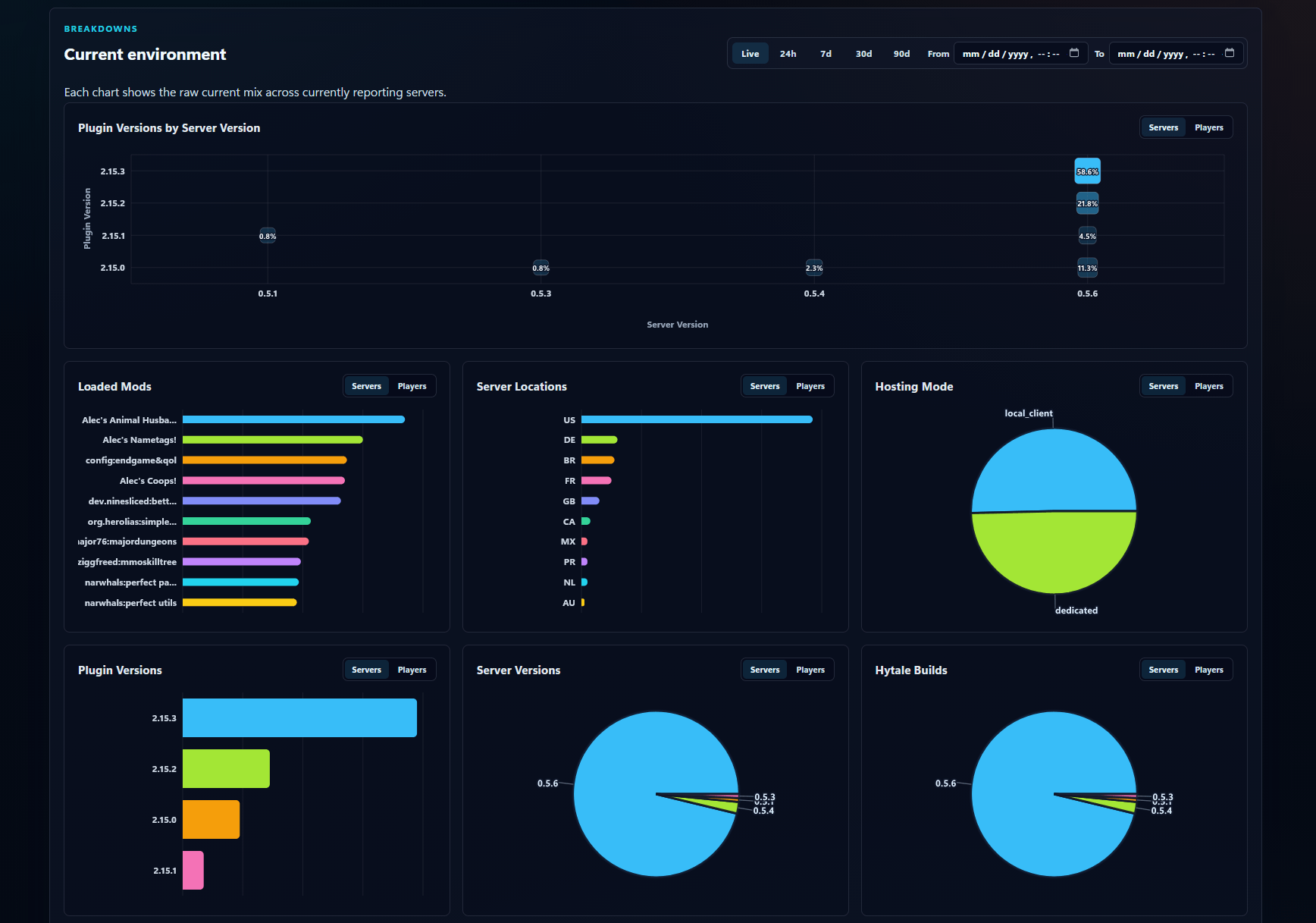
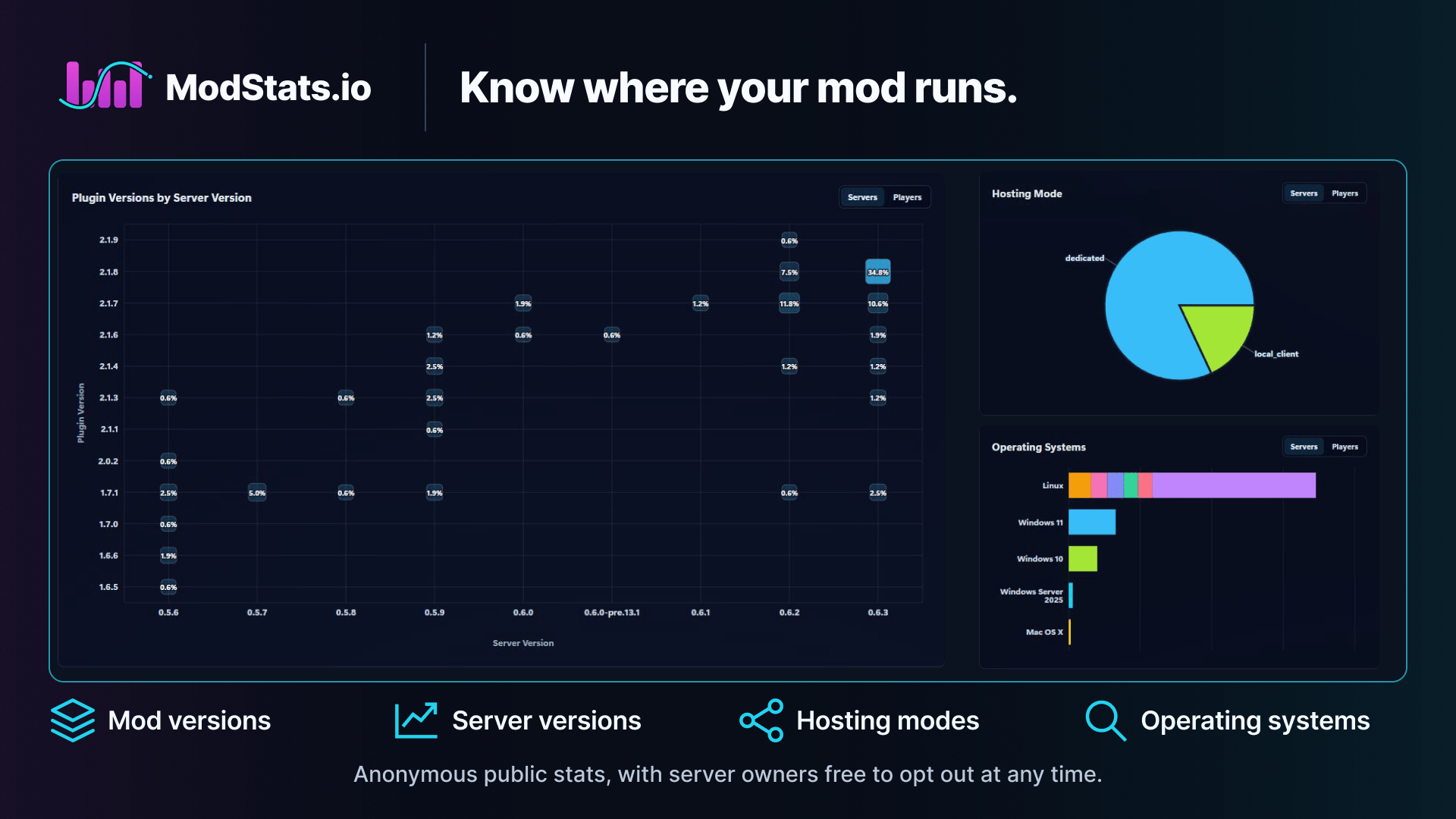
ModStats Mod Metrics Breakdowns
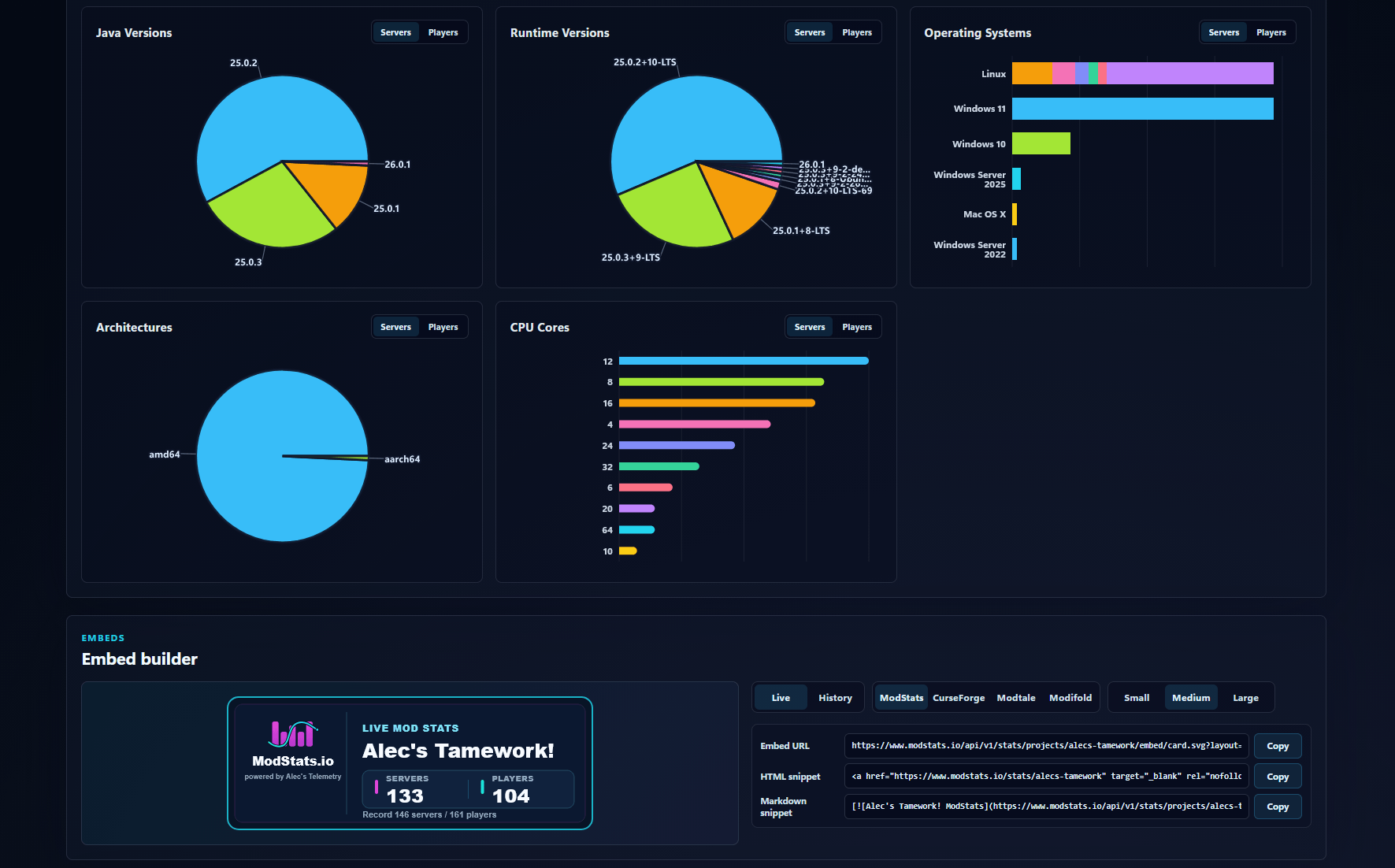
ModStats Mod Metrics Breakdowns Continued
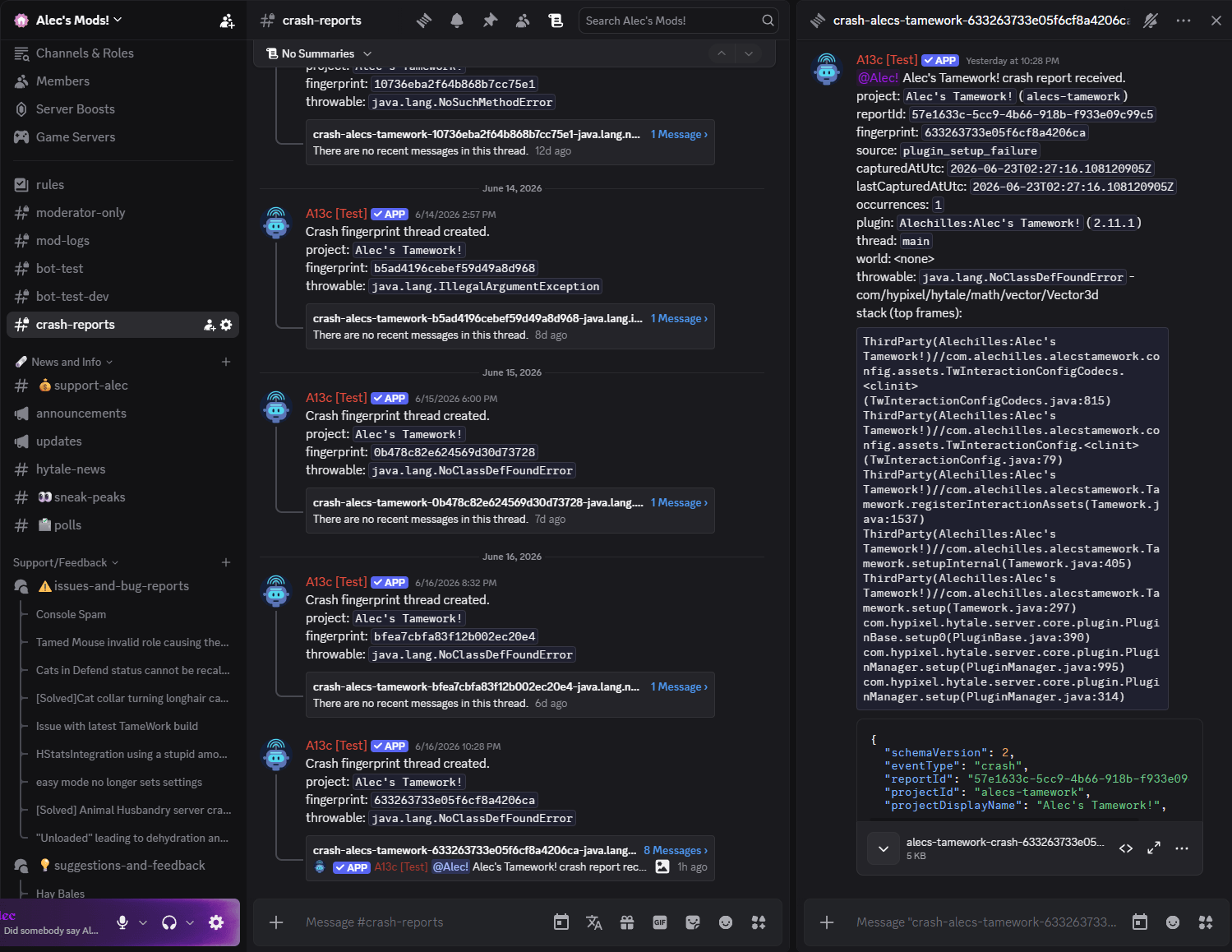
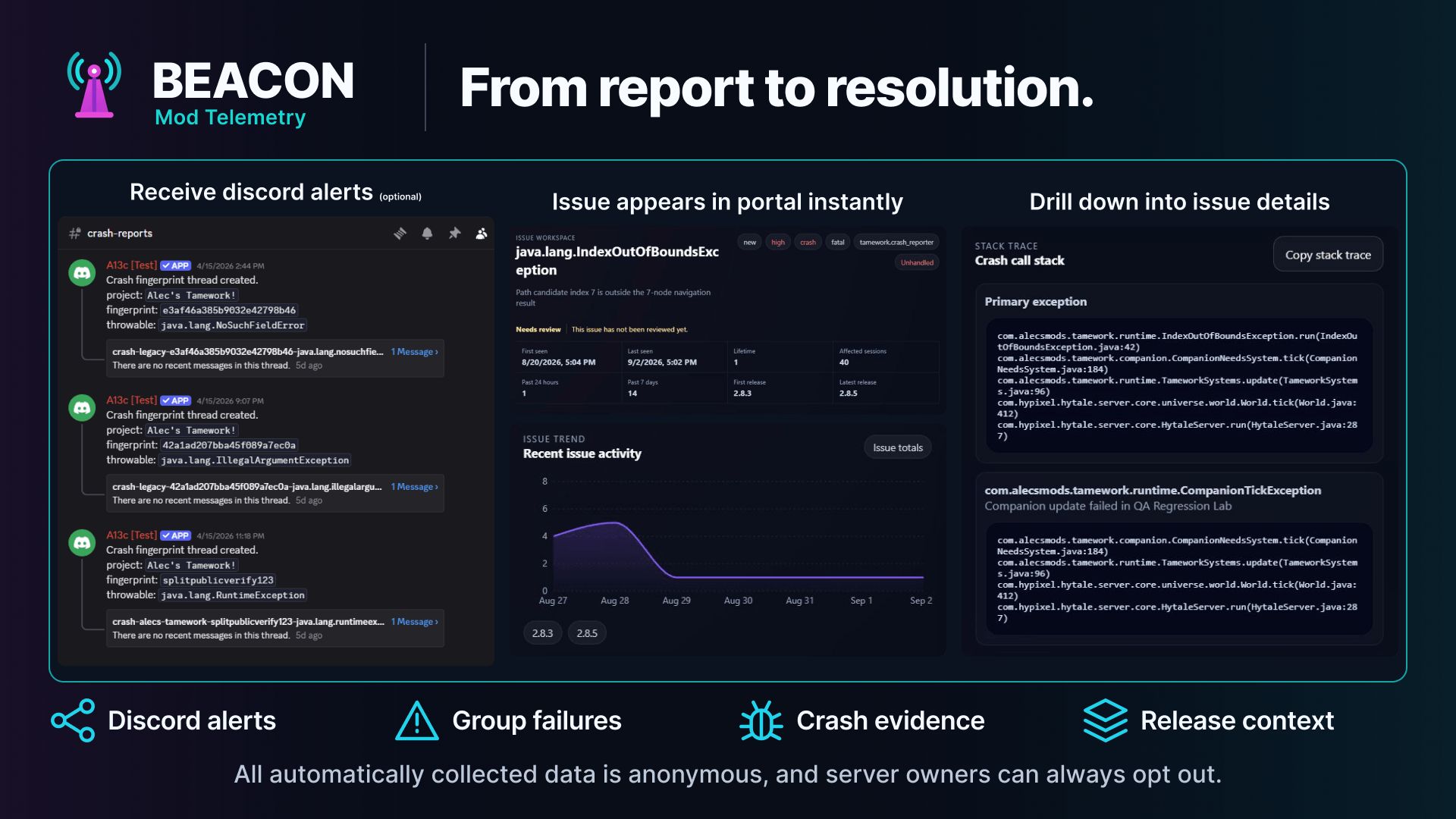
Important crash reports sent instantly to any discord channel with plenty of details to diagnose the issue.
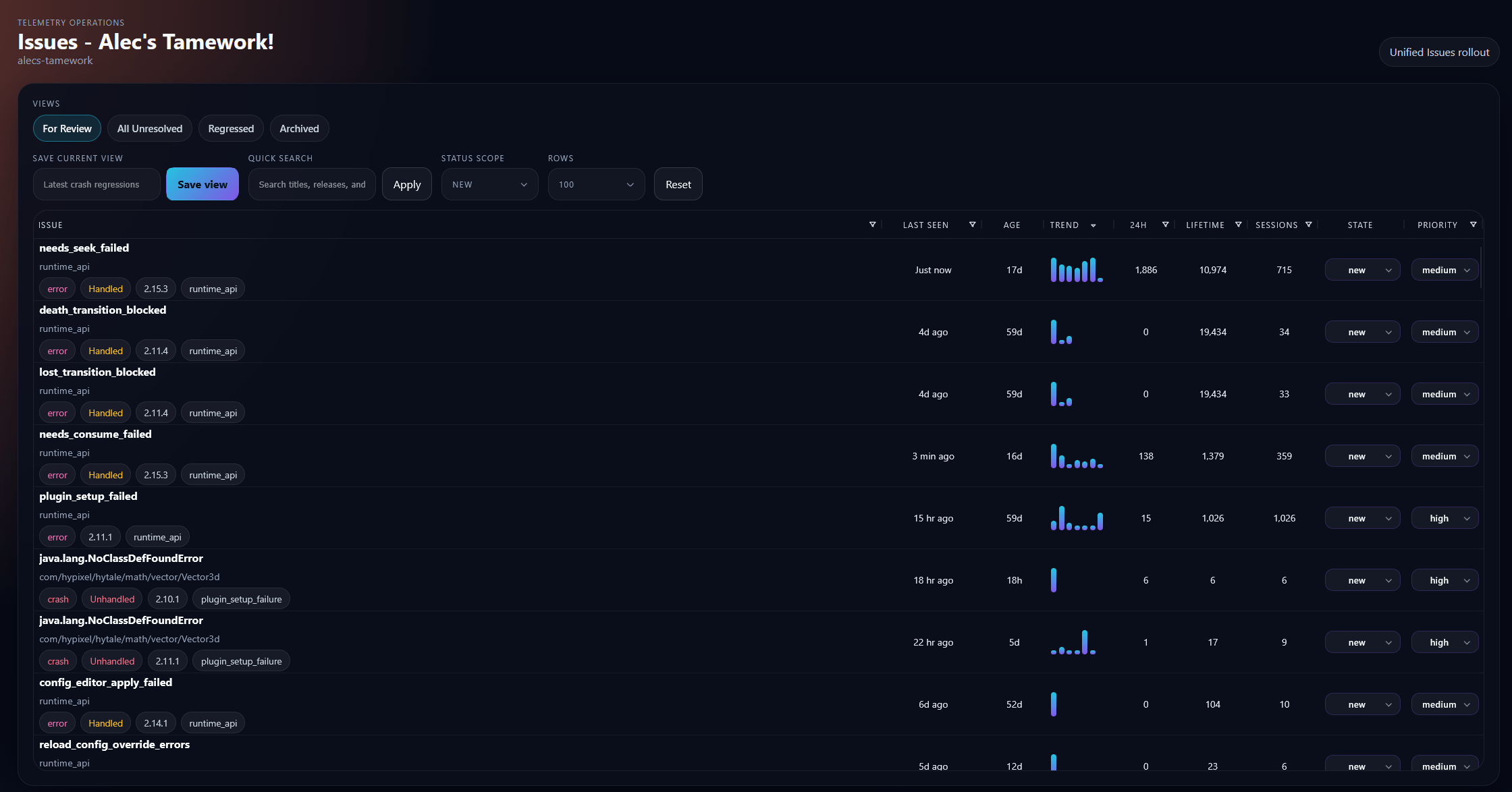
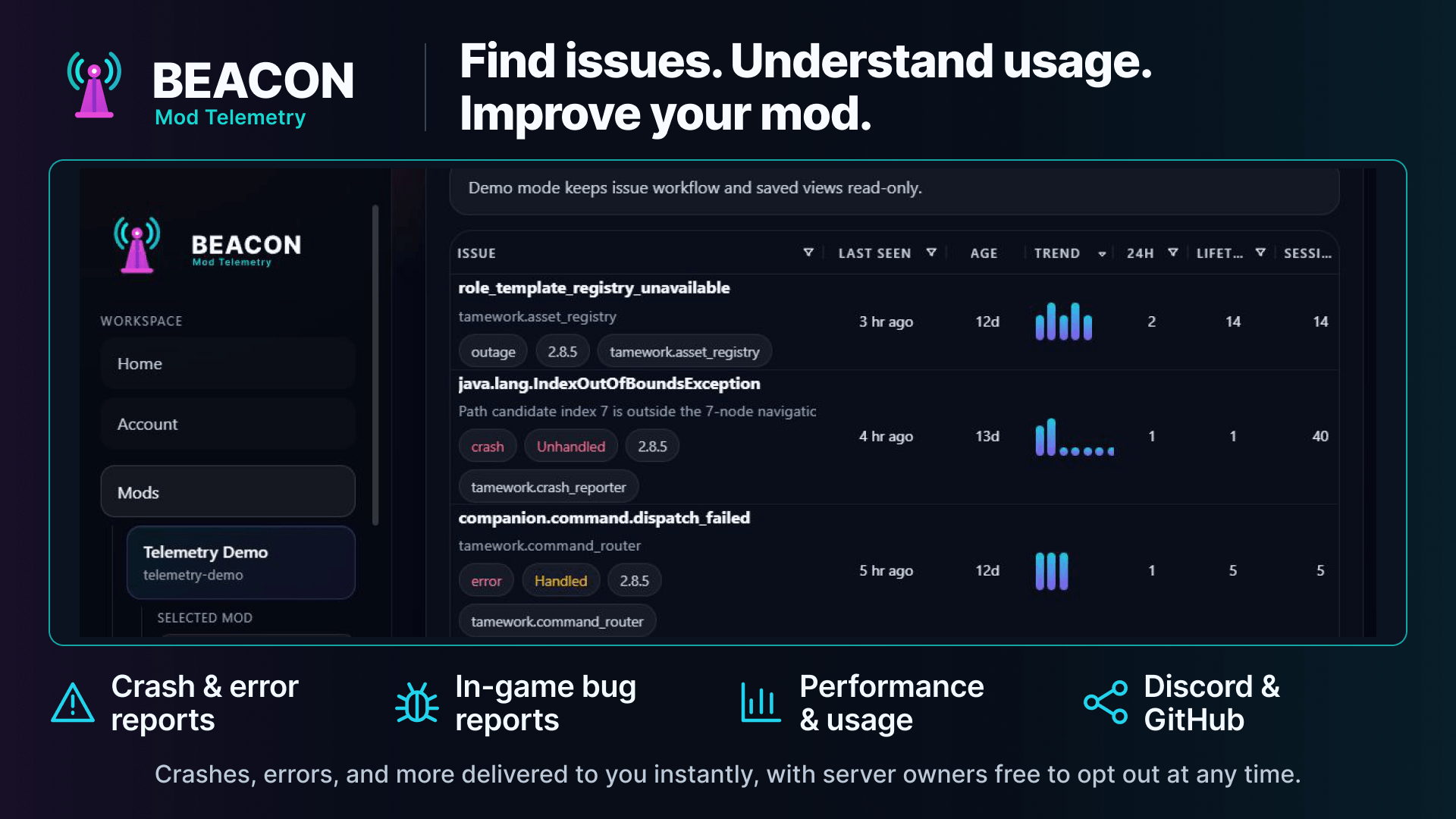
Alec's Telemetry Issue Reporting
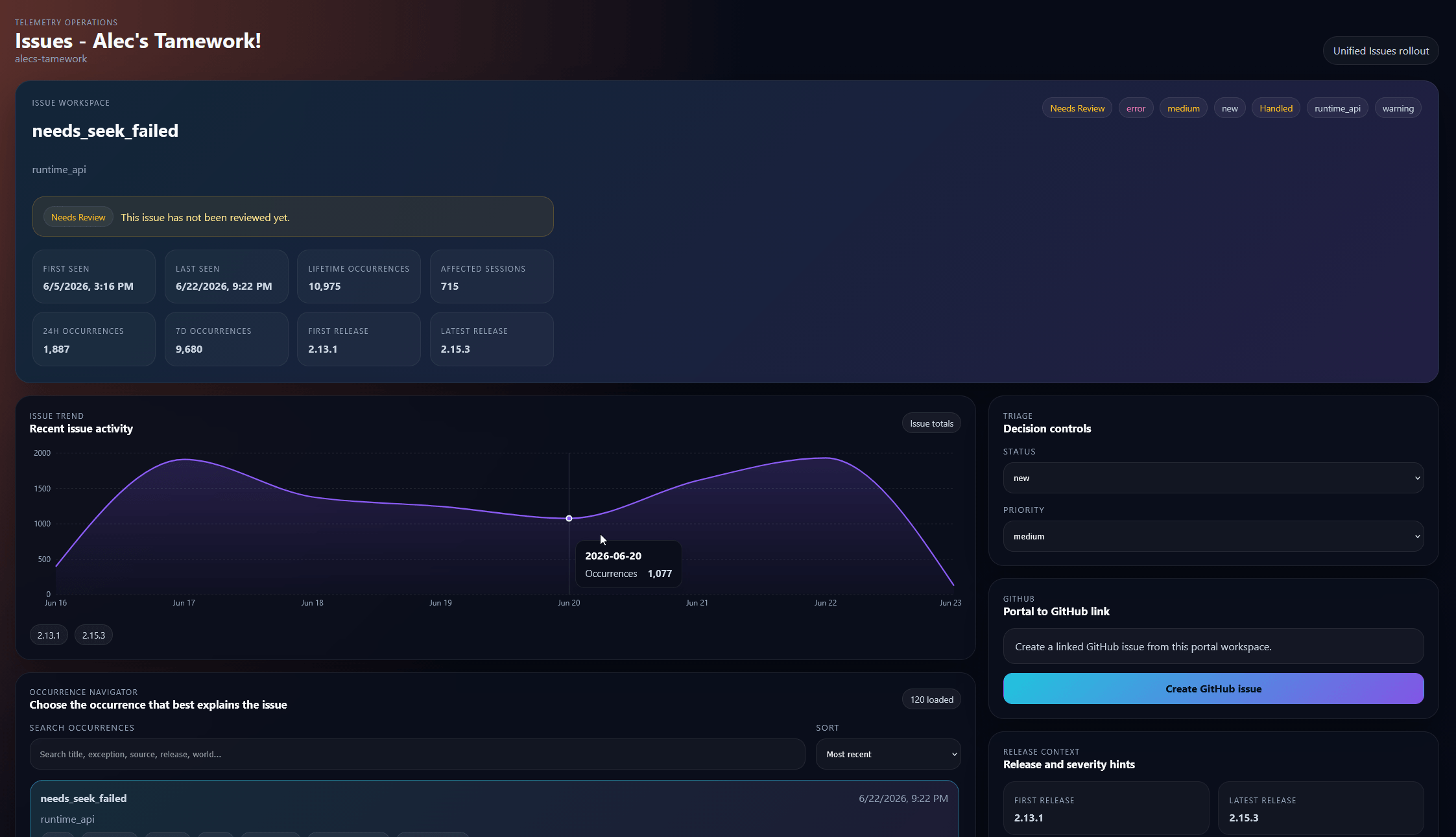
Alec's Telemetry Issue Details
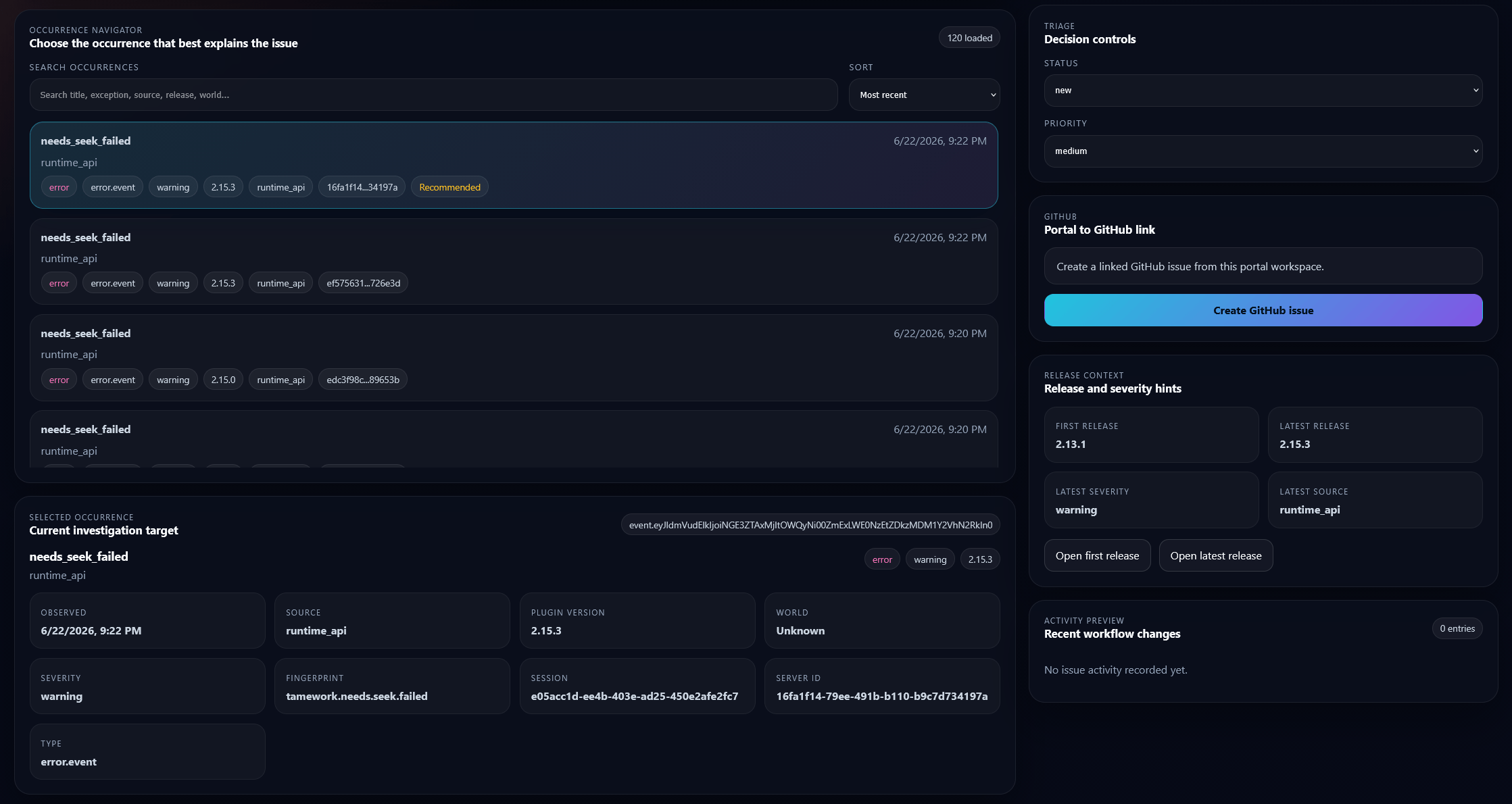
Alec's Telemetry Issue Details Continued
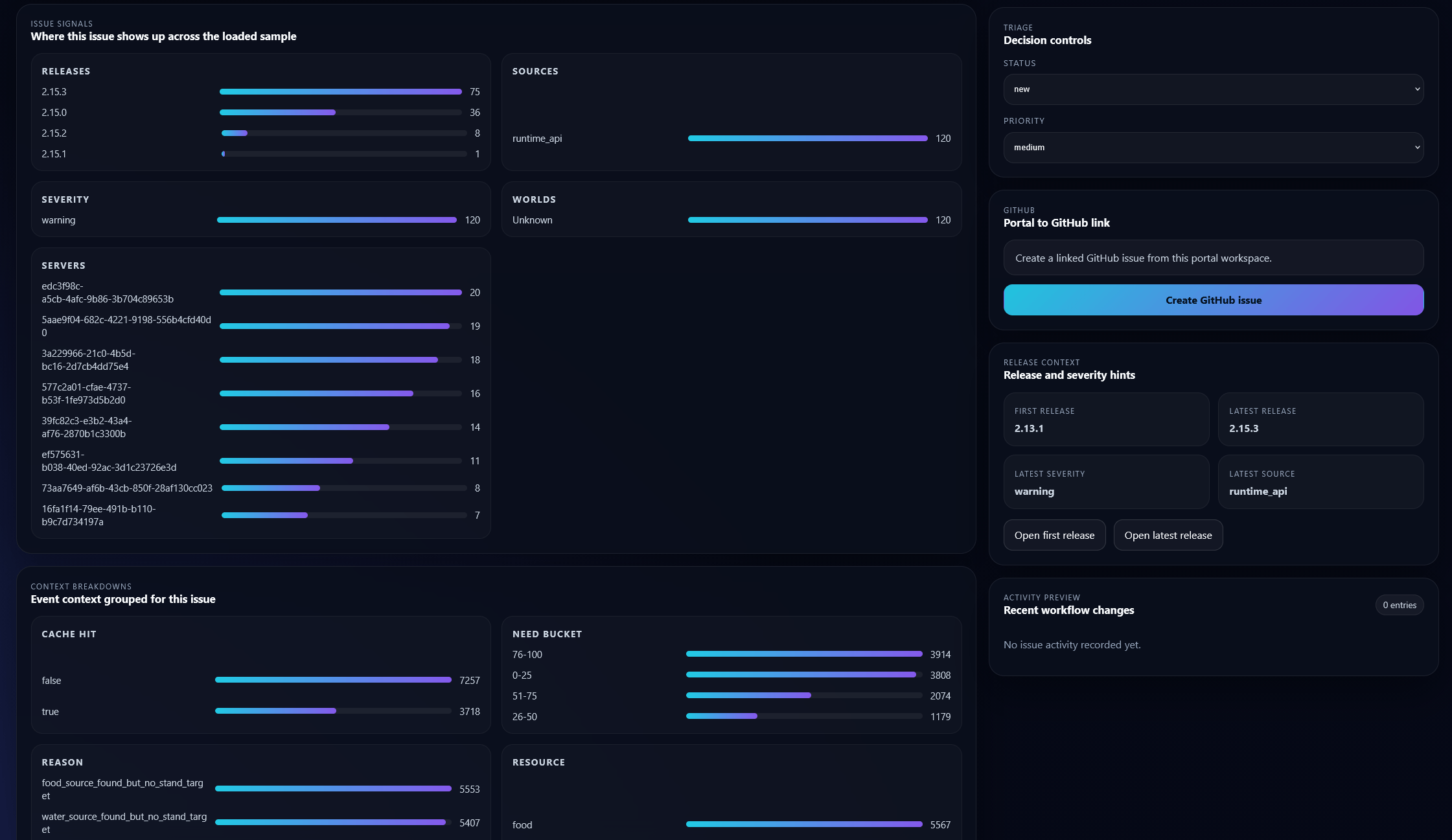
Alec's Telemetry Issue Details Continued
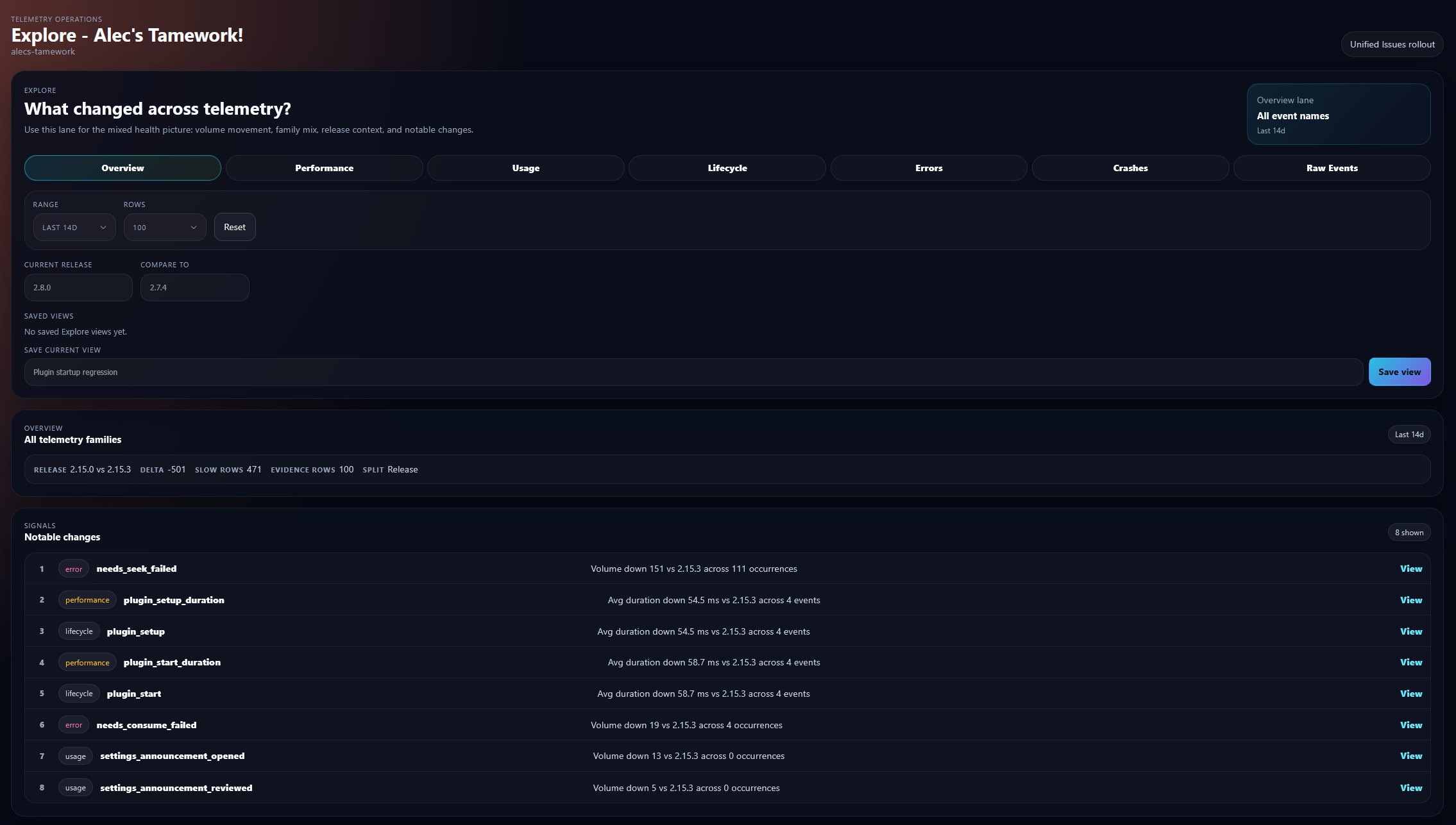
Alec's Telemetry Event Diagnostics
Description

Beacon is the all-in-one telemetry solution for Hytale mods: a runtime that runs in-game, a web portal for mod authors, a public mod stats list, and a server browser that helps players find verified servers by mod.
It started as crash reporting, but it now covers the broader support loop around a mod: attributed crashes, structured errors, automatic diagnostic bundles, lifecycle and performance events, anonymous usage stats, manual player issue reports, project access, ingest keys, and portal-based triage.
Open Beacon Portal | Runtime Downloads | View Public Stats | Browse Servers | Join Discord
The Combined Solution
Beacon works best as a pair:
- the runtime discovers telemetry-enabled mods, applies consent and server-owner overrides, queues reports locally, and uploads sanitized envelopes
- the web portal owns projects, keys, memberships, issues, manual reports, stats, server profiles, public visibility, and operator workflows

Most mods should use the web portal. If you need to send data to your own backend, the same runtime can target custom endpoints instead.
What It Handles

- Crash and setup failure capture: attributed stack traces, fingerprints, breadcrumbs, local queueing, and hosted issue grouping.
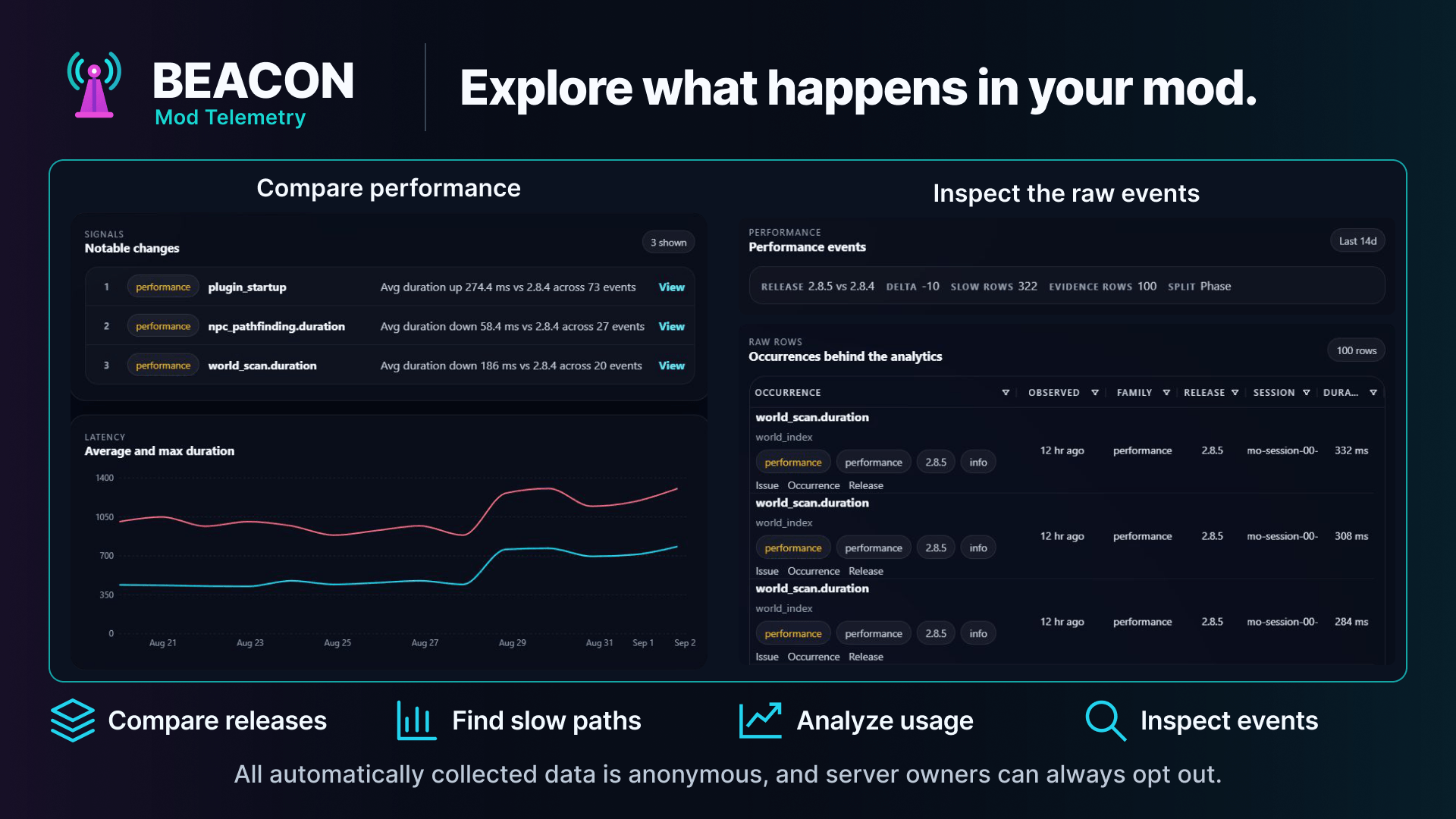
- Structured runtime events: explicit errors, lifecycle timings, performance measurements, feature usage events, and descriptor-validated Event Context.
- Diagnostic bundles: bounded automatic technical evidence with opaque
attachments and project-scoped issue grouping. Diagnostics has its own
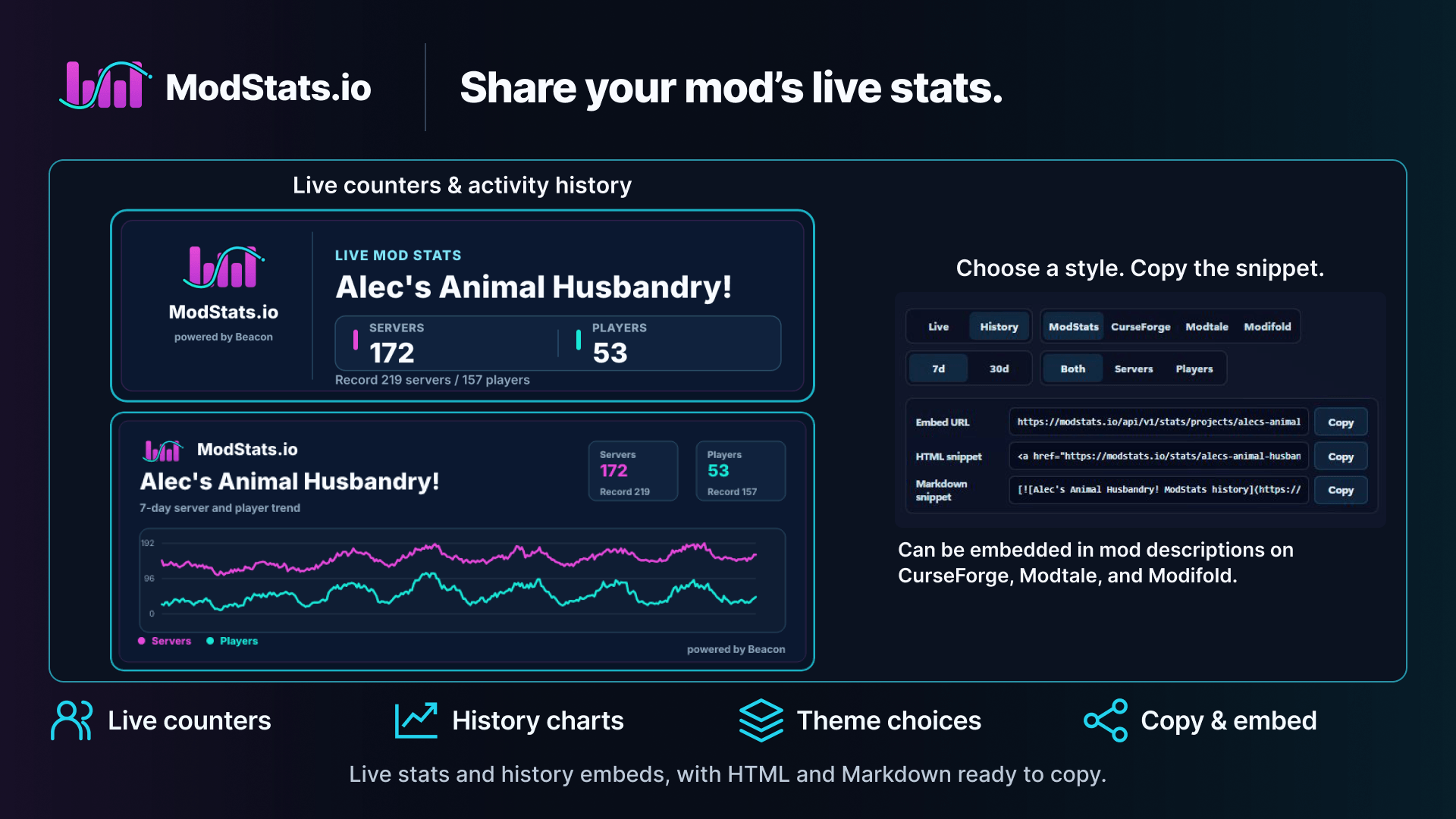
Diagconsent category and is independent from Error events. - Public usage stats: aggregate active servers, active players, environment breakdowns, versions, loaded mods, and public embed cards through ModStats.io.
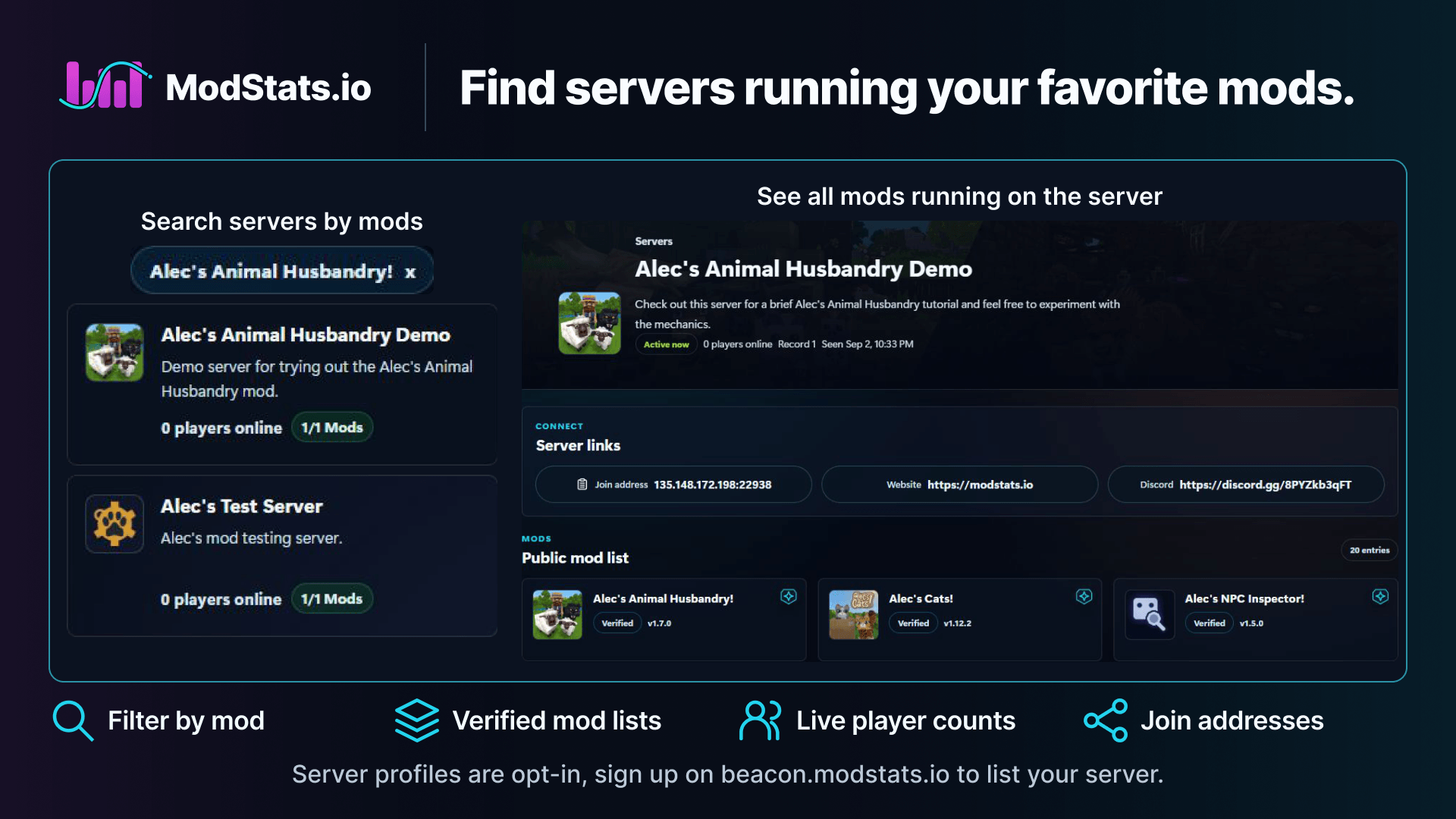
- Server browser: server owners can publish verified public server listings, control public player counts, public mod lists, and join information, and show servers running a public mod.
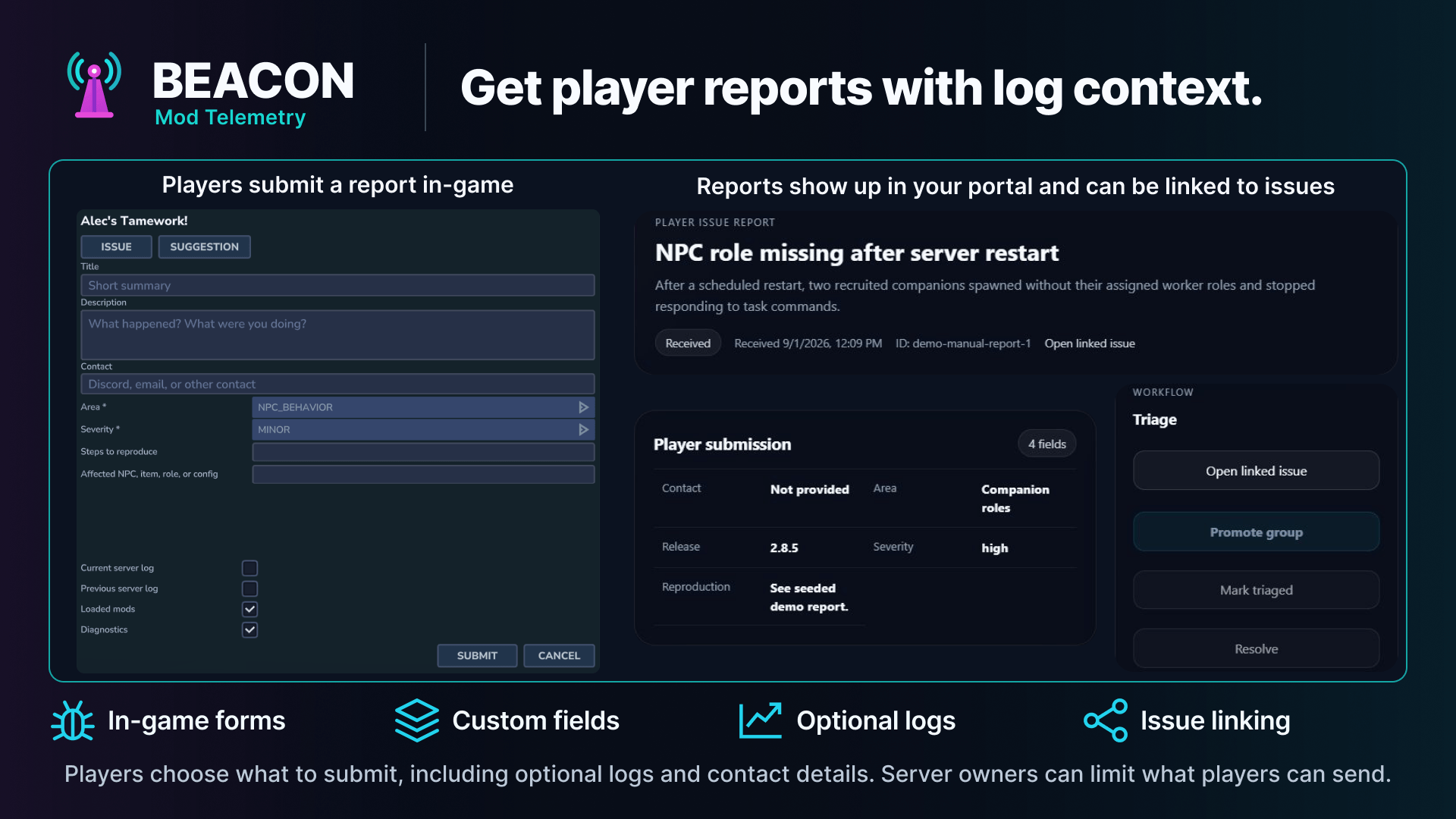
- Manual player reports: in-game issue and suggestion forms with local receipts, optional log attachments, server-owner review controls, and portal follow-up.
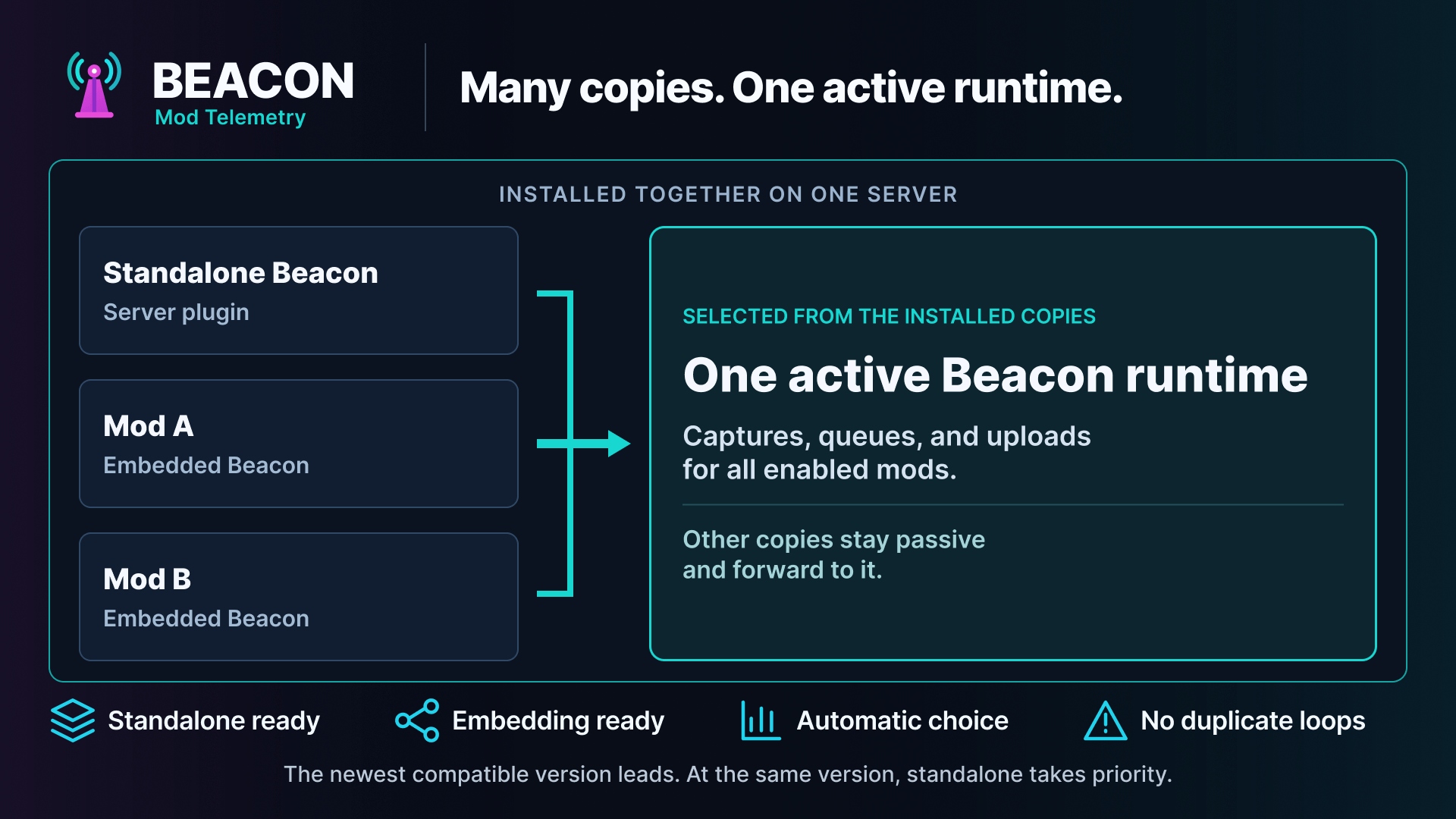
- Runtime coordination: standalone and embedded copies participate in version election so one active runtime can serve all enabled projects.
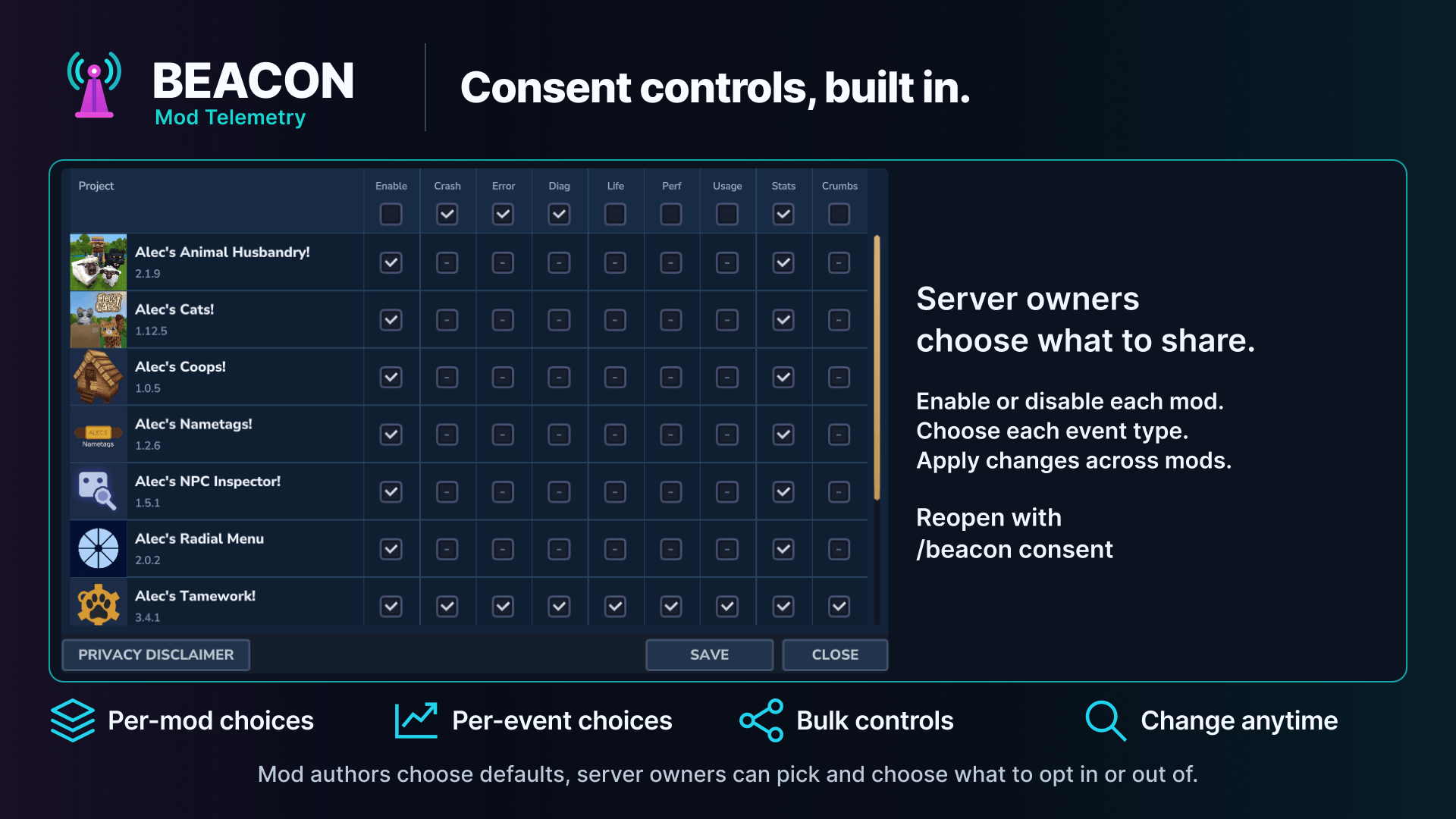
- Consent and overrides: descriptor defaults seed the first-run consent UI, while server owners keep final control through runtime settings and per-project overrides.
Who It Is For
Beacon is meant to benefit everyone in the Hytale modding ecosystem.
For mod authors, Beacon turns real-world support signals into a small, repeatable integration: ship a descriptor, add a portal project key, and let the runtime and portal handle the plumbing.
For server owners, it keeps telemetry visible and controllable. Crash capture,
usage events, performance telemetry, stats, breadcrumbs, reports, and automatic
diagnostics are separate categories with runtime-level controls. Diagnostics is
off by default unless a descriptor explicitly sets defaultEnabled: true.
Server owners can also list a public server after installing Beacon,
without creating a mod project.
For players and communities, it shortens the path from "something broke" to a real fix, while public stats can show whether a mod is actively used without exposing raw server or player data.
Quick Setup For Mod Authors
Conventional host descriptor
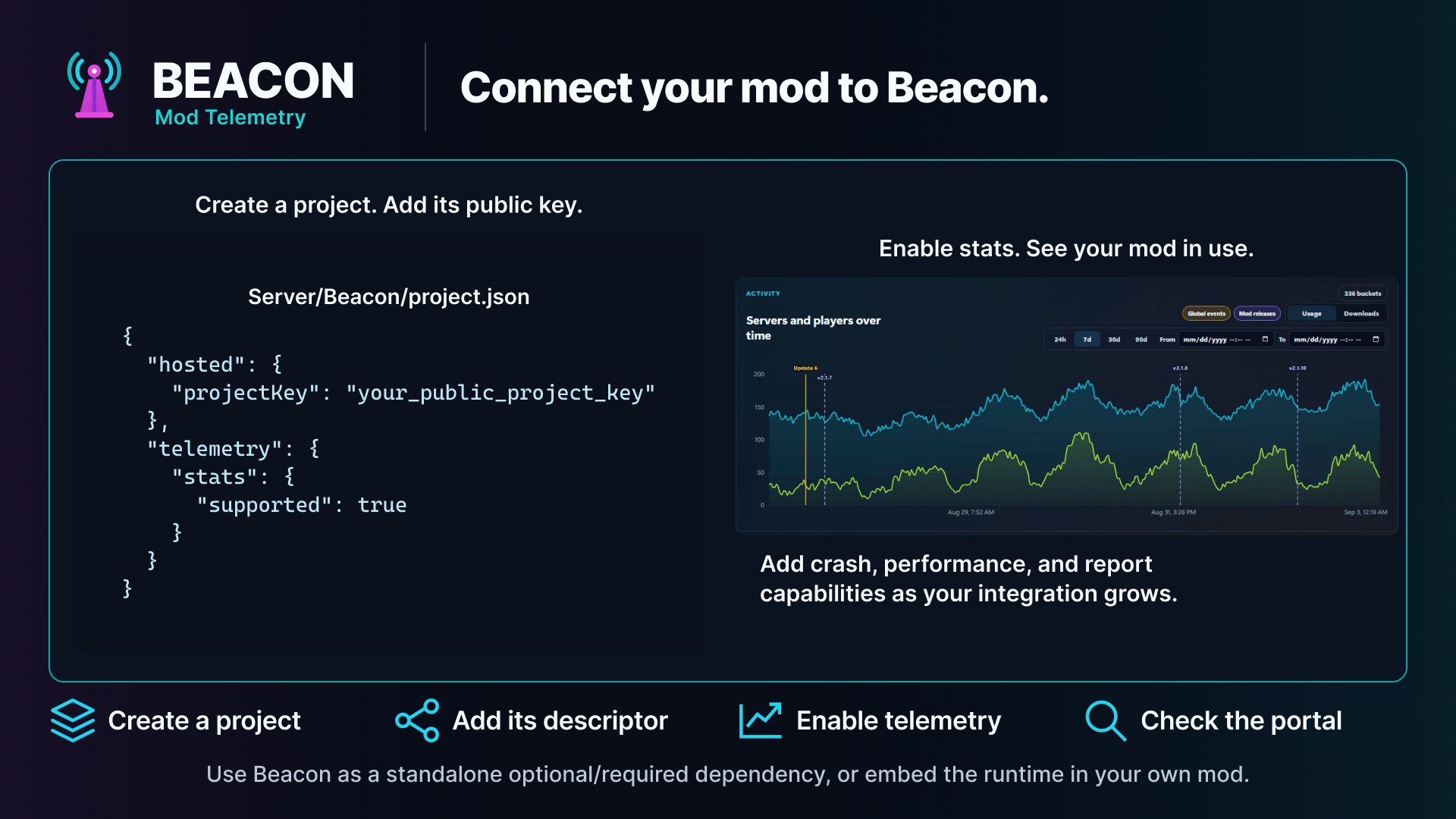
Most conventional web portal integrations start with a descriptor at:
Server/Beacon/project.jsonIf your manifest.json already has the right Group, Name, and Main,
Beacon can infer the project id, display name, plugin identifier, and
package prefix.
This minimal descriptor connects your packaged mod or asset pack to a portal project. It does not enable any telemetry category by itself.
{
  "hosted": {
    "projectKey": "replace_with_your_public_project_key"
  }
}
Portal projectKey values are publishable ingest keys. They are meant to ship
inside the descriptor; admin capabilities stay in the portal, not in the key.
Add only the telemetry categories your project actually supports. For example, stats-only projects add:
{
  "hosted": {
    "projectKey": "replace_with_your_public_project_key"
  },
  "telemetry": {
    "stats": {
      "supported": true
    }
  }
}
If you want your mod logo in the consent UI, package the texture under
Common/UI/Custom/... and set ui.iconTexturePath to that custom UI texture
path. Root mod icons such as icon-256.png are not used automatically.
Descriptor-only embedded library
An embeddable or shaded library can opt into aggregate project stats without depending on Beacon or running any Telemetry Java code. Put a direct JSON resource in the final host JAR (or host mod folder) at:
META-INF/beacon/projects/<stable-project-id>.jsonPresence of a valid resource is the installation signal. A standalone or
embedded Beacon runtime still has to be installed somewhere in the
process to discover and process it; without a runtime, the descriptor is inert
and the host continues normally. Passive discovery exposes only the aggregate
Stats heartbeat capability, even when the descriptor contains additional
category definitions for a future active integration.
The passive descriptor must include the library's logical identity and version, not the physical host mod's manifest version:
{
  "schemaVersion": 1,
  "projectId": "creditor",
  "projectVersion": "1.4.0",
  "displayName": "Creditor",
  "ownerPluginIdentifiers": ["Author:Creditor"],
  "hosted": {
    "projectKey": "your_public_project_key"
  },
  "telemetry": {
    "stats": {
      "supported": true,
      "allowedEvents": ["heartbeat"]
    }
  }
}
This example uses the Beacon hosted destination. A passive descriptor may instead
set defaults.destinationMode to custom and provide customEndpoint.url (and
the optional event endpoint/headers). In that mode the standard Stats-only
heartbeat is delivered to the author-selected endpoint rather than Beacon's
hosted ingest; that endpoint's operator controls the received data, security,
and retention.
Build-stamp projectVersion with the logical library release. If the same
descriptor is present in several host mods, Telemetry elects one logical
project (the highest logical semantic version, then source kind and
deterministic host/path/hash tie-breakers), so consent and Stats contain one row
and one heartbeat project rather than one per host. Invalid descriptors are
skipped without blocking the host mod.
If the library later needs crash, error, diagnostics, usage, performance,
lifecycle, breadcrumbs, or report telemetry, add an explicit
EmbeddedTelemetryBootstrap.contribute(...) registration using the same
descriptor resource, projectId, logical version, and declared owner. That
active registration upgrades the existing passive row; it does not create a
second project. If a persisted supported-category snapshot exists for the
previously reviewed logical project, newly exposed categories remain disabled
until an operator reviews them in /beacon consent; eligible operators are
notified. For a legacy reviewed record without a supported-category snapshot,
newly supported Diagnostics also remains disabled until the operator saves new
consent choices; older category approvals remain honored.
Quick Setup For Server Owners
You do not need to create a mod project to list your server in the ModStats server browser.
- Install Beacon on the Hytale server.
- Start the server at least once.
- Open the portal and create a server profile.
- Run the verification command shown by the portal:
/beacon server verify <claim-token>The portal uses that claim heartbeat to bind the public server profile to the server. Server owners control whether the listing, player counts, mod list, and join information are public.
Runtime Options
Standalone Dependency
Use the standalone Beacon mod when you want the normal dependency model. The runtime discovers conventional host descriptors and valid passive namespaced descriptors from installed mods, then coordinates uploads for those projects.
List Beacon as a dependency on distribution platforms such as
CurseForge, Modtale, and Modifold so server owners know to install it alongside
your mod. Passive descriptor-only integrations do not require a
manifest.json dependency and report only aggregate Stats. Conventional
descriptors can still expose their declared categories when a runtime is
present. Omit the dependency entirely when your mod should still boot without
telemetry installed. Add Alechilles:Beacon to Dependencies only
when you intentionally want Hytale to require the runtime before loading your
mod. Java runtime API integrations should locate the runtime defensively as
shown in the wiki.
Embedded Runtime
Use embedded mode when your mod needs to bundle the telemetry bootstrap directly. Embedded copies still participate in coordinator election, and the latest compatible runtime can serve all installed enabled projects, including passive descriptors carried by other shaded libraries. A library that ships only a descriptor does not need to bundle or initialize this runtime.
The embeddable runtime artifact is published through the Beacon downloads page and Maven-format repository:
https://beacon.modstats.io/downloads
https://beacon.modstats.io/maven/releases
<repository>
<id>beacon</id>
<url>https://beacon.modstats.io/maven/releases</url>
</repository>
<dependency>
<groupId>com.alechilles</groupId>
<artifactId>beacon-runtime</artifactId>
<version>2.0.0</version>
</dependency>Gradle Kotlin DSL:
repositories {
    maven {
        url = uri("https://beacon.modstats.io/maven/releases")
    }
}

dependencies {
    implementation("com.alechilles:beacon-runtime:2.0.0")
}
An embedded host must also publish the runtime's client UI as an Hytale asset
pack. Set IncludesAssetPack to true, and merge the runtime artifact's
Common/** resources into the host asset-pack source during packaging. Shading
the Java classes is not sufficient. Confirm that the final mod contains
Common/UI/Custom/TelemetryConsentPage.ui; otherwise /beacon consent
disconnects the client because Hytale cannot find the UI document. See
Embedded Mode for a Gradle example.
Custom Endpoint
Use a custom endpoint when you want the runtime but not the Beacon web portal.
{
  "defaults": {
    "destinationMode": "custom"
  },
  "customEndpoint": {
    "url": "https://example.com/api/telemetry/crash",
    "eventUrl": "https://example.com/api/telemetry/event"
  }
}
Server owners can also override packaged destination settings at runtime under:
mods/Alechilles_Beacon/Settings/projects/<project-id>.jsonWeb Portal
The web portal is the management surface for Beacon projects and verified server listings.
- Sign in with Discord or GitHub.
- Manage project memberships and publishable project keys.
- Review crash groups, issue-producing events, and individual occurrences.
- Inspect manual player reports and link or promote them into issue workflows.
- View public and portal-only stats dashboards.
- Configure public stats visibility and ModStats.io slugs.
- Create verified server profiles and manage public server listing settings.
- Configure Discord routing and GitHub issue sync when your team wants them.
Portal URL:
https://beacon.modstats.io/portalPublic stats:
https://www.modstats.io/stats/beaconServer browser:
https://www.modstats.io/serversRuntime API
Mods can stay descriptor-only, but richer integrations can call the runtime API
for explicit events, diagnostic bundles, and custom player-report entry points.
A shaded library that
wants categories beyond passive Stats must register explicitly with
EmbeddedTelemetryBootstrap.contribute(...); use the same logical identity,
version, and descriptor as the passive resource so the coordinator upgrades the
existing project instead of creating a duplicate.
TelemetryRuntimeApi api = TelemetryRuntimeLocator.tryGet();
if (api == null || !api.isEnabled()) {
    return;
}

TelemetryProjectHandle project = api.findProject("example-consumer-mod");
if (project == null || !project.isEnabled()) {
    return;
}

project.recordPerformanceWithContext(
        "reload_config_duration",
        durationMs,
        null,
        TelemetryEventContext.performance()
                .subsystem("config")
                .phase("reload")
                .operation("apply")
                .runtimeSide("server")
                .detail("configFileCount", configFileCount)
                .build()
);
The runtime ignores events that are disabled by consent, descriptor defaults, runtime overrides, sampling, or descriptor allowlists.
Useful Commands
/beacon status
/beacon projects
/beacon project <project-id>
/beacon consent
/beacon report [project-id] [issue|suggestion]
/beacon reports pending
/beacon reports submitted
/beacon server verify <claim-token>
/beacon flush [project-id]
/beacon test <project-id> [detail]
The root command permission is beacon.command.beacon; subcommands use the
same stable beacon.command.beacon.* prefix.
Privacy Model
- Server owners control telemetry categories through consent and runtime
overrides. Automatic diagnostics uses the independent
Diagcategory and is off by default unless the descriptor explicitly enables it. - Public stats expose aggregate counts and breakdowns, not raw server ids, session ids, IP addresses, player names, player UUIDs, chat, coordinates, secrets, or full config files.
- Custom Event Context fields must be descriptor-declared and type-checked before upload.
- Manual reports can require local operator review before upload, and optional attachments are controlled by runtime settings.
For the full runtime, web portal, and ModStats.io policy, see Beacon Privacy Policy.
Docs and Examples
- Project descriptor reference
- Embedded contributions and passive descriptors
- Runtime API guide
- Runtime downloads
- Command reference
- Runtime overrides
- Privacy policy
- Manual player reports
- Diagnostic bundles
- Usage stats guide
- Public wiki
- Beacon 2.0 migration guide
- Project key operations
- Ingest contract
- Server browser guide
- Example consumer mod
- Embedded consumer mod
License / Support
This project is source-available under the Beacon Runtime License.
The Beacon - Mod Telemetry & Stats Team


Owner