


WCLogs Eye
- By
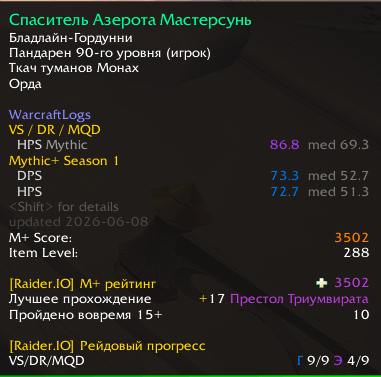
Basic Popup
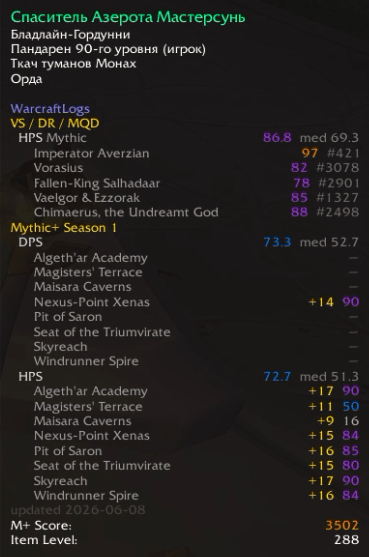
Detailed popup (CTRL)
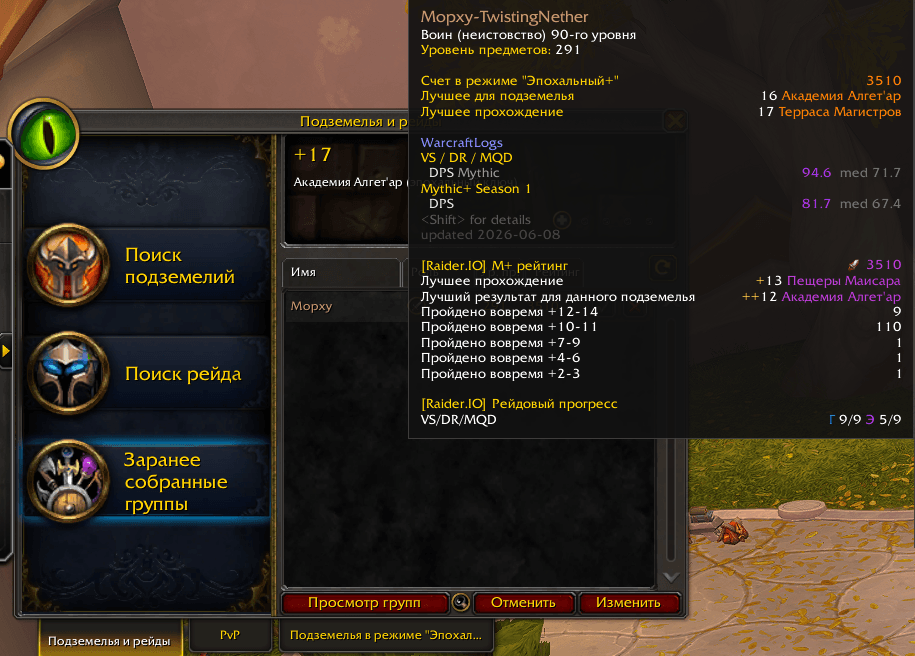
Check possible teammates
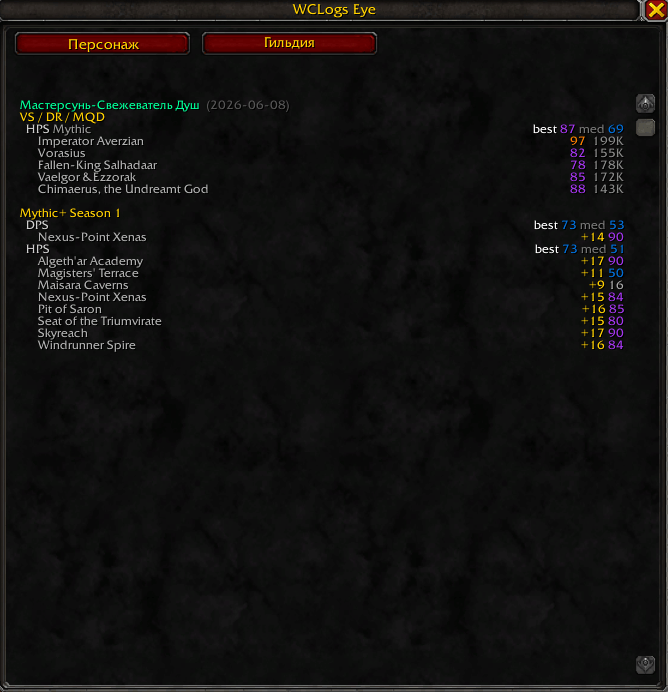
Character stats
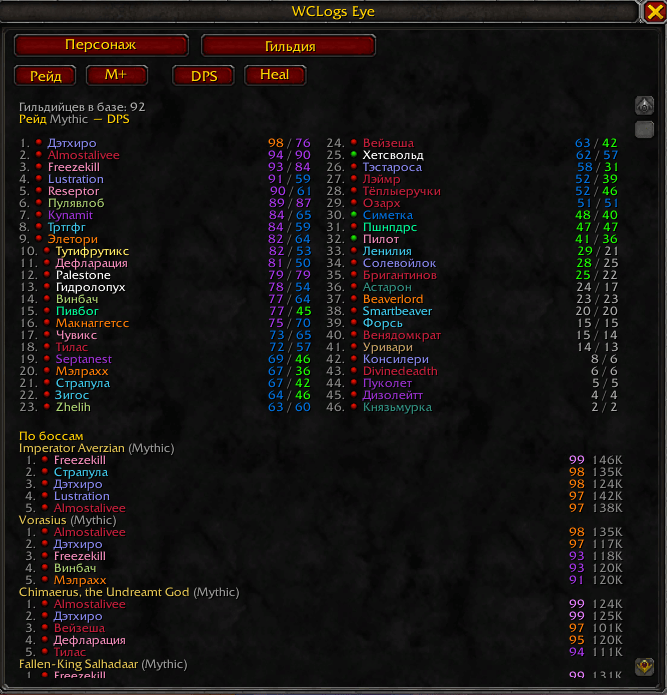
Guild WCL Damage raid rate
Description
WCLogs Eye
An eye for parses. WCLogs Eye puts WarcraftLogs performance right on the unit tooltip — hover anyone and instantly see how they play, color-coded by parse rank.
✨ Features
- Raid parses — best & median percentile per boss, DPS and HPS, with the highest difficulty you've logged (Mythic / Heroic / Normal) and your All-Stars rank.
- Mythic+ — the highest logged keystone level per dungeon and the parse on that run, split by role.
- Hover for a clean summary; hold Shift for the full per-boss / per-dungeon breakdown.
- Premade Group Finder support — size up applicants and group leaders at a glance.
- Color-coded exactly like WarcraftLogs: 🩶 grey · 🟢 green · 🔵 blue · 🟣 purple · 🟠 orange · 🩷 pink · ⭐ gold.
- Database Sync (addon update) - every 6 hours.
- Localisation - EN/RU.
🔧 How it works
WoW addons are sandboxed and can't reach the internet, so WCLogs Eye ships with a community database (useful the moment you install it) and an optional, lightweight companion app that keeps it fresh:
- Install the addon.
- Run the companion (a tiny system-tray app) and paste your own free WarcraftLogs API key — created in seconds at warcraftlogs.com/api/clients.
- In game: right-click a player → “Get data” (or Ctrl-hover in the Group Finder), then
/reload. The companion fetches their parses under your key and they pop up on the tooltip.
Everyone who self-fetches contributes their results back to a shared pool, so each addon update ships with an ever-growing base of players — even if you never run the companion yourself.
❓ FAQ
Do I need the companion? No — the bundled database works on its own. Run the companion only if you want to look up players who aren't in it yet.
Is my account safe? Yes. You use your own WarcraftLogs API key; nothing is scraped and nothing is shared without you choosing to fetch it.
Why is someone showing “no data”? Only logged runs exist on WarcraftLogs — unlogged kills or keys can't be shown.
📥 Companion download (needed to update characters on your own)
➡️ Download the companion + setup guide (Windows).
The WCLogs Eye Team
