

![Titan Panel [RaidIDs] logo](https://media.forgecdn.net/avatars/thumbnails/58/954/64/64/636141451725675175.png)
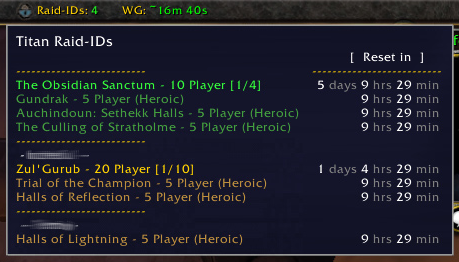
compact view of lockouts
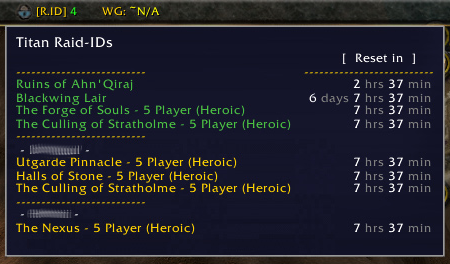
Shows changes to compact view from previous version.
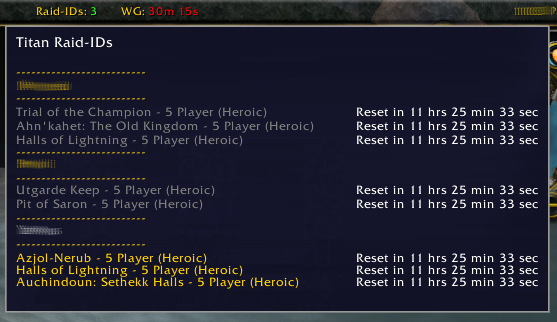
Shows the compact lockout view.
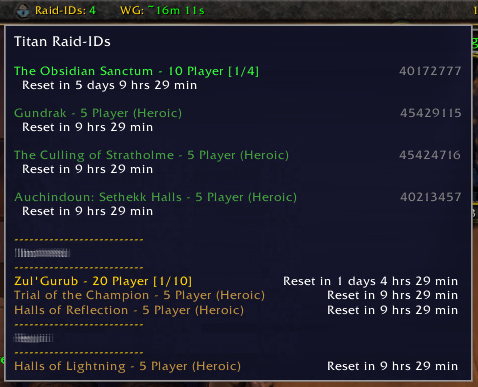
default view of lockouts
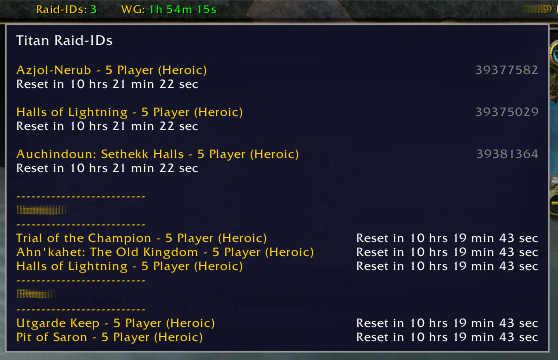
Shows the default lockout view.
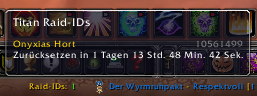
Screenshot
Description
Latest is v2.4.71 This addon shows all active Raid-IDs (including heroic 5-man instances) as you would have typed in /raidinfo on mouse-over on your TitanPanel. It stores the instance IDs for each character, so you can check all occupied instance IDs from all you characters on the realm.
v2.4.71 Details: German localization updated (thanks to CUDiLLA). v2.4.70 Details:
- Raid lockouts sorted to display first, highlighted color.
- Raid lockouts display raid size and boss kills vs total bosses in the raid.
- Added condensed info display option.
- Toggle display of 'Reset in' text on default view.
- NPC names (hiding and showing) has been expanded to all in-game names.
- Refined default view and improved compact view of lockouts.
- Right-click menu added to enable/disable options (ie compact view, etc).
- Sad looking padlock icon added (sorry! No skill making 16x16 size icons.)
- Options are saved and recalled for later sessions.
If you care to change colors used, most colors in the displays are now declared and setup at the beginning of the TitanRaidIDs.lua file. (Save a backup of your changes though, as any new version will replace the file and your custom color scheme will be lost.) Use an editor like notepad++ from "http://notepad-plus-plus.org/". Included basic frameworks in the localization file for every language I found on curse with Locale codes. Just need translations swapped in over the filler values.
Localizations completed: German (Basster & CUDiLLA), Latin American Spanish (partially done) (Valandris)
The Titan Panel [RaidIDs] Team
