


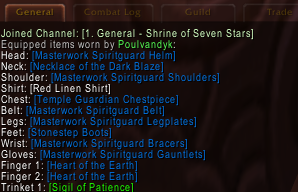
/eil list or /eil l
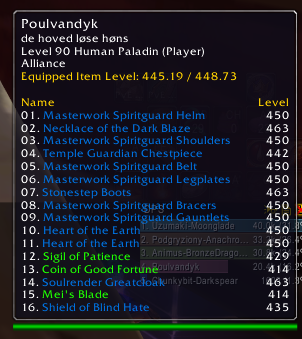
Tooltip
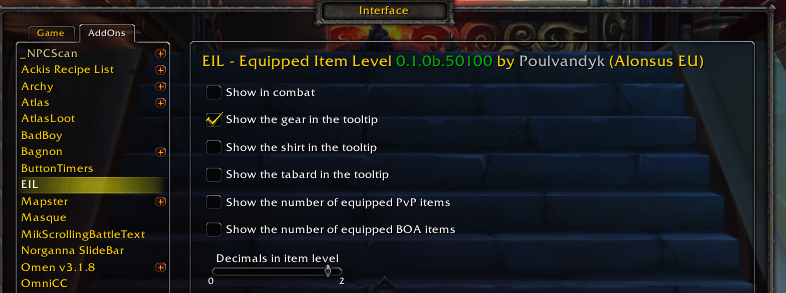
Setup
Description
When moving the mouse over a character, that character's equipped item level is shown in the tooltip. Additional, is the number of PvP and heirloom (BOA) items equipped can also be shown. If the "mouse over" character has any transmogrified, it is needed to inspect the character to get the real item(s).
Commands:
- /eil or /equippeditemlevel
- /eil status
- /eil list (print the items in your chat window)
- /eil decimal <0 | 1 | 2> (decimals to use in equipped item level)
- /eil <show | hide> <gear | shirt | tabard | combat> (show/hide the equipped "gear", "shirt" and "tabard", and also deside if it should be hidden while you are in "combat" or not)
- /eil Opens the configuration window
Examples:
/eil show gear
- This will show all the equipped gear in the tooltip
/eil hide combat
- While in combat, the tooltip will not show the equipped gear, shirt and tabard
/eil status Show gear in tooltip on Show shirt in tooltip off Show tabard in tooltip off Show in combat on
The EIL-Equipped Item Level Team


![Titan Panel [Equipped Item Level] project image](https://media.forgecdn.net/avatars/thumbnails/60/938/256/256/636141585129806685.png)
