


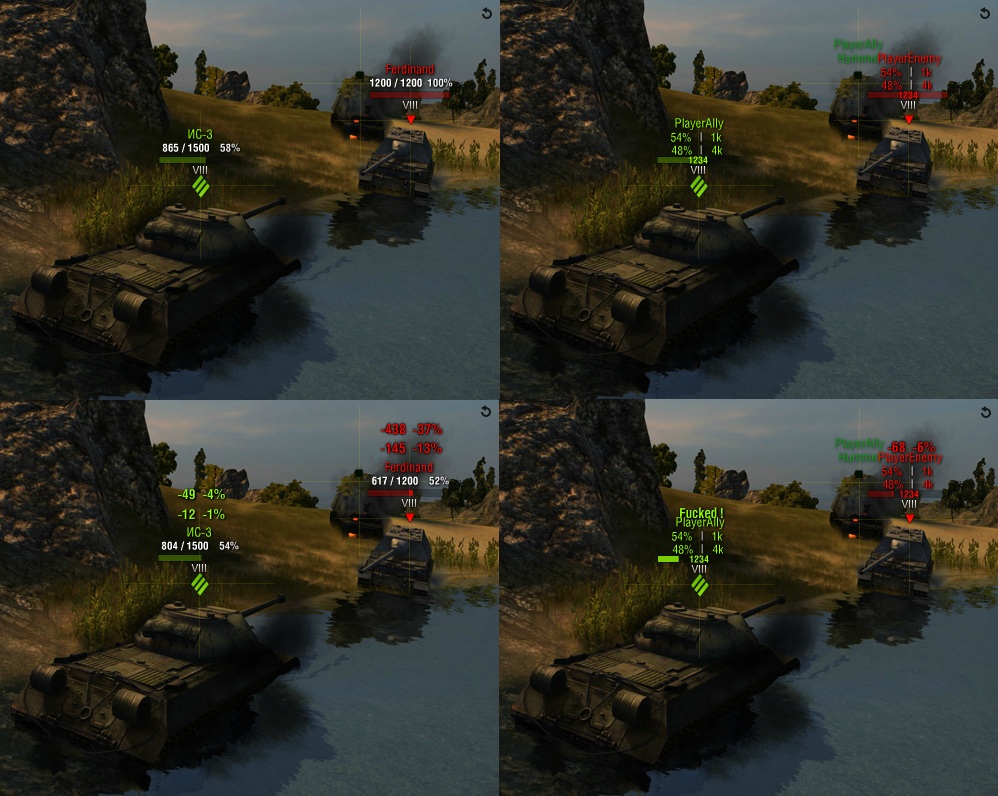
What the Target Markers Look Like in the XVM Editor
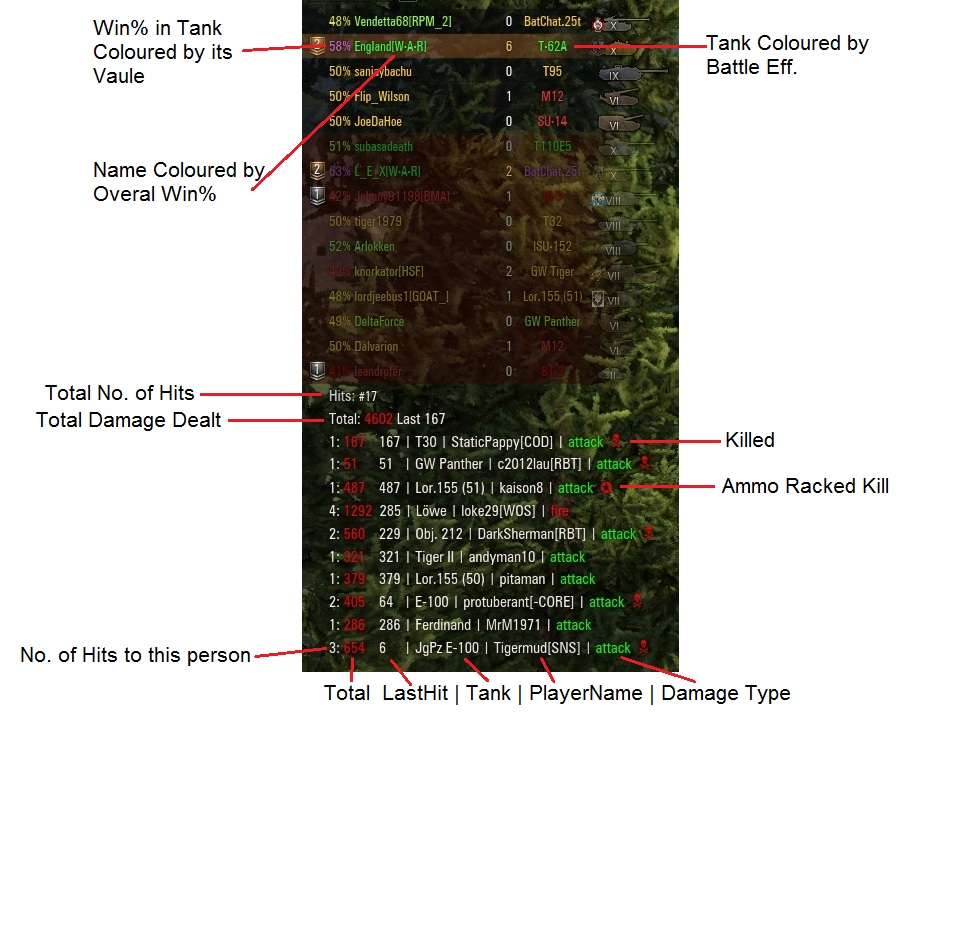
Hitlog Details
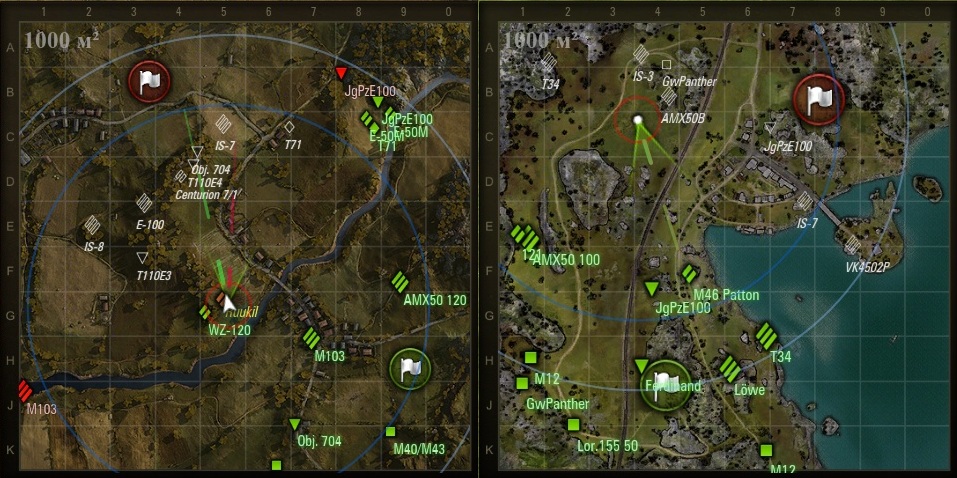
Updated Minimap
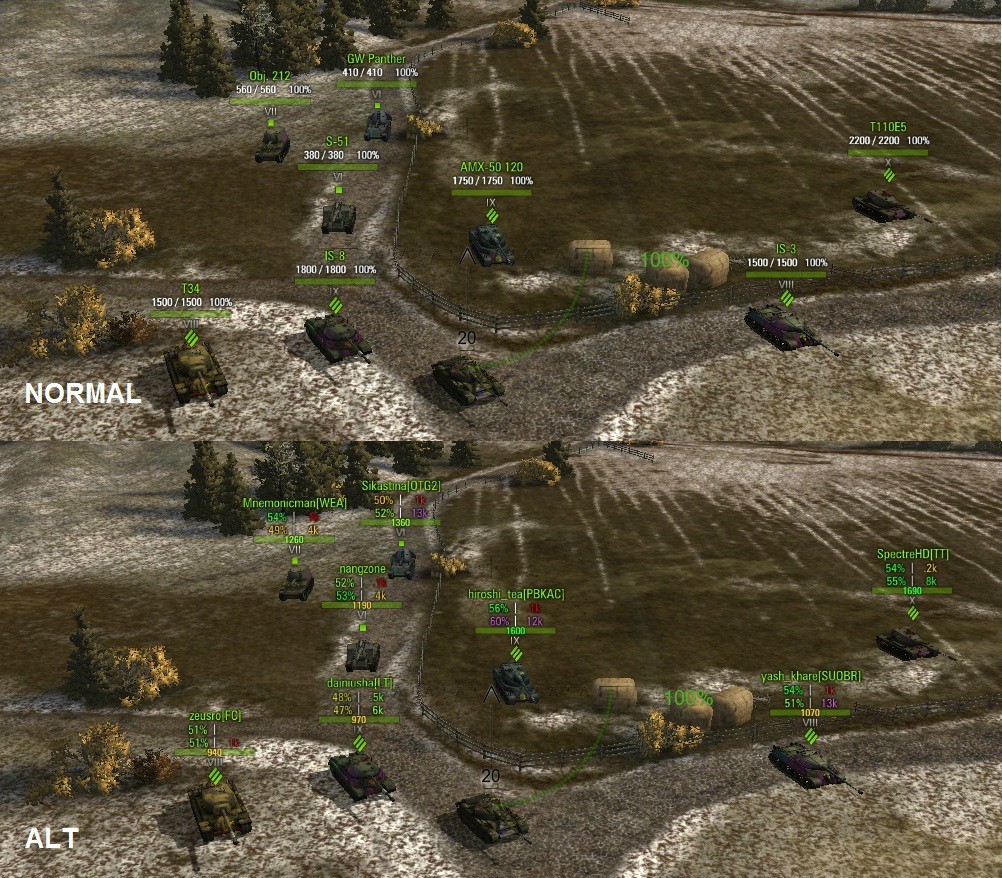
What the Normal and Alt Views look like in the game.
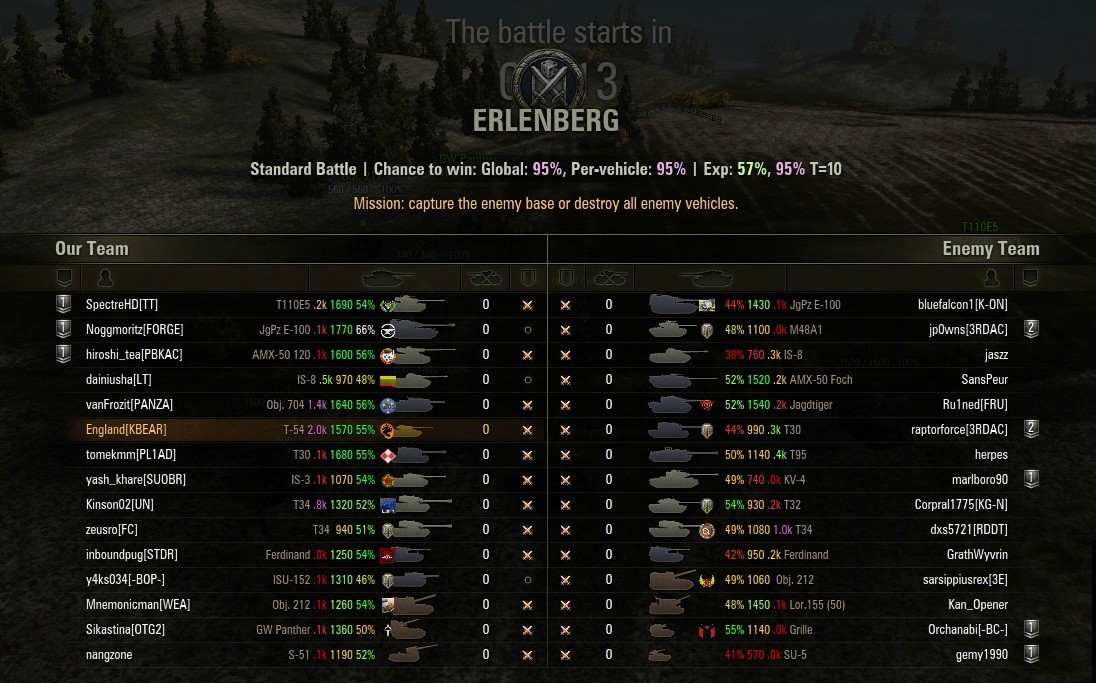
Score Board stats

This is a NEW Sixthsense icon that has been uploaded to the XVM community.
Description
ENGiAND's - XVM config - XVM 4.1.0 ( Make sure you use the latest XVM-Stat, 1.6.0 )
Xvm.xc is setup to show individual tank stats. Win% (In Tank) | WN# Efficiency | Games Played (In Tank)
Each is set to display for their own rating, both on the scoreboard / loading screen and above the tanks in ALT View
All colours used for individual values are Original XVM Editor / XVM defaults.
( Minor change to Squad-mate damage colour only )
(Not counting Minimap)

Ive also Edited the OTM information that shows above the tank / player in game
(XVM Editor View)
Damage Taken includes the % of health each hit was worth. ( I like this alot ) ( You saw it HERE first )
( Boom ! ) Ammo rack damage text has been replaced with ( Fked ! )
ALT - Now shows 3 lines of information
TANK STATS
OVERALL STATS
WN# EFFICIENCY

(Real World View)
ALT - Now shows 3 lines of information
TANK STATS
OVERALL STATS
WN# EFFICIENCY

NEW in 3.1.1
HIT LOG


Including XVM Community Sixthsense icon.
Sixthsense.png needs to be installed to: \ World_of_Tanks \ res_mods \ icons

http://i.imgur.com/7ra7x.png

NEW in 3.3.2
Minimap

The "xvm.tff" font file needs to be installed in order for Icons on Minimap to display correclty.
Thanks go to Andrey_Hard for Minimap Icons.
Enemy Tracking / Colouring / Circles
50M RED
445M DARK BLUE
600M LIGHT BLUE
The source for my configuration can be found within the XVM community ( Russian )
http://www.koreanrandom.com/forum/topic/2673-engiands-xvmxvmconf/
Archive
http://www.koreanrandom.com/forum/topic/2651-engiands-xvm-config/#entry14040
The ENGiAND's XVM Config 4.1.0 - 8.7 Team
