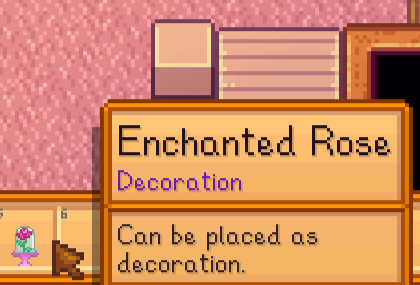
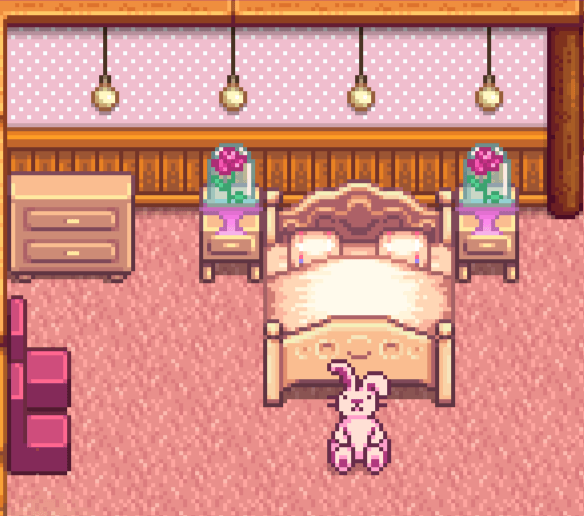
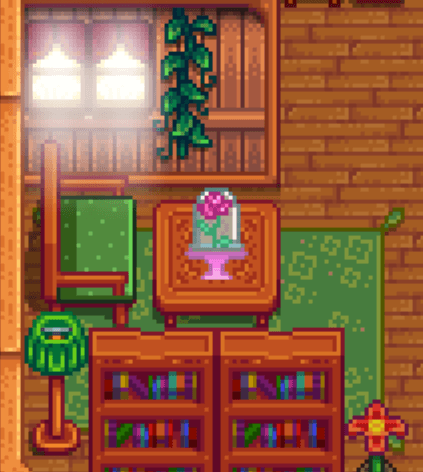
Adds a rose in a bell jar as a decor. Available in 7 colors. Can be found in Robin's furniture catalogue.
Description
🌹 Enchanted Rose (CP) – Stardew Valley Mod By Abrah 🌹
📥 Installation Guide
Requirements:
-
SMAPI by pathoschild – Stardew Valley mod loader.
-
Content Patcher by pathoschild – framework to load the mod.
Steps:
-
Download and unzip this mod.
-
Locate your Stardew Valley Mods folder:
-
Microsoft Store:
C:\XboxGames\Stardew Valley\Content\Mods -
Mac:
~/Library/Application Support/Steam/steamapps/common/Stardew Valley/Mods -
Linux:
~/.local/share/Steam/steamapps/common/Stardew Valley/Mods
-
-
Place the Enchanted Rose (CP) folder into your Mods folder. Please do not place the whole zip file in the mods folder.
-
Launch the game with SMAPI.
🌸 How to Get It In The Game
-
The Enchanted Rose can be found in Robin’s Furniture Catalogue for free.
-
Once obtained, it can be placed as decor and set on tables in your farmhouse or cabin.
- Available in 7 different colors with the latest version
💖 Design by Abrah