


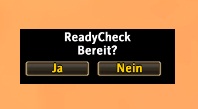
This image show the frame that popup for all members when a check was started.
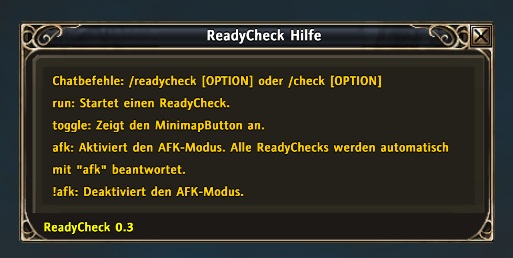
The help frame of ReadyCheck.
Description
English
ReadyCheck
released under the http:creativecommons.org/licenses/by-nc-sa/3.0/
General
Ready Check facilitate the group or raidleader to check whether all members of the group or raid are present and ready. The Control is carried out via chat commands, while the communication runs through the group chat. A ready check can only be started by group or raidleader and their assistants.
Control
/check: Calling the help with a list of all possible commands.
/check run: Starts a ready check. All members receive a window in the middle of the screen with the options Yes and No. This window will remain open for 20 seconds if no selection is made. After this time, the initiator of the check receive the results in the chat. The report contains all players who are not ready or have not responded.
/check toggle: Toggles the minimap button.
/check afk: Activates the AFK-Mode, all ReadyChecks are answered with "afk".
/check !afk: Deactivates the AFK-Mode.
Deutsch
ReadyCheck
veröffentlich unter der http:creativecommons.org/licenses/by-nc-sa/3.0/
Allgemeines
ReadyCheck erleichtert Gruppen- bzw. Raidleitern die Überprüfung, ob alle Mitglieder der Gruppe oder des Raids anwesend und bereit sind. Die Steuerung erfolgt dabei über Chatbefehle, während die Kommunikation über den Gruppenchat abläuft. Ein ReadyCheck kann nur von Gruppen- bzw. Raidleitern und deren Assitenten ausgeführt werden.
Steuerung
/check: Aufruf der Hilfe mit einer Auflistung aller möglichen Befehle.
/check run: Hier wird der eigentliche ReadyCheck ausgeführt. Alle Mitglieder bekommen ein Fenster in der Mitte des Bildschirms mit den Optionen Ja und Nein angezeigt. Dieses Fenster bleibt für 20 Sekunden bestehen, wenn keine Auswahl getroffen wird. Nach dieser Zeit wird dem Initiator des Checks das Ergebnis im Chat angezeigt. Die Anzeige enthält dabei alle Spieler, die nicht bereit sind oder nicht geantwortet haben.
/check toggle: Zeigt den MinimapButton an.
/check afk: Aktiviert den AFK-Modus. Alle ReadyChecks werden automatisch mit "afk" beantwortet.
/check !afk: Deaktiviert den AFK-Modus.
The ReadyCheck Team

