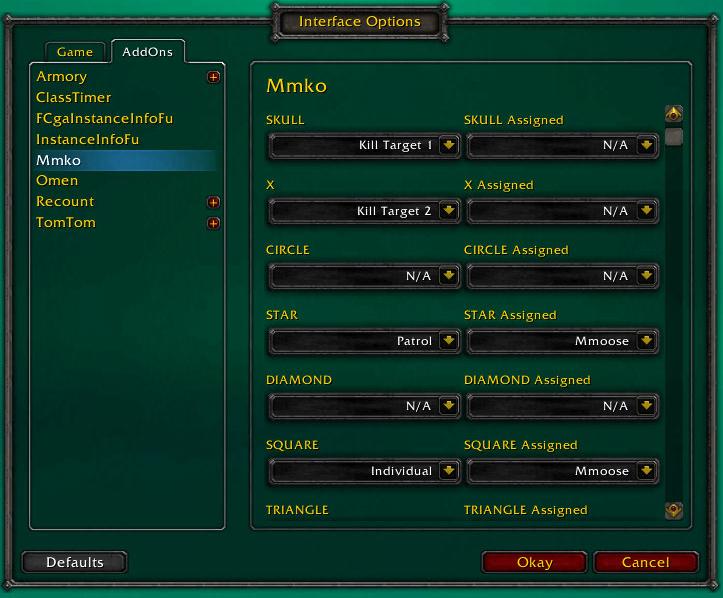
Mmko Config
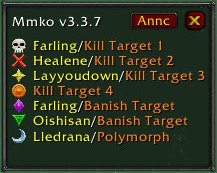
The main display window
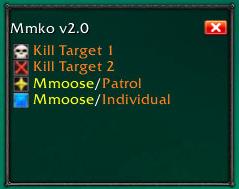
Mmko Frame
Description
MM Kill Order
Defines kill order, banish, polymorph, shackle, trap, mc, pat etc for all party/raid members who also have the mod
Allows only the party/raid leader to make changes to the target information
When the raid/party leader or assistants update the config, it will change the info for those in the party/raid also running the AddOn (on request from leaders)
If you are running in a party where no one else has the AddOn, it is also a handy way to make a note of what the Target Info/Kill Order is.
Local changes are possible, the raid/party leader can overwrite with his/her config.
/mmko for config as well as Shift-Click on the Minimap Icon
Click on target marker in window to remind the party/raid what to attack.
(Many thanks to Copperman for both his insight and suggestions)
Operation
After installation, you will have a new button on your mini-map. You can also add it to TitanBar.
Left-click opens target assignments.
Right-click opens target symbol allocator.
Shift-Left-Click opens options window, where assignments can be made.
Alt-Left-Click announces the assignment to raid/party chat, for those without the add-on.
Alt-Right-Click toggles the attachment of the target allocator window to the top of the target assignments window.
Target Assignments Window
Left-click on a target symbol - it sends out a raid-warning/party message telling everyone to attack THAT symbol.
Hold down Left button anywhere (other than on a marker) in window to drag it.
Press "ANNC" button to send the details to raid/party chat; and also updates the details for other players in the party/raid who are also using the add-on.
TitanBar (or other LDB) option
Hover mouse over the MMKO button to see the current marking assignments (if you don't want to keep the assignments window open all the time).
The Mmko Team