

![[9.6] ReCo's Vertical Techtree logo](https://media.forgecdn.net/avatars/thumbnails/78/265/64/64/636175057200671331.png)
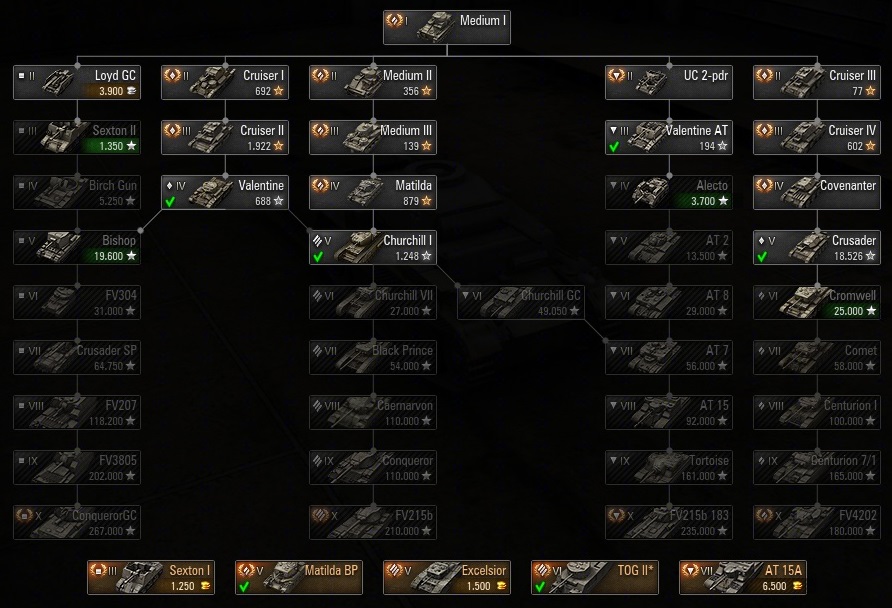
British tech tree of ReCo's Vertical Techtree
Selected settings in this preview:
All buttons and labels enabled, new graphics

Icon for the front page.
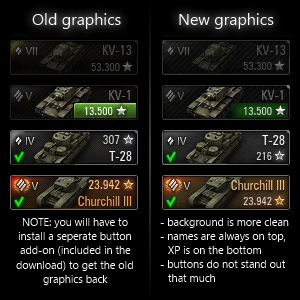
Comparison between the old (original) graphics and some new graphics.
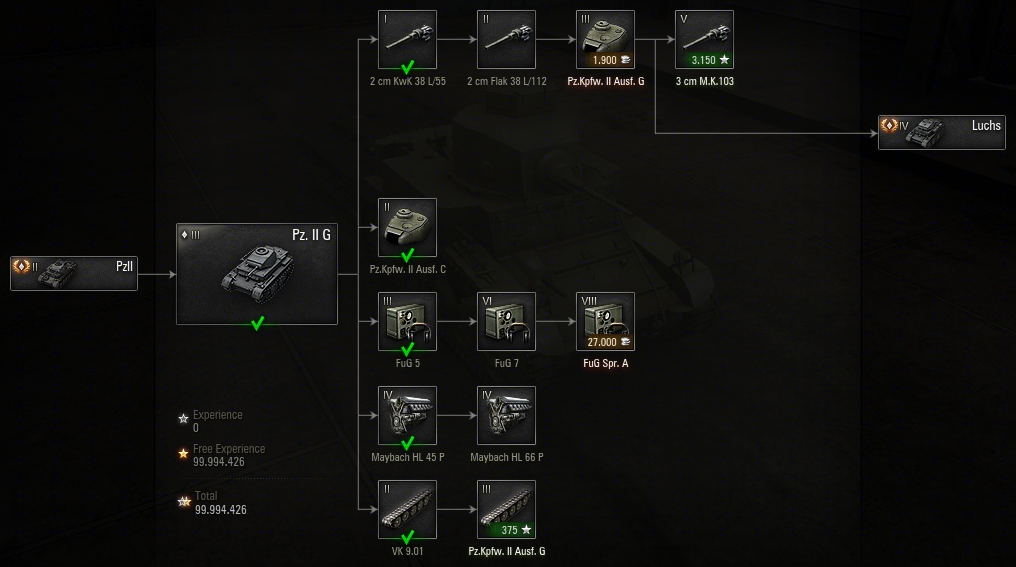
The tank research page.
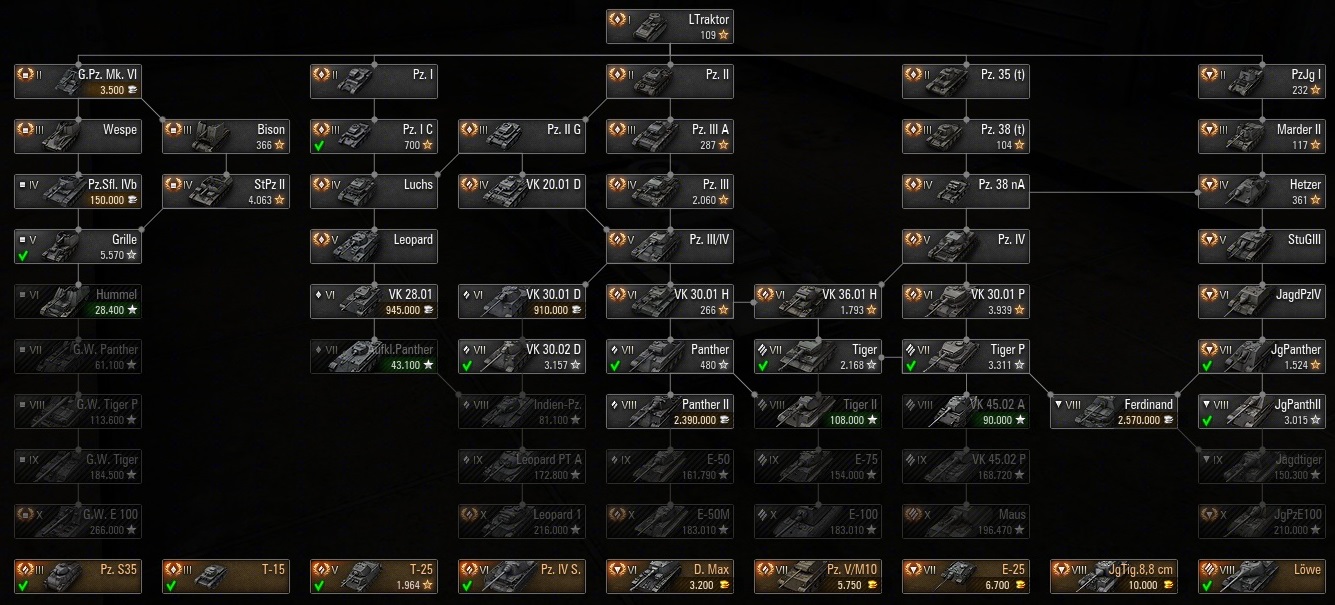
German tech tree of ReCo's Vertical Techtree
Selected settings in this preview:
All buttons and labels enabled, new graphics

One of the installer dialogs to configure this mod.
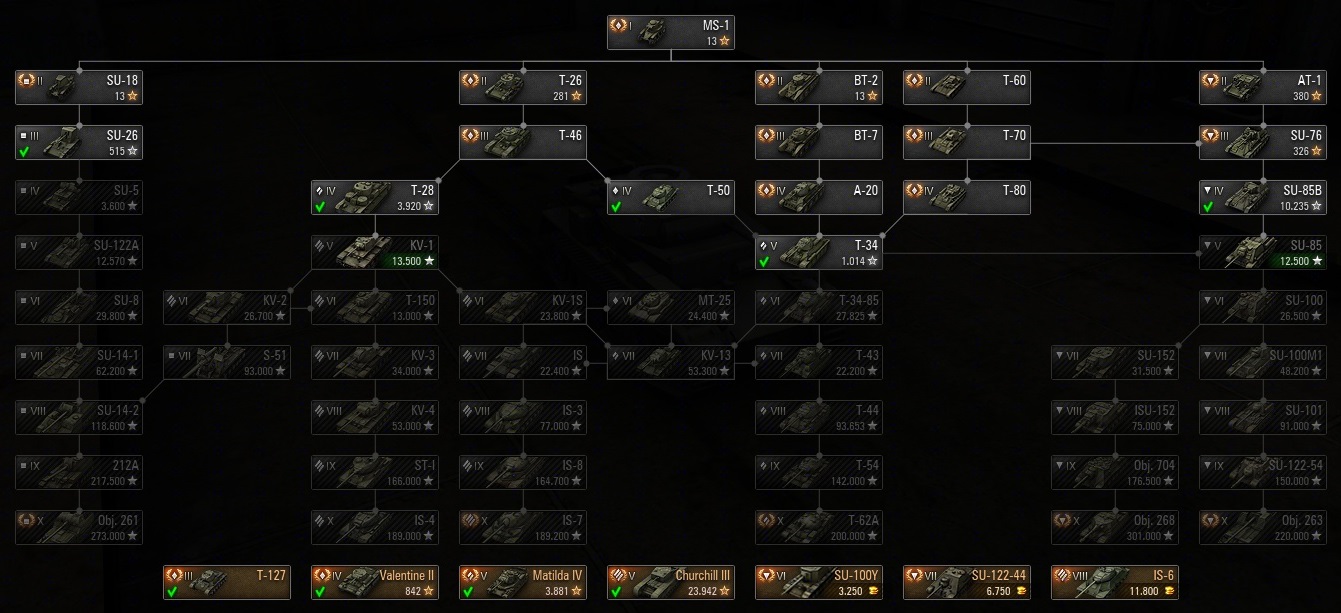
Russian tech tree of ReCo's Vertical Techtree
Selected settings in this preview:
All buttons and labels enabled, new graphics
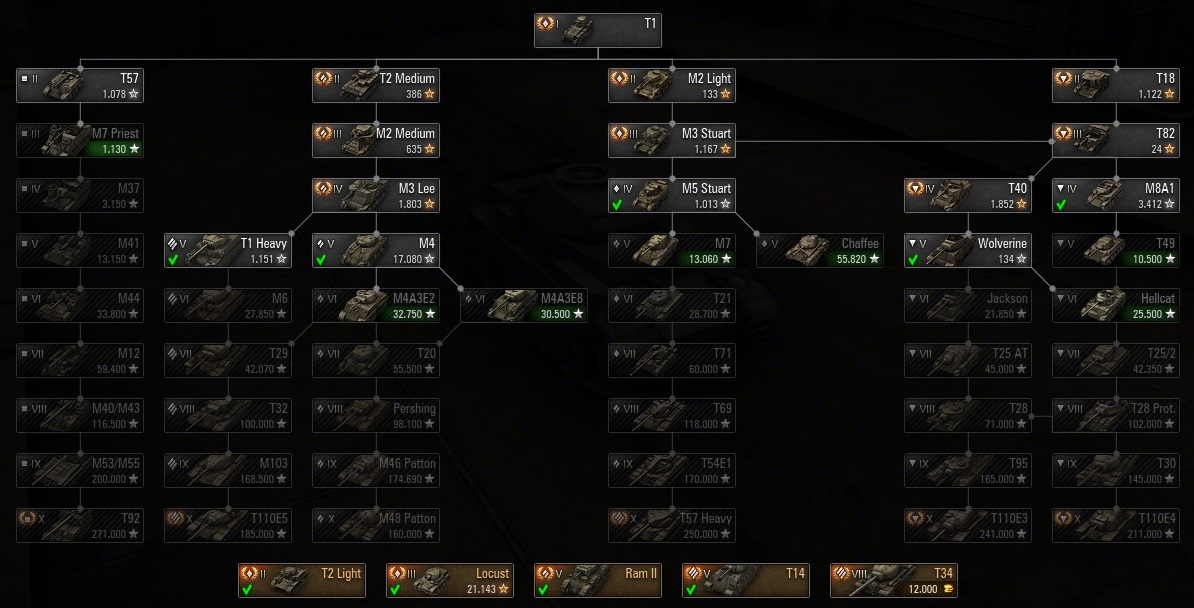
American tech tree of ReCo's Vertical Techtree
Selected settings in this preview:
All buttons and labels enabled, new graphics
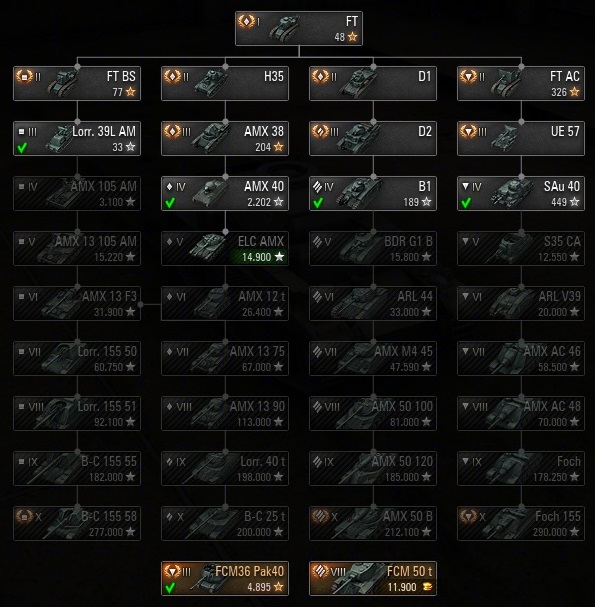
French tech tree of ReCo's Vertical Techtree
Selected settings in this preview:
All buttons and labels enabled, new graphics
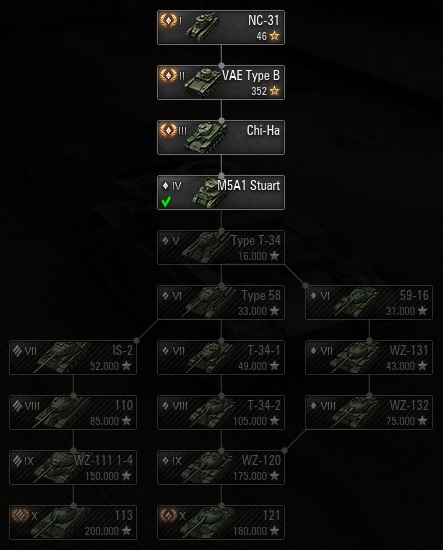
Chinese tech tree of ReCo's Vertical Techtree
Selected settings in this preview:
All buttons and labels enabled, new graphics
Description
MAIN FEATURES:
- Easy installation: use the setup or the manual installation files
- Good old vertical tech tree instead of the new horizontal tech tree
- Uncluttered layout - tanks are nicely ordered by their tier, class and type
- Loads and loads of customization options
- Pretty lines: simple and nice-looking vertical, horizontal and diagonal lines between tanks
- A better unified look for all tanks/icons/buttons and improved graphics (this is optional)
- Compatibility with most common screen resolutions from 1024 to 5760
- Compatibility with all other mods (well, except other tech tree mods) ;)
―――――――――――――――――――――――――――――――――――――――――――――――――――――――――――――――――――
COMPATIBILITY:
As mentioned before, this mod should be fully compatible with every other mod. The following files are used by this mod:
SWF: NodesLib, techtree. XML: tree-shared, uk-tree, usa-tree, ussr-tree, china-tree, france-tree, germany-tree, japan-tree
―――――――――――――――――――――――――――――――――――――――――――――――――――――――――――――――――――
TROUBLESHOOTING:
- Error 1392: this happens when the directory you're running the installer from is corrupted. Download the mod and unpack it somewhere else like your desktop
- Error 5: take control of your "...\Users\<name>\AppData\Local\Temp\" folder. This is where the installation files are temporarily unpacked. They will be deleted later by the installer or Windows
- Make sure to have administrator rights and read/write privileges
- Select the right folder for installation (which is the root of your main World of Tanks game folder, e.g. "World_of_Tanks", NOT your "res_mods" folder, NOT your "<version>" folder)
- If the installer fails, install the mod manually
- If the tech tree crashes on load up or behaves oddly, it is highly likely related to other mods! In this case, check your "...\res_mods\<version>\scripts\item_defs\vehicles" folder, rename it and try again
- Try a clean installation (rename your old "res_mods" folder, then create a new one and install only this mod)
- Make sure that any crashes aren't related to the NVIDIA GeForce video driver bug and keep your drivers updated
- Check your anti-virus software! The RVT installer is not a popular application like your web browser so your AV might give out a false alarm. Avast! did that to me and ran the setup in a sandboxed mode which gave out an error message and after that the installer hang up. So disable it and if you don't trust me more than your AV, upload RVT Setup.exe to virustotal.com to get rid of your paranoia :p
―――――――――――――――――――――――――――――――――――――――――――――――――――――――――――――――――――
IMPORTANT LINKS / CONTACT:
- European forum thread: http://forum.worldoftanks.eu/topic/166549-
- CurseForge project page: http://curseforge.com/wot-mods/recos-vertical-techtree
- Curse download page: http://curse.com/wot-mods/worldoftanks/recos-vertical-techtree
- Readme file: http://dropbox.com/s/dwl3q8mku5elson/Readme.txt
- EU forum contact: http://forum.worldoftanks.eu/?app=members&module=messaging§ion=send&fromMemberID=3364342
- CurseForge contact: http://www.curseforge.com/home/send-private-message/?to=ReConnaisance
- Curse contact: http://www.curse.com/private-messages/send?recipient=ReConnaisance
The [9.6] ReCo's Vertical Techtree Team

![[9.0] ReCo's Contour Icons project image](https://media.forgecdn.net/avatars/thumbnails/78/140/256/256/636175055517987834.png)