


Roughnecks Tank XVM 3.5 for 8.5
- By
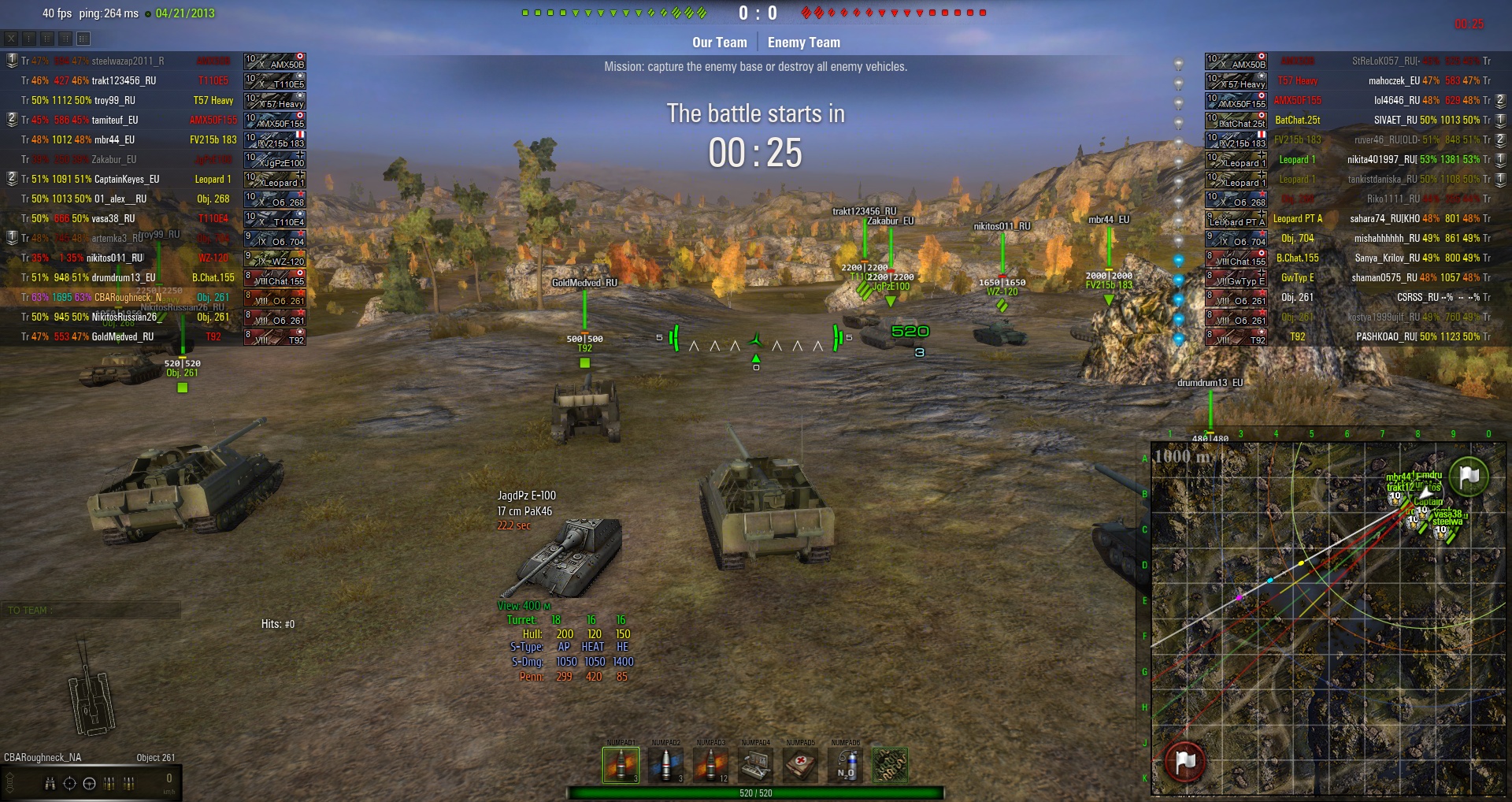
new health bars
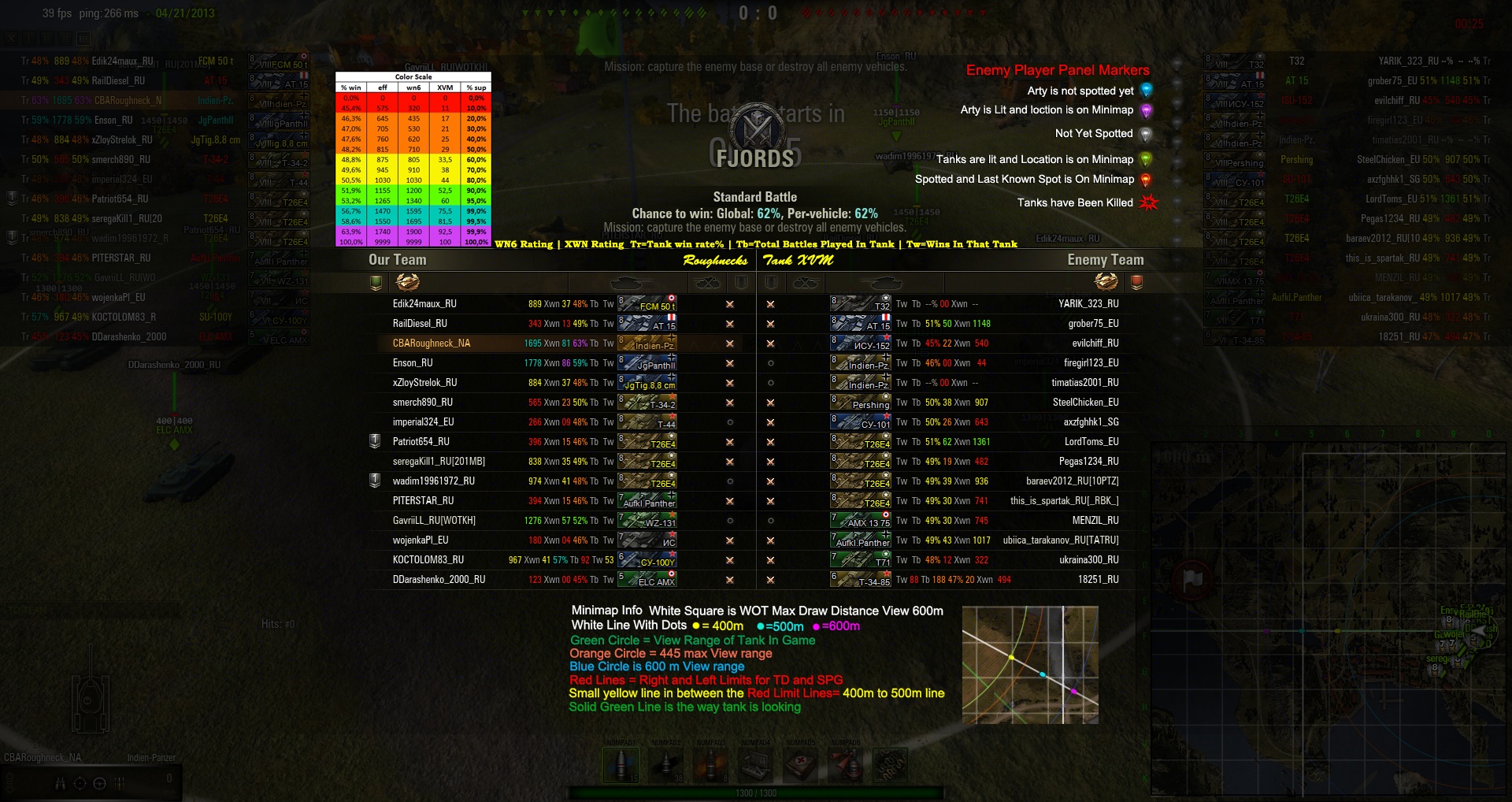
info panel on tab key
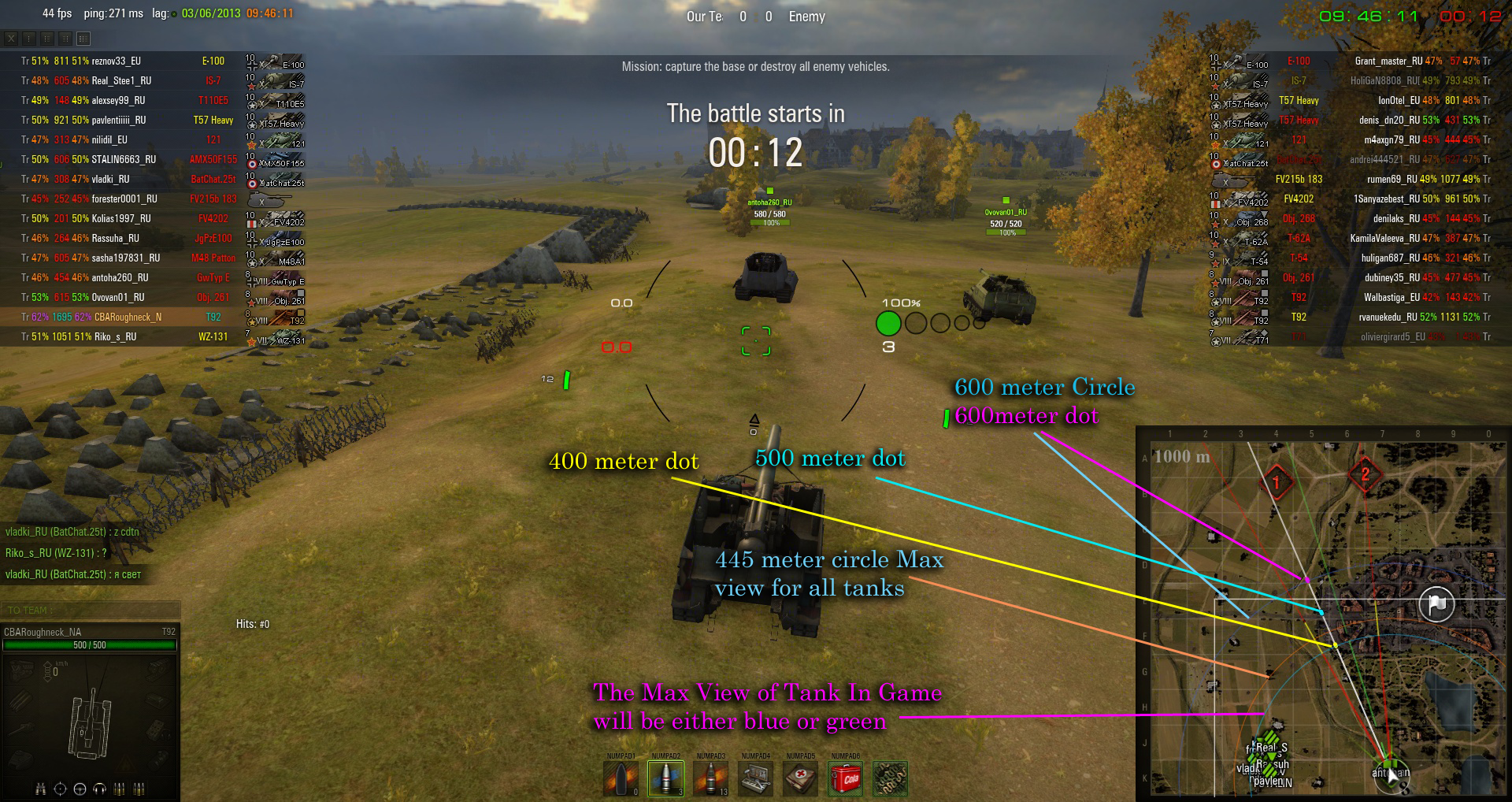
Info on the minimap for the circles etc
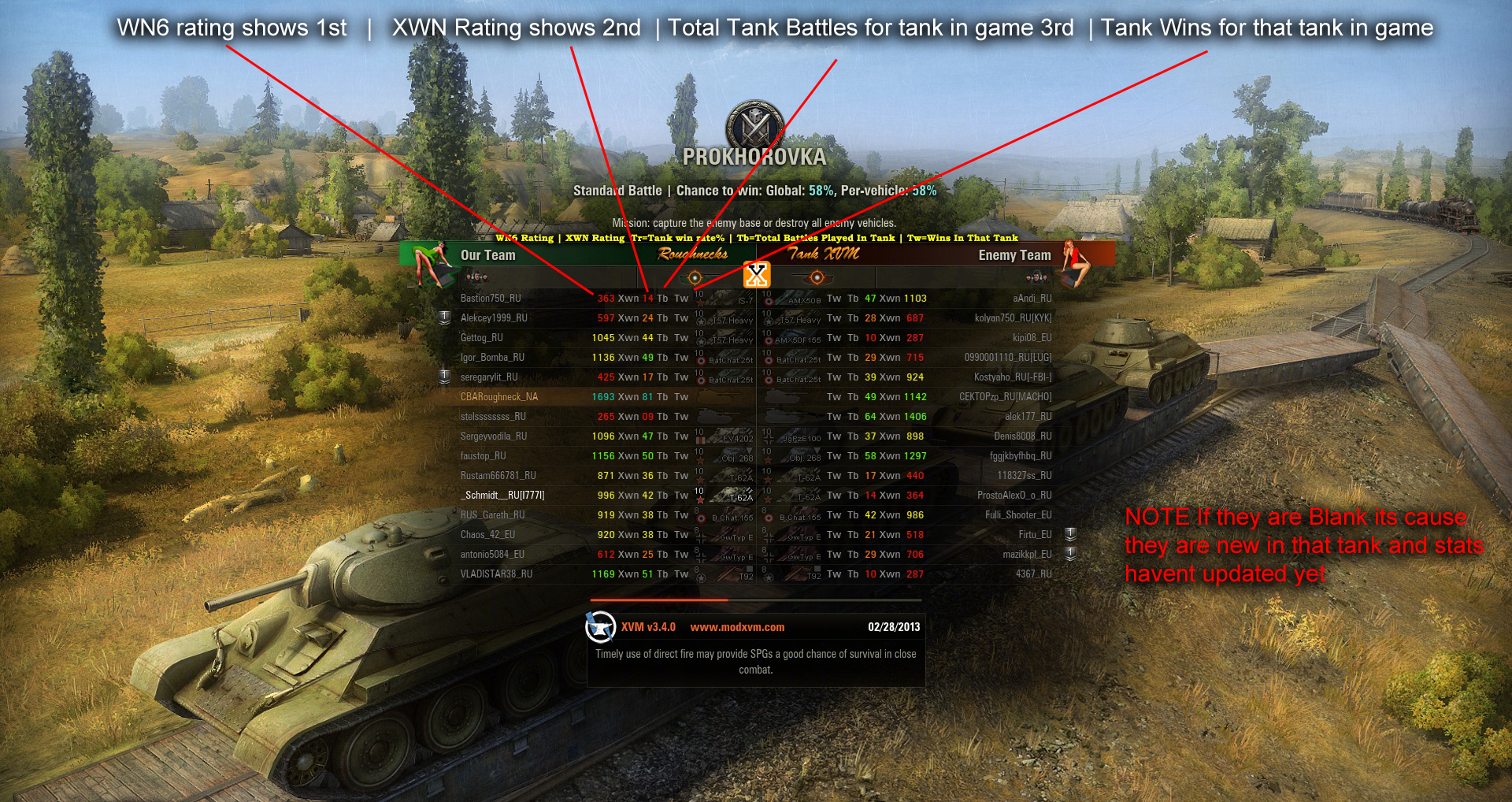
info on new loading screen
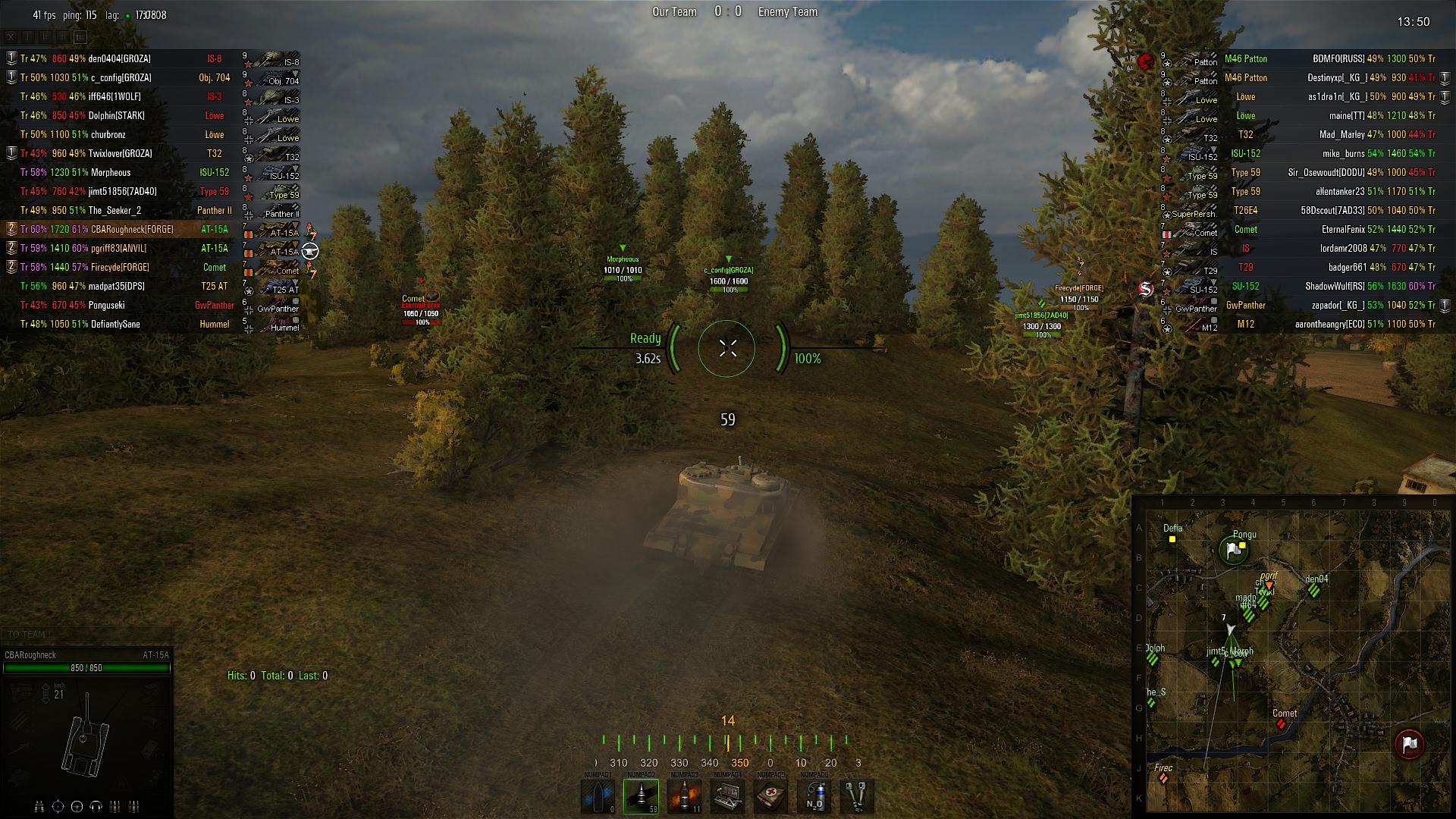
this is what it looks like if they have stock turrent
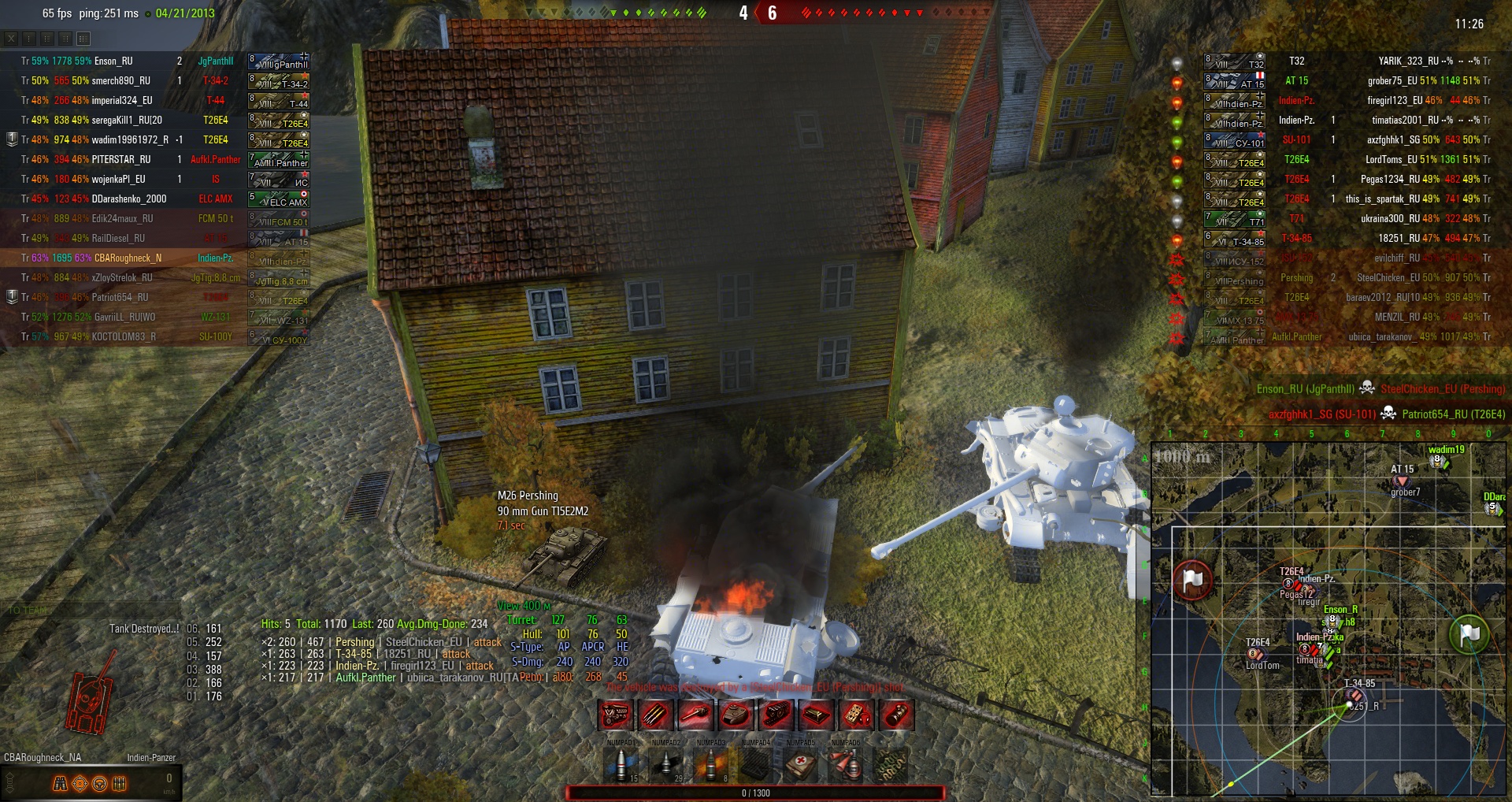
light bulbs show when lit delit not yet let and destroyed
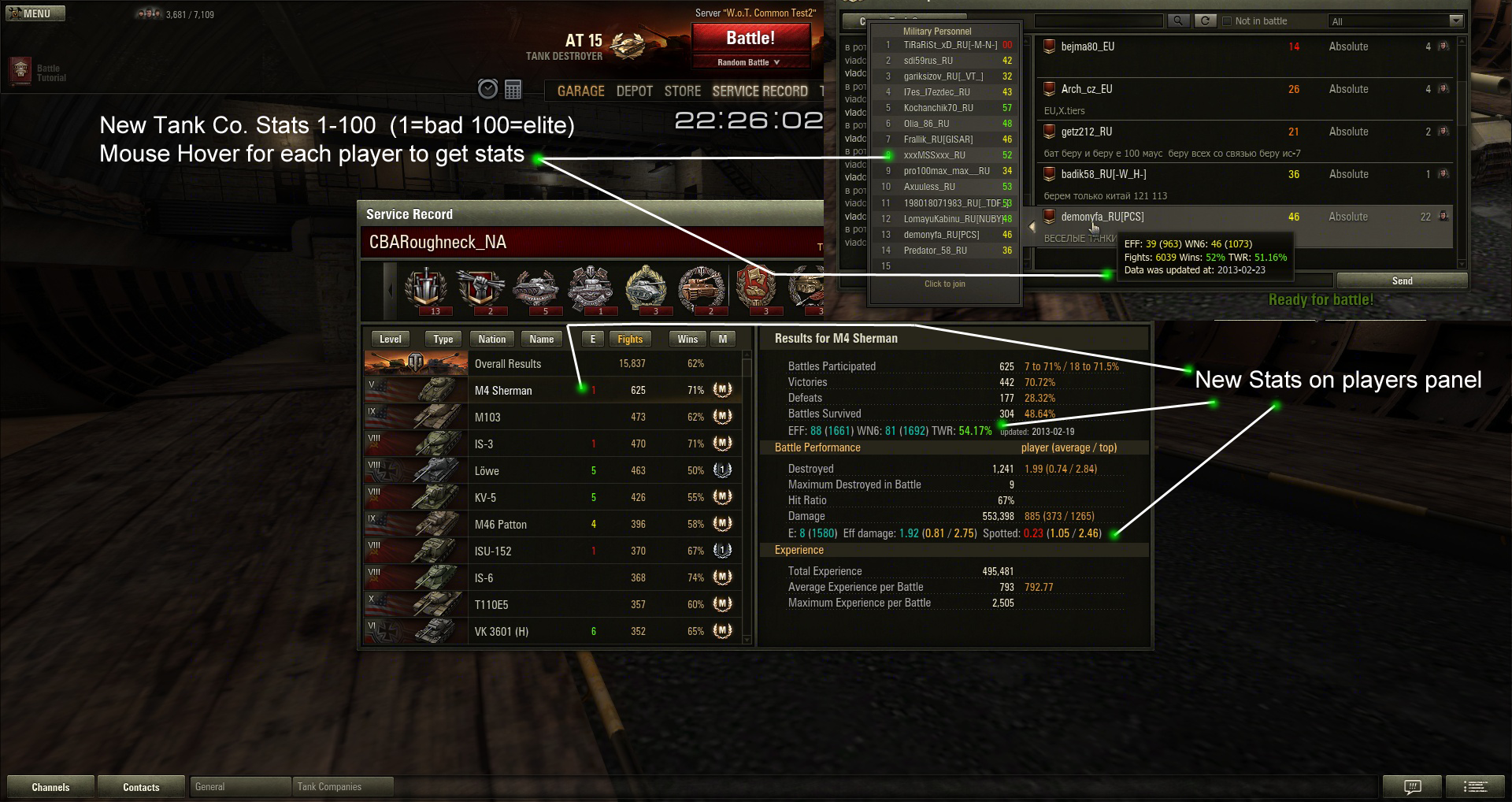
New stats in your garage and for tank co.,
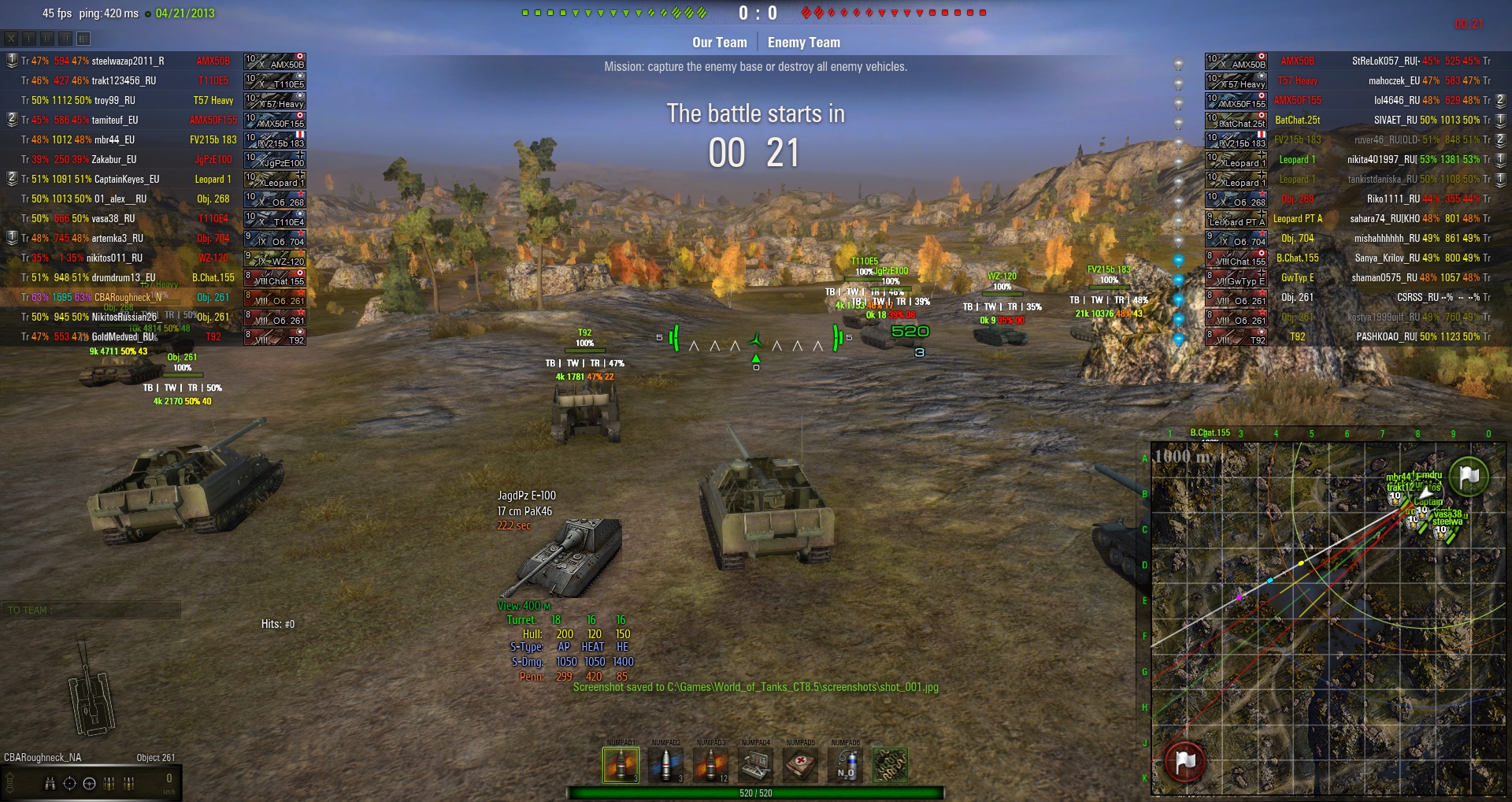
info in alt view
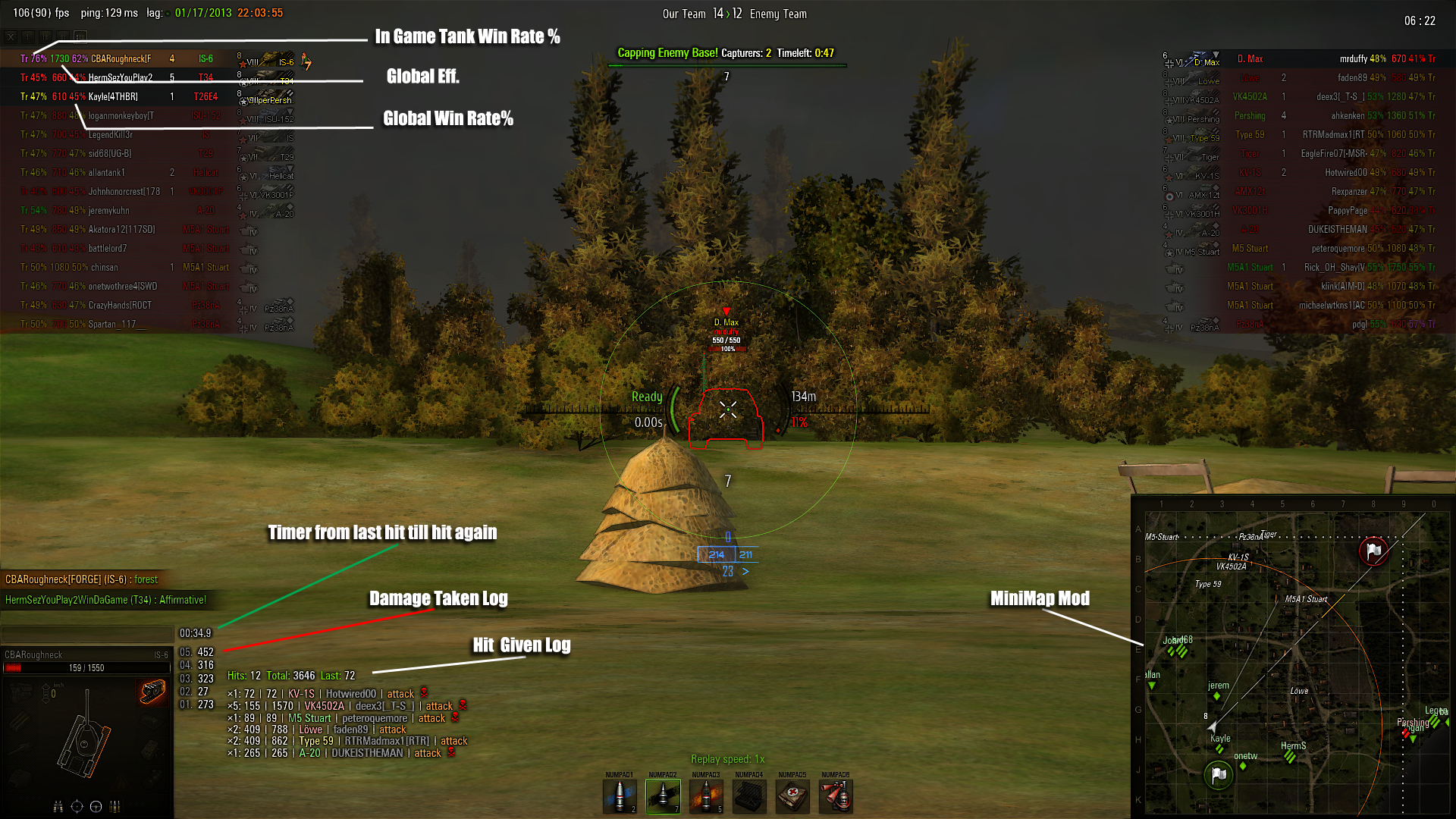
shows a lil more info
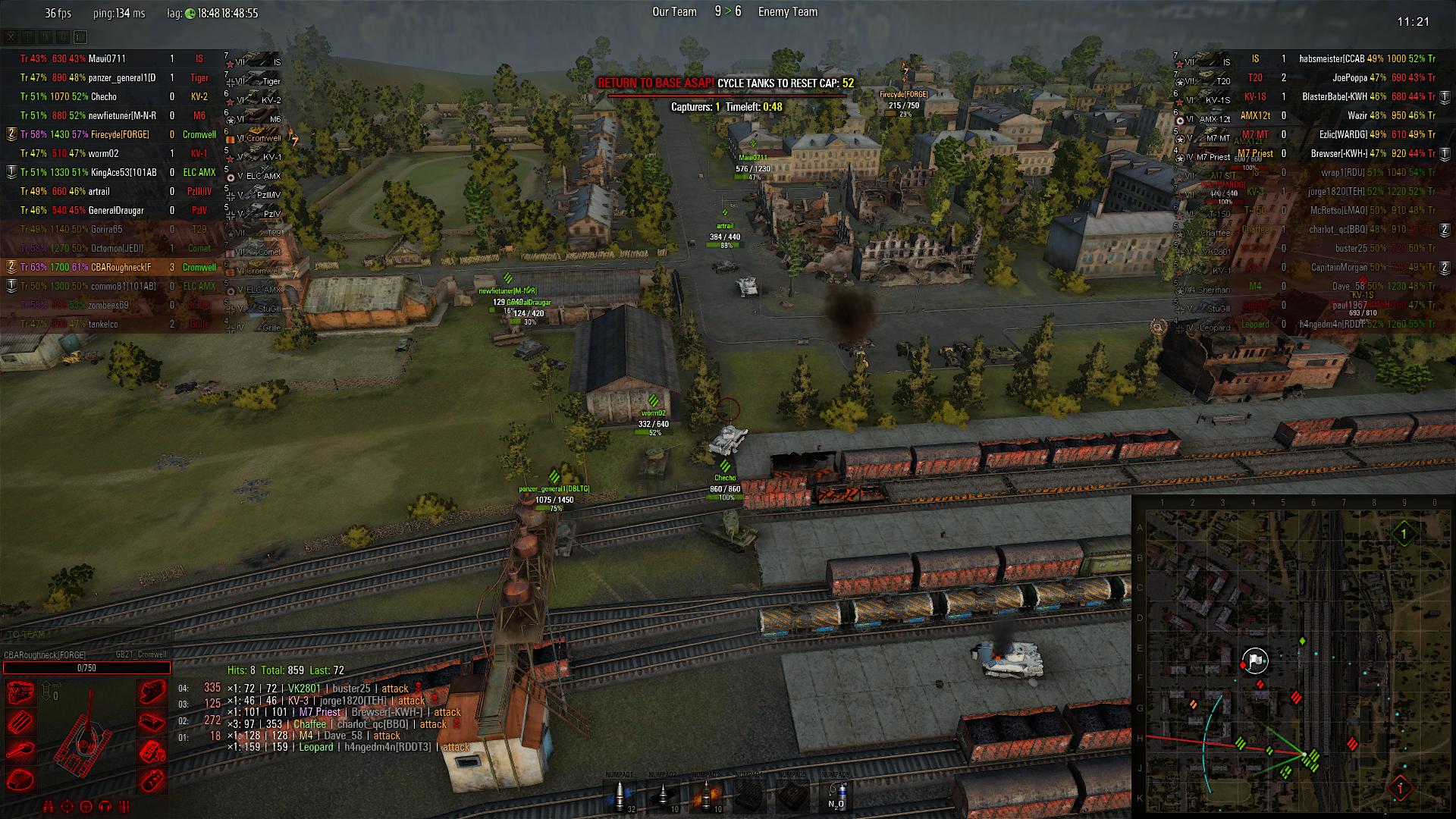
shows timer and info for base capture
Description
My Site roughnecksmods.com
TO CHANGE THE VERTICAL HEALTH BARS JUST REPLACE THE XVM CFG WITH THE ONE THATS IN THE HORIZONTAL XVM CFG FOLDER FOLDER THE NAME PRETTY MUCH EXPLAINS IT!
support roughneck_cba@hotmail.com Game name: CBARoughneck USE MY FORUMS FOR HELP!!!! http://roughnecksxvm.forumotion.com/
Project site: http://code.google.com/p/wot-xvm/
my project support site: http://roughnecksxvm.forumotion.com/
Support: http://www.koreanrandom.com/forum/topic/1383-xvm
FAQ (Russian): http://www.koreanrandom.com/forum/topic/1381-faq
Ready configs: http://www.koreanrandom.com/forum/forum/50-custom-configurations
Сonfig editor: http://www.koreanrandom.com/forum/topic/1422-/#entry11316
IF YOU USE Hamachi? turn it off it stops stats from loading in game ****
******PEOPLE DONT COPY AND PASTE YOUR MODS FROM 8.4 INTO 8.5 THERES 3 OF THOSE FILES FROM A BUNCH OF MODS THAT DONT WORK AND NEED UPDATED EVERYPATCH****
HOW TO INSTALL
-----------------------------------------------------------
1. Game must be installed to disk with NTFS file system.
2. Microsoft .NET Framework 2.0 is required.
You can check your installed .NET versions using this utility:
http://www.tmgdevelopment.co.uk/versioncheck.htm
3. Install DokanLibrary: http://dokan-dev.net/en/download/#dokan
4. Unzip archive to game folder:
Right click to archive -> "Extract all..." -> select game folder -> "Extract"
5. You do not need to setup anything by default.
If you want special settings, you need to create config file:
\res_mods\[GAME VERSION]\gui\flash\XVM.xvmconf
You can select ready config file from \xvm-doc\samples\ directory, or use
online editor: http://www.koreanrandom.com/forum/topic/1422-/#entry11316
Old OTMData.xml configs are also supported in legacy mode, you can use if if
you do not need new features.
All possible config options you can see in this file:
\xvm-doc\samples\Full config EN\XVM.xvmconf
Note: If you changing config manually, use Notepad, DO NOT use MS Word,
WordPad and such editors.
6. If you do not want statistics, run game as usual.
If you want statistics, run wot-xvm-proxy.exe (game will be started
automatically). Also make a note that statistics is turned off by default,
so you need to enable it in config file.
If you want statistics and game launcher, start with /launcher argument:
Create shortcut wot-xvm-proxy.exe
Open Properties
Write 'wot-xvm-proxy.exe /launcher' (without quotas) in Object field
Press OK
7. If you use Skype, in Tools -> Options -> Advanced -> Connection ->
REMOVE CHECK "Use port 80 and 443 as alternatives for incoming connections".
8. If you want to send bug report, run wot-xvm-proxy.exe with /debug argument
and add console output to report
The Roughnecks Tank XVM 3.5 for 8.5 Team
