


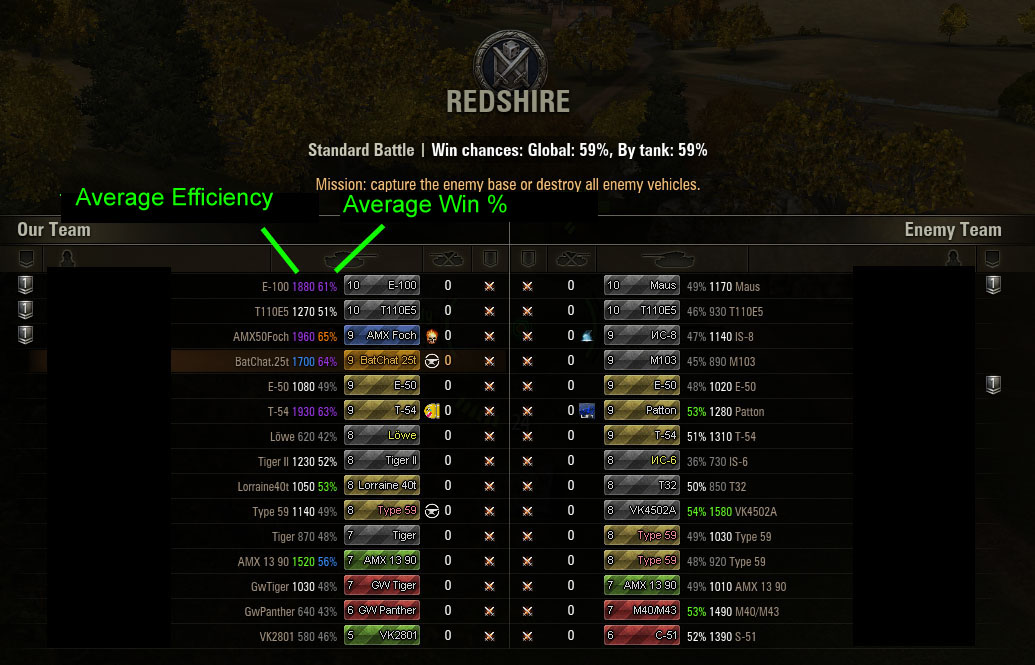
When you press tab you will see their average efficiency and their average win %
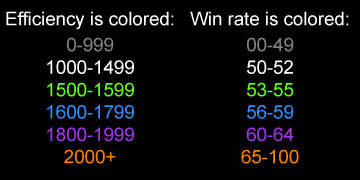
Should be self explanatory
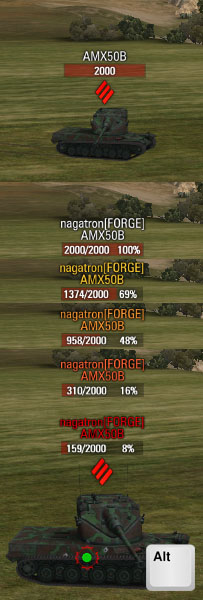
Enemy target markers update color based on remaining hit points. 75, 50, 25 and 10% cause the updates.
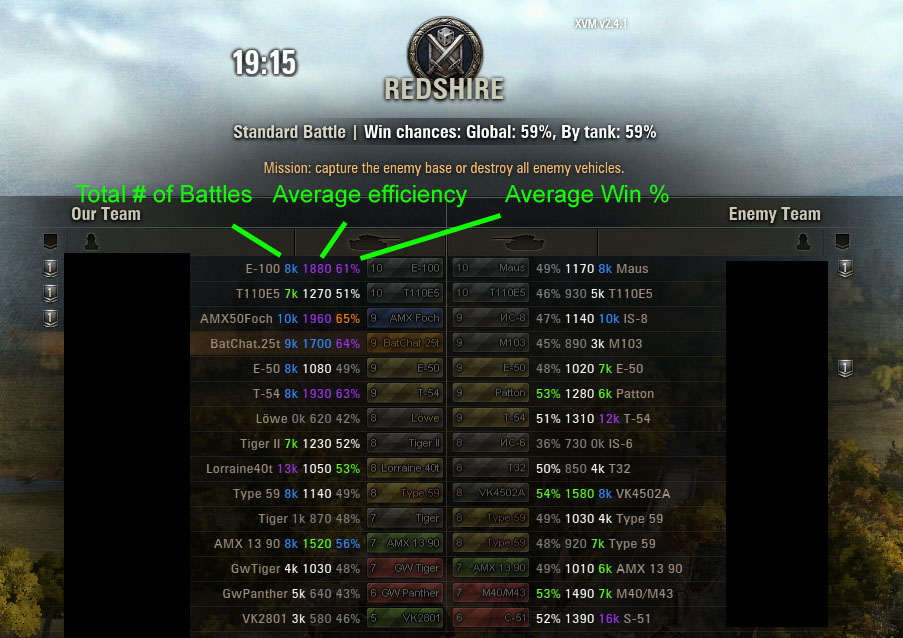
During the loading screen you will see their total number of battles, their average efficiency rating and their average win %.
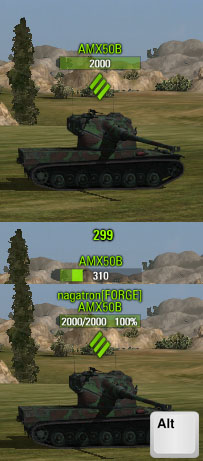
Friendly OTM does not update based on hit points. This way there will be no confusion as to who is an enemy and who isn't.
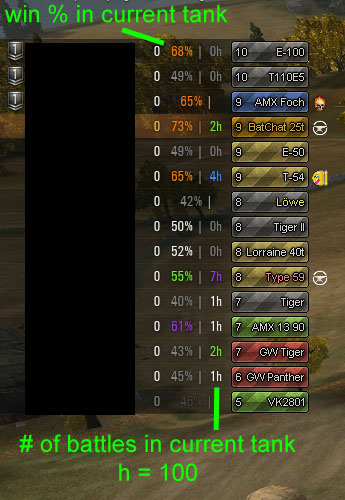
When the player panels (ears) are fully expanded you will see the number of battles and win % of the tank they are in.
Description
This config is for XVM/Lite and is an attempt to simplify and minimize the visual clutter that this mod can create. This most recent update includes configuration for XVM's Over Target Markers (OTM). You can see this in the screen shots.
Icons are not mirrored so this will already work with your favorite icon mod.
Currently you will only see statistics in three areas:
- Loading screen (total # of battles, average win% and efficiency)
- While holding Tab (average win % and efficiency)
- If your tank lists (ears) are expanded to level III which for most people is only at the beginning of the match. (Win rate and # of battles in their current tank; h=100)
There will NOT be statistics on target markers or on your tank lists expanded to either levels 1 or 2.
My colors are not standard XVM and are based off of the MMO loot scheme (Thanks to LrdStudios for the idea and blessing to use this):

OTM: You can check out how these will look in the screenshots. Enemy tank/player name color changes depending on their remaining hit points. It updates at 75, 50, 25 and 10%. Basically the closer to red this is, the closer they are to death. This should help you quickly identify your best targets.
Ammo rack messages are :ILIKETURTLES: for friendly and :GETOUT: for enemy.
If you'd like to continue using the standard OTM setup then simply remove the "VehicleMarkersManager.swf" file from your XVM install.
Installation:
Merge the contained res_mods folder with your own.
-OR-
Manually install the 'XVM' file to: res_mods\version#\gui\flash
Manually install the 'clanicons' folder to res_mods
The Nagatron's XVM/Lite Config Team


