


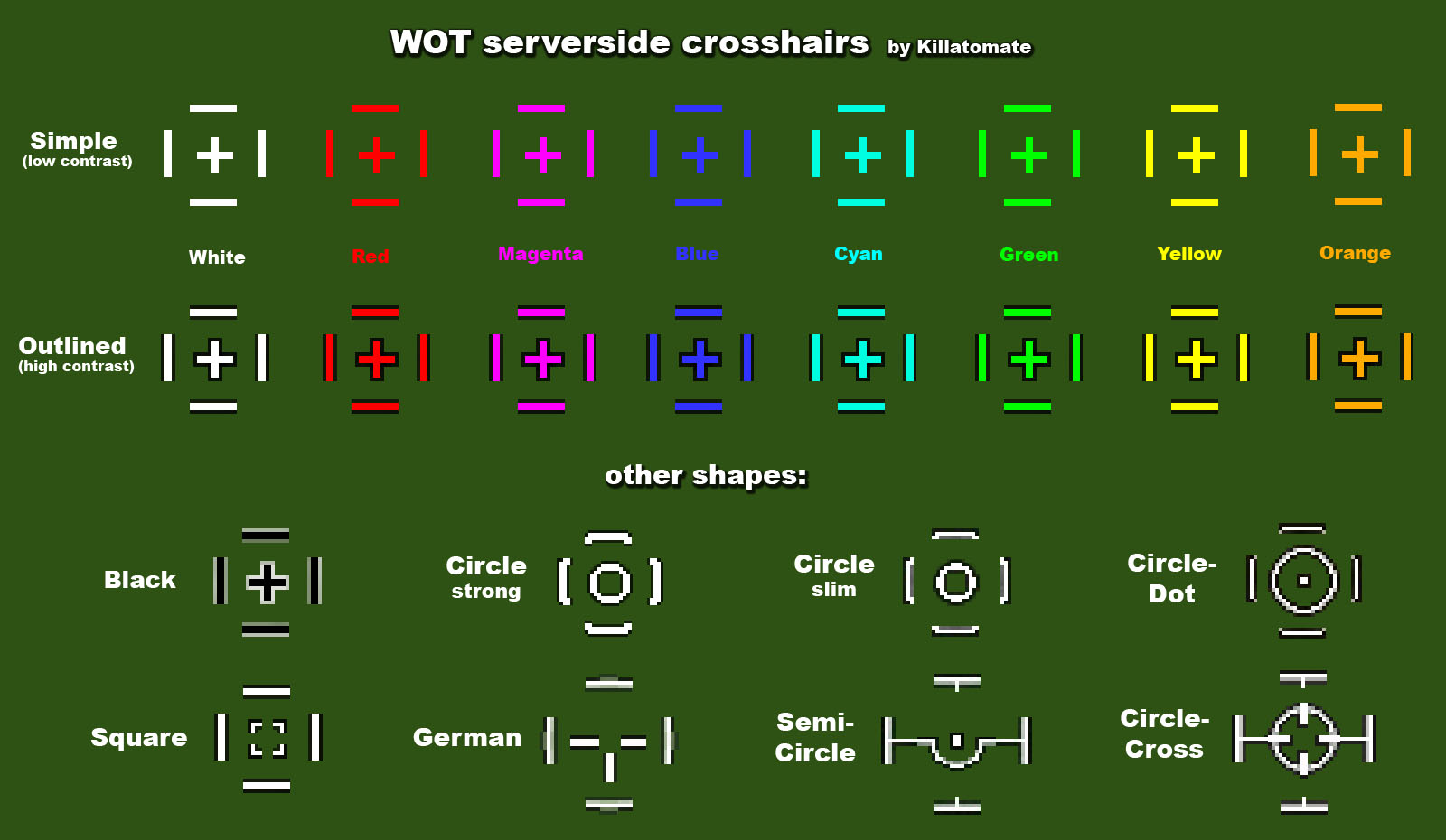
All of the available crosshair styles and colors.

Check the catalog for more options
Description
This modification enables the old server reticle at the same time as your normal one. Make sure you have server reticle turned ON in your settings and they'll both show up.
Installation:
Move the 'gui' and 'scripts' folders contained into the most recent mods folder you have and press the 'merge' button.
- OR -
1. Manually install 'gun_marker_blue.dds' to "res_mods\version#\gui\maps\ingame\aim"
2. Manually install 'control_modes.pyc' to "res_mods\version#\scripts\client\AvatarInputHandler"
You can alter which crosshair you are using. For more options look at "crosshair_catalog3.jpg"
If you should desire to change the stock server reticle pick the one you want in the catalog, find it in its folder and relabel it to: "gun_marker_blue.dds"
After that install it to the same place as #1.
Make sure you have server reticle turned ON in your settings
Author: garnet_auxo
Custom serverside crosshairs by Killatomate (http://forum.worldoftanks.eu/index.php?/topic/84880-081-custom-serverside-crosshairs/)
The Permanent Serverside Reticle Team


