


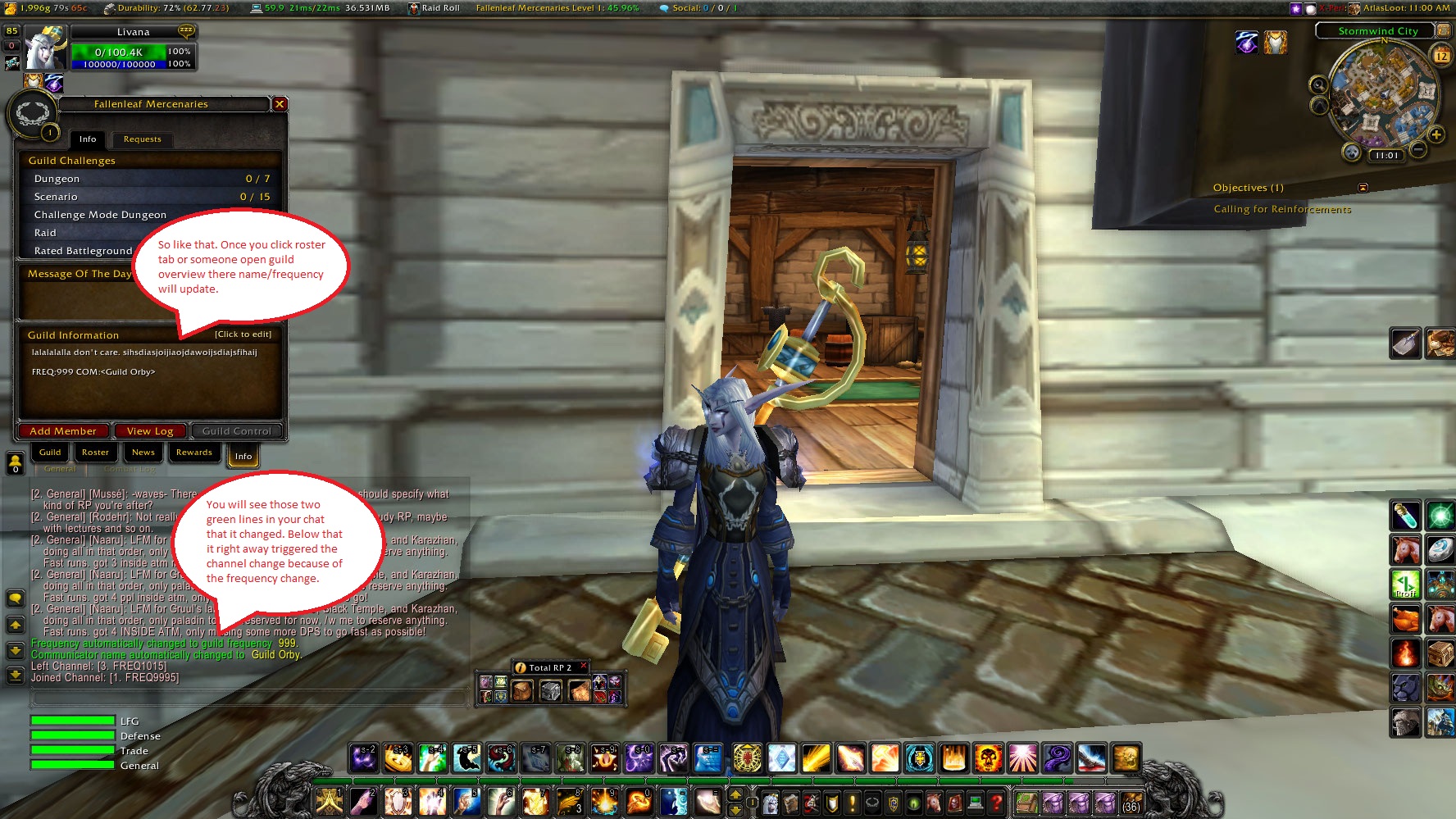
Here you can see how to set guild frequency/communicator name.
Description
About
Addon is back to its main focus. Being a companion. Mainly for chat! Its been enhanced and you wouldn't believe your eyes. Especially as with this new system a GHI version will follow aswell!!!
Type /rc for help menu ingame.
Features
Communcation Functions
First time using the addon please choose a frequency for your guild or ask your guild wich one your using. For example were grabbing 104 here. When you login first time type "/rc freq" you will see your current frequency, to get to your proper one type "/rc freq 104"
Now you should be joining FREQ104 (notice there is a 4th number, this one will changed based upon your continent. see the list below. This way communication with others on other continents is simply not possible but there will be an alternative to have basic communication.
[Continents]
- xxx2 = Kalimdor
- xxx5 = Eastern Kingdom
- xxx6 = Pandaria (YAY!)
- xxx7 = Outland
- xxx9 = Northrend
- xxx0 = This will be removed next update. You will stay in previous frequency zone. RP goes on, also when you went to do a dungeon quickly.
Now to send a message type "/rcs <message>" notice that what your saying to the channel is said in emote to, why ? Because your talking and people nearby will hear you offcourse. But you can also whisper (yes being human is amazing) it works the same way but type "/rcw <message>"
You can do the same thing to officer channel, this would be done with the following commands.
- /rocw <message>
- /rocs <message>
Guild Frequency / Communicator
Alright many been waiting for this. First of all check screenshots on how i did it. In your guild info add the following.
- FREQ:xxx COM<xxxxx>
Now replace the xxx of frequeny with your frequency. Replace the part between < and > with your communicator name.
If your on Argent Dawn Europe. Please see this post and let me know your frequency. CLICK ME
[Shortcuts]
Type in chat the following to have them automatically replaced as you hit enter.
- %r = rank name of your target
- %g = guild name of your target
- %n = your own charachters name
- %t = targets charachter name (default of wow)
Upcoming features to this is a shortcut for surname as stated by MRP or TRP2.
Misc Stuff
- "/rc dice <amount>" The amount is optional, if no number is given the default will be 20. When executing this command you will automatically do an emote of rolling a dice, basicly a 1-100 roll except you get to choose the amount, so by default 1-20 and max is like 1-999999 I think.
- "/rc coin" Heh.. tough decisions ? flip a coin up in the air. Just try it.
The Roleplayer Companion Team


