This page is no longer being actively monitored, please seek for support on SpigotMC.
Plugin: TrainCarts - Linked Minecarts, sign-redstone systems, easy to use and realistic
Version: v1.73.0
Build: 1.7.2 R0.1/R0.2
Incompatible with: RailCraft
Description
This plugin looks for suitable Minecarts and links them together if possible. When two Minecarts are being "linked", the Minecarts will act as one single moving train.
Once carts are successfully linked, an effect is played and their velocity is shared in combination with an individual factor for each Minecart, which is used to remain a steady gap between carts. This gap is adjustable, the force at which this happens as well.
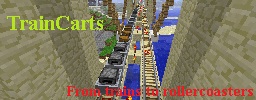
End result: a train! You can move it, make a roller-coaster out of it, split it in half, watch trains collide, whatever you want to do with trains. :)
As for 1.21, it is also possible to safely exit your train by setting an exit offset with a (sideways) push factor for the train. This feature is disabled by default. (only affects dropped items). If you want to display arrival times on signs (see redstone circuit part) you need SignLink, see the downloads on the bottom of the page.
As for 1.35 you can set train properties to make 'special' trains, or to 'finalize' a train
Links
For configuration, permissions and how-to's, see the Wikipedia page (it is rather long):
Link minecarts using collision: no commands needed to make a train
Move trains as easily as you would with single Minecarts
Store trains to file for persistence during reloads and server restarts
Use sign-redstone circuits for subway systems, complete railroads and much more
Station to gracefully stop and launch trains
Spawn
Teleport
Property setters
Tag systems to switch certain tracks based on tags on the train
Destination systems to make your train travel to far-away lands all on it's own
Supports Minecart Mania's features
Infinite minecart speeds are possible
Push-away: Push mobs, players and items away from your trains to keep them running
Everything is configurable, if something proves not to be, I will make it that way
FAQ
When players are near, trains reach their destinations. With no one near, they don't. What do I do?
By default trains do not keep chunks loaded, and they will unload once they move into unloaded chunks. To make trains keep the chunk area (and themselves) around them loaded, set the 'keepchunksloaded' property to True. This can be done using the /train keepchunksloaded true command, using a property sign or by changing it to true in the DefaultTrainProperties.yml file. For more information about train properties, see here.
If you have another plugin that performs similar Minecart replacement techniques, it is likely that TrainCarts will not function or function poorly. For the 'chunk persistence' part of this plugin, other plugins that unload chunks without firing events result in this feature failing. Minebackup is known for having this problem.
Metrics
This plugin sends server count statistics to MCStats.org. You can (globally) opt out in the PluginMetrics/config.yml file.