promotional bannermobile promotional banner

MiniHugeHUD

Abandoned
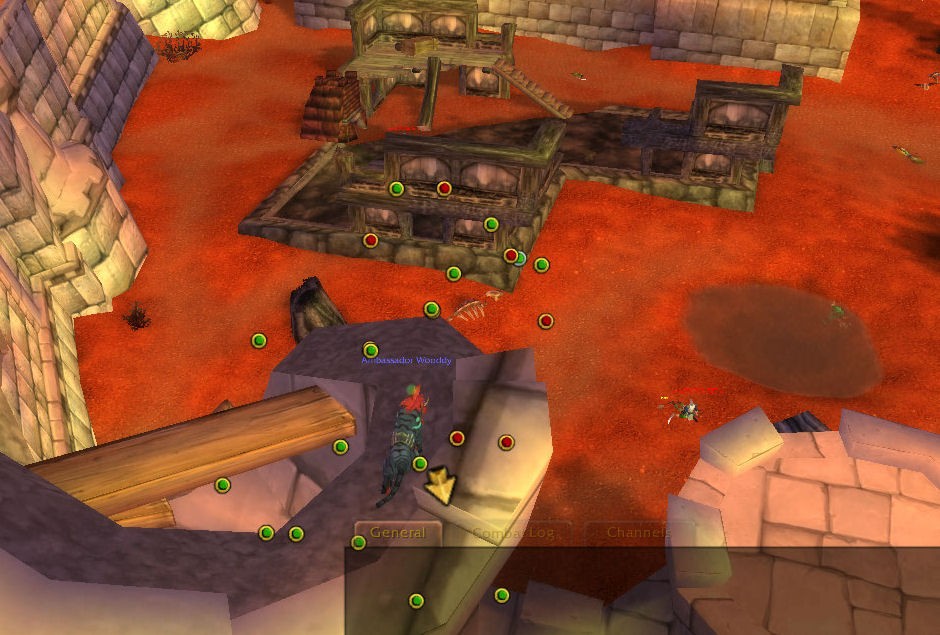
MiniHugeHUD moves the minimap trackers over the main screen causing the minimap to be hidden and the tracking points to cover...
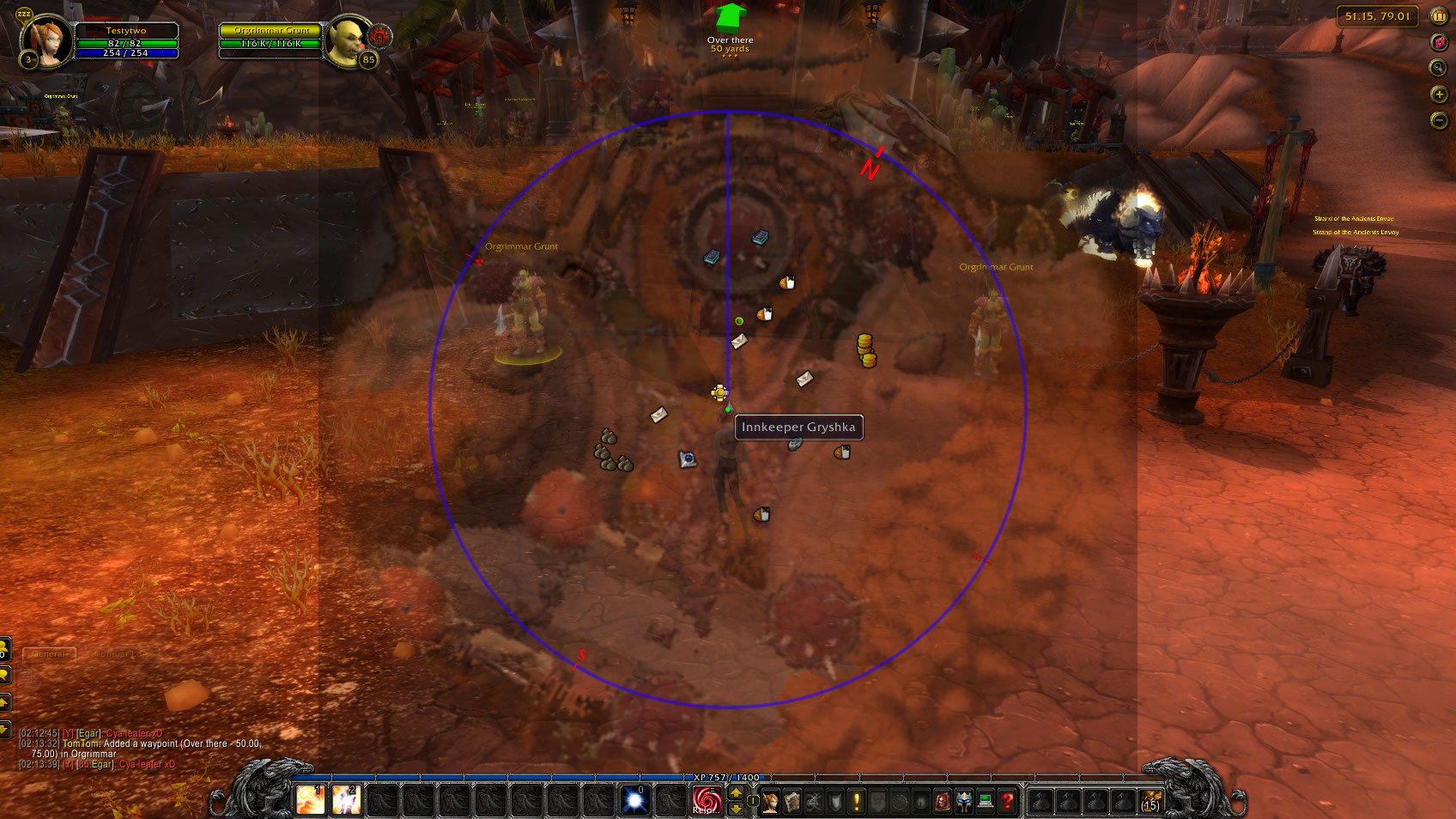
<p>In this screenshot I have held the Mouse Interaction button down so I can mouse over items on the minimap to see there popups or click on them etc... and have already selected (in the options screen) to show the minimap slightly transparent while thi...

In this screenshot I have held the Mouse Interaction button down so I can mouse over items on the minimap to see there popups or click on them etc... and have already selected (in the options screen) to show the minimap slightly transparent while thi...

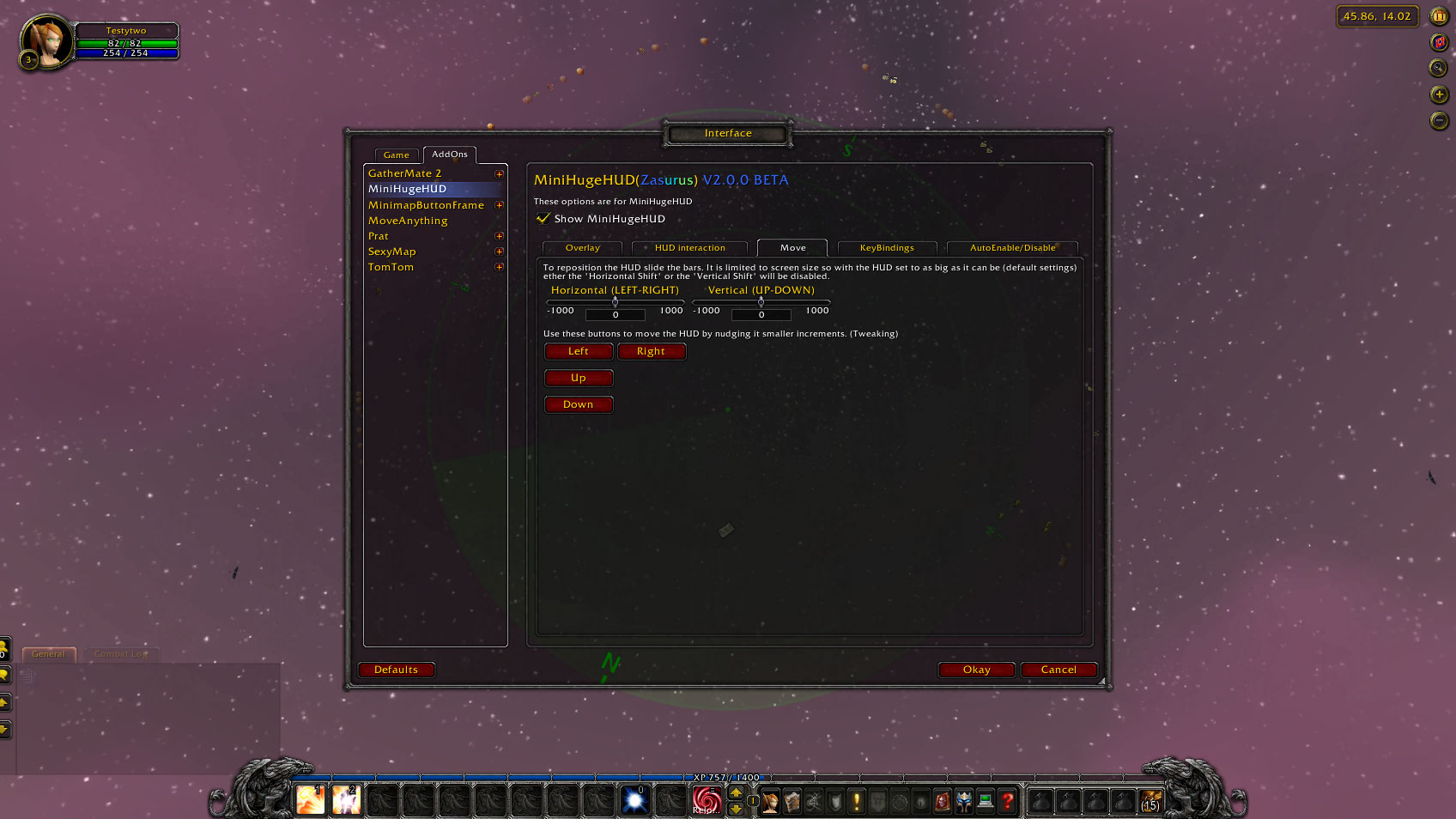
<p>This shows you the options screen for MiniHugeHUD. Specifically the Move screen. I created these options as I was running WoW across multiple monitors and wanted to be able to move the HUD onto one of the screens. You could also use them to move the ...

This shows you the options screen for MiniHugeHUD. Specifically the Move screen. I created these options as I was running WoW across multiple monitors and wanted to be able to move the HUD onto one of the screens. You could also use them to move the ...

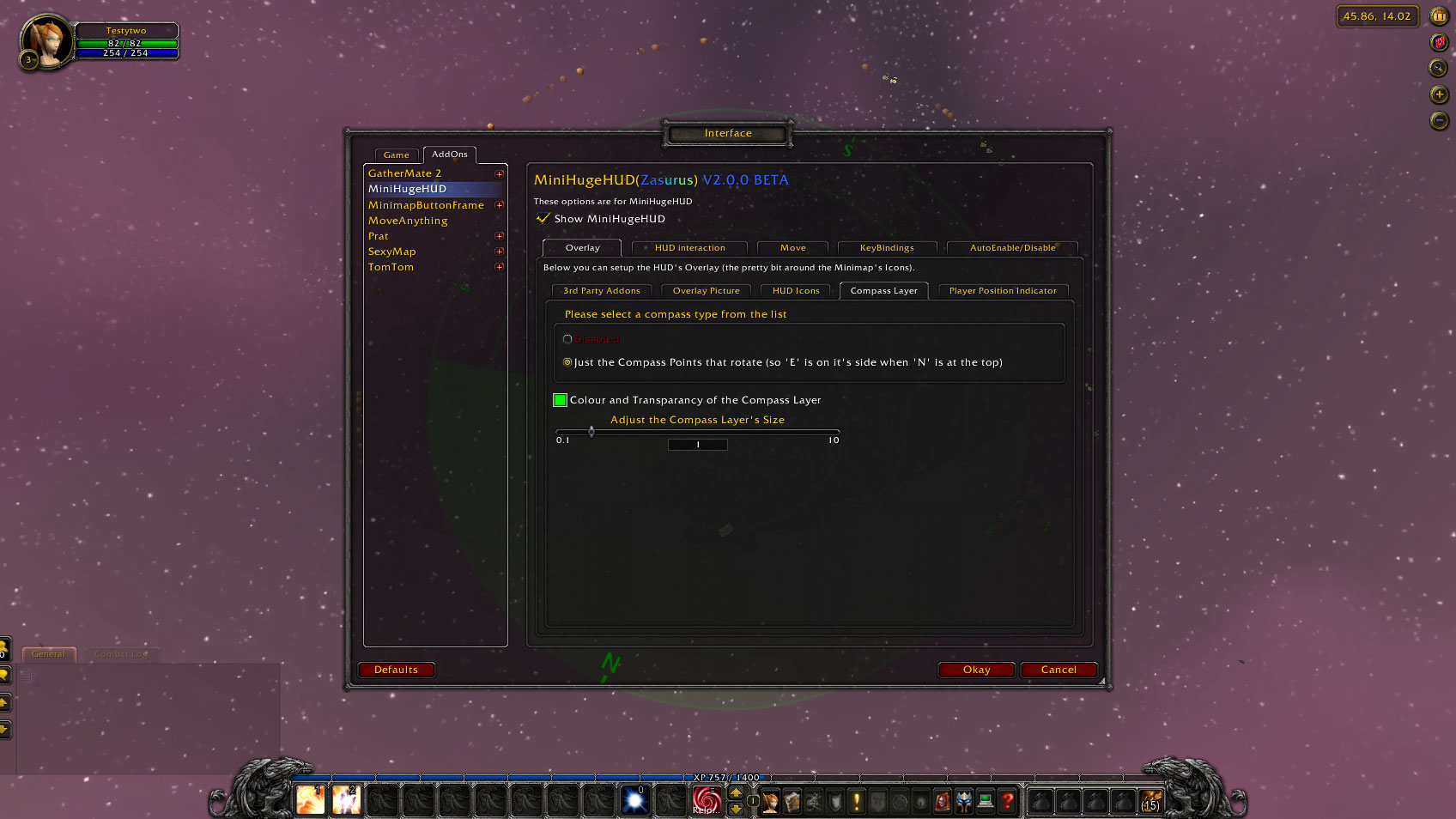
<p>This shows you the options screen for MiniHugeHUD. Specifically the Overlay - Compass Layer screen which lets you choice if you want the Compass points to be shown. These are the N, E, S &amp; W letters that appear around the HUD and tell you which w...

This shows you the options screen for MiniHugeHUD. Specifically the Overlay - Compass Layer screen which lets you choice if you want the Compass points to be shown. These are the N, E, S & W letters that appear around the HUD and tell you which w...

<p>This is a screenshot of the MiniHugeHUD with the Radar (animated) overlay on. I have got someone targeted (the dot above me to my left slightly) and someone set as focus (the yellow dot above me to the left). Also the Compass points are on. The whole...

This is a screenshot of the MiniHugeHUD with the Radar (animated) overlay on. I have got someone targeted (the dot above me to my left slightly) and someone set as focus (the yellow dot above me to the left). Also the Compass points are on. The whole...

<p>This is an example of what the HUD looks like with loads of Humanoids around. As you can see it clearly tells you where the enemys are and as you turn around the HUD rotates to always have the people that are phyisicaly in front of you apear at the t...

This is an example of what the HUD looks like with loads of Humanoids around. As you can see it clearly tells you where the enemys are and as you turn around the HUD rotates to always have the people that are phyisicaly in front of you apear at the t...

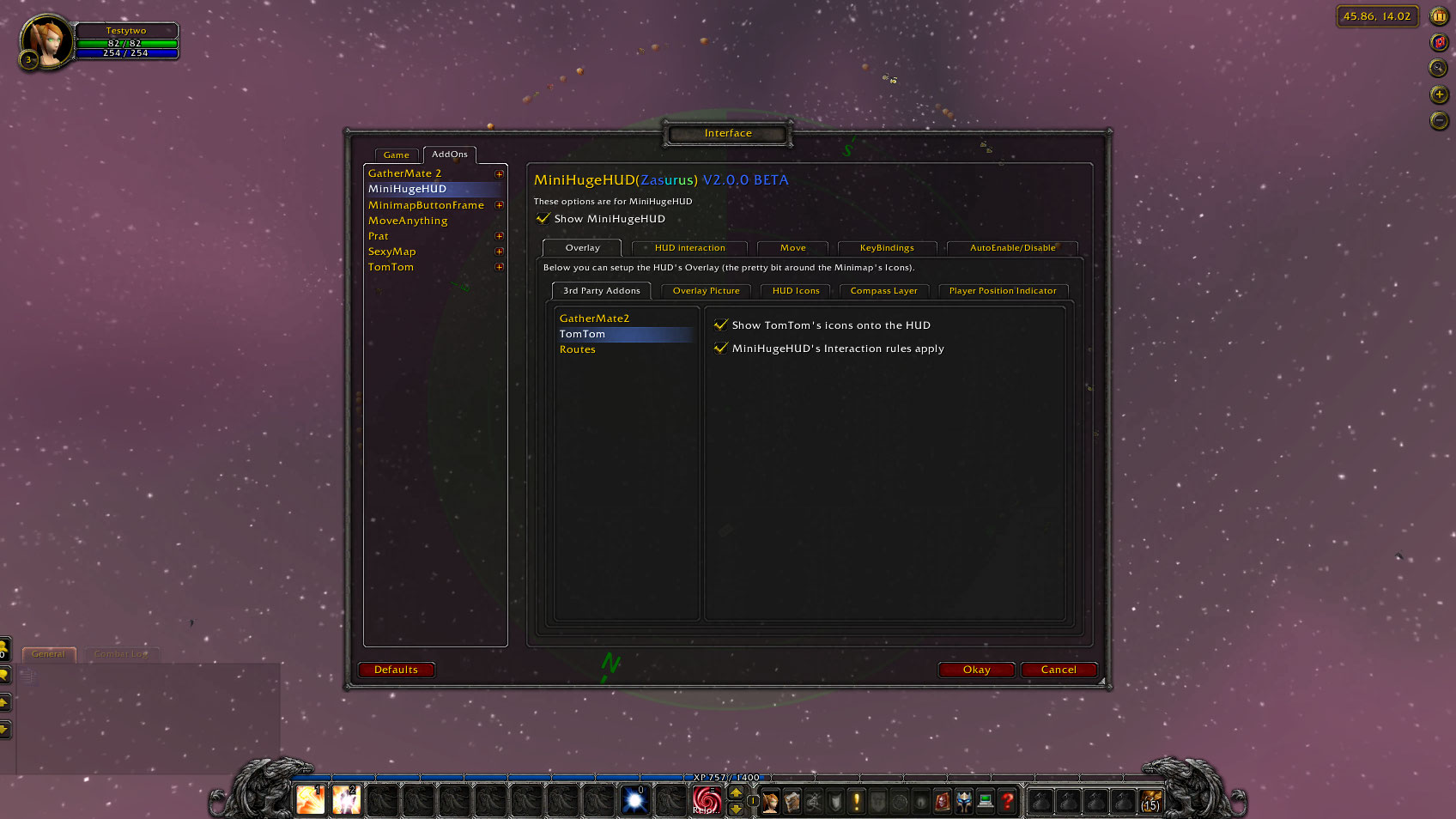
<p>This shows you the options screen for MiniHugeHUD. Specifically the 3rd Party Addons screens. There are one of these for each addon that MiniHugeHUD supports so as I find more to add (or you guys as for them!) there options will apear here. The three...

This shows you the options screen for MiniHugeHUD. Specifically the 3rd Party Addons screens. There are one of these for each addon that MiniHugeHUD supports so as I find more to add (or you guys as for them!) there options will apear here. The three...

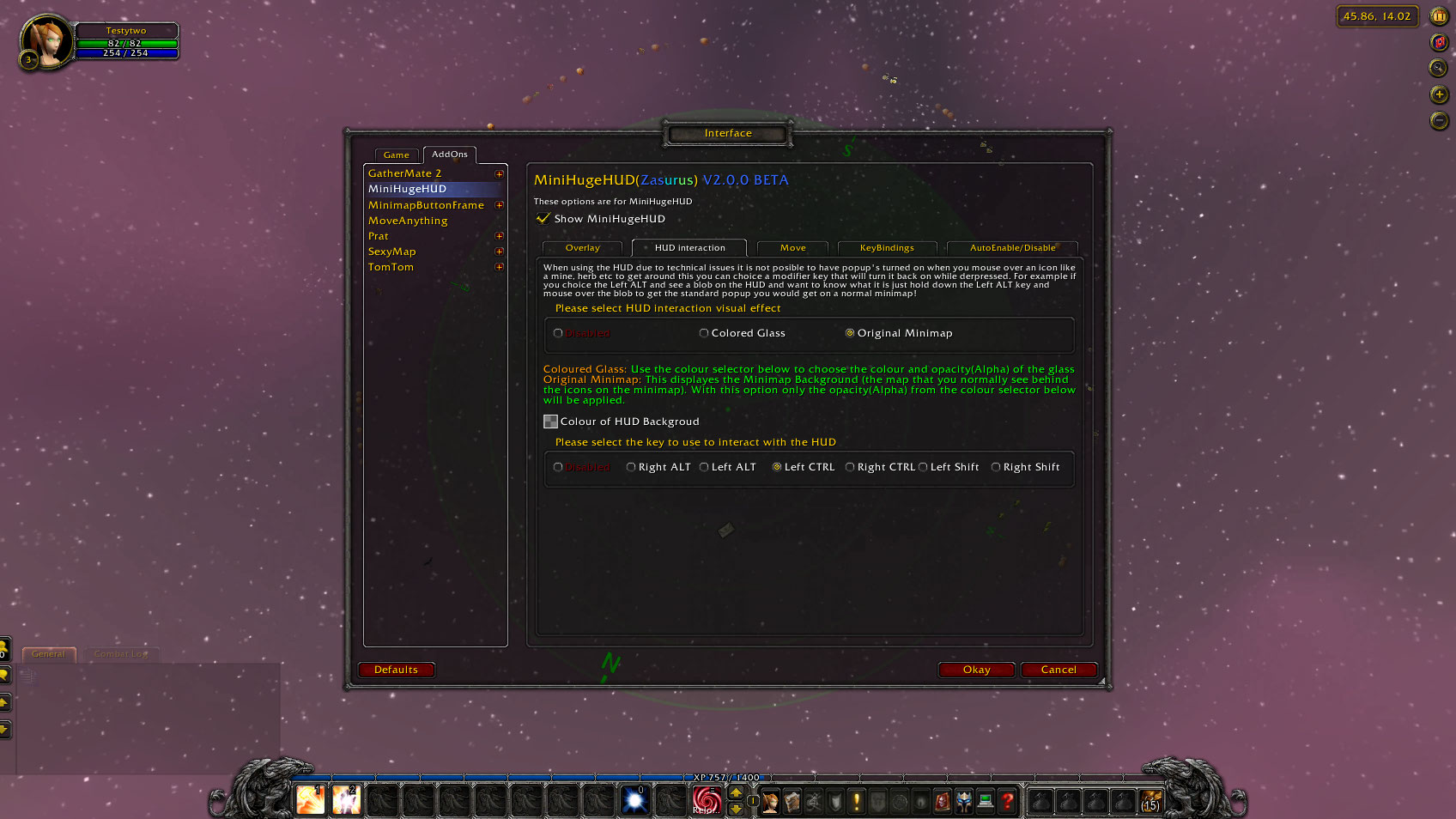
<p>This shows you the options screen for MiniHugeHUD. Specifically the HUD Interaction screen. This screen lets you specify which of the Mod keys (these are keys like CTRL, SHIFT and ALT that WoW treats in a special way.
When the selected key is held do...

This shows you the options screen for MiniHugeHUD. Specifically the HUD Interaction screen. This screen lets you specify which of the Mod keys (these are keys like CTRL, SHIFT and ALT that WoW treats in a special way. When the selected key is held do...

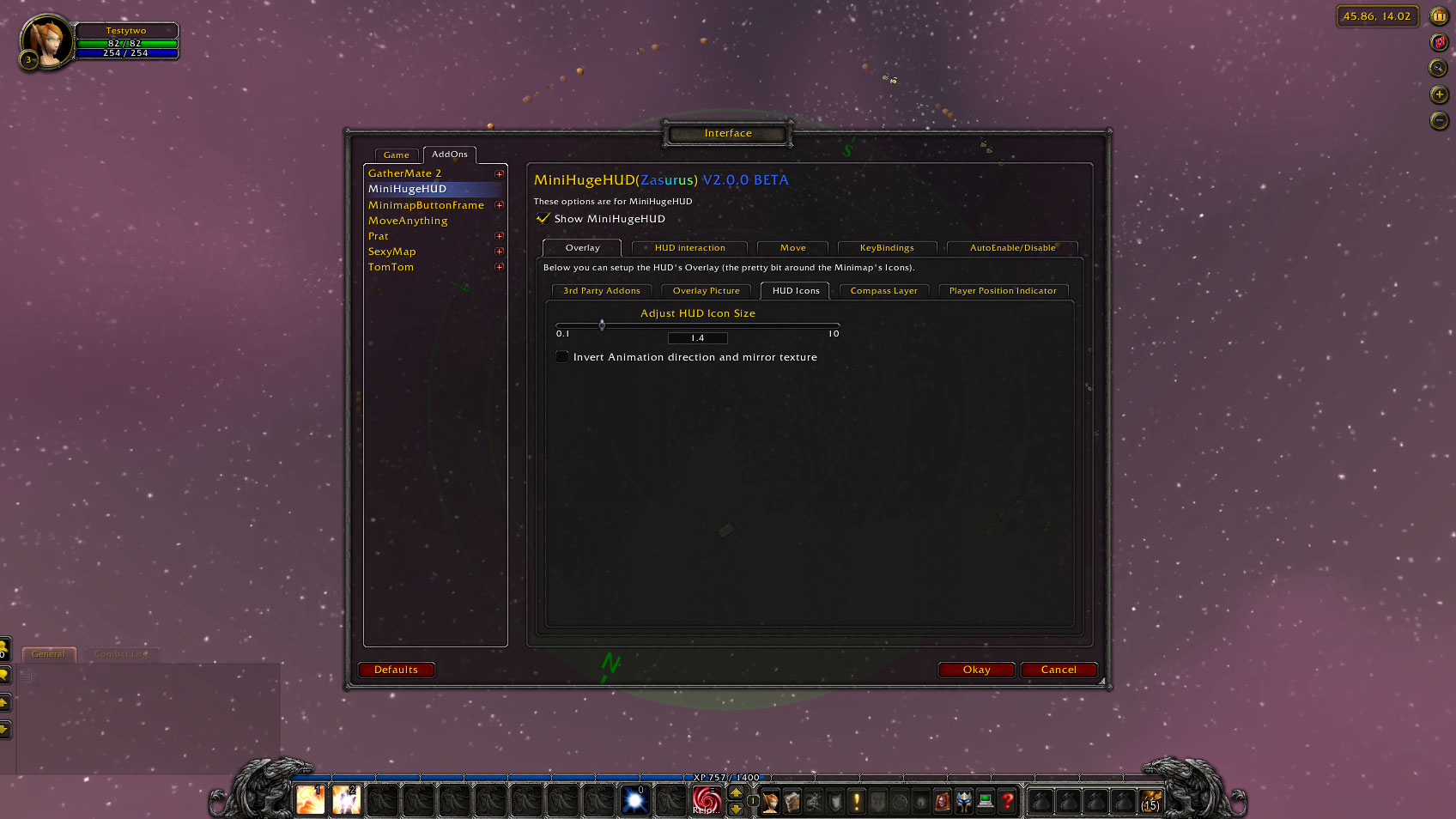
<p>This shows you the options screen for MiniHugeHUD. Specifically the HUD Icons screen. This is a basic options screen that lets you choice the size of the Main HUD Icons (not addon specific icons yet as I need to add this feature for each addon as I g...

This shows you the options screen for MiniHugeHUD. Specifically the HUD Icons screen. This is a basic options screen that lets you choice the size of the Main HUD Icons (not addon specific icons yet as I need to add this feature for each addon as I g...

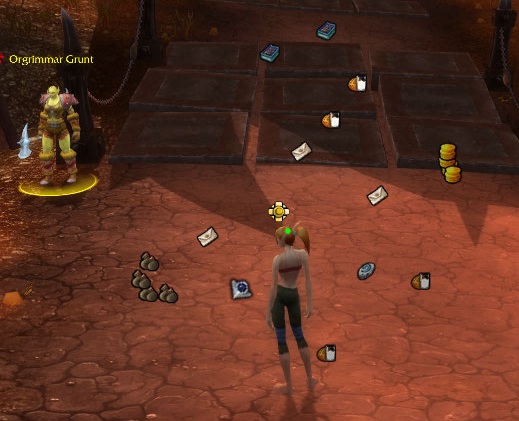
<p>This is in Org I have a guard targeted which you can see her on the HUD as a yellow blob JUST above my head and the green dot on my head represents where I am on the HUD.</p>

This is in Org I have a guard targeted which you can see her on the HUD as a yellow blob JUST above my head and the green dot on my head represents where I am on the HUD.

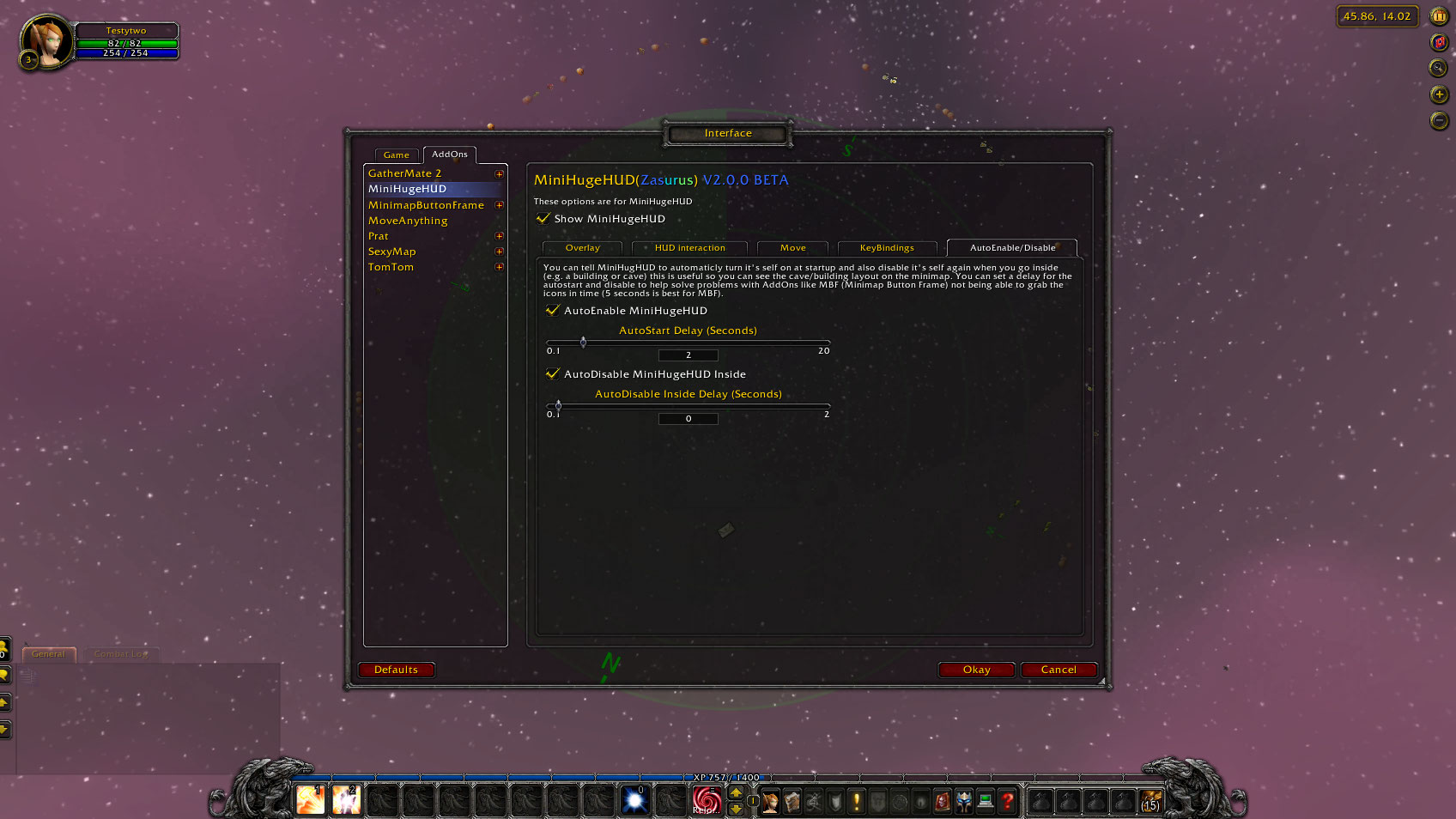
<p>This shows you the options screen for MiniHugeHUD. Specifically the Auto Enable/Disable screen and as you can see it lets you set if the HUD is auto enabled on start-up (and how long to wait for other addons etc) as well as if you want it to disable ...

This shows you the options screen for MiniHugeHUD. Specifically the Auto Enable/Disable screen and as you can see it lets you set if the HUD is auto enabled on start-up (and how long to wait for other addons etc) as well as if you want it to disable ...

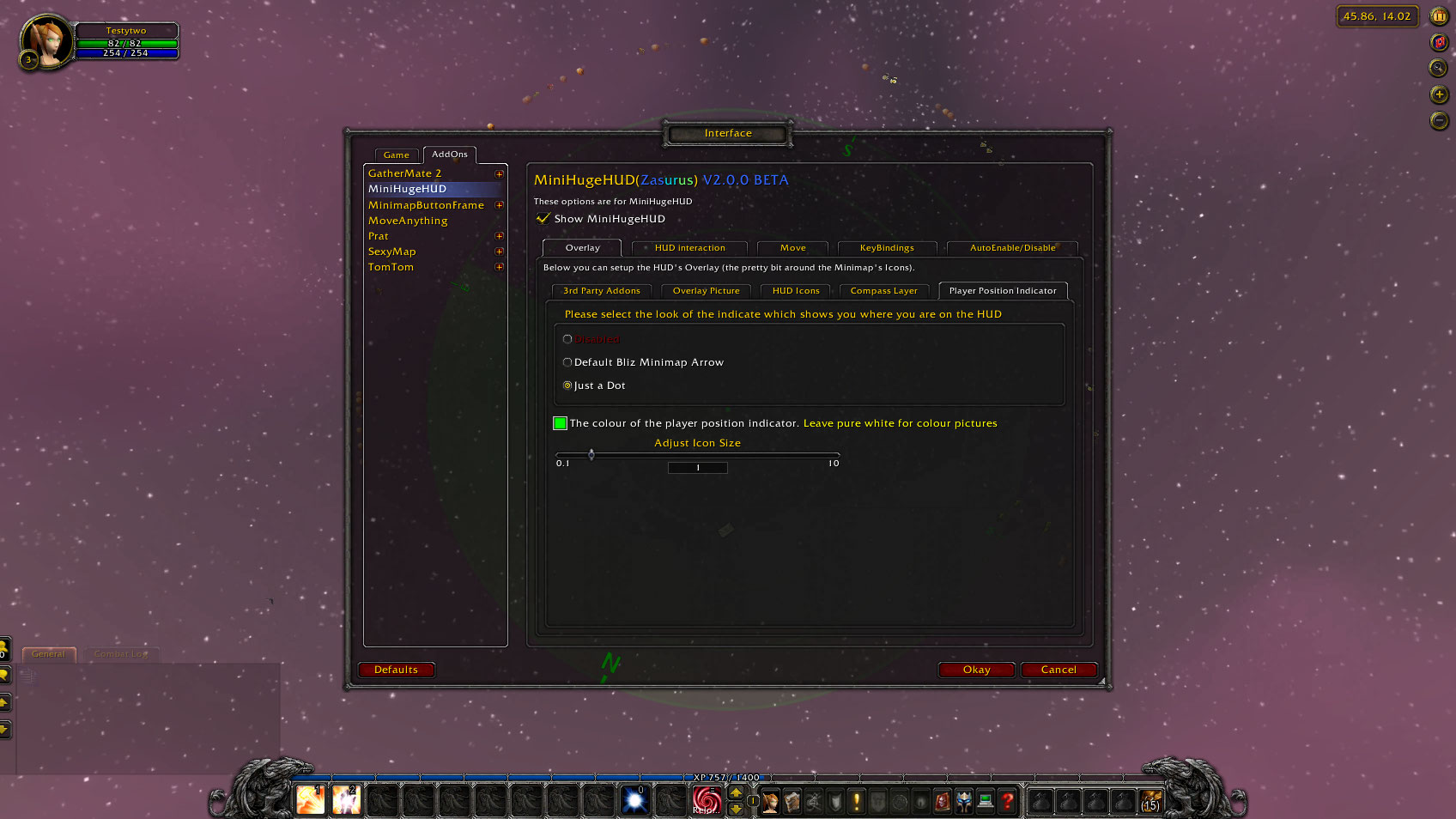
<p>This shows you the options screen for MiniHugeHUD. Specifically the Overlay - Player Position Indicator screen which lets you choice how the player's location is displayed on the HUD. More options for this will apear as I have time and think them up!...

This shows you the options screen for MiniHugeHUD. Specifically the Overlay - Player Position Indicator screen which lets you choice how the player's location is displayed on the HUD. More options for this will apear as I have time and think them up!...

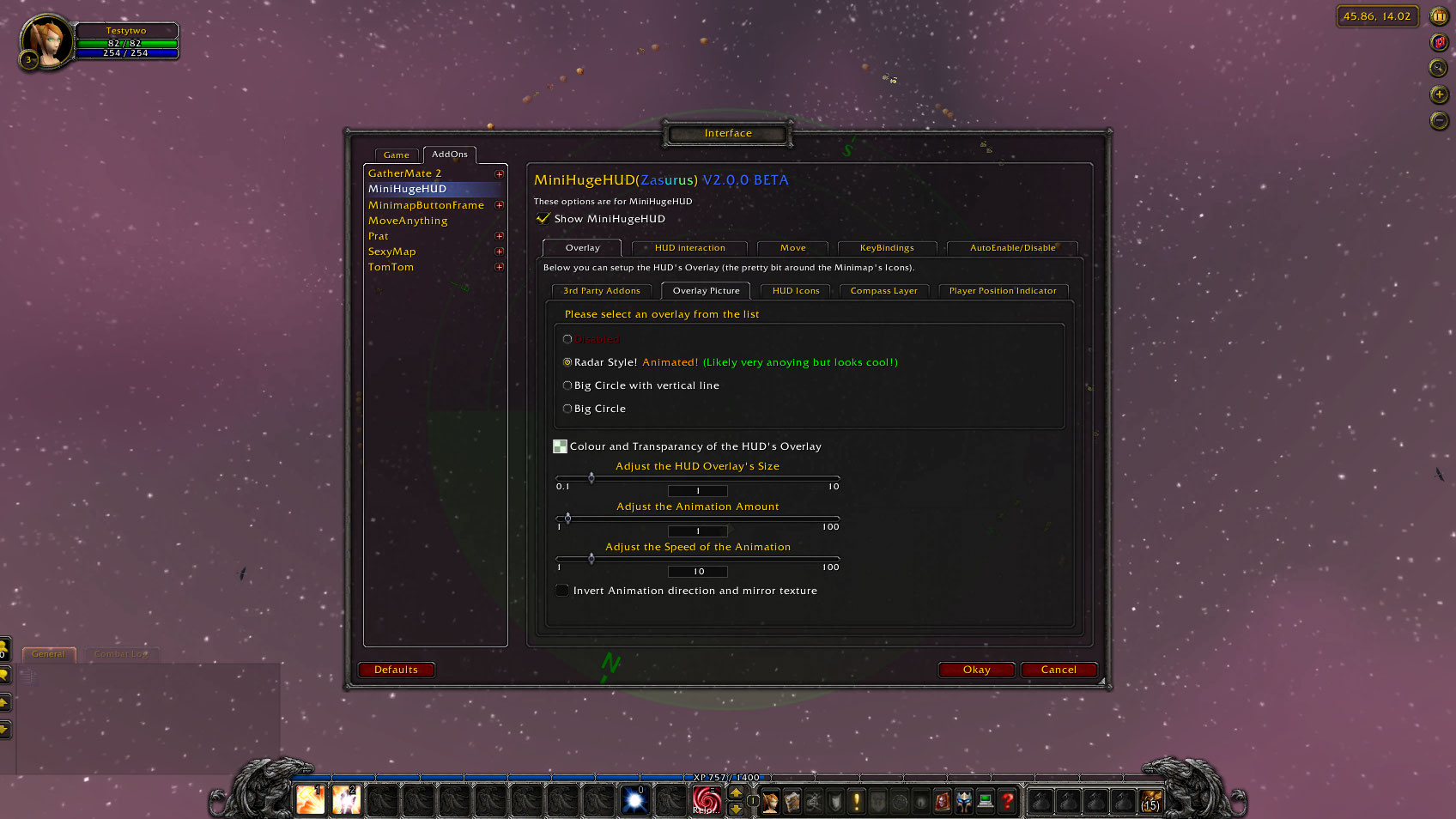
<p>This shows you the options screen for MiniHugeHUD. Specifically the Overlay Pictures screen. It controls the Main Overlay. It is fairly plain and I personally don't use any of them BUT I did spend some time adding an animated Radar overlay. Nothing b...

This shows you the options screen for MiniHugeHUD. Specifically the Overlay Pictures screen. It controls the Main Overlay. It is fairly plain and I personally don't use any of them BUT I did spend some time adding an animated Radar overlay. Nothing b...

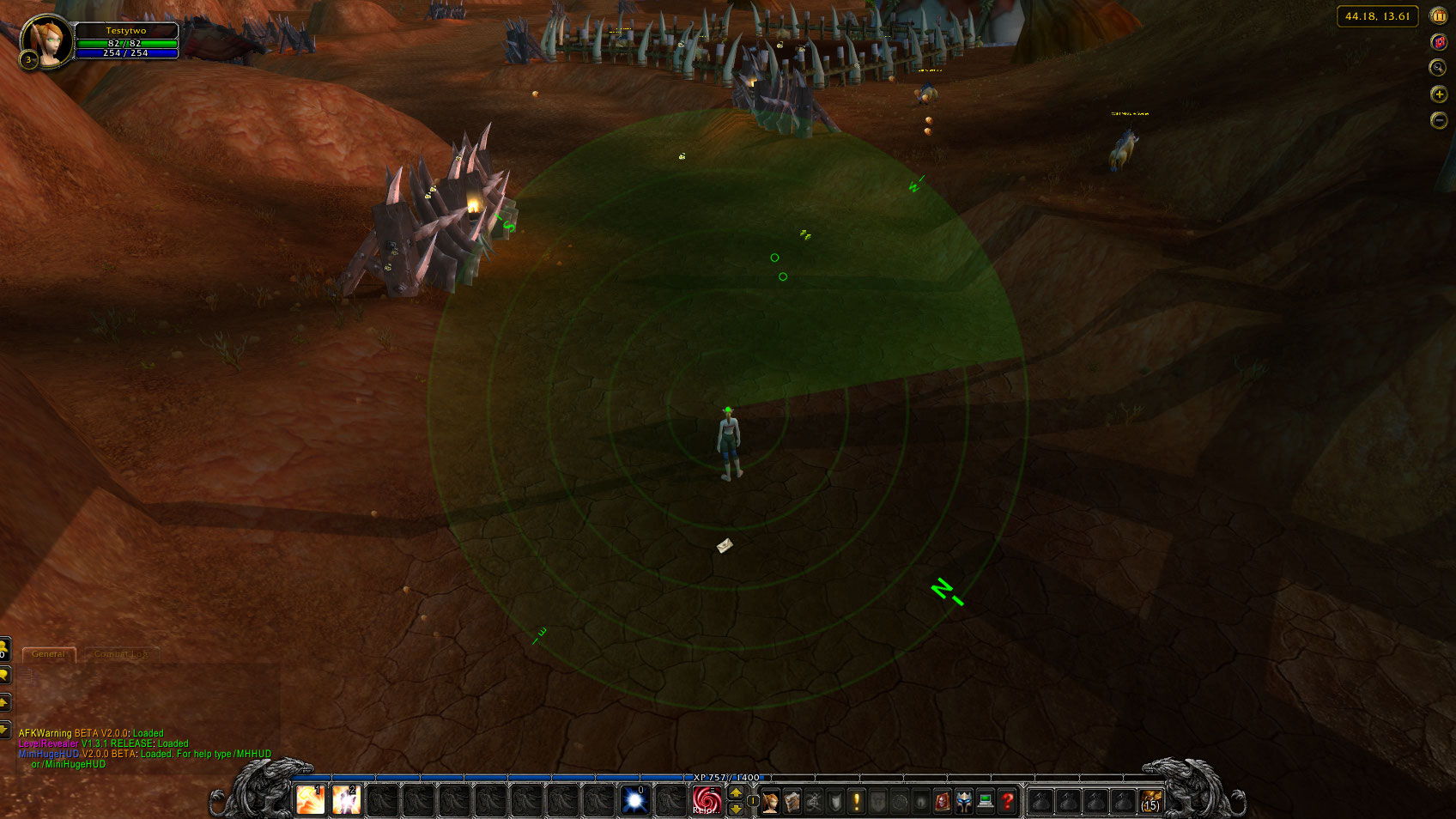
<p>This is a screenshot of the MiniHugeHUD with the Radar (animated) overlay on. Also the Compass points are on. The whole HUD is set to different shades of green although this can all be changed! Including the transparancy. <span class="emote emote-smi...

This is a screenshot of the MiniHugeHUD with the Radar (animated) overlay on. Also the Compass points are on. The whole HUD is set to different shades of green although this can all be changed! Including the transparancy.

<p>This is just a close up of the center of the HUD <span class="emote emote-smile" title="Smile">:)</span></p>

This is just a close up of the center of the HUD :)

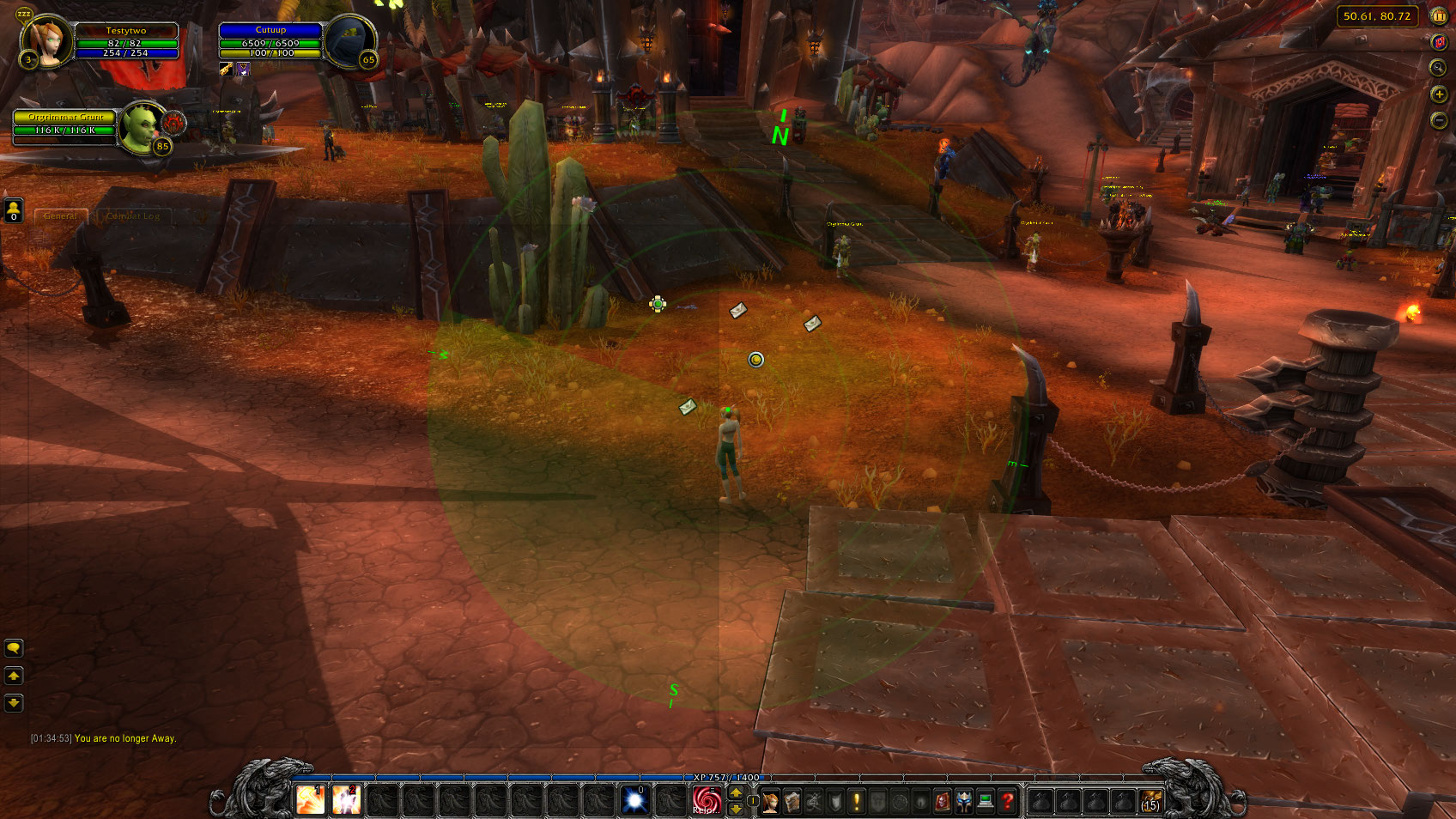
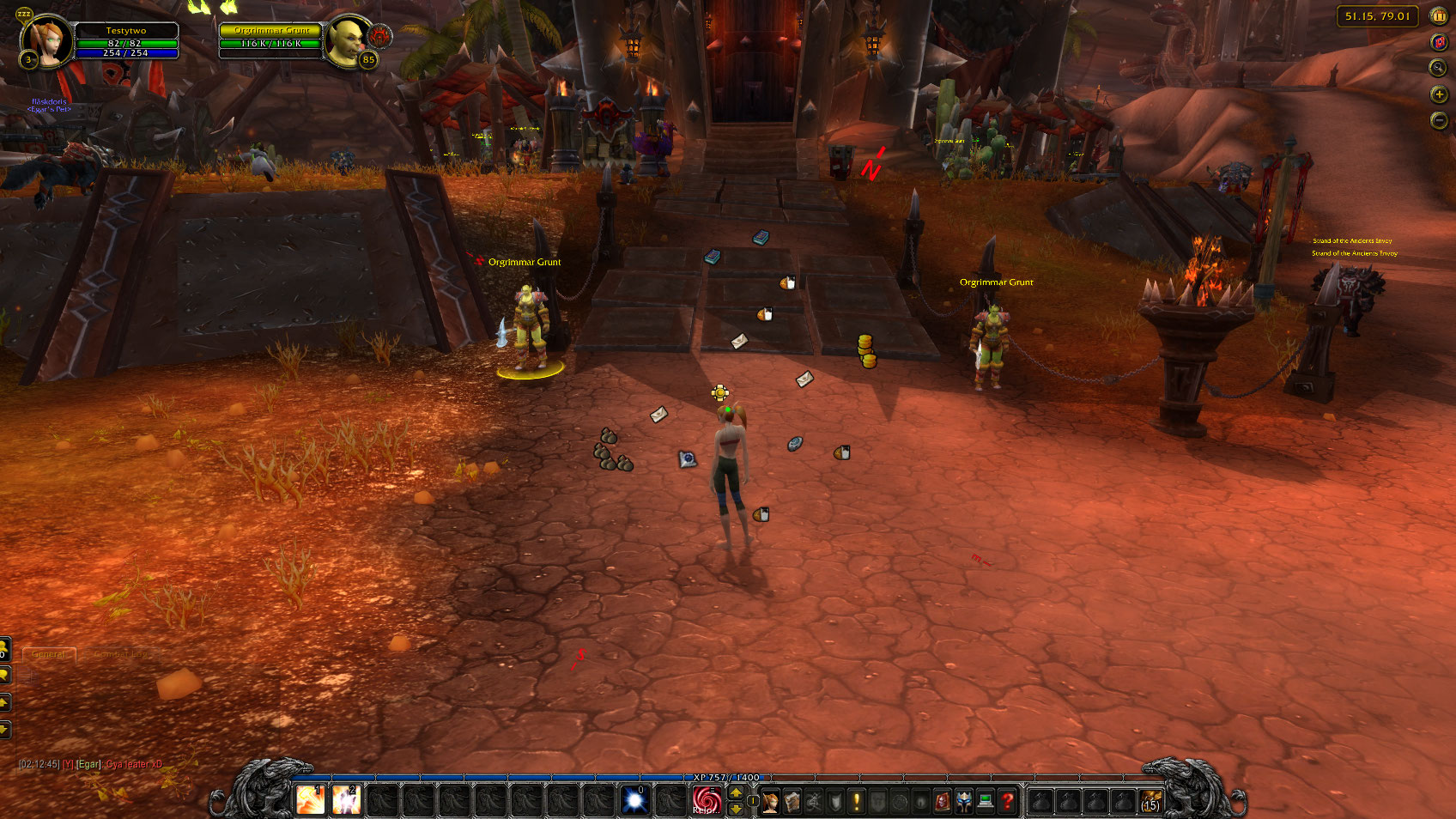
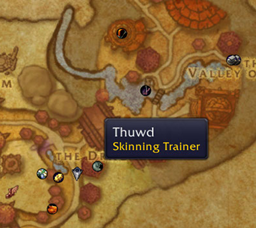
<p>This screenshot shows what the new tracking system in Cata looks like. Same function as normal but you can see all the mailboxes, merchants, questgivers etc... Each and every one of these can be turned on or off seperatly!</p>
<p>Download it and give...

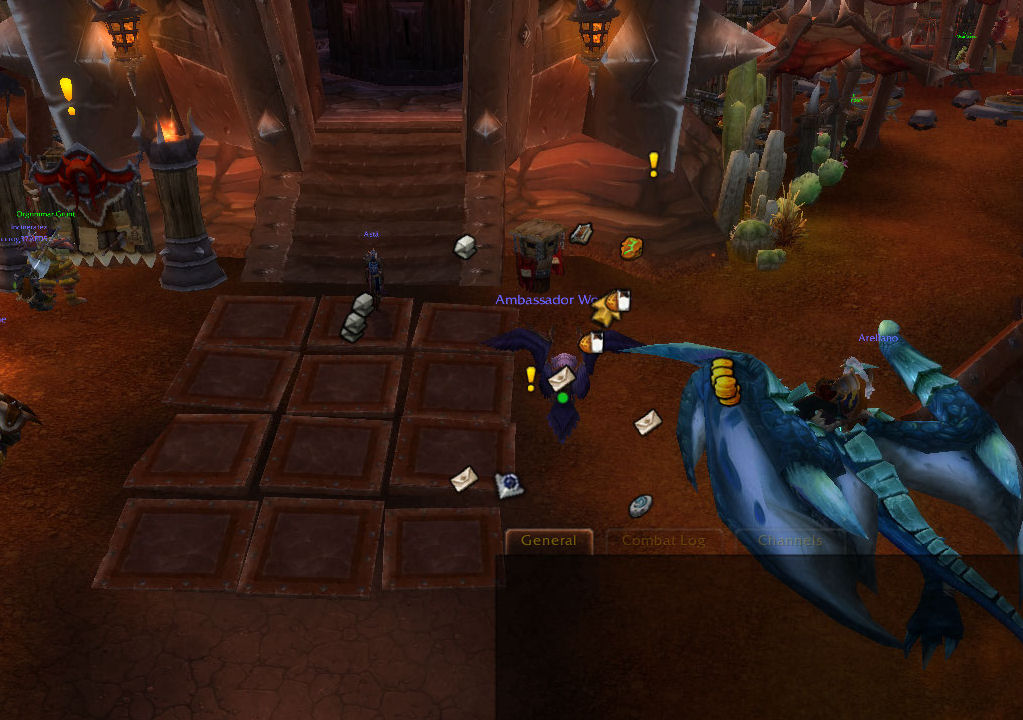
This screenshot shows what the new tracking system in Cata looks like. Same function as normal but you can see all the mailboxes, merchants, questgivers etc... Each and every one of these can be turned on or off seperatly!

Download it and give...

<p>This shows you the options screen for MiniHugeHUD. Specifically the KeyBindings screen which lets you bind keys to specific function like enabling/disabling the HUD or opening these options screens. More will be added as and when they are asked for.
...

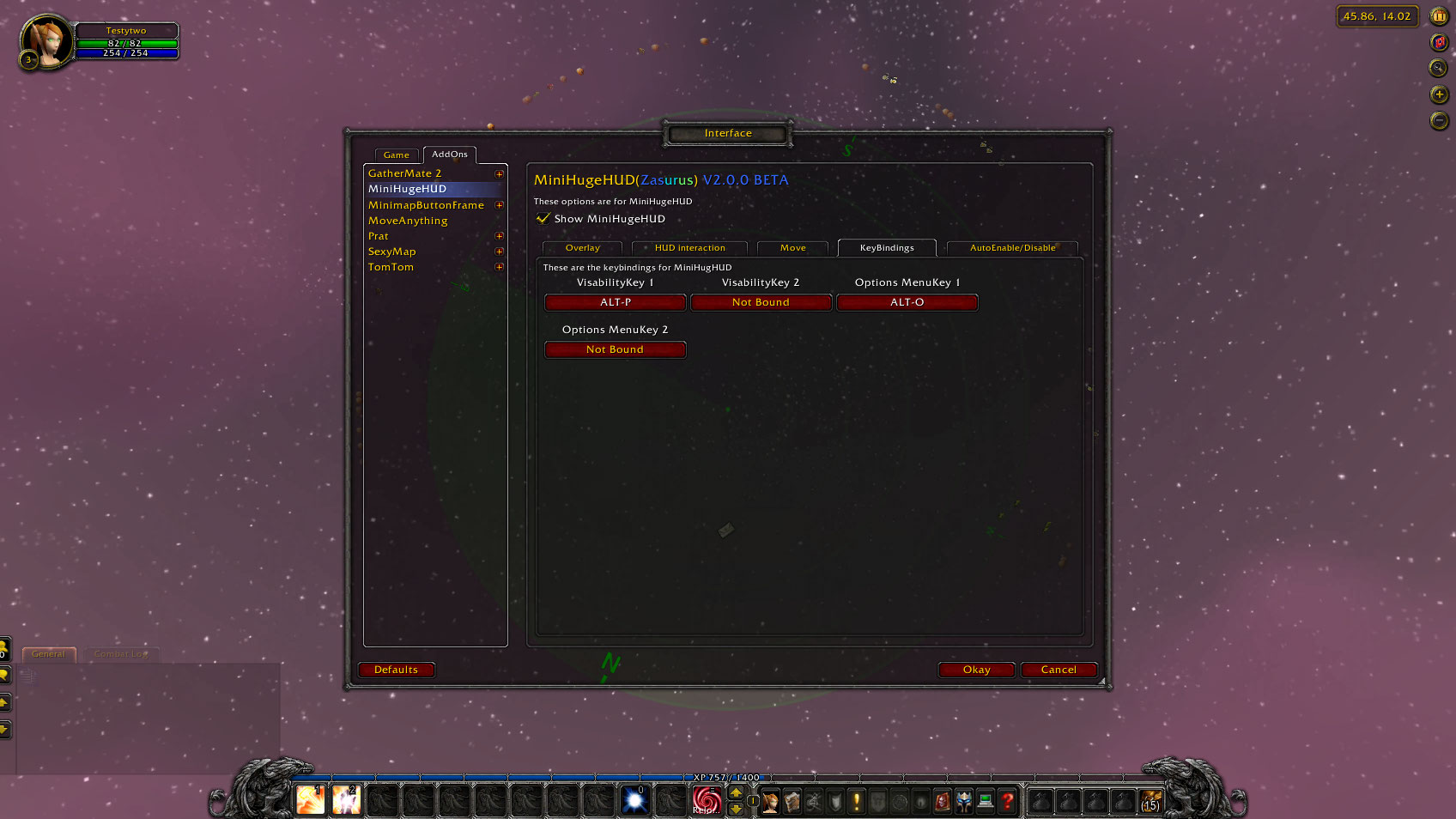
This shows you the options screen for MiniHugeHUD. Specifically the KeyBindings screen which lets you bind keys to specific function like enabling/disabling the HUD or opening these options screens. More will be added as and when they are asked for. ...

Description

LOOKING FOR SOMEONE TO TAKE OVER

I am now looking for someone who loves this addon to take it over as I no longer play. :( Contact me if your interested (Zasurus).

Overview

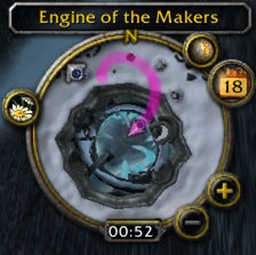
I always found that I spent to long looking at the minimap for where I was in comparison to quest hand-ins etc. SO I created MiniHugeHUD! It basically takes your minimap, hides the background (the map part but don’t worry you can easily bring it up for a sec to check stuff!) and stretches it over your whole screen!

As you walk around all the points on your minimap like banks, mailboxes and in fact ANYTHING you can track with the minimap tracker (now even TARGETS and Focus!) will appear on your screen as if you are looking down on them with you in the centre.

It may sound complex but it isn’t! If it’s at the top of the map then it’s in front of you if it’s towards the bottom its behind you. Left is to the left of you and you get it…

SO if you want to go hand in a quest of mine a titanium mine just turn until the icon is in the top centre of the screen and walk forward till your on it! Simple as that...

AND with the new version (V2.0.0+) it doesn’t require SexyMap to work (although still works just as well WITH SexyMap) and has load more options and skins... LIKE a cool spinning Radar effect!

You can control the colours and design of EVERYTHING! And I am adding more all the time.

SO Give it a GO!

Suggestions

  • If you don't use an addon to grab all your minimap Icons then you won't be able to access them while the HUD is up (as the minimap is hidden) so I suggest you get an addon to do this. I recommend "Minimap Button Frame" (not mine) and as I use it my self you will know it will always work with MiniHugeHUD! ;)
  • If you also use SexyMap then I suggest you also get my fix for SexyMap that lets MiniMap Button Frame grab the Minimap Tracker as it won't release it otherwise! :( The fix is: "SexyMap Tracker Button Fix (Minimap Button Frame)" (Another amazing name I am sure you will agree! :P).

Extra Features

  • Auto Enable/Disable on entering/leaving buildings & Caves
  • Hold down a button to interact with the minimap’s icons AND optionally show the full minimap background (with any transparency) over the entire screen. Let go of the button and it disappears so you can continue as you where!
  • Integrates with GatherMate2, Routes (more coming!) so those points and routes can be displayed as well!

Problems & Suggestions

If you have a suggestion or bug then PLEASE add a ticket here.

That way it will help me keep track of stuff I need to do. Also it will allow other people to vote on them, for example with bugs, people can say that this bug is more important that the other one or that they want/don’t want certain functionality someone has requested. Finally it keeps all the comments together for each bug or new functionality AND people can subscribe to each ticket individually to tell you when something has been fixed!


The MiniHugeHUD Team

profile avatar
  • 19
    Projects
  • 838.1K
    Downloads

More from Forge_User_19205249View all

  • LibBabble-SubZone-3.0 project image

    LibBabble-SubZone-3.0

    • 190.3K
    • Addons

    A library to help with localization of in-game subzone names.

    • 190.3K
    • March 20, 2023
    • Addons
    • +1
  • HandyNotes Special NPCs Etc project image

    HandyNotes Special NPCs Etc

    • 465.4K
    • Addons

    This creates a database of Special NPCs etc (like banks, trainers etc) locations for HandyNotes

    • 465.4K
    • September 28, 2015
    • Addons
    • +2
  • Level Revealer project image

    Level Revealer

    • 3.1K
    • Addons

    Moves the Combat and Rest icons around your players frame to ensure you can always easily see your current level at all times!

    • 3.1K
    • July 16, 2012
    • Addons
    • +1
  • BreadCrumbs project image

    BreadCrumbs

    • 20.4K
    • Addons

    BreadCrumbs is a simple addon that leaves a trail of "BreadCrumbs" behind you on the HUD (and SexyMap's HUD) as you go so you...

    • 20.4K
    • April 21, 2012
    • Addons
    • +3
  • LibBabble-SubZone-3.0 project image

    LibBabble-SubZone-3.0

    • 190.3K
    • Addons

    A library to help with localization of in-game subzone names.

    • 190.3K
    • March 20, 2023
    • Addons
    • +1
  • HandyNotes Special NPCs Etc project image

    HandyNotes Special NPCs Etc

    • 465.4K
    • Addons

    This creates a database of Special NPCs etc (like banks, trainers etc) locations for HandyNotes

    • 465.4K
    • September 28, 2015
    • Addons
    • +2
  • Level Revealer project image

    Level Revealer

    • 3.1K
    • Addons

    Moves the Combat and Rest icons around your players frame to ensure you can always easily see your current level at all times!

    • 3.1K
    • July 16, 2012
    • Addons
    • +1
  • BreadCrumbs project image

    BreadCrumbs

    • 20.4K
    • Addons

    BreadCrumbs is a simple addon that leaves a trail of "BreadCrumbs" behind you on the HUD (and SexyMap's HUD) as you go so you...

    • 20.4K
    • April 21, 2012
    • Addons
    • +3