


Addon Mgr
- By
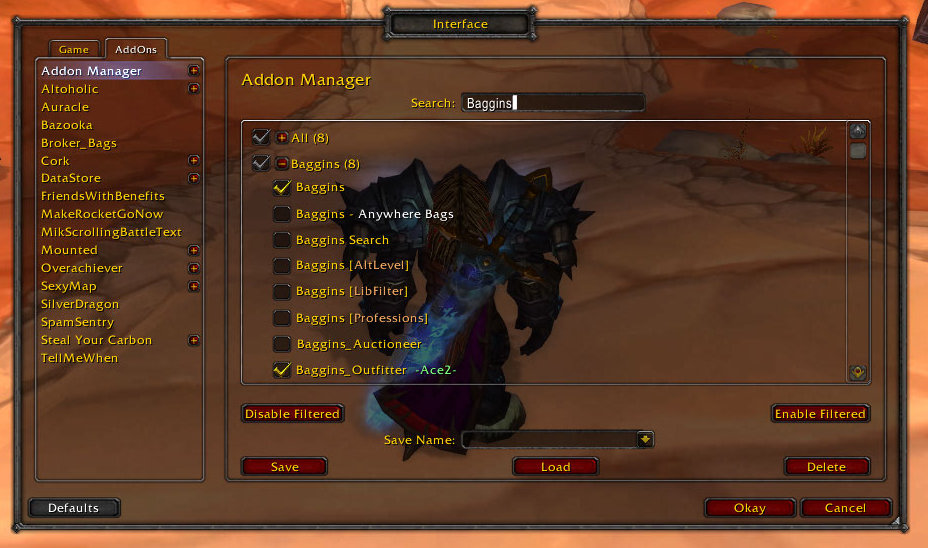
This shows the search function. Searching hides all addons that do not match. Searching also allows you to enable or disable just the matching addons.
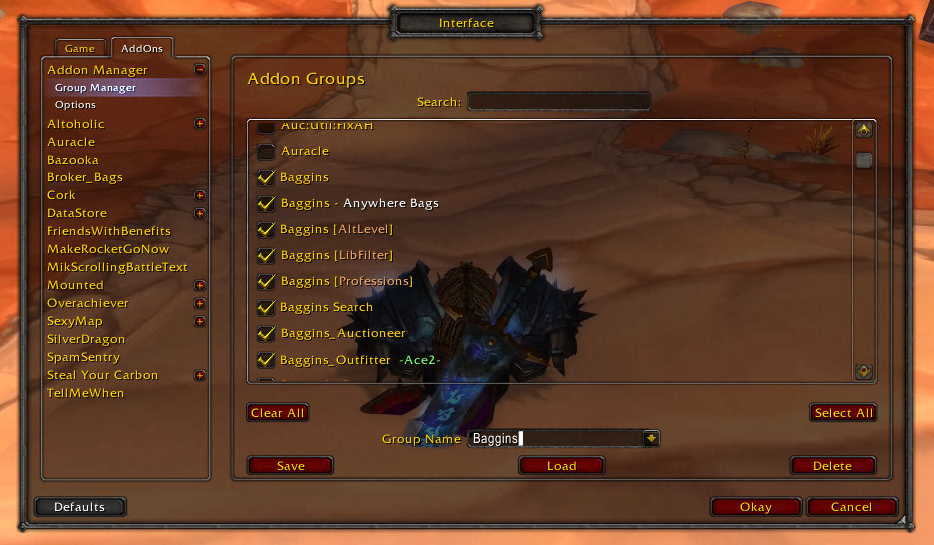
This shows the Group Manager, which is used to create the groups that are shown in the Addon Manager. As you can see it is very similar to the Addon Manager in layout.
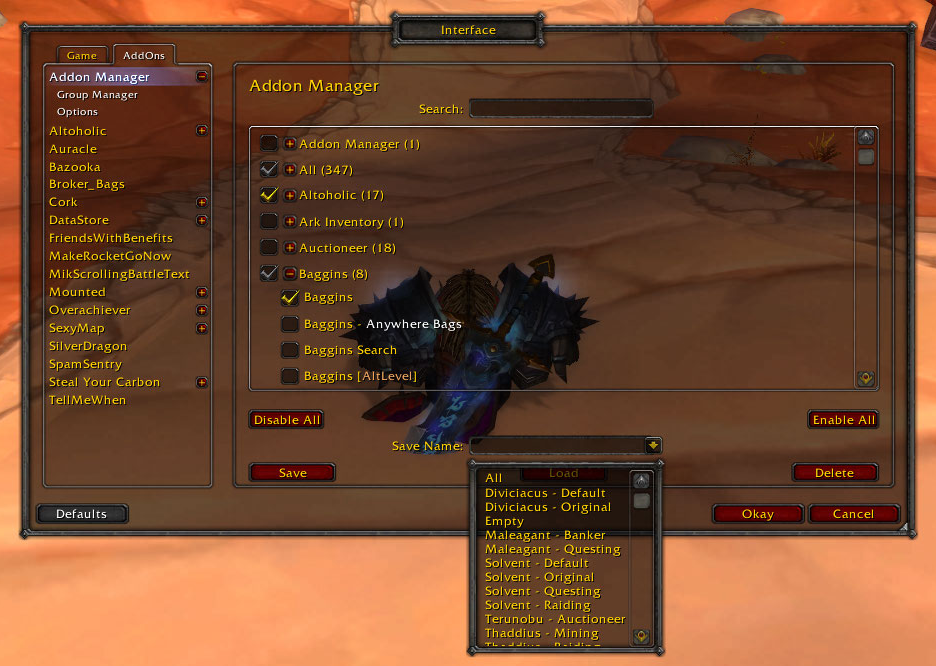
This shows the drop down menu for saves. After selecting a save you need to press the load button to load it.
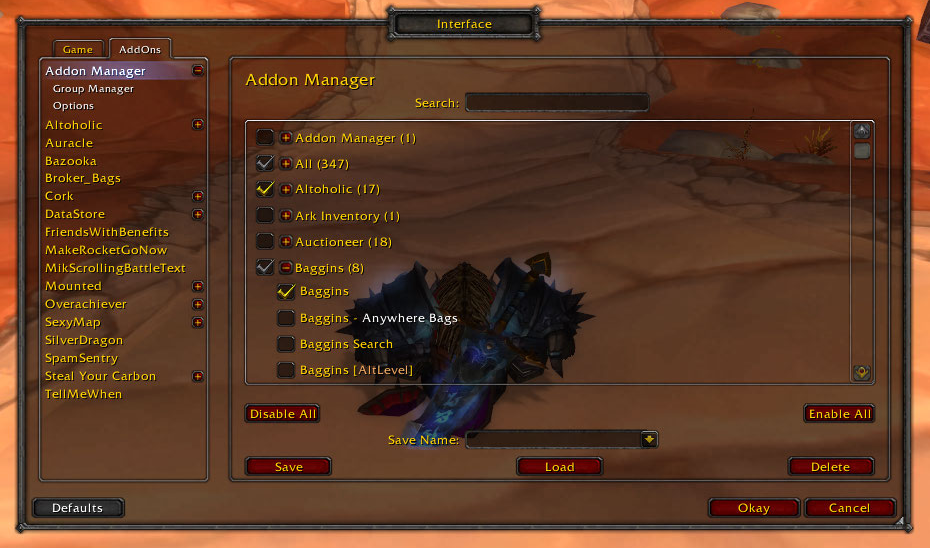
This shows the main window of the Addon Manager. You can reach this through the Blizzard AddOn Interface.
Description
Introduction
This addon will allow you to load or unload addons without logging out. You can save sets of addons to load, and switch between them easily. Addons can be grouped and selected or deselected with a single click.
This addon uses the Blizzard Interface AddOn section to allow configuration. To reach this, bring up the game menu by pressing ESC, select Interface, and then select the AddOns tab.
You must still reload your UI to change addons. You do not have to do this by logging out and logging in again.
Addon Manager
This is the main panel, and lists the groups of addons that you have created. Initially it will only have the All group, which contains every addon that you have available to load. If you expand this group by clicking on the + then you can select or deselect addons individually. Clicking on the checkbox by the group name will select or deselect all addons contained in the group.
Above the central list is a text box which allows you to search for addons of a particular name. If you wanted to find all of your Cartographer addons then you could type Cartographer. This supports Pattern Matching (http://www.wowwiki.com/Pattern_matching) so you can do things like type D.*B.*M to find all of the Deadly Boss Mods, including Deadly Boss Mods Core, which would not be matched by DBM.
Below the central list are buttons to disable and enable all addons, which perform exactly the same function as those on the Blizzard addon interface.
The bottom section of the addon manager panel is used to create load and delete sets of addons. If you type a name into the text box, and then click Save, then the currently selected addons will be saved into a set of that name. That set can be loaded at any time by pressing on the select button, selecting the name of the save from the list, and then clicking on load. The delete button will delete the currently selected save.
Your addons are prepared for update when you click the Okay. A list of the changes to your addons will be printed to the chat frame, with the instruction use /console reloadui to load changed addons. This just means that you have to type /console reloadui into chat in order to load your addons.
Group Manager
The group manager is used to create, update, and delete groups in much the same way that the addon manager is used to create, update, and delete sets of addons. The layout and use of this manager mirrors that of the addon manager.
Slash Commands
There are slash commands that allow you to load a save, show the addon manager, and reload the ui. They are as follows:
/addonmanager load [save] This will not reload the ui
/addonmanager show
/addonmanager reload
You can also use the /am abbreviation in the place of /addonmanager.
The Addon Mgr Team
