promotional bannermobile promotional banner

_NPCScan.Overlay

Adds mob patrol paths to your map.
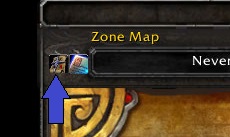
<p>Overlay/Key toggle button when using Carbonite</p>

Overlay/Key toggle button when using Carbonite

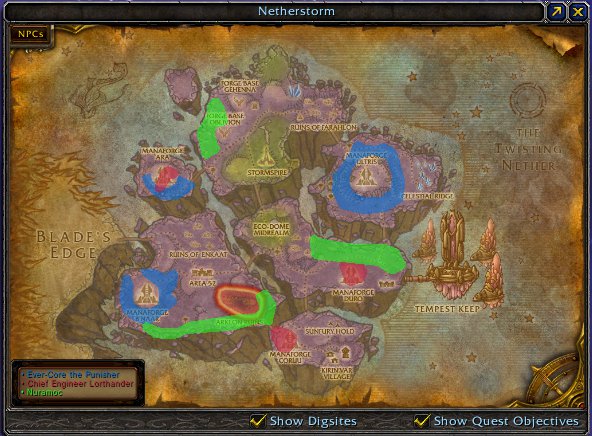
Three mob paths drawn onto the World Map of Netherstorm.

Three mob paths drawn onto the World Map of Netherstorm.

Dirkee's blue path drawn onto the Minimap, with a highlighted circle representing where he probably was when _NPCScan found him.

Dirkee's blue path drawn onto the Minimap, with a highlighted circle representing where he probably was when _NPCScan found him.

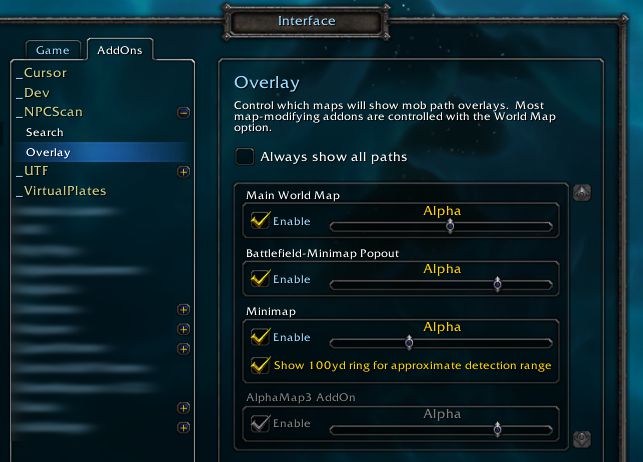
The options sub-panel, under _NPCScan's main options panel.

The options sub-panel, under _NPCScan's main options panel.

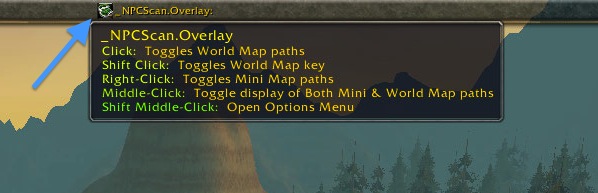
<p>Overlay/Key toggle button when using the data broker plugin</p>

Overlay/Key toggle button when using the data broker plugin

<p>Overlay toggle button when using World Map.  </p>
<ul><li>Clicking Toggles the Path Overlay
</li><li>A red slash through the icon indicates that the Overlay is hidden.</li></ul>

Overlay toggle button when using World Map.

  • Clicking Toggles the Path Overlay
  • A red slash through the icon indicates that the Overlay is hidden.

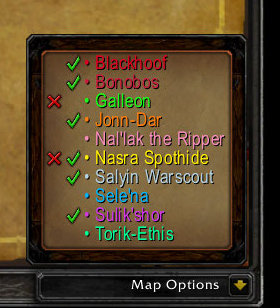
<p>The red "X" is displayed when that mob has been found in the cache by the NPCScan addon.</p>
<p>The green "√" (Check mark) is displayed for achievement mobs which the achievement API marks as complete.  This could be per character or account wide dep...

The red "X" is displayed when that mob has been found in the cache by the NPCScan addon.

The green "√" (Check mark) is displayed for achievement mobs which the achievement API marks as complete. This could be per character or account wide dep...

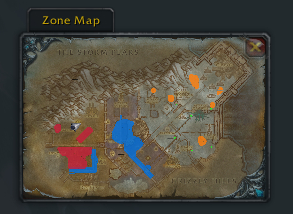
Zul'drak's patrols on the Battlefield Minimap.

Zul'drak's patrols on the Battlefield Minimap.

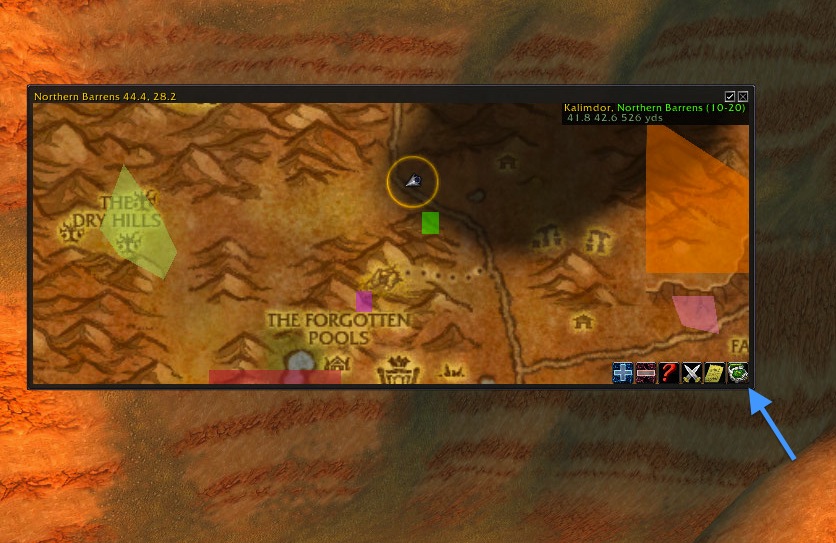
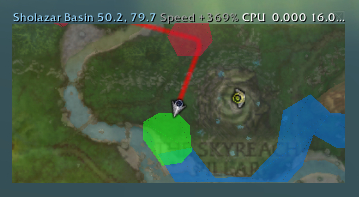
Paths drawn onto a zoomed-in Carbonite window of Sholazar Basin.

Paths drawn onto a zoomed-in Carbonite window of Sholazar Basin.

<p>Key toggle button when using World Map.  </p>
<ul><li>Clicking Toggles the Map Key
</li><li>A red slash through the icon indicates that the Key hidden.</li></ul>

Key toggle button when using World Map.

  • Clicking Toggles the Map Key
  • A red slash through the icon indicates that the Key hidden.

Description

NPCSCAN.OVERLAY IS BEING REWRITTEN

The old codebase was showing its age, so I'd been wanting to do this for awhile. With WoW 8.0, however, Blizzard forced my hand by completely replacing the map subsystem and API.


To reiterate:NPCScan.Overlay is not dead; it's being worked on.


NPCScan.Overlay is an addition to _NPCScan that adds map overlays for rare mob patrols. When you search for a rare in _NPCScan, _NPCScan.Overlay will show where it patrols until you find it.


Note: _NPCScan.Overlay can integrate with NPCScan if you have installed it, but make sure to keep both up to date if you do use both!

If you have a question check the FAQ, or a problem create a ticket

Details

World Map

In addition to drawing paths on the World Map, _NPCScan.Overlay adds a key to a corner of the window with each rare's name. It only appears in zones that have rare maps, like Netherstorm as seen in the screenshot. Hovering over a mob's name in the key will cause the mob's path on the map to start flashing. If you need to read something under the key, it can be toggled by Clicking on the Key Toggle button on the map. The key can be repositioned by just moving your mouse over top of it while holding the shift key and the key will jump to a different corner.

Most map mods like Atlas will inherit the key and overlays from this module. Even Carbonite's map display will show them.


Battlefield Minimap

The small “Battlefield Minimap” (AKA the “Zone Map”) also shows mob paths.


Minimap

All shapes and sizes of minimaps are supported. Rotating minimaps work fine as well.

One feature not shown in the screenshot is a thinner 100 yard range ring around your character. It helps you gauge _NPCScan's detection range, so you can sweep through zones more effectively. This option can be found in the Minimap subsection of the options panel, detailed below.


Options

_NPCScan.Overlay's options can be found under _NPCScan's main options menu, under _NPCScan > Overlay or as its own entry of _NPCScan.Overlay if _NPCScan isn't installed. This panel can be opened with the “/npcscanoverlay slash command, or “/overlay” for short.

The “Always show all paths” checkbox at the top of the pane overrides the instructions of NPC tracking mods like _NPCScan to hide unused paths, and always displays all known paths instead.

The rest of the configuration pane lists each map display's options. You can enable/disable each map from here, as well as configure individual settings for them.

Each map display can have its overall transparency set independently with the “Alpha” slider, so that it doesn't obscure the maps themselves.


The _NPCScan.Overlay Team

profile avatar
Owner
  • 34
    Followers
  • 48
    Projects
  • 128.3M
    Downloads
Donate

More from TorhalView all

  • LibQTip-2.0 project image

    LibQTip-2.0

    • 134
    • Addons

    Library that provides robust multi-column tooltips.

    • 134
    • May 28, 2026
    • Addons
    • +1
  • WoWDB Profiler project image

    WoWDB Profiler

    • 2.7M
    • Addons

    WoW datamining tool.

    • 2.7M
    • April 22, 2026
    • Addons
  • Frenemy project image

    Frenemy

    • 60.3K
    • Addons

    A customizable view of friends and guildmates.

    • 60.3K
    • February 1, 2026
    • Addons
    • +1
  • MailMinder project image

    MailMinder

    • 12.3K
    • Addons

    Records mail when visiting the mailbox to make keeping track of mail and expiration dates easy.

    • 12.3K
    • January 25, 2026
    • Addons
    • +1
  • LibQTip-2.0 project image

    LibQTip-2.0

    • 134
    • Addons

    Library that provides robust multi-column tooltips.

    • 134
    • May 28, 2026
    • Addons
    • +1
  • WoWDB Profiler project image

    WoWDB Profiler

    • 2.7M
    • Addons

    WoW datamining tool.

    • 2.7M
    • April 22, 2026
    • Addons
  • Frenemy project image

    Frenemy

    • 60.3K
    • Addons

    A customizable view of friends and guildmates.

    • 60.3K
    • February 1, 2026
    • Addons
    • +1
  • MailMinder project image

    MailMinder

    • 12.3K
    • Addons

    Records mail when visiting the mailbox to make keeping track of mail and expiration dates easy.

    • 12.3K
    • January 25, 2026
    • Addons
    • +1