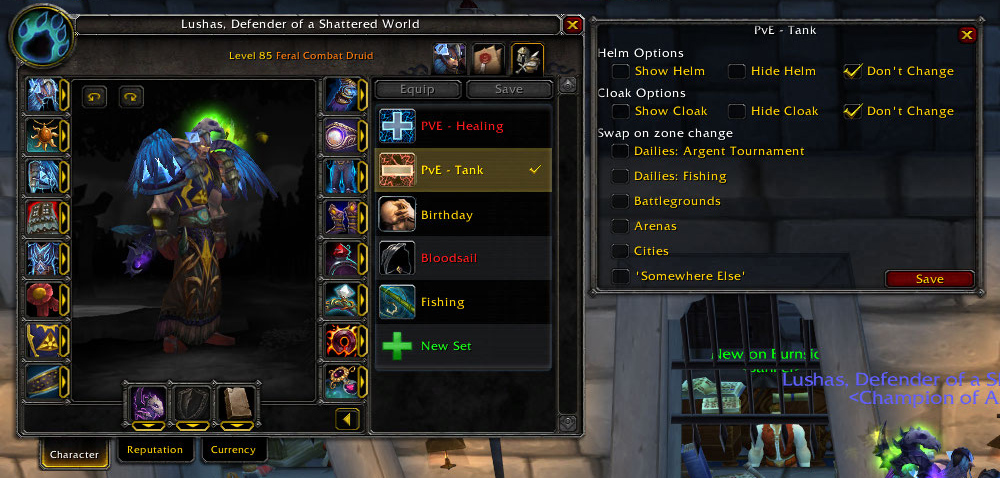
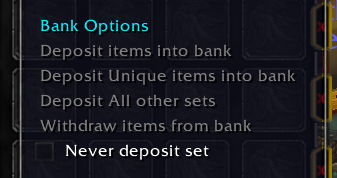
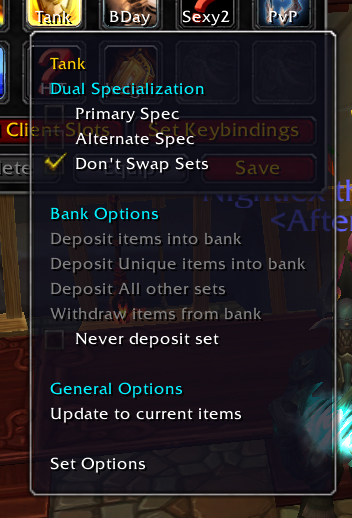
Enhanced equipment manager, Adds a menu to the default blizzard Equipment manager, allowing you to set options for viewing your helm and cloak, automatically swapping gear based on Zone or spec change; deposit or withdraw sets quickly to and from your bank, change your title, and update your sets quickly.
Updated for MoP 5.0.4
Current Implementations - Version V2.8.2
- Update sets quickly
- Client side sets - never run out of slots again. [Removed: Coming in next update!]
- Key bindings
- Bank Support
- Deposit sets to the bank
- Deposit all sets except a specific set into the bank
- Deposit unique items into the bank
- Withdraw sets from the bank
- Duel Spec support
- Automatically swap gear sets when changing specs
- Auto gear changing support
- Change gear when you enter:
- pvp - Arenas, Battlegrounds
- Daily quest areas
- Cities
- Any zone / sub zone of your choice
- Hide and show your helm or cloak
- Auto re-complete of partial sets when equipping the set via the Gear Manager Dialog.
- Quest Support - Sets base on zone for specific quests.
- Fishing Dailies
- Argent Tournament Dailies
To enable the Equipment manager
- Hit esc, in the menu go to Interface.
- Down the bottom in the controls interface options there will be a check box 'Use Equipment Manager' tick that box.
- You will then have access to it via the character screen *top right*
- Note: While hovering over items in your character screen, holding alt will bring up a menu of all the items that can be equipped in that slot.
LATEST CHANGES.
V2.8.2
- Fixed bug: Errors resulting from patch 5.0.4 ( MoP )
V2.8.1
- Fixed bug: Lua Error player entering world
V2.8.0
- Added Functionality: Key Bindings.
V2.5.0
- Fixed Bug: Unable to run on 4.1
- Temporarily Removed Features: Key-binds / Client sets (Saved data still persists) New version with these features coming soon.
V2.2.1
- Fixed Bug: Auto ignore slot will now behave correctly when accessing the set menu.
V2.2.0
- Added Localization: koKR + enUS. Korean Support
- Changed: Options UI to be more intuitive.
- Fixed Bug: Some systems the options layers would be incorrect.
- Thanks for your support.