Description
This addon is allows you to see which player in your raid/party is speaking on external voice chat program (aka Ventrilo / Teamspeak). It can also mute all game sound when someone speaks. Just two things are needed:
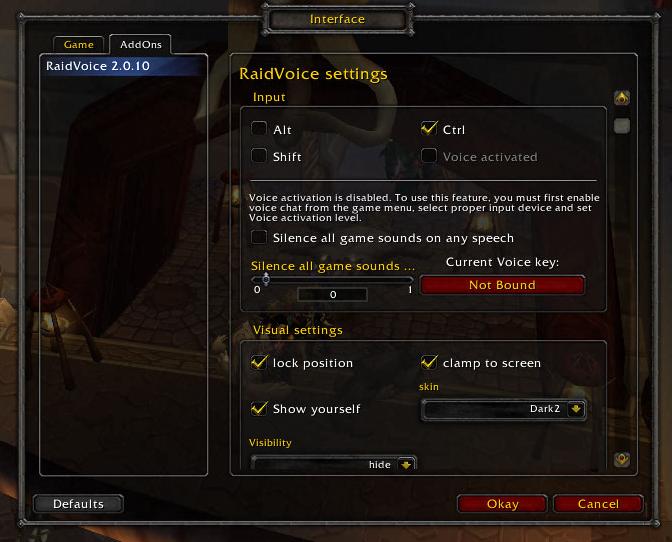
- bind the same key you use on voice chat on VoiceKey.
- Use addon settings (special keybinding)
or Key Bindings settings of the game.
- To setup voice activated chat see FAQ.
- only players having this addon (or other addon with libraidvoice) are shown.
Features
- lightweighted
- easy-to-use
- requires party, raid or guild
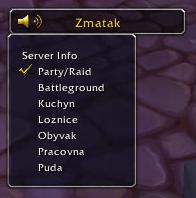
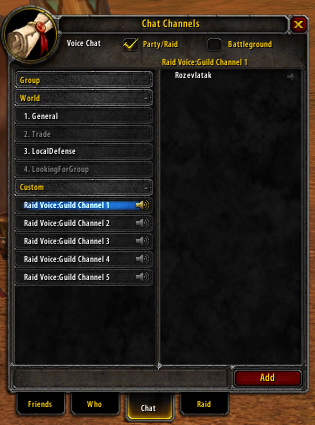
- selectable voice chat guild channels.
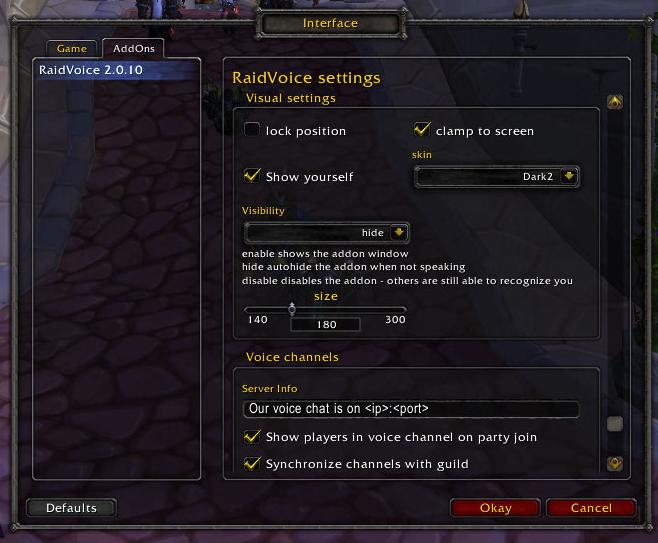
- can be auto-hidden when noone speaking
- shows all speaking players at the same time.
- voice activated voice chat !
- can be used with any voicechat as it interacts only by keybinding.
- works with voicechat bound to any standard key plus ctrl, shift or alt !
- NEW in 2.1.0 :better X-Perl UnitFrames integration (show speaking and muted players)
- NEW in 2.1.1 :Grid integration (show speaking players) -see text file !
- shows raid leader icon.
- can mute all game sounds on any speech.
- NEW in 2.0.9 : postable voice chat server info
Slash Commands
Here is a list of english slash commands available in the game under /rv or /raidvoice.
Note that the second parameter is localized in other languages.
- /rv show, enable Set addon window to enable state, making it visible at all times.
- /rv hide Set addon window to autohide state, making it visible only when someone speaks.
- /rv disable Set addon window to disabled state, disabling its visual part, but allowing other people to still see you.
- /rv ping, gping Lists the players with this addon in your party/raid or guild and the addon version they use.
- /rv settings Opens the addon settings.
- /rv info Say current voicechat server info to current channel (edidable in addon settings)
- /rv skin 1-9 Manually changes the addon skin.
Feedback Wanted
Please post any feedback you have regarding this addon and what you like /dislike, or what doesnt work. I am especially interested in:
- voice activation - the general usability and feel of the feature, is sampling voice level every 2 second sufficient ? Do you notice a fps drop if you compare it to push-to-talk?
- silencing game sound on any speech feature - does it work correctly?
- does you addon settings occasionally reset to default?
- is localization correct ?
FAQ:
1)Can I use a voice activated voice chat?
- Yes! But remember voice activation is still in beta and push to talk is recommended. You must enable blizzard voice chat ( ingame settings) and correctly set up voice activation there ( you must leave it enabled) . Try recording a sample file to see it is set up correctly.Then just enable voice activation in raidvoice addon settings.
2) Why Cant i bind my key to ctr, shift (or some other single key) ?
- Yes, you can ! You can find some special key binding in addon settings.
3) I see only myself speaking and not other players.
- You can only see players with this addon. Check if they have bound the VoiceKey.
4) I want to hide the addon when noone is speaking.
- Type " /raidvoice hide " to enable autohide feature. (Now in addon settings too)
5)What addons supports raidvoice voice chat?
- RaidVoice can communicate with any addon that has libRaidVoice, shortlist comming soon.
5) Can I have this addon localized to language XY?
7) Can I have this addon loaded on demand?
- Yes, You use some load managing addons like MyAddOns, but you have to manually edit raidvoice.toc and add following line:
8)How do I customize guild channel names?
- Ingame interface for this feature is not implemented, but you can change channel names manually. In the file C:\games\World of Warcraft\WTF\Account\<ACCOUNTNAME>\<SERVER>\<Character>\SavedVariables\RaidVoice.lua you can change channel names to match the channel names of you Teamspeak/Ventrilo server. Please note that combined length of all channel names is limited to around 220 chracters. Increasing the number by 1 in channels version will set these channel names for all guild members with enabled guild channels synchronization.
9)What is the mute key for?Why it is not working?
- The mute key allows you to show your friends that you have your microphone muted if you bind it to same key as in the voicechat program.
Alternatively you can use it if you turn off the volume and cant hear / respond to voicechat.For the moment your friends can see it only
if they have this addon and X-Perl Unitframes.Ask your favourite unitframe authors to use libraidvoice to fix this.Alternatively i might create custom mute list if enough people ask for it.