promotional bannermobile promotional banner

PlayerScore

Abandoned
PlayerScore
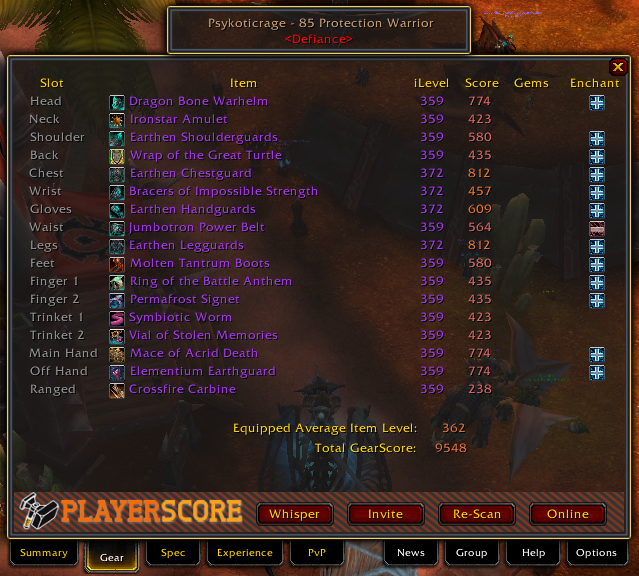
<p>The Equipment tab allows you to quickly view Gems &amp; Enchants a player is welling, as well as determine which items are holding them back. <br>
It also shows you their total GearScore and Equipped Average Item Level.</p>

The Equipment tab allows you to quickly view Gems & Enchants a player is welling, as well as determine which items are holding them back.
It also shows you their total GearScore and Equipped Average Item Level.

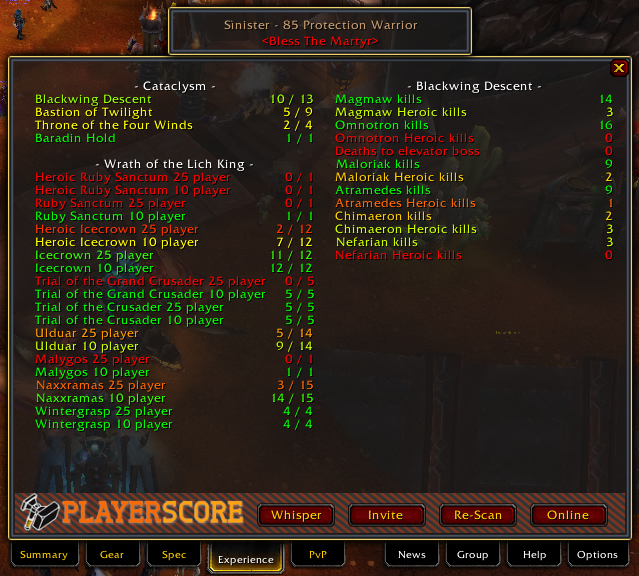
<p>The Experience tab allows you to see the raiding history of a player. <br>
Color coding from Red (poor) --&gt; Green (Good) is shown to allow you to quickly realize a player's progress through any instance or boss.</p>

The Experience tab allows you to see the raiding history of a player.
Color coding from Red (poor) --> Green (Good) is shown to allow you to quickly realize a player's progress through any instance or boss.

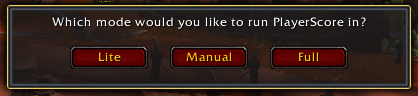
<p>PlayerScore allows you to run the addon in either full mode, lite mode, or a custom mode.</p>

PlayerScore allows you to run the addon in either full mode, lite mode, or a custom mode.

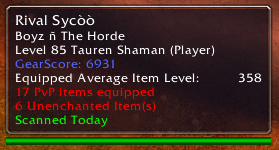
<p>The player Tooltip allows you to quickly view GearScore as well as any negative information about a player, such as PVP equipment, off-spec items, and missing gems &amp; enchants.</p>

The player Tooltip allows you to quickly view GearScore as well as any negative information about a player, such as PVP equipment, off-spec items, and missing gems & enchants.

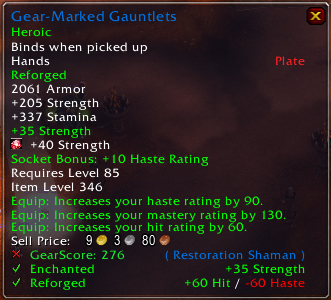
<p>Shows how GearScore adds information to an item's tooltip, and displays Enchantment status as well as Reforge status, and an "X" or "√" Depending on rather or not the item is good for you.</p>

Shows how GearScore adds information to an item's tooltip, and displays Enchantment status as well as Reforge status, and an "X" or "√" Depending on rather or not the item is good for you.

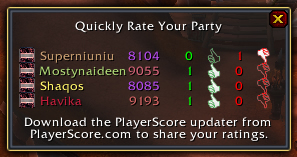
<p>The Quick Rate frame allows you to quickly rate the players you just ran a random heroic with.</p>

The Quick Rate frame allows you to quickly rate the players you just ran a random heroic with.

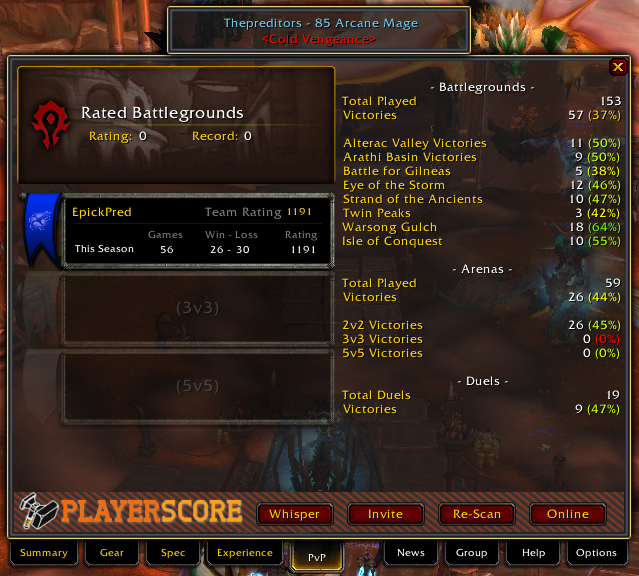
<p>The PvP Tab allows you to view the pvp performance of a player. It also gives you a good idea of their overall pvp prowess. <br>
Stats are rated from red (bad) --&gt; green (good) to allow you to quickly process the information.</p>

<p>(Note: Becaus...

The PvP Tab allows you to view the pvp performance of a player. It also gives you a good idea of their overall pvp prowess.
Stats are rated from red (bad) --> green (good) to allow you to quickly process the information.

(Note: Becaus...

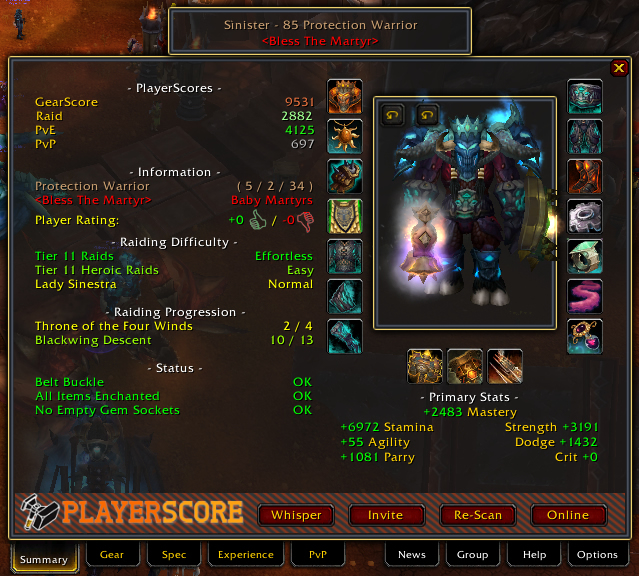
<p>The Summary Tab allows you to quickly view a large amount of information about a player.</p>

<p>1. PlayerScores - Easily see 4 scores about a player's equipment and experience within the game.<br>
2. Information - View their Class &amp; Spec, their ...

The Summary Tab allows you to quickly view a large amount of information about a player.

1. PlayerScores - Easily see 4 scores about a player's equipment and experience within the game.
2. Information - View their Class & Spec, their ...

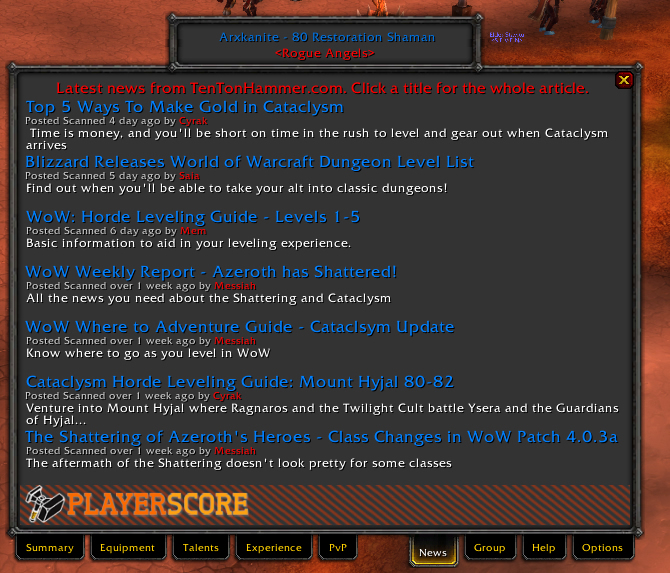
<p>GearScore 4.0 News Tab</p>

GearScore 4.0 News Tab

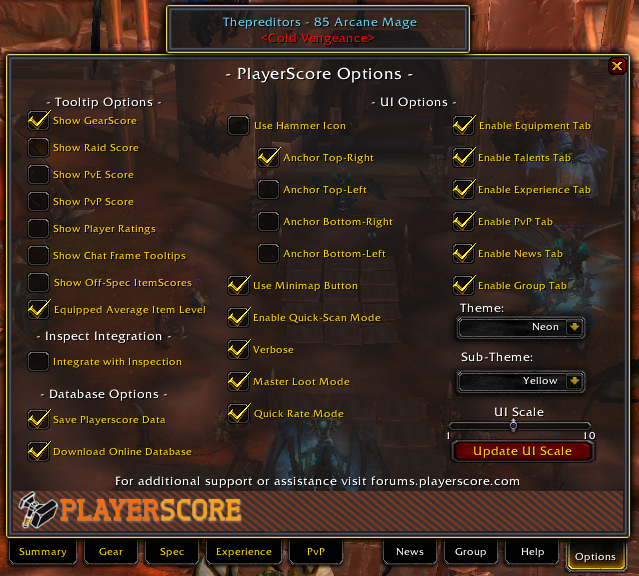
<p>The options tab allows you to customize the addon in many ways. You can disable almost every individual feature, and all items have an in-dept description of their function (Mouse over the check box)</p>

The options tab allows you to customize the addon in many ways. You can disable almost every individual feature, and all items have an in-dept description of their function (Mouse over the check box)

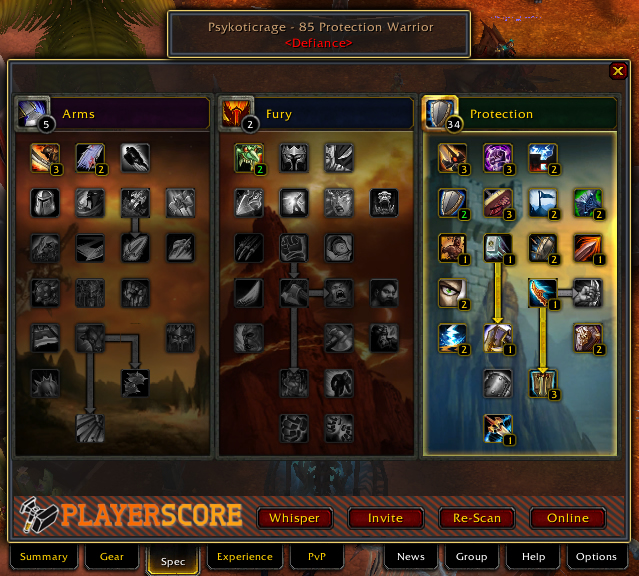
<p>The spec tab allows you to see a player's Talents. You can also flag talents a player is using as positive or negative which will reflect poorly on the player and others who choose to use these bad specs.</p>

The spec tab allows you to see a player's Talents. You can also flag talents a player is using as positive or negative which will reflect poorly on the player and others who choose to use these bad specs.

Description

PlayerScore Overview
PlayerScore is the next evolution of GearScore® and aims at providing a utility infinitely more useful then just the score of a player's equipment. PlayerScore provides raid leaders with a wealth of instant knowledge such as

  • Complete Raiding History - Allows you to view an easy to read breakdown of a player's raiding history including every boss kill and current top-tier raiding progression.
  • Equipment Layout - Well designed layout allows you to manually check a player's gear quickly and easily. Advanced item tooltips make spotting bad items even easier with flags for enchantments, gems, and reforging.
  • Primary Stats - Shows you a break down of the stats a player is gearing for. This provides a great way for raid leaders to make sure player's aren't stacking spell pen, or have 200% hit rating, or DKs gearing for Agility.
  • Talent Spec - View a player's current build. You can also flag talents as bad for a specific spec and have PlayerScore notify you in the future when a player is using those talents.
  • Automatic Character Auditing - PlayerScore will display a list of flags for when players have missing or bad gems & enchantments; bad talent specs; missing equipment; wearing equipment for another spec or class; using pvp items; or riding TRH.
  • Player Ratings - PlayerScore uses our online servers and custom anti-abuse technology to allow players to rate eachother on a thumbs up or down basis. This allows you to easily spot players who don't get along well with others or just plain suck.

PlayerScore also provides a set of very extensive options. Almost every single feature can be disabled to save memory or increase performance. You can also disable features to save space and only provide the information you care about most. You can also run the addon in "Lite Mode" which will disable the entire GUI showing only information on player tooltips.

Additional Resources

  • PlayerScore Website - Check your GearScore®, view your ratings & comments, or measure up on the global scoreboards at the official website, www.PlayerScore.com
  • Bug Reporting - Please Report all bugs and issues through the official Bug Submission Form.
  • PlayerScore Forums - Make suggestions & comments, or ask questions on the official PlayerScore Forums
  • PlayerScore Blog - Get the latest news and upcomming features from the addon by reading the PlayerScore Blog.
  • Twitter - You can also submit comments, ideas, suggestions, or bug reports to me on Twitter and get super fast response! @Arxkanite.

Copyright 2010 - 2011 Master Games International, Inc. GearScore® is a registered trademark of Master Games International, Inc.


The PlayerScore Team

profile avatar
  • 4
    Projects
  • 8.8M
    Downloads
Donate

More from _ForgeUser600022